

Apple dropped Release Candidate versions of all its 26.2 software updates today, signaling that the public release is imminent—likely within the next week. These final builds represent Apple's last major software updates of 2025, bringing refinements and new features across iPhone, iPad, Mac, Apple Watch, Apple TV, and Vision Pro.
For those unfamiliar with Apple's release cycle, a Release Candidate (RC) is essentially the final version that will ship to the public, barring any critical bugs discovered during this last round of testing. Based on Apple's historical patterns with .2 updates, we can expect the public launch between December 9-16.
Here's everything new in each platform update.
iOS 26.2: Polish and European Expansion
The iPhone update focuses on refinement and expanding features to new regions, particularly the European Union where regulatory requirements delayed some iOS 26 capabilities.
Lock Screen Liquid Glass Slider
Building on the Liquid Glass design language introduced in iOS 26, Apple now gives users precise control over clock transparency. A new slider in the Lock Screen customization menu lets you adjust how frosted or clear the clock appears, ranging from almost entirely transparent to heavily frosted. This adds to the "Clear" and "Tinted" options introduced in iOS 26.1, giving users unprecedented control over their Lock Screen aesthetics.
AirPods Live Translation Comes to the EU
One of the headline features, AirPods Live Translation, finally launches in the European Union. The feature was held back from the initial iOS 26 release while Apple completed engineering work to comply with the Digital Markets Act.
Live Translation works with AirPods Pro 3, AirPods Pro 2, and AirPods 4 with Active Noise Cancellation, turning your earbuds into real-time translation devices. When someone speaks to you in a different language, Siri translates their words into your preferred language through your AirPods. The feature works best when both participants use Live Translation, but you can also display a live transcription on your iPhone screen for the other person.
Supported languages include English (UK and US), French, German, Portuguese (Brazil), Spanish, Italian, Japanese, Korean, and Chinese (Simplified and Traditional Mandarin).
Urgent Reminders with Alarms
The Reminders app gains a powerful new capability: the ability to trigger iPhone alarms when tasks are due. Toggle on the "Urgent" option when creating a reminder, and when it activates, you'll see snooze and slide-to-stop options on your Lock Screen. If you snooze it, a countdown displays with options to complete the reminder or reschedule it.
This bridges the gap between casual task management and time-sensitive alerts, ensuring you never miss critical deadlines.
Apple Music Offline Lyrics
A small but welcome addition: you can now view song lyrics in Apple Music even without Wi-Fi or cellular connectivity. Perfect for flights, subway commutes, or anywhere else you lose connection but still want to sing along.
App Updates and Refinements
The Podcasts app receives AI-powered enhancements that automatically generate chapters, create links to mentioned podcasts, and organize related content. Apple News gets a refined layout with quick links to popular sections. The Freeform app now supports tables for better organization during brainstorming sessions.
CarPlay also sees improvements, including the ability to disable pinned messages in the Messages app, and menu animations have been revamped throughout the system for smoother transitions.
Enhanced Sleep Score
Working in tandem with watchOS 26.2, iOS updates the Sleep Score feature with recalibrated thresholds. The changes respond to user feedback that the previous scoring felt overly generous—more on this in the watchOS section.
iPadOS 26.2: Multitasking Redemption
Apple faced significant backlash when iPadOS 26 initially removed familiar multitasking gestures in favor of a new windowing system. The company has been methodically addressing these concerns, and iPadOS 26.2 represents the culmination of that effort.
Drag and Drop Returns
The marquee feature: you can once again drag apps directly from the Dock, Spotlight search, or App Library into Split View and Slide Over positions. This was a beloved workflow in iPadOS 18 that disappeared with the iPadOS 26 redesign, forcing users into more complex multitasking setups.
Now, when you drag an app icon, visual previews show exactly where it will land—whether in Split View on the left or right, in Slide Over mode, or as a full window. The feedback is immediate and intuitive, transforming what had become guesswork back into muscle memory.
Split View and Slide Over Enhancements
You can drag an app to the far left or right edge to enter Slide Over mode, or to intermediate positions to create side-by-side Split View layouts. Dragging an app to the center opens it in a customizable window size. If you already have apps open in these modes, you can drag a new app over an existing one to replace it—but unlike iPadOS 18, the previous app stays open in the background for easy access.
This update demonstrates Apple's willingness to iterate quickly based on user feedback. iPadOS 26 launched in September, 26.1 brought back basic Slide Over functionality in October, and now 26.2 restores the drag-and-drop workflows that made iPad multitasking so powerful.
Shared iOS Features
iPadOS 26.2 also includes the Urgent Reminders, Apple Music offline lyrics, Podcasts improvements, Apple News layout updates, and Freeform table support from iOS 26.2.
macOS Tahoe 26.2: Edge Light and AI Infrastructure
The Mac update brings video call enhancements and behind-the-scenes performance improvements for AI workloads.
Edge Light: Your Virtual Ring Light
The standout feature is Edge Light, a video conferencing effect that creates a virtual ring light around your Mac's display edges. When you're on FaceTime, Zoom, Webex, or any other video call in a darkened room, Edge Light illuminates your face by displaying a bright border on the screen perimeter.
What makes this clever is the intelligence behind it. The Neural Engine detects your face, size, and position in the video frame to position the light optimally. The Image Signal Processor adjusts brightness based on ambient lighting conditions. You can customize the color temperature from warm to cool, and the light intelligently fades when your cursor approaches the screen edge so you can still access your content.
Edge Light works on all Apple silicon Macs. On 2024 and newer models, you can enable automatic activation when low light is detected. The feature also works with the Studio Display and external cameras connected to Apple silicon Macs.
Thunderbolt 5 AI Clustering
For power users and researchers, macOS Tahoe 26.2 introduces low-latency Thunderbolt 5 clustering that lets you connect multiple Macs to create AI supercomputers. Four Mac Studios with up to 512GB of unified memory each can efficiently run massive models like the 1 trillion parameter Kimi-K2-Thinking model.
Additionally, MLX (Apple's machine learning framework) gains full access to the M5 chip's neural accelerators, making the upcoming M5 Ultra Mac Studio a powerhouse for AI tasks.
Shared Features Across Platforms
macOS also receives the Urgent Reminders integration (alarms trigger on your iPhone), Podcasts improvements, and Apple News updates. The Reminders alarm feature requires an iPhone to work—when you set up your first Urgent reminder on Mac, you'll receive instructions for enabling the feature on your iPhone.
watchOS 26.2: Sleep Score Recalibration
More Realistic Sleep Scoring
Apple Watch users have been vocal about Sleep Score feeling overly generous since the feature launched with watchOS 26. Apple listened and recalibrated the entire system.
The top classification has been renamed from "Excellent" to "Very High"—a more objective term that helps users understand the score measures sleep quality against medical guidelines, not necessarily how they feel that morning. More significantly, the thresholds for each tier have been increased:
- Very High: 91-100 (previously 90-100 for "Excellent")
- High: 81-90 (previously 70-89)
- Moderate: 71-80 (previously 60-69)
- Low: 61-70 (previously 50-59)
- Very Low: Below 60 (previously below 50)
Apple says these changes come from data gathered through the Apple Heart and Movement Study, better aligning scores with guidance from the American Academy of Sleep Medicine, National Sleep Foundation, and World Sleep Society.
Enhanced Safety Alerts
For users in the United States, watchOS 26.2 delivers Enhanced Safety Alerts with detailed warnings about floods, natural disasters, and other threats. These alerts now include maps of affected areas and links to safety guidance.
Bug Fixes
Apple has addressed a bug that caused the Music app to hang instead of playing the next track—a frustrating issue that's finally resolved.
tvOS 26.2: Family-Friendly Updates
Kids Mode and Account-Free Profiles
Apple TV gains a dedicated Kids Mode within the TV app for child profiles, making it easier to curate age-appropriate content. Additionally, you can now create user profiles without requiring an Apple Account, which simplifies guest management and temporary user setups.
This addresses a longstanding pain point for households that want to give visitors access to the Apple TV without the friction of account creation.
visionOS 26.2: Maintenance and Stability
The Vision Pro update appears focused on maintenance, addressing bugs and stability issues that have emerged since the major update in September. Apple hasn't highlighted specific new features, suggesting this is primarily a polish and performance release for the platform.
What's Next?
With Release Candidates now in the hands of developers and public beta testers, the public launch is imminent. Historical data shows Apple typically releases .2 updates in mid-December, putting the likely launch window between December 9-16.
These updates represent Apple's final major software releases of 2025, capping off a year where the company introduced the Liquid Glass design language and rebuilt fundamental aspects of iOS and iPadOS multitasking. The iterative improvements in these .2 updates—particularly the multitasking refinements on iPad and the expansion of AirPods Live Translation—show Apple's willingness to respond quickly to user feedback.
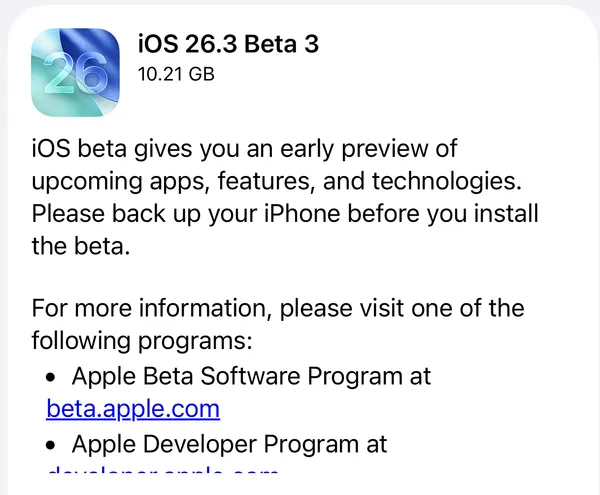
If you're enrolled in the developer beta program or public beta testing, you can download these Release Candidates now through the Settings app on each device. For everyone else, the public release should arrive within a week, just in time for the holidays.
What features are you most excited about in the 26.2 updates? Will Edge Light replace your physical ring light for video calls? Let me know in the comments.



Discussion