

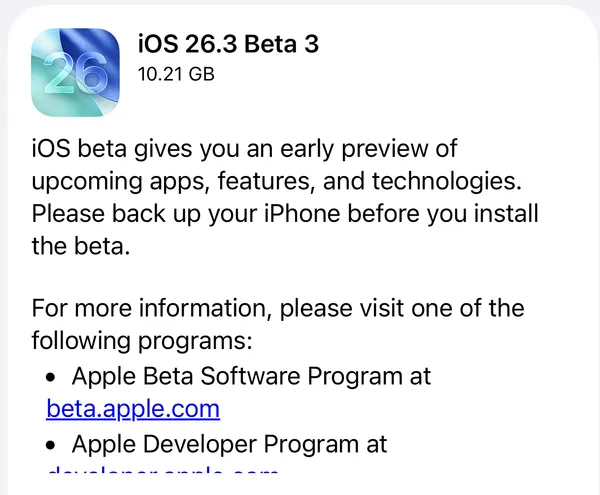
Apple today released the first beta versions of iOS 26.4, iPadOS 26.4, macOS 26.4, and updates across its entire platform ecosystem to registered developers. The release arrives approximately three weeks after iOS 26.3 and includes a substantial collection of new features, security enhancements, and interface refinements.
iOS 26.4 Beta 1 (Build 23E5207q)
Enhanced Video Podcast Experience with HLS Technology
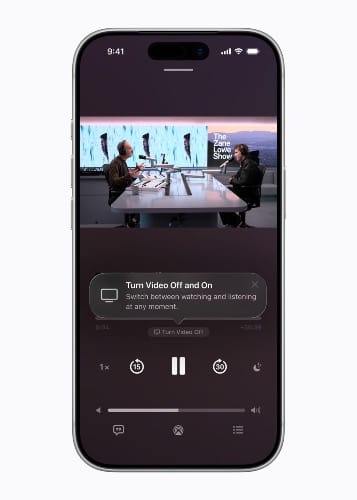
The Apple Podcasts app receives a transformative upgrade leveraging Apple's HTTP Live Streaming (HLS) technology. Users can now seamlessly switch between watching and listening to shows, move to horizontal full display for immersive viewing, and download videos for offline consumption. HLS technology provides automatic quality adjustment across network conditions, ensuring smooth playback on both Wi-Fi and cellular connections.
Podcast creators maintain complete control over their content and monetization through participating hosting providers including Acast, ART19 (Amazon), Triton's Omny Studio, and SiriusXM. For the first time, creators can dynamically insert video ads—including host-read spots—unlocking access to the broader video advertising market. Apple doesn't charge hosting providers or creators to distribute podcasts, but will charge participating ad networks an impression-based fee for delivering dynamic ads in HLS video starting later this year.
End-to-End Encrypted RCS Messaging Testing
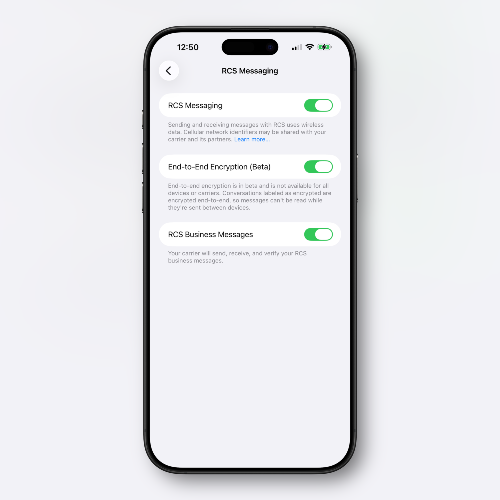
iOS 26.4 introduces a new toggle in Settings allowing users to enable RCS encryption for testing purposes. This opt-in approach reflects Apple's cautious rollout strategy for gathering real-world data before making encrypted RCS available to all users. The feature is being deployed gradually—not all beta testers will see the toggle immediately.
How to enable: Navigate to Settings > Messages and look for the RCS Encryption toggle (availability varies during beta testing).
For users, this means more secure cross-platform messaging with Android devices, maintaining conversation privacy even outside Apple's iMessage ecosystem. Based on the testing toggle approach, widespread availability of encrypted RCS likely won't arrive until later in the iOS 26.4 cycle or potentially a subsequent update.
Apple Music Fullscreen Redesign and Concert Discovery
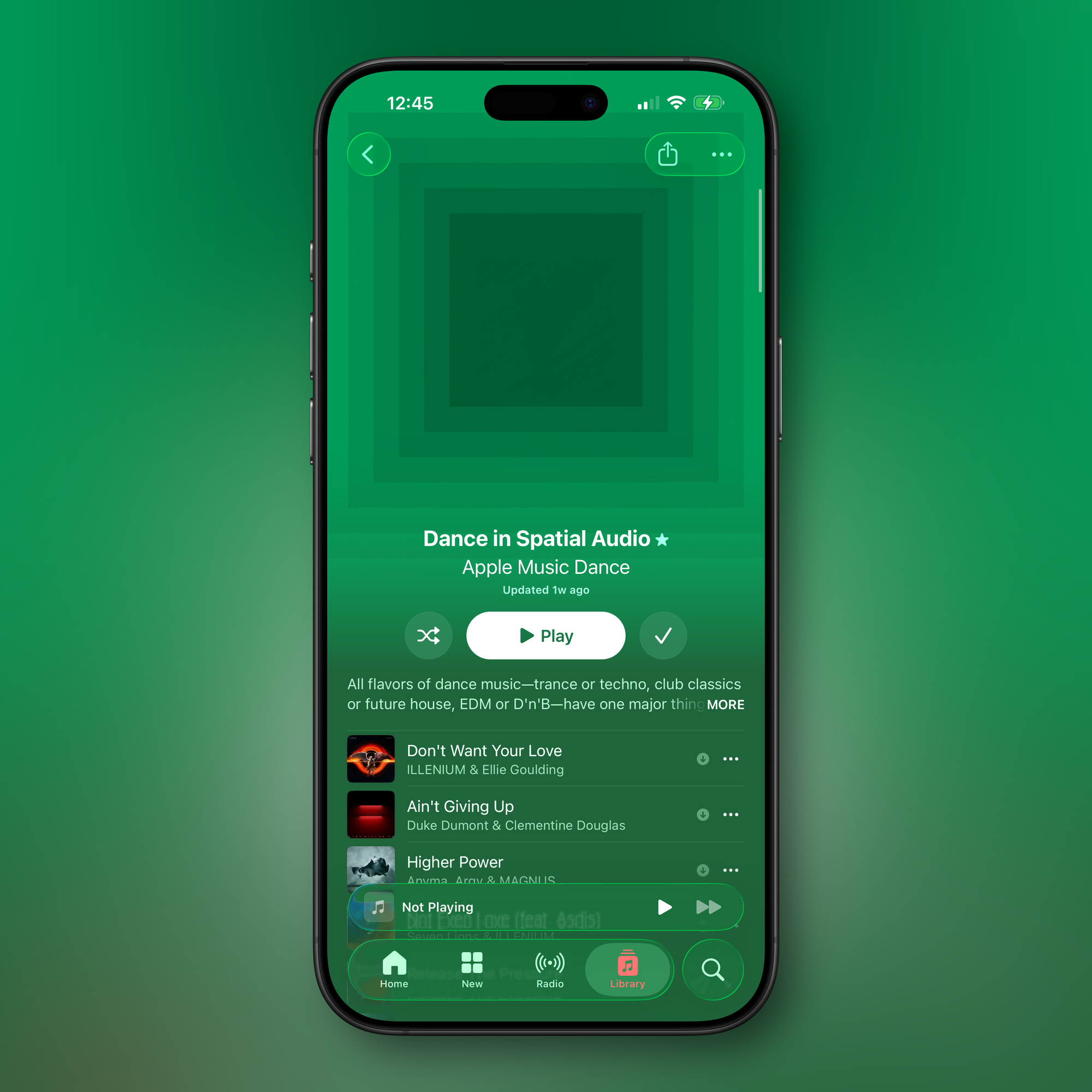
Whats New in Apple Music.
Apple Music introduces a new fullscreen design for albums and playlists. Track lists now adopt background colors that complement the artwork—not exact matches, but carefully selected hues that evoke the visual identity of each album or playlist. This creates visual cohesion across the screen and enhances the browsing experience.
A new "Concerts Near You" feature helps users discover shows in their area and tour dates for favorite artists without leaving Apple Music. The update also includes a redesigned Profile screen (shared across Music, Podcasts, and TV apps) with shortcuts for Apple Account actions like adding funds or redeeming gift cards.
Playlist Playground AI Feature
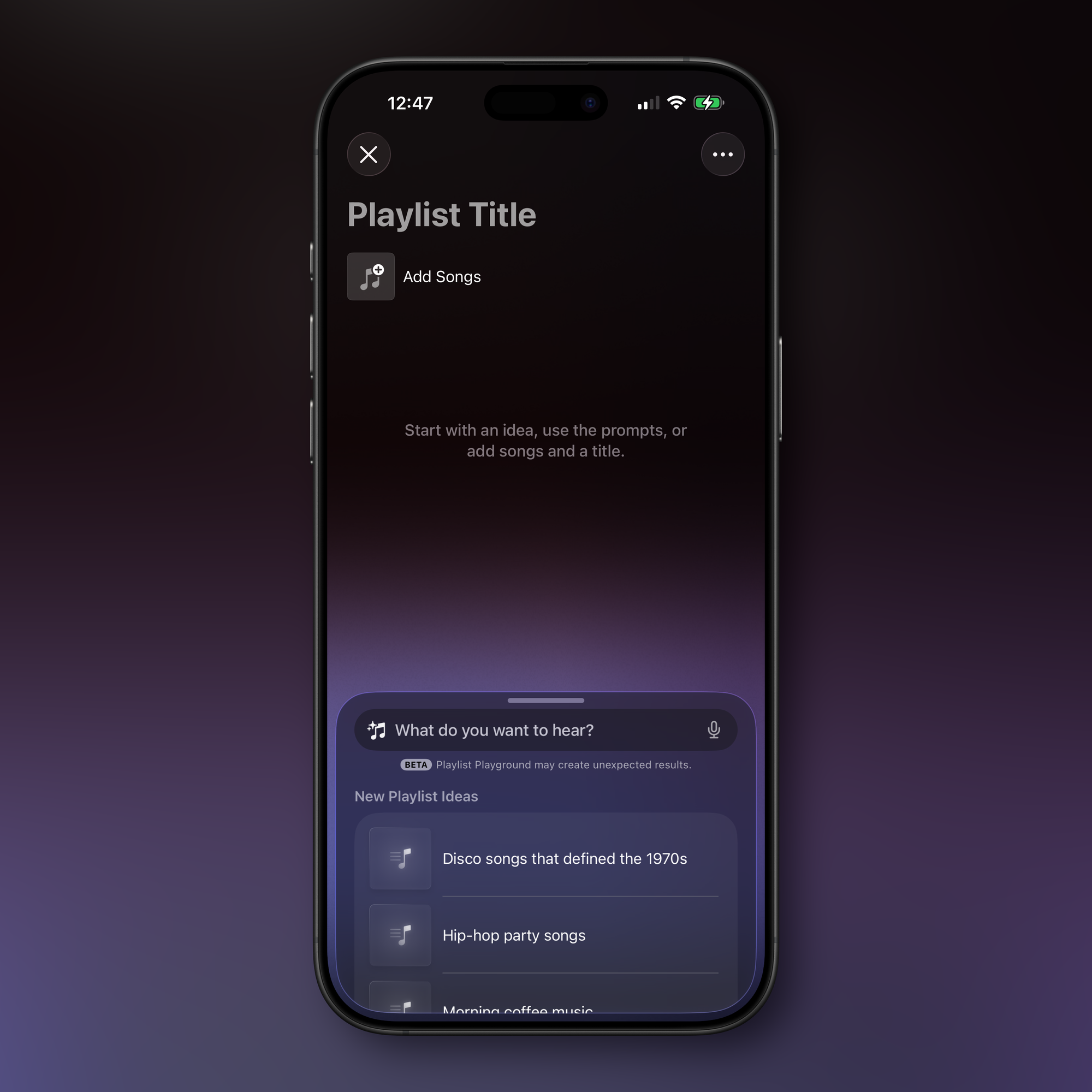
Apple Music Playlist Playground
iOS 26.4 introduces "Playlist Playground," an Apple Intelligence feature that generates playlists based on text descriptions. The feature is currently labeled as beta and requires Apple Intelligence-capable devices.
How to use: In the Apple Music app, tap the new playlist icon in the upper-right corner of the Library page, then enter a text prompt or choose from built-in "New Playlist Ideas." Once generated, you can add playlists to your library, manually adjust tracks, or iterate with additional prompts.
If the feature doesn't appear after updating, check Settings > Apple Intelligence & Siri to verify that new Apple Intelligence models have finished downloading.
Redesigned Wallpaper Gallery
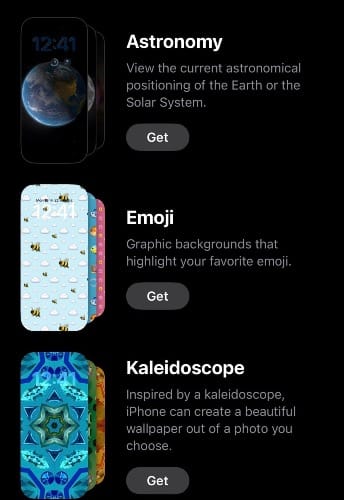
iOS 26.4 completely overhauls the Wallpaper Gallery system with improved organization and performance optimization. Categories appear along the top including Featured, Photo Shuffle, and Spatial Scenes. Collections like Weather, Astronomy, and Emoji now use on-demand loading—users tap a "Get" button to download collections, then can remove them with a checkmark button to keep the interface clean.
This opt-in system addresses wallpaper management bloat by letting users curate only desired collections rather than loading everything upfront. Preloaded collections remain for iOS 26 wallpapers and iPhone hardware-specific options.
Stolen Device Protection Enabled by Default
iOS 26.4 enables Stolen Device Protection by default for all iPhone users. Previously an opt-in feature from iOS 17.3, this security measure now becomes standard infrastructure rather than optional enhancement.
Stolen Device Protection requires Face ID or Touch ID authentication for sensitive features like the Passwords app, Lost Mode, and Safari purchases. High-risk actions require two biometric authentications separated by a one-hour security delay, including:
- Changing Apple ID password
- Updating Apple ID security settings
- Changing iPhone passcode
- Managing Face ID or Touch ID
- Turning off Find My
- Disabling Stolen Device Protection
Users can remove security delays when the iPhone is in familiar locations, allowing full functionality at home while maintaining protection in public spaces.
iPadOS 26.4 Beta 1 (Build 23E5207q)
Compact Tab Bar Returns to Safari
iPadOS 26.4 restores the compact tab bar option in Safari that was removed in iPadOS 26's initial release. The feature condenses the Safari tab bar into a single row encompassing the address bar, current tabs, and more.
How to enable: Navigate to Settings > Safari and select the compact tab bar layout option.
Shared iOS Features
iPadOS 26.4 includes all iOS features with the same build number: enhanced Podcasts video experience, Apple Music visual refresh, redesigned Wallpaper Gallery, and Playlist Playground AI feature. The iPad's larger screen makes it particularly well-suited for video podcast viewing and exploring album artwork.
macOS 26.4 Beta 1 (Build 25E5207k)
Compact Tab Bar Returns to Safari
Like iPadOS, macOS 26.4 restores the compact tab bar option that was removed in macOS Tahoe 26's initial release.
How to enable: Navigate to System Settings > Safari and choose the compact tab bar layout option.
Rosetta 2 Discontinuation Notifications
macOS 26.4 begins notifying users when launching apps requiring Rosetta 2 that the translation layer will be discontinued. At WWDC25, Apple announced Rosetta 2 would be fully supported through macOS 27, with largely discontinued support starting with macOS 28 (expected fall 2027). Apple will maintain a subset of Rosetta functionality aimed at supporting older unmaintained gaming titles.
The notification serves as advance warning for users to seek updated native Apple silicon versions of their apps and reminds developers who haven't yet updated their software. macOS 26 will be the final release for Intel-based Macs, with Apple providing security updates for three additional years afterward.
Cross-Platform Features
macOS 26.4 includes corresponding updates for Apple Podcasts video support and other ecosystem features, maintaining consistency across devices.
Legacy macOS Updates
Apple also released Release Candidates for older macOS versions:
- macOS 15.7.5 RC (Build 24G607)
- macOS 14.8.5 RC (Build 23J407)
These updates provide security and stability patches for users who haven't upgraded to the latest release, supporting enterprise environments and users with hardware limitations.
watchOS 26.4 Beta 1 (Build 23T5209m)
The Apple Watch receives its corresponding update with performance refinements and bug fixes typical of point releases. Specific watchOS improvements haven't been detailed in this initial beta.
Additional Platform Updates
Apple rounded out today's release with beta builds across its hardware ecosystem:
- HomePod Software 26.4 beta 1 (Build 23L5208m)
- tvOS 26.4 beta 1 (Build 23L5208m)
- visionOS 26.4 beta 1 (Build 23O5209m)
The identical build numbers for HomePod and tvOS suggest shared architectural improvements. visionOS receives HLS video podcast capabilities alongside iOS and iPadOS, making Vision Pro another premium viewing platform for video podcast content.
Developer Availability and Release Timeline
iOS 26.4 beta 1 and all accompanying platform updates are available now to registered developers through the Apple Developer Program. Public beta versions typically follow within one to two weeks. Based on Apple's release patterns, the final public release of iOS 26.4 could arrive in late March or early April.
The HLS video podcast functionality will launch to the public this spring across iPhone, iPad, Apple Vision Pro, and Apple Podcasts on the web. Podcast hosting providers and creators can learn more about enabling HLS video at podcasters.apple.com.
As always, beta software should be installed only on test devices, not primary hardware, as pre-release versions may contain bugs and stability issues that affect daily use.
Which iOS 26.4 feature are you most excited to test? Will Playlist Playground change how you discover music, or is default Stolen Device Protection the standout security improvement? Share your thoughts in the comments below.
Discussion