

Apple is rolling out its final major software updates of 2025, with version 26.2 arriving across iPhone, iPad, Mac, Apple Watch, and Apple TV. Rather than introducing transformative new features, these updates demonstrate Apple's commitment to refinement—listening to user feedback and addressing real-world pain points discovered since the September launch of iOS 26 and its companion operating systems.
The 26.2 release cycle represents a shift in how Apple approaches major platform updates. Instead of forcing users to wait a full year for course corrections, the company is now using mid-cycle .1 and .2 releases to iterate on controversial design decisions and restore functionality users missed. From granular Liquid Glass controls to the return of drag-and-drop multitasking on iPad, Apple 26.2 shows a company willing to adapt.
iOS 26.2: Alarms, Transparency, and Translation
Reminder Alarms: Urgent Tasks Get Proper Attention
The standout feature in iOS 26.2 is the introduction of alarm functionality within the Reminders app. When creating a reminder, users can toggle on an "Urgent" option that triggers an actual alarm rather than a simple notification when the task is due.
The implementation mirrors the alarm experience users already know. When a Reminder alarm activates, it displays standard stop and snooze options. Choosing snooze presents a countdown timer on the Lock Screen with options to complete the reminder or reschedule it entirely. Apple distinguishes Reminders alarms from standard Clock alarms with a blue color scheme.
The feature includes both a splash screen introduction after updating and a banner that appears when adding new reminders, ensuring users discover this new capability.
Lock Screen Liquid Glass Slider: Fine-Tuned Transparency
Building on iOS 26.1's binary "Clear" and "Tinted" Liquid Glass options, iOS 26.2 introduces granular control over Lock Screen clock transparency. A new slider in the Lock Screen customization menu lets users adjust opacity anywhere along a spectrum from nearly transparent to heavily frosted.
This represents Apple's continued response to polarized user reactions to the Liquid Glass design language introduced with iOS 26. Rather than forcing a single aesthetic, Apple now provides users with precise control over how this signature design element appears on their most-viewed screen. It's a rare admission from Apple that one size doesn't fit all when it comes to interface design.
AirPods Live Translation Reaches the European Union
iOS 26.2 brings AirPods Live Translation capabilities to users in the European Union. This feature enables real-time translation during conversations, expanding on the Live Translation functionality Apple introduced with iOS 26 and extending it to wireless audio devices.
The EU rollout follows regulatory approval and represents Apple's continued geographic expansion of AI-powered features. Users in supported EU countries can access translation directly through their AirPods without needing to reference their iPhone screen.
Enhanced Sleep Tracking: Recalibrated Sleep Score Ranges
Working in tandem with watchOS 26.2, iOS 26.2 adjusts Sleep Score labeling to better reflect actual sleep quality. The updated ranges aim to provide more accurate feedback about how users might feel after a night's rest, addressing feedback that previous scoring could be misleading or overly optimistic.
Apple Music Gets Offline Lyrics
iOS 26.2 adds offline lyric support to Apple Music, allowing users to view song lyrics even without Wi-Fi or cellular connectivity. This addresses a long-standing limitation where lyrics—despite songs being downloaded for offline playback—required an active internet connection to display.
The change benefits commuters, travelers, and anyone in areas with spotty connectivity who want to sing along or follow lyrics without streaming data.
Podcasts App Enhancements
The Podcasts app gains three new capabilities in iOS 26.2. Automatically created chapters make it easier to navigate long-form content. Users can see when other podcasts are mentioned within transcripts, surfacing potential new shows based on current listening. Links mentioned during podcasts now appear directly on the episode page, eliminating the need to dig through show notes.
Apple News Redesign
Apple News receives a visual refresh with quick-access buttons for major content categories. Sports, puzzles, politics, business, and food sections now sit at the top of the app for faster navigation. The redesign reduces scrolling and makes it simpler to jump directly to preferred content types.
Refined Menu Animations
iOS 26.2 brings updated animations for pop-out menus that expand from corner buttons. The new animation features a quicker, bouncier feel that more closely matches what Apple demonstrated at WWDC when introducing iOS 26's Liquid Glass design language. Users noted that earlier iOS 26 releases featured more subdued animations than what was showcased on stage. This update brings the software closer to that original vision.
Additional Refinements
The Measure app now sports a Liquid Glass design for its level tool, replacing white circles with Liquid Glass bubbles. CarPlay gains the ability to disable pinned messages in the Messages app. The Games app Library now supports sorting by file size in addition to existing name and recent sorting options.
Coming Soon: AirDrop One-Time Codes
Code references in iOS 26.2 point to an upcoming AirDrop feature that allows users to generate temporary sharing codes. These codes would enable AirDrop file transfers with people outside your contacts list for a 30-day period. Currently, AirDrop limits file sharing with non-contacts to 10 minutes. This new system would extend that window considerably while maintaining security. The infrastructure exists in iOS 26.2, but Apple hasn't activated the feature publicly yet.
Enhanced Safety and Regional Changes
A new Enhanced Safety Alerts section in Settings provides more robust management of emergency notifications. Users can configure earthquake alerts, imminent threat alerts, and activate improved alert delivery that uses location data to enhance notification reliability.
For users in Japan, iOS 26.2 lays groundwork for choosing a different default voice assistant. Japanese users will be able to select alternative voice-based conversation apps like Gemini or Alexa to activate with the Side Button press-and-hold gesture that currently only triggers Siri. This regulatory-driven change could serve as a template for similar functionality in other markets if required by local law.
iPadOS 26.2: Drag-and-Drop Multitasking Returns
The Reversal iPad Users Demanded
When iPadOS 26.0 launched its new windowing system in September, it dropped support for drag-and-drop gestures to initiate multitasking. Users could no longer drag apps from the App Library, Dock, or Spotlight search directly into Split View or Slide Over arrangements.
iPadOS 26.2 restores this functionality. Users can once again drag apps from Spotlight search results directly into Split View or Slide Over, pull apps from the App Library into existing windowed layouts, and drag from the Dock to create multi-app arrangements.
This works whether you're using Windowed Apps or Stage Manager. The gesture feels exactly as it did in iPadOS 18, providing muscle-memory continuity for long-time iPad users who felt lost with the new windowing system.
Understanding the Context
iPadOS 26 introduced a completely revamped windowing system featuring freely resizable app windows with macOS-style "traffic light" controls for minimizing, closing, or making apps full-screen. The update brought window tiling options and a macOS-style menu bar accessed by swiping down from the top of the display.
Behind this interface sits a new windowing engine that optimizes rendering by analyzing which windows are actively being used. This architectural change allows the windowing system to work on all iPads supporting iPadOS 26 while enabling more simultaneous windows than before.
But in rebuilding multitasking from the ground up, Apple removed the drag-and-drop gestures users depended on. For many iPad power users—particularly those with the smaller 11-inch models where windowed mode feels less natural—this was a significant regression.
Restoring drag-and-drop might seem like a minor convenience, but it represents something larger: Apple's willingness to iterate on major design changes rather than stubbornly defending initial decisions. The iPadOS 26 windowing system remains intact. Apple didn't roll back the entire redesign. Instead, they added back the specific interaction methods users missed most.
macOS 26.2: Edge Light and Cross-Platform Refinements
Edge Light: Better Video Call Illumination
The standout Mac-specific feature in macOS 26.2 is Edge Light, designed to improve lighting during video calls. The feature enhances facial illumination in low-light conditions, helping users look better on camera without requiring external lighting equipment.
Apple hasn't detailed the exact implementation, but Edge Light likely leverages the display itself to provide subtle fill lighting for FaceTime and other video conferencing applications. This follows Apple's pattern of using software and existing hardware to solve common user problems—similar to how Center Stage uses the ultrawide camera and software processing to keep users in frame.
For Mac users who work from home offices, coffee shops, or other environments with inconsistent lighting, Edge Light represents a practical quality-of-life improvement that requires no additional hardware investment.
Cross-Platform Features
macOS 26.2 includes equivalent versions of features that debut across the ecosystem: offline Apple Music lyrics, refined Liquid Glass animations throughout the system, the Apple News redesign with quick-access category buttons, Podcasts enhancements with auto-generated chapters and transcript mentions, and enhanced safety alerts with improved emergency notification management.
watchOS 26.2: Recalibrated Sleep Insights
The primary change in watchOS 26.2 is updated Sleep Score labeling that better reflects how users might actually feel after a night's rest. Apple has adjusted the numerical ranges used to categorize sleep quality, addressing feedback that previous scoring could be misleading or overly optimistic.
The Sleep Score feature analyzes sleep duration, time spent in different sleep stages, and other factors to provide a single numerical score representing sleep quality. However, users reported that high scores didn't always correlate with feeling well-rested, while lower scores sometimes accompanied mornings where they felt fine.
The recalibration aims to fix this disconnect. By adjusting the thresholds for "Excellent," "Good," "Fair," and "Poor" sleep, watchOS 26.2 should provide more realistic feedback that aligns with subjective experience. This change works in tandem with iOS 26.2 and iPadOS 26.2, which display the updated Sleep Score ranges in the Health app.
For users who rely on Apple Watch for sleep tracking, the updated scoring should provide more actionable insights. Knowing whether you genuinely got quality sleep—rather than just adequate hours in bed—helps inform decisions about caffeine intake, workout intensity, and evening schedules.
tvOS 26.2: Apple TV Finally Gets a Kids Mode
Profiles Without Apple Accounts
The headline feature in tvOS 26.2 is support for creating additional user profiles that don't require their own separate Apple Account. This seemingly simple change enables what parents have wanted for years: proper parental controls built directly into the Apple TV experience.
When creating a profile designated for a child, the Apple TV app automatically restricts visible content to items with up to a PG rating. This means kids can browse and watch age-appropriate content independently without parents worrying about R-rated movies or mature TV shows appearing in their recommendations.
Previously, every Apple TV profile required a unique Apple Account, which meant either creating separate Apple Accounts for children (which comes with its own management overhead and age restrictions), sharing a single family profile and manually managing content restrictions, or simply not using profiles and hoping kids wouldn't accidentally access inappropriate content. The new system eliminates these compromises.
How It Works
Setting up a kids profile in tvOS 26.2 follows Apple's typical straightforward approach: navigate to profile settings, create a new profile, designate it as a kids profile, and the Apple TV app automatically applies PG rating limits. No Apple Account required. No complex parental control configuration.
Kids see only age-appropriate content in their recommendations, search results, and browsing experience. Parents maintain their own profiles with full content access. Everyone gets a personalized experience without compromise.
The automatic PG rating limit is binary and automatic—there's no granular control in the initial implementation. This simplicity is probably intentional. Complex parental control systems often go unused because they require too much setup. A simple "this is a kids profile, show only kids content" toggle gets used because it requires zero configuration.
The Bigger Picture: Apple's New Iteration Cycle
The 26.2 updates across all platforms demonstrate a meaningful shift in Apple's software development philosophy. Traditionally, major interface decisions were set in stone for a year-long cycle. Users who disliked changes in September had to live with them until the following September.
That's changing. iOS 26.1 brought the Liquid Glass toggle after beta feedback. iOS 26.2 added the slider for even more control. iPadOS 26.2 returns drag-and-drop multitasking mid-cycle. tvOS 26.2 adds the kids mode users have requested for years.
This responsiveness benefits everyone. Users get their pain points addressed without waiting 12 months. Apple gets to refine bold design decisions based on real-world usage at scale. The overall platforms improve faster.
The Liquid Glass progression illustrates this perfectly. iOS 26.0 shipped with all-or-nothing transparency that divided users. iOS 26.1 added a binary toggle between "Clear" and "Tinted." iOS 26.2 provides a granular slider. Each release responded to feedback while maintaining the core Liquid Glass vision.
Similarly, iPadOS 26's windowing overhaul was ambitious but removed familiar gestures users relied on. Rather than defending the decision for a full year, Apple restored drag-and-drop functionality within months. The new windowing system is better for it.
Looking Ahead
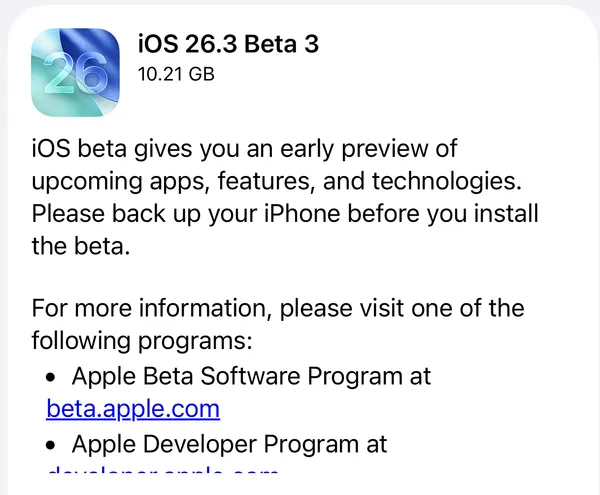
The 26.2 updates mark the final major feature releases for 2025. Apple will likely seed the first betas of version 26.3 shortly after the 26.2 release, though .3 updates traditionally focus on internal improvements and bug fixes rather than headline features.
For users across Apple's platforms, the 26.2 releases deliver meaningful value. iPhone users get Reminder alarms and offline lyrics. iPad users get their multitasking gestures back. Mac users get better video call lighting. Apple Watch users get more accurate sleep feedback. Apple TV finally gets a proper kids mode.
None of these are revolutionary. But taken together, they demonstrate Apple's commitment to listening, iterating, and improving based on how people actually use these devices in their daily lives. Sometimes the best features aren't the flashiest ones—they're the ones that solve real problems users face every day.



Discussion