

The iPad Air has always occupied an interesting position in Apple's lineup — the device that gives you most of what the iPad Pro offers at a price that makes it easy to say yes. That premise gets stronger today. Apple announced the new iPad Air with M4 on March 2, and the upgrade story is compelling in ways that go beyond swapping one chip letter for another.
Pre-orders open March 4. Units ship March 11. The 11-inch starts at $599, the 13-inch at $799 — same as before. That price hold is itself part of the argument.
The Memory Bump Is the Real Headline
M4 replaces M3 in the Air lineup, and Apple's performance claims are consistent with what you'd expect: up to 30 percent faster than the M3 model, up to 2.3x faster than M1. For buyers upgrading from M3, the chip difference alone probably doesn't move the needle much in daily use. The story that actually matters is what comes with it.
Unified memory jumps from 8GB to 12GB — a 50 percent increase — while memory bandwidth climbs to 120GB/s. These numbers have direct, practical implications. iPadOS 26 introduces a fundamentally redesigned windowing system that treats the iPad more like a Mac than it ever has before. Running multiple windows fluidly, keeping apps live in the background, running on-device AI models through Apple Intelligence — all of that scales with memory in ways that an 8GB ceiling was quietly limiting. The M4 Air removes that ceiling at the same price the M3 shipped at.
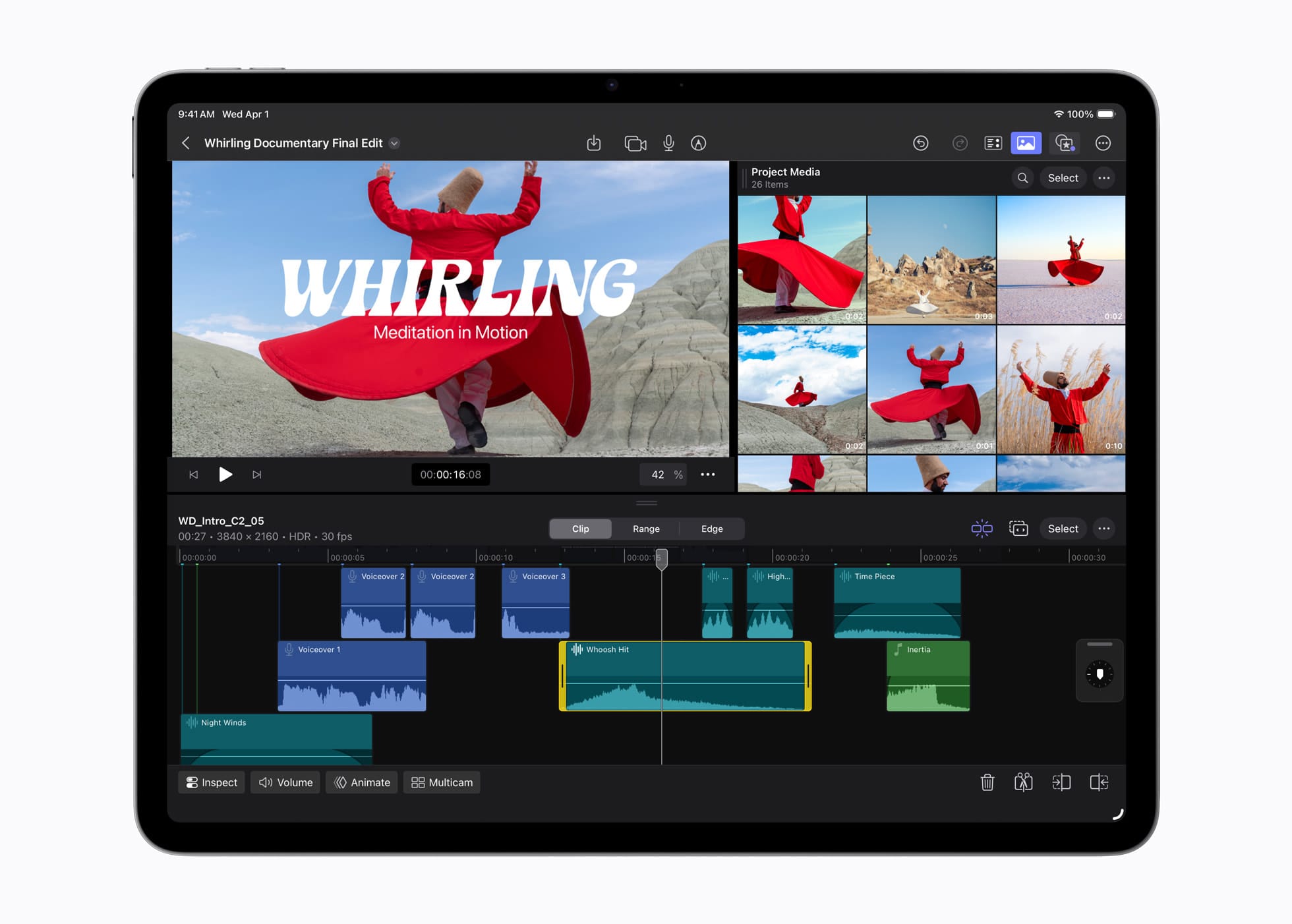
The 16-core Neural Engine is three times faster than M1's, and the 9-core GPU adds hardware-accelerated mesh shading and ray tracing. For most users, those are abstract numbers. For creators working in Final Cut Pro, developers testing 3D rendering in apps built on Metal, or anyone running the heavier Apple Intelligence workloads, the additional headroom becomes tangible quickly.
N1 and C1X: The Silicon You Won't See in the Spec Sheet Title
Less obvious than the M4 badge, but potentially more interesting: the iPad Air with M4 is the first Air model to ship with both N1, Apple's in-house wireless networking chip, and C1X, the cellular modem that debuted earlier this year in the iPhone 16e.
N1 brings Wi-Fi 7, Bluetooth 6, and Thread support. Apple says it improves performance and reliability for Personal Hotspot and AirDrop on 5GHz networks — the kind of practical improvement that's easy to dismiss until you're tethering a laptop at an airport and it just works. C1X on cellular models delivers up to 50 percent faster data speeds while using up to 30 percent less modem energy than the M3 generation. Cellular models also gain GPS through C1X, which the M3 Air lacked entirely.
The strategic significance of Apple controlling its own modem and wireless silicon is something the company has been pursuing for years. Tighter integration between the modem, the CPU, and power management is the same advantage that made C1X notable in the iPhone context. Watching how C1X performs in real-world conditions — not benchmark conditions — will be one of the more interesting things to evaluate when devices are in hand.
iPadOS 26 Is the Software Story That Ties This Together
Apple's hardware announcements don't exist in isolation from their software, and the iPad Air with M4 lands alongside iPadOS 26 in a way that makes the combination feel deliberate. The 12GB of unified memory in the M4 Air isn't just a spec bump — it's the hardware foundation that makes iPadOS 26's redesigned windowing system feel like it was built for this device.
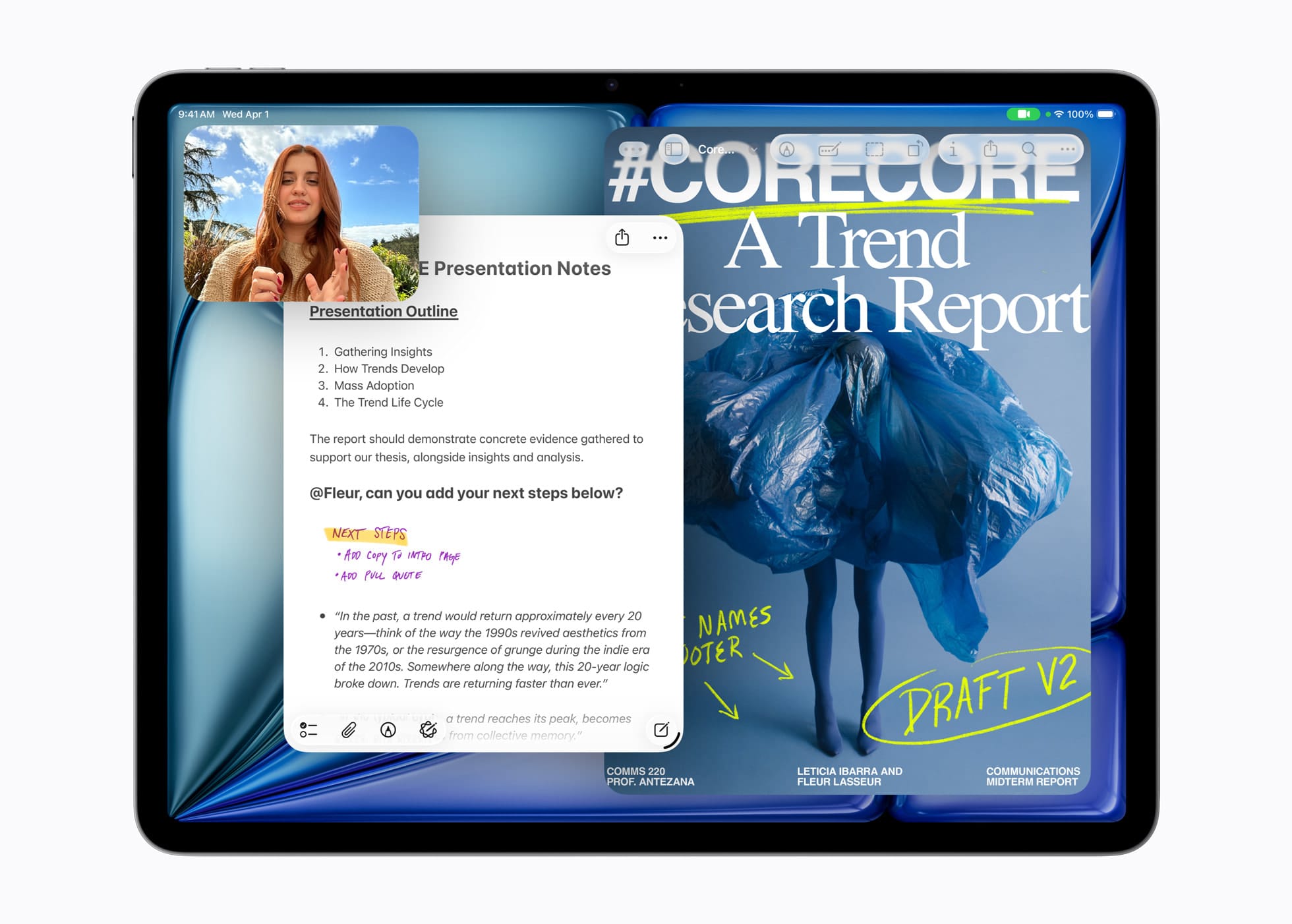
The new windowing system is the most significant rethinking of iPad multitasking Apple has shipped. Apps can be controlled, organized, and switched between in ways that close the gap between iPad and Mac without abandoning what makes iPad distinct. A new menu bar swipes down from the top of the display — or appears when you move a cursor to the top with a Magic Keyboard — giving app commands a consistent, discoverable home. It's a Mac convention translated intelligently rather than copied blindly.
The Files app gets folder customization, default app assignments per file type, and the ability to put folders directly in the Dock. Preview arrives on iPadOS for the first time, handling PDF viewing, editing, and markup natively — something that has required third-party apps for every iPadOS version prior. iPadOS 26 also adds user-controlled audio input routing, local audio capture, and Background Tasks that let apps continue processing without being in the foreground, all of it taking advantage of Apple silicon in ways that older hardware couldn't support as cleanly.
The design language across the release is built around Liquid Glass — translucent materials that respond to input and adapt to content. It's a visual overhaul that touches every part of the system and shows up everywhere you look in the updated OS.
What the Air Still Isn't
The iPad Air with M4 is not the iPad Pro, and it's worth being clear about that rather than letting the upgrade narrative paper over the differences. The display is Liquid Retina LCD — no ProMotion, no OLED. For users who have spent time with the iPad Pro's 120Hz adaptive refresh rate, that's a real perceptible difference in daily use. The camera system is unchanged — 12MP wide rear, 12MP Center Stage front positioned along the landscape edge — with no Ultra Wide option and no LiDAR scanner. ProRes video, tandem OLED, and the nano-texture glass option on the Pro remain exclusive to the Pro lineup.
Those are the limits that justify the price gap. If you work in ways that demand ProMotion for fluid illustration or video, or you're doing ProRes workflows, the Air isn't the device for you. For everyone else, the list of things the Air no longer lacks is longer than the list of things it still does.
The Upgrade Case, by Generation
If you're on M1 iPad Air or earlier, the argument for upgrading is straightforward. You're getting 2.3x faster performance, 50 percent more memory, Wi-Fi 7, C1X cellular connectivity, and the full iPadOS 26 windowing experience — all at the same starting price the M3 shipped at. The leap is substantial enough that it doesn't require hedging.
M2 and M3 owners are in a different position. The chip performance gain is real but incremental, and iPadOS 26's major windowing features will come to those devices as a software update anyway. The hardware-specific reasons to consider the M4 are the memory jump and C1X — meaningful if you're pushing the device with AI workloads or heavier creative tasks, less compelling if you're doing everyday productivity and consumption.
For anyone deciding between the Air and the Pro right now: if you don't have a specific reason to need ProMotion or OLED, the M4 Air answers the question. The chip inside it is the same M4 in the iPad Pro. The memory is 12GB. The connectivity is current-generation. The software is identical. The display is the difference, and the price is $200 less at the entry point. That's a trade-off worth making for most people, and Apple knows it.
iPad Air with M4 is available in blue, purple, starlight, and space gray, in 128GB, 256GB, 512GB, and 1TB configurations. Pre-orders open March 4, with availability beginning March 11.






Discussion