

Apple announced the MacBook Neo on March 4, 2026, and the price is real: $599 for a new aluminum MacBook running macOS Tahoe with Apple silicon, a 13-inch Liquid Retina display, 16-hour battery life, and a 1080p camera. Education pricing drops it to $499. It ships March 11. This is the lowest price Apple has ever charged for a new Mac laptop — $500 below the M5 MacBook Air that launched the same week — and it represents Apple's clearest attempt to compete directly with Chromebooks and entry-level Windows machines that have owned the sub-$700 laptop market for years.
To get there, Apple made deliberate tradeoffs. Some are obvious once you know where to look. Others are buried in spec sheets and shipping box contents. This article covers all of it — what the MacBook Neo is, what powers it, what got cut to hit $599, and who it actually makes sense for.
The A18 Pro: An iPhone Chip Running a Mac
The MacBook Neo is the first Mac ever powered by an A-series chip — the same silicon family that runs iPhones — rather than an M-series chip designed specifically for Mac. The A18 Pro debuted in the iPhone 16 Pro in fall 2024 and features a 6-core CPU (2 performance cores, 4 efficiency cores), a 5-core GPU, and a 16-core Neural Engine. It's built on TSMC's second-generation 3-nanometer process.
This is a deliberate cost and thermal engineering decision, not a performance compromise in disguise. The A18 Pro benchmarks competitively with the M1 and M2 chips in single-core tasks — Apple's own numbers show the MacBook Neo running 50 percent faster for web browsing and 2x faster for photo editing than the bestselling Intel Core Ultra 5 PC laptop. For the everyday tasks the MacBook Neo is designed for — browsing, productivity apps, video calls, light photo work, streaming — the A18 Pro is genuinely fast. Apple Intelligence works, runs on-device, and the 16-core Neural Engine handles it well: Apple claims 3x faster on-device AI performance versus that same Intel benchmark machine.
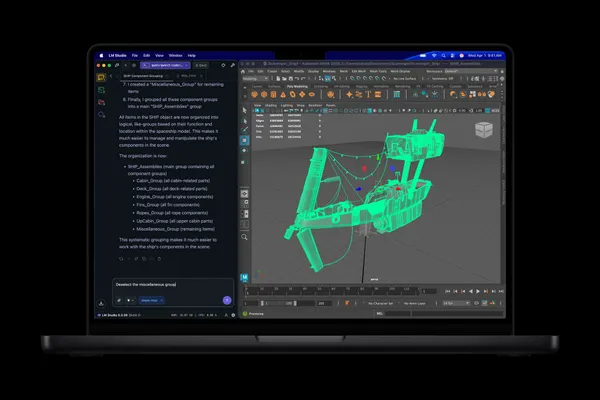
The tradeoff shows up at the edges. The A18 Pro has 2 performance cores versus the M-series chips' larger counts of higher-powered cores, and sustained multi-threaded workloads — video export, large compile jobs, complex spreadsheet computation — will hit that ceiling noticeably faster than an M3 or M4 Air would. The A18 Pro is a chip engineered to do a lot of work efficiently within tight iPhone thermal constraints. In a laptop body with no fan and more thermal headroom, it should sustain performance better than it does in a phone — but it's not a workhorse chip for demanding parallel computation. Apple has designed the MacBook Neo for people who don't need that, and it's priced for those people too.
One meaningful advantage of the A18 Pro's architecture: it runs stone cold in a fanless chassis. There are no fans in this machine, the same as the MacBook Air. Because the A18 Pro was designed specifically to run within the thermal budget of an iPhone, a laptop body represents abundant headroom by comparison. It will not throttle under typical workloads the way Intel machines do, and it will not run warm to the touch.
8GB of RAM, No Upgrade Path
The MacBook Neo ships with 8GB of unified memory across both configurations. There are no build-to-order options for additional RAM. What you see is what you get, and what you get is 8GB.
This is the specification that will generate the most debate, and it deserves a direct answer: 8GB is fine for the MacBook Neo's target use case. Browsing, email, video calls, document work, light photo editing, streaming — these workloads don't exhaust 8GB under macOS's efficient memory compression. Apple Intelligence runs on-device within this envelope. The machine is not going to feel sluggish opening Safari tabs or running Pages and Zoom simultaneously.
What 8GB constrains is growth and heavy multitasking. Running a local LLM, editing 4K video, maintaining large browser session counts alongside creative apps, or running virtual machines — these are scenarios where 8GB becomes genuinely limiting. The M5 MacBook Air starts with 16GB for $1,099. If any of those heavier workloads describe your actual usage, the memory ceiling is a real limitation on the Neo, and it is not one you can configure away. This is a fixed specification tied directly to how the A18 Pro chip is built.
The Display: Good, With One Omission Worth Noting
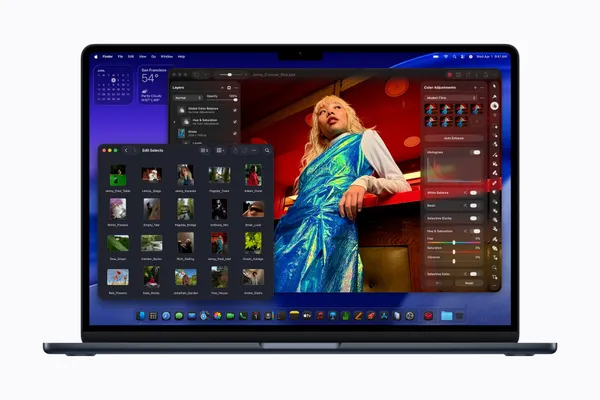
The MacBook Neo has a 13-inch Liquid Retina display at 2408-by-1506 resolution, 219 pixels per inch, with 500 nits of brightness and support for 1 billion colors. The display doesn't have a notch — it uses uniform iPad-style bezels instead, which some will prefer to the MacBook Air's notch design. Anti-reflective coating is included. The panel is an LED-backlit IPS display.
What it doesn't have is True Tone, the feature that automatically adjusts the display's white balance to match the ambient light color temperature in the room. True Tone has been a standard MacBook feature since 2018 and is present on every current MacBook Air and MacBook Pro. Its absence on the Neo isn't catastrophic — many people never consciously notice True Tone working — but it's a cost-cut that shows up in extended use, particularly indoors under mixed or warm lighting where the display's fixed color temperature can feel slightly cool by comparison. For students doing long reading sessions, it's the kind of thing that adds up.
At 500 nits, outdoor usability is reasonable but not exceptional. The M5 MacBook Air tops out at 500 nits in SDR mode as well, so this isn't a downgrade from the baseline Air on brightness — though the Air also supports up to 1000 nits peak brightness for HDR content. The Neo does not.
The Connectivity Tradeoffs: No Thunderbolt, No MagSafe, No N1 Chip
This is where the $599 price point extracts the most visible cost, and buyers coming from more expensive MacBooks should understand exactly what's different before committing.
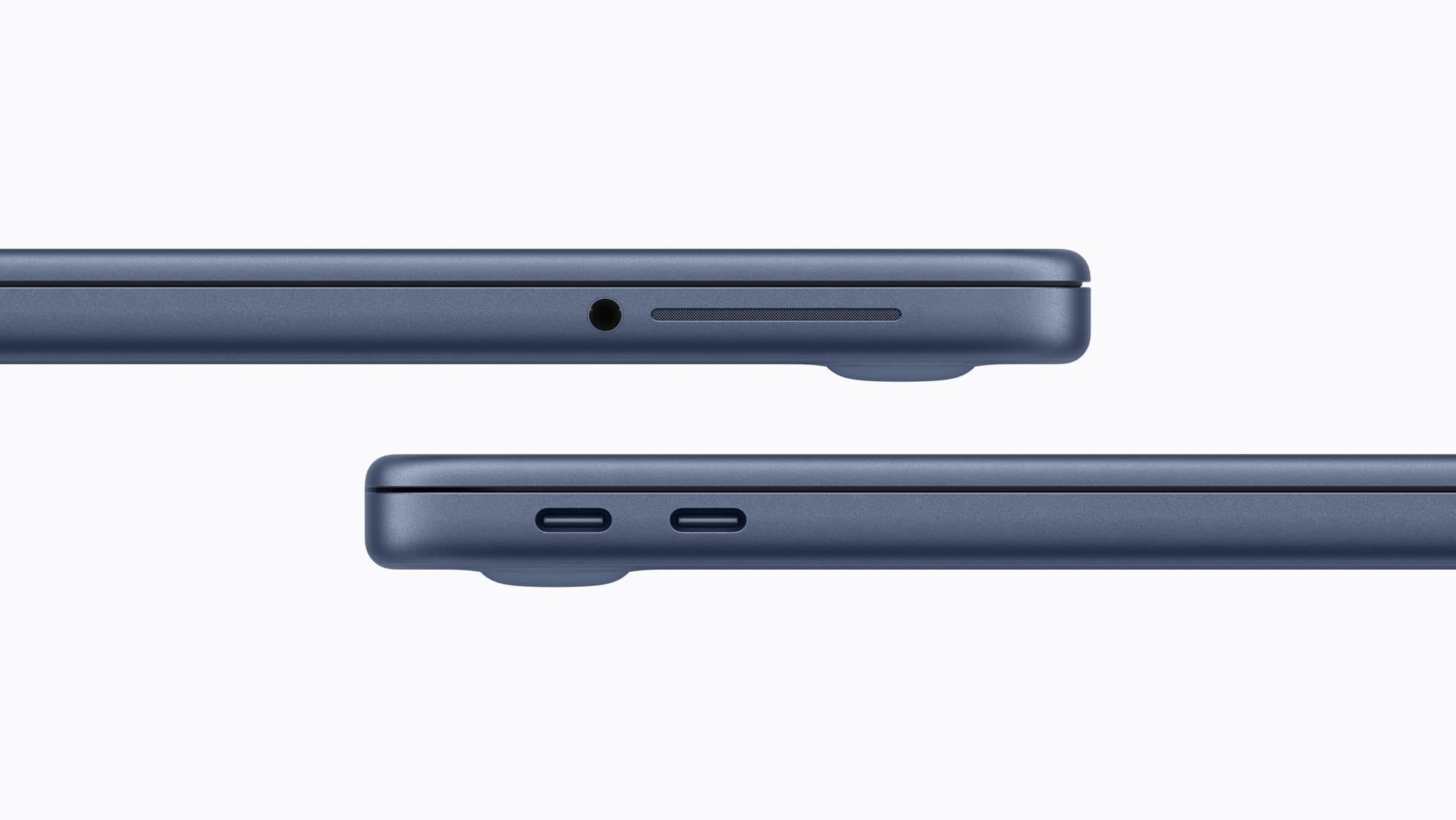
The MacBook Neo has two USB-C ports and a 3.5mm headphone jack — but the two ports are not equal. The left-side port is USB 3 (up to 10Gb/s) with DisplayPort support; the right-side port is USB 2 (up to 480Mb/s), useful for charging and basic accessories but not for anything bandwidth-demanding. Neither port is Thunderbolt — that's a function of the silicon, and the A18 Pro doesn't support it. The practical consequences stack up: maximum external display output is 4K at 60Hz on a single monitor, not the 6K or dual-display configurations the MacBook Air supports. High-speed external NVMe enclosures and capture cards that need Thunderbolt bandwidth won't run at full speed. And if the machine is charging via the left USB 3 port, the only remaining port for peripherals is the USB 2 one — which rules out fast storage or a display at the same time.
There's no MagSafe charging. You charge via one of the two USB-C ports, which means a charging cable occupies one of your two available ports whenever the machine is plugged in. With MagSafe on every other current MacBook, this is a noticeable omission — both for the daily convenience of the magnetic connector and for the port availability while charging. Apple includes a 20W USB-C power adapter in the box. The Neo also does not support fast charging.
The wireless chip is not Apple's N1. The M5 MacBook Air and both new MacBook Pro models include the N1 chip for Wi-Fi 7 and Bluetooth 6. The MacBook Neo ships with Wi-Fi 6E and Bluetooth 6.0. Apple hasn't disclosed who manufactures the wireless chip. For most home and office environments, Wi-Fi 6E is more than sufficient — but the N1 also handles features like Personal Hotspot reliability and AirDrop performance, and it's worth noting this is the first Mac in years not to include Apple's own wireless silicon.
The 1080p FaceTime HD camera does not include Center Stage — the feature that pans and zooms to keep you in frame during video calls. Center Stage is standard on all current MacBooks and most iPads. Its absence means the Neo's camera is a fixed-frame 1080p shooter, which is still a meaningful step above the 720p cameras on most competing budget laptops, but it won't follow you around the room.

The Keyboard: No Backlighting, No Haptic Trackpad, No Touch ID at $599
The MacBook Neo's Magic Keyboard is not backlit. On a machine aimed at students — people who study in libraries, coffee shops, dimly lit dorm rooms, evening lectures — this is the tradeoff that will generate the most real-world frustration. Backlit keyboards have been standard on MacBooks since 2008 and are present on virtually every laptop in this price range that isn't a Chromebook. Apple cut it to hit $599, and it shows.
The trackpad is large and Multi-Touch capable, but it does not have the haptic feedback mechanism used in all other current MacBooks. The feel is different — it clicks mechanically rather than simulating a click via Taptic Engine. It's functional, and most users adapt quickly, but it's a noticeable departure from the trackpad experience the MacBook line is known for.
Touch ID fingerprint authentication is not included on the $599 base model. It comes standard on the $699 model, which also doubles storage to 512GB. There are no other configuration options — Apple has structured the MacBook Neo as a two-SKU product with no additional build-to-order choices. If you want Touch ID, you pay $699. If 256GB of storage is enough and you don't mind using a password, $599 gets you the machine.
What's Actually Good: The Stuff That Didn't Get Cut
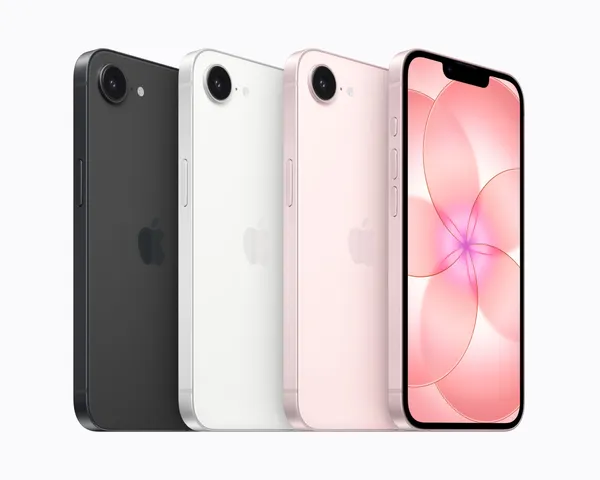
The MacBook Neo weighs 2.7 pounds in a full aluminum chassis. The build quality, based on early hands-on coverage, feels premium — not plasticky, not cheap, not the hollow resonance of budget Windows hardware. Apple has not compromised on materials here. The aluminum enclosure comes in four colors that mark a genuine departure from the Mac laptop lineup's longstanding conservatism: Blush (a legible pink), Indigo (a brightened Midnight), Citrus (a vivid yellow-gold that isn't subtle), and Silver. The colored finish extends to the keyboard in lighter coordinating shades, and Apple includes matching wallpapers. These are the most vibrant colors on a Mac laptop since the iBook G3 in 1999.
Battery life is rated at 16 hours — two hours less than the M5 MacBook Air's 18-hour claim, but on a 36.5 Wh battery that's a meaningful achievement. The A18 Pro's efficiency at idle and light loads is the reason. For a school or work day of browsing, writing, and video calls, 16 hours is comfortably all-day.
The speaker system — dual side-firing speakers with Spatial Audio and Dolby Atmos support — punches above what you'd expect at this price. The 1080p front camera is a meaningful improvement over the 720p sensors that dominate the competing budget landscape. The dual-microphone array includes directional beamforming for cleaner call audio. And the MacBook Neo is Apple's lowest-carbon Mac ever, featuring 60 percent recycled materials — including 90 percent recycled aluminum and 100 percent recycled cobalt in the battery. For environmentally conscious buyers, that's a real differentiator.
macOS Tahoe runs fully and completely on the MacBook Neo. This is not a stripped version of macOS or a locked-down education environment. Every first-party app, every third-party app in the Mac App Store, Apple Intelligence, iMessage, FaceTime, Handoff, Continuity Camera — all of it works exactly as it does on a $2,000 MacBook Pro. That's the core value proposition of the Neo, and it's genuinely meaningful. A $599 laptop that runs the same operating system as a $3,000 workstation, with the same software library, the same ecosystem integration, and the same security model, is a different category of product than a Chromebook running ChromeOS.
Pricing: What $599 Buys and What $699 Adds
The $599 model includes the A18 Pro chip, 8GB unified memory, 256GB storage, Wi-Fi 6E, Bluetooth 6.0, the 13-inch Liquid Retina display, 16-hour battery, 1080p camera, dual mics, Spatial Audio speakers, Magic Keyboard without backlighting or Touch ID, and the Multi-Touch trackpad. A 20W USB-C power adapter is included. Education pricing: $499.
The $699 model adds Touch ID to the keyboard and doubles storage to 512GB. Everything else is identical. There are no other options. Memory cannot be upgraded; ports cannot be expanded; storage cannot be configured beyond these two tiers. If 256GB is sufficient — and for a browser-first, cloud-connected student or casual user, it often is — the $599 model is the complete machine. If you want fingerprint login and a storage cushion, $699 is the only path.
The honest comparison for context: the M1 MacBook Air, which Apple has been selling at Walmart and through education channels for the last two years at discount, offers 8GB RAM, 256GB storage, two Thunderbolt 4 ports, a backlit keyboard, Touch ID, MagSafe, a haptic trackpad, True Tone display, and Center Stage. It's a stronger spec sheet in several key areas — particularly connectivity and keyboard — at prices that have been hovering around $699–$799 refurbished. The MacBook Neo undercuts it on price, outperforms it on the A18 Pro's single-core performance, adds better colors, and trades away Thunderbolt, backlighting, MagSafe, haptic feedback, and True Tone to do so. That's not an obvious win for the Neo. It depends entirely on which tradeoffs matter to the specific buyer.
Who the MacBook Neo Is Actually For
The MacBook Neo makes clear sense for three groups. First: Windows and Chromebook users who have wanted to try macOS but couldn't justify $1,099 for the MacBook Air. At $599, the barrier is low enough that the ecosystem question becomes worth testing. Second: K-12 and college students in environments where the primary workloads are browsing, writing, video calls, and light media consumption — the A18 Pro handles all of this well, the battery gets through a full school day, and $499 with education pricing is genuinely accessible. Third: buyers who want a second machine — a light travel laptop, a shared household computer, a machine that lives in a bag — where the tradeoffs in connectivity and keyboard don't matter because the use is inherently light.
The MacBook Neo is a harder case for anyone who already owns an M1 or later MacBook Air, anyone who regularly plugs into external displays or high-speed storage, anyone who types in low-light conditions regularly, or anyone whose workload trends toward video editing, development, or heavy multitasking. The Air is the better machine for those use cases, and the $500 premium is the price of not compromising on any of the items this list cuts.
What Apple has built at $599 is a machine that delivers the full macOS experience at a price the Mac has never touched before. The tradeoffs are real, catalogued above, and visible in the spec sheet for anyone who knows where to look. For the right buyer — and Apple VP John Ternus noted that nearly half of all Mac sales already go to people new to the platform — the MacBook Neo removes the last credible reason to choose a Chromebook or a budget Windows laptop on price alone.
The MacBook Neo is available for pre-order today at apple.com and through Apple Authorized Resellers. It ships March 11, 2026.




Discussion