

Apple seeded the fourth developer beta of its 26.4 software lineup today, March 9, pushing builds of iOS 26.4, iPadOS 26.4, macOS Tahoe 26.4, watchOS 26.4, tvOS 26.4, and visionOS 26.4 to registered developers. The release comes roughly a week after Beta 3's initial drop — and four days after Apple re-released Beta 3 with a revised build number — a pattern that had suggested the cycle might stretch longer than usual. But the build number on Beta 4 tells a different story: it ends in the letter "a," which historically signals that Apple is approaching the release candidate stage. Late March is looking like the most likely window for the public launch.
This beta is more refinement than revelation. The headlining additions are a long-anticipated batch of new emoji finally arriving with actual designs, and a new MacBook Neo wallpaper showing up on macOS. Both are exactly the kind of late-cycle polish that rounds out a release before it ships to everyone.
Developer beta 4 is available now through Settings → General → Software Update on enrolled devices. A public beta should follow within a week or two for those in Apple's beta program.
iOS 26.4 Beta 4 (Build 23E5234a)
Nine New Emoji, Finally Visible
The new emoji in iOS 26.4 have had a curious development arc. Apple added Unicode Emoji 17.0 support to the keyboard as far back as the first Beta 3 build — meaning the characters were searchable and technically present — but the actual visual designs were nowhere to be found. They just showed up as blank squares or question marks on-screen. Beta 4 fixes that, delivering the full artwork for 13 new emoji concepts, plus 150 new skin tone sequences for the existing People Wrestling (🤼) and People With Bunny Ears (👯) emoji.
The new additions come from Unicode's Emoji 17.0 list, which was finalized in September 2025. The new concepts are:
- Distorted Face () — a warped, wobbly-looking face
- Fight Cloud () — the classic cartoon dust cloud used to represent a scuffle
- Ballet Dancer (🧑🩰) — with full skin tone support
- Orca () — also known as a killer whale
- Hairy Creature () — the Bigfoot/Sasquatch-inspired cryptid
- Trombone ()
- Landslide () — depicted as rocks falling down a cliff
- Treasure Chest ()
There's no setup required — these emoji will appear automatically in your keyboard once iOS 26.4 is installed. The cross-platform significance here is worth noting: unlike Genmoji, which are custom AI-generated images that only render correctly for other Apple users, these are part of the universal Unicode standard. That means once iOS 26.4 ships and other platforms roll out their own Emoji 17.0 support, you'll be able to send an orca to your Android friends and have it show up as intended on their end too.
As always with beta designs, these aren't necessarily final — Apple has adjusted emoji artwork between beta and release before, most notably with the bagel in iOS 12.1 — but the designs are at minimum a strong preview of what's shipping.
macOS Tahoe 26.4 Beta 4 (Build 25E5233c)
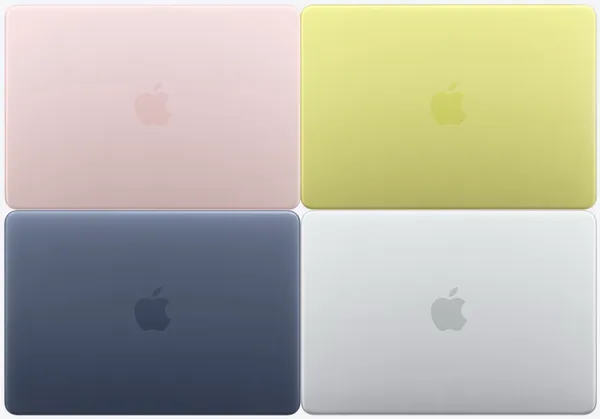
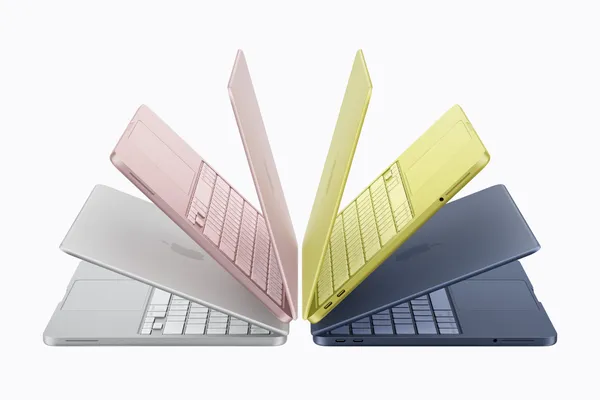
MacBook Neo Wallpapers Come to All Macs
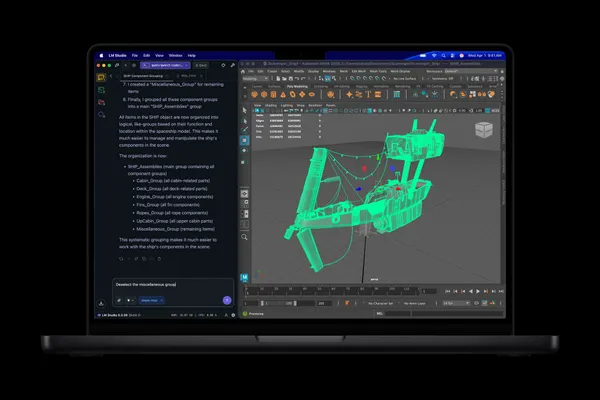
macOS Tahoe 26.4 Beta 4 adds the MacBook Neo wallpapers to the wallpaper picker for all Macs — not just the MacBook Neo itself. The wallpapers, which ship pre-loaded on the MacBook Neo at purchase, are now available system-wide through this beta. It's the kind of thing Apple does when it launches a new Mac mid-cycle: the device-specific artwork eventually makes its way to everyone once the accompanying software update ships publicly.
To find them, head to System Settings → Wallpaper, where the MacBook Neo wallpapers will appear alongside the rest of your available options.
Continued Refinements
Beta 4 continues rolling in the work from earlier builds. Safari's compact tab layout — removed at launch with macOS Tahoe 26 and sorely missed — is confirmed returning with 26.4. The window resize pointer bug that caused the cursor to fall out of sync with the window corner has also been addressed; Apple had initially marked it fixed in 26.3 before quietly downgrading it to a "known issue," so its actual resolution here is welcome.
The Battery Charge Limit feature introduced earlier in the 26.4 cycle also remains in place, letting Mac users cap charging between 80% and 100% from System Settings → Battery. And Rosetta 2 deprecation warnings continue to appear when opening apps that still rely on the translation layer, keeping the transition to a fully Apple silicon Mac lineup on track for macOS 27.
iPadOS 26.4 Beta 4 (Build 23E5234a)
iPadOS 26.4 shares the same build number as iOS this cycle, which is typical. The new Emoji 17.0 designs covered above carry over to the iPad keyboard as well. No iPad-specific interface changes have been identified in Beta 4 beyond what's noted in the iOS section. The cycle's earlier additions — Apple Music updates including Playlist Playground, Concerts Near You, the redesigned album and playlist views, and the return of compact tabs in Safari — all continue to carry forward into this build.
watchOS 26.4 Beta 4 (Build 23T5236a)
No new user-facing features have been identified in watchOS 26.4 Beta 4. The watch side of the 26.4 cycle has been quiet across all four betas, which is consistent with Apple's typical pattern for point releases. The headline watchOS addition introduced earlier in the cycle — the Average Bedtime metric in the Sleep app, which shows your typical bedtime over a rolling period — remains the primary new feature on Apple Watch. Beta 4 is focused on stability and compatibility work ahead of the public release.
tvOS 26.4 Beta 4 (Build 23L5234a)
tvOS 26.4 Beta 4 arrives with no newly identified changes. Earlier in the cycle, tvOS 26.4 received subtitle customization improvements and the removal of the legacy iTunes Store app from Apple TV, replaced fully by the TV app. Beta 4 appears to be refinement work ahead of the public launch.
visionOS 26.4 Beta 4 (Build 23O5235a)
visionOS 26.4 Beta 4 continues maturing the features introduced earlier in the cycle without adding new user-facing changes in this build. The headline visionOS addition has been foveated streaming support in Apple Podcasts — a technique that concentrates streaming detail where the user is actually looking, reducing latency and improving perceived visual quality during video playback. Beta 4 focuses on stability ahead of the public release alongside the rest of the 26.4 lineup.
What to Expect Next
With Beta 4's build number pointing toward an imminent release candidate, Beta 5 — or possibly an RC — could arrive as early as next week. The public release of iOS 26.4, macOS Tahoe 26.4, and the rest of the 26.4 lineup is currently tracking for late March, though Apple hasn't confirmed a specific date. If you're running the developer beta, you can update now via Settings → General → Software Update (on iPhone/iPad) or System Settings → General → Software Update (on Mac). As always, Apple recommends keeping beta software off your primary device.
Which of the new Emoji 17.0 additions are you most excited to use? Drop a comment below.

Discussion