

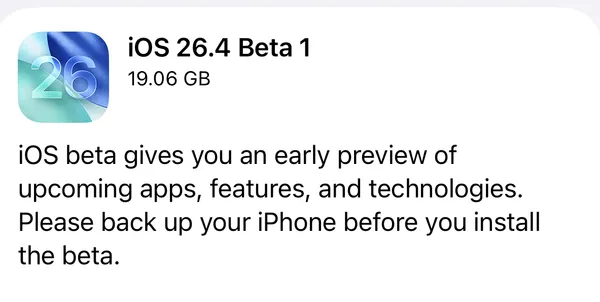
Apple pushed out the second beta of iOS 26.4 today, arriving exactly one week after beta 1 kicked off this development cycle on February 16. The update is available now through the developer beta channel, and it brings a meaningful expansion to one of the most anticipated features of the 26.4 cycle: end-to-end encrypted RCS messaging. This time around, the encryption isn't just limited to iPhone-to-iPhone chats — it now extends to conversations between iPhone and Android users, which is the whole point.
Alongside iOS 26.4 beta 2, Apple also seeded second betas for iPadOS 26.4, macOS Tahoe 26.4, watchOS 26.4, tvOS 26.4, and visionOS 26.4. As is typical for second betas, the focus across most platforms is stability and bug squashing rather than splashy new features. That said, there are a handful of notable additions worth knowing about — especially if you've been following the encrypted RCS story or keeping tabs on what's coming to Apple TV and Apple Watch.
Developer beta 2 is available now through Settings → General → Software Update on enrolled devices. Public beta availability should follow within a day or two. As always, beta software is best suited for test devices rather than your primary hardware.
iOS 26.4 Beta 2 (Build 23E5218e)
Encrypted RCS Expands to iPhone-to-Android Messaging
The biggest change in iOS 26.4 beta 2 is the expansion of end-to-end encrypted RCS messaging to cross-platform conversations. Beta 1 introduced the capability for testing, but it only worked between two iPhones. That was essentially a proof of concept — the real milestone is making it work between iPhone and Android, which is exactly what beta 2 enables.
To try it out, go to Settings → Messages → RCS Messaging and look for the new "End-to-End Encryption (Beta)" toggle. It should be enabled by default once you've updated. Android users on the other end will need to be running the latest beta of the Google Messages app for the encryption to kick in. Carrier support also plays a role here, so availability may vary depending on your provider.
When encrypted RCS is active, you'll see a new lock icon appear in your message threads. That same lock icon will show on the Android side as well. It also appears on all iMessage threads, since iMessage has been end-to-end encrypted since 2011.
One important caveat: Apple has confirmed that RCS end-to-end encryption is not actually shipping with iOS 26.4. It's included in this beta specifically for testing purposes, and Apple says it will arrive as part of a future iOS 26 update. Apple first added RCS support to iPhone with iOS 18.1, bringing typing indicators and read receipts to iPhone-to-Android conversations. Plans for encryption were announced last March.
Games App Gets the App Store Search Treatment
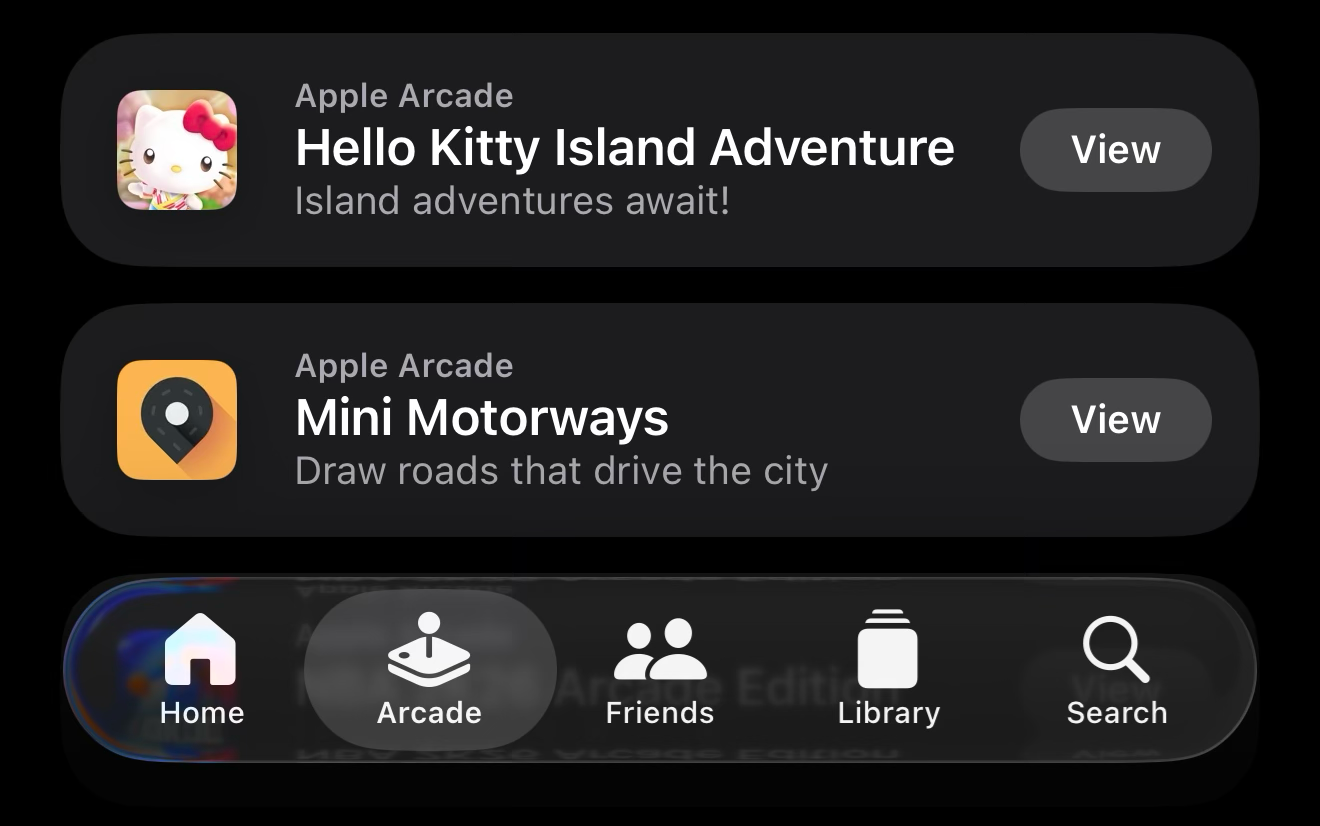
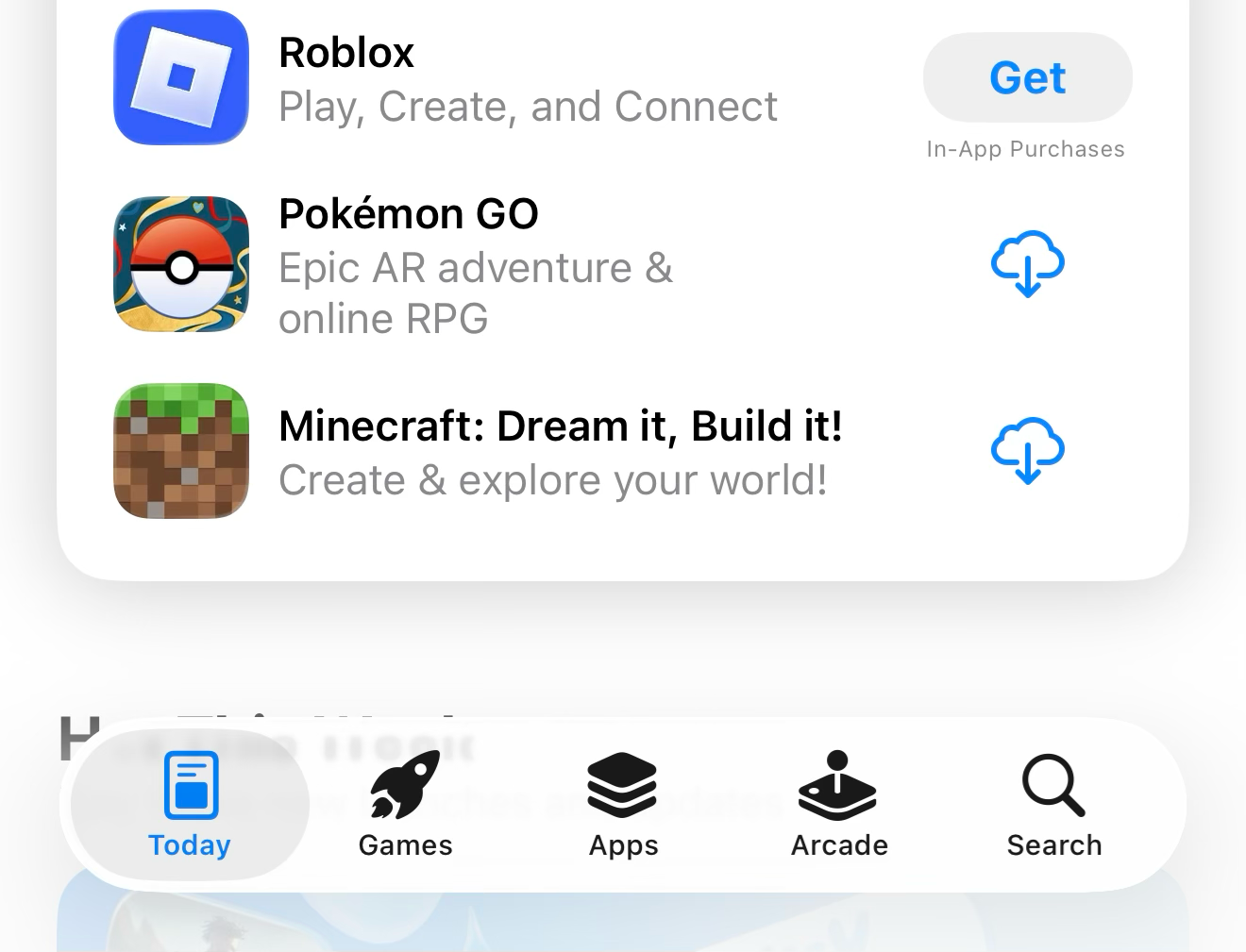
Beta 1 moved the Search bar back to the top of the Search tab in the App Store and integrated Search into the bottom tab bar — a return to the more familiar iOS 18 layout. Beta 2 brings that same change to the Games app. The Search tab is now embedded in the bottom tab bar rather than floating off to the side, and the Search bar sits at the top of the page where most people expect it. Small change, but a welcome consistency fix across both apps.
Reduce Highlighting Effects in Accessibility
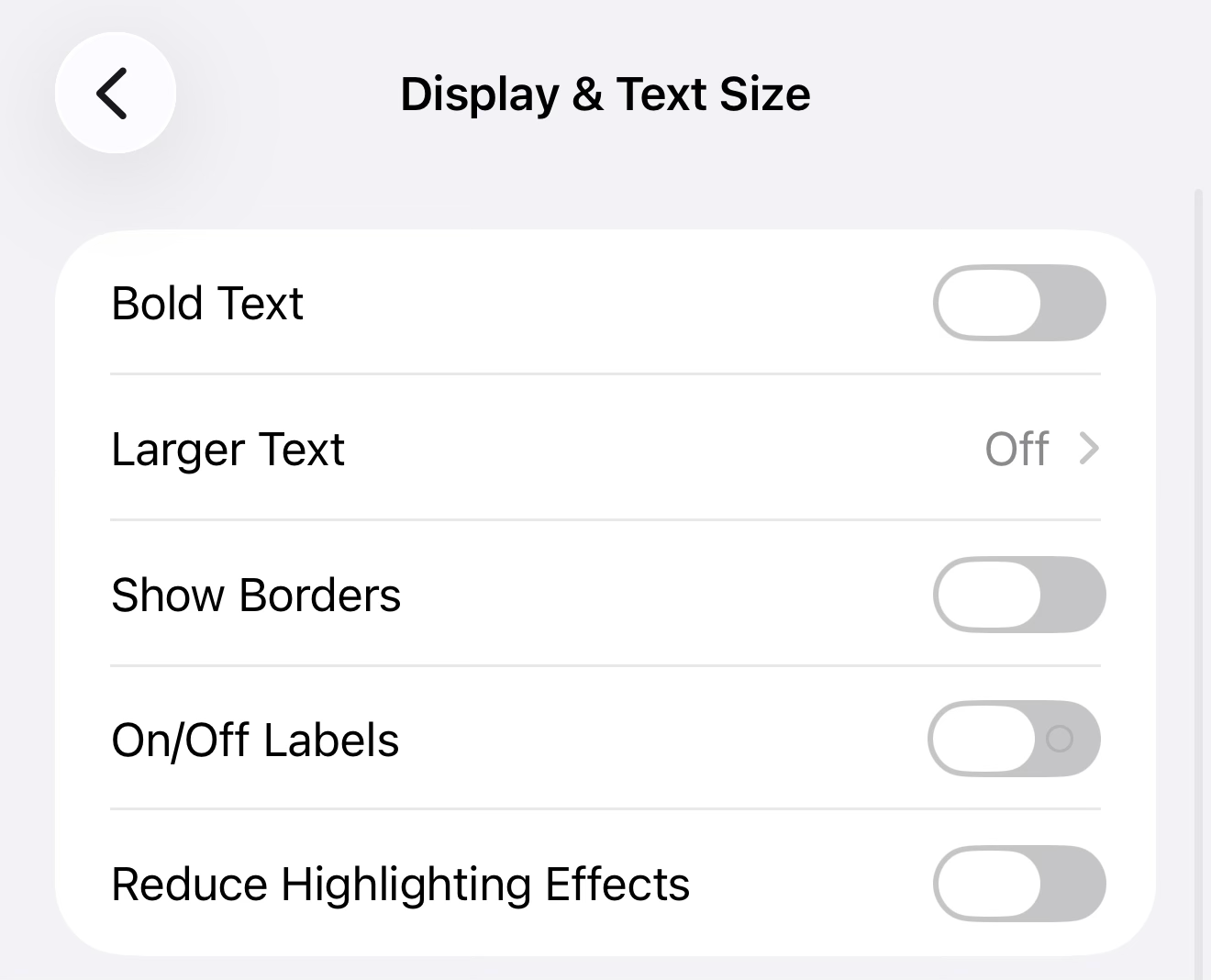
Apple has added a new toggle to Settings → Accessibility → Display & Text Size called "Reduce Highlighting Effects." Enabling it dials back the visual highlight effects that appear around the edges of buttons and sliders throughout the system. If you find those subtle glow or outline effects distracting — or they cause discomfort — this gives you a way to tone them down without turning off other visual aids.
Control Center Menus Honor Dark Mode
A small but polish-worthy fix: when your iPhone is in Dark Mode, popup menus within Control Center now display with a dark background to match. Previously, those menus could appear with a light background regardless of your system appearance setting, which was visually inconsistent. Beta 2 corrects that.
Beta 2 Carries Over iOS 26.4 Beta 1 Features
If you're just jumping into the 26.4 cycle, it's worth knowing what arrived with the first beta since beta 2 carries all of those features forward. We covered everything new in beta 1 in full detail — check out our iOS 26.4 Beta 1 article for the complete rundown. The short version: iOS 26.4 brings a redesigned Apple Music experience with new album and playlist views, along with an AI-powered "Playlist Playground" feature. There's also a new per-device Personal Hotspot data usage report that makes it easy to see exactly how much data each connected device is pulling, which is a handy addition for anyone who regularly shares their connection.
Stolen Device Protection also gets a quiet but meaningful upgrade in 26.4: it now enables automatically for all iPhones rather than requiring users to turn it on manually. And code in beta 1 suggests Apple is working on CarPlay video support, allowing passengers to watch content over AirPlay while the vehicle is parked.
iPadOS 26.4 Beta 2 (Build 23E5218e)
iPadOS 26.4 beta 2 shares the same build number as iOS 26.4 beta 2 — 23E5218e — and carries the same features. The encrypted RCS expansion, redesigned Apple Music views, and Stolen Device Protection changes all apply to iPad as well. If you're already enrolled on the developer beta track for iPad, the update should appear in Settings → General → Software Update.
macOS Tahoe 26.4 Beta 2 (Build 25E5218f)
Charge Limit and Compact Safari Tabs Still Leading the Way
Beta 2 for macOS Tahoe 26.4 lands as build 25E5218f, and like its iOS counterpart, it's primarily a stability release. The headline features remain the ones introduced in beta 1: a new Charge Limit setting in System Settings that lets MacBook owners cap charging between 80% and 100% to preserve long-term battery health, and the return of the compact tab bar in Safari — a layout option that Apple inexplicably removed when macOS Tahoe 26 launched last fall.
Rosetta 2 Deprecation Warnings Are Coming
macOS 26.4 will also begin notifying users about the upcoming end of Rosetta 2 support. Rosetta 2 is Apple's translation layer that allows Apple Silicon Macs to run apps built for Intel processors. Full support won't end until macOS 28, but Apple is starting to surface warnings now to nudge developers toward updating their apps. If you rely on any Intel-native apps, this is a good time to check whether updates are available.
There's also an outstanding bug that beta 2 hopefully addresses: Apple's release notes for macOS 26.4 initially listed the corner radius resize cursor mismatch as a fixed issue, but the notes were later updated to mark it as a still-known issue. Fingers crossed beta 2 actually resolves it.
watchOS 26.4 Beta 2 (Build 23T5221e)
Average Bedtime Added to Sleep Tracking
watchOS 26.4 beta 2 arrives as build 23T5221e and introduces a new Average Bedtime metric to the sleep tracking features. The data syncs to the Health app, giving you a clearer picture of how consistent your bedtime is and how it correlates with your overall sleep quality. For anyone already leaning into Apple Watch's sleep tracking capabilities, this is a useful addition that adds more context to the nightly data the watch already collects.
Beyond that, beta 2 appears to be largely focused on stability. The first beta featured some tweaked animations, and new emoji are also expected to land during the 26.4 cycle based on code found in earlier builds.
tvOS 26.4 Beta 2 (Build 23L5219e)
iTunes Movies and TV Shows Apps Are Gone
tvOS 26.4 beta 2 lands as build 23L5219e and makes official something that's been functionally true for years: the standalone iTunes Movies and iTunes TV Shows apps are being removed from Apple TV entirely. These apps haven't actually worked properly for some time — they've been redirecting users to the main Apple TV app for purchases anyway. Beta 2 completes the cleanup.
Continuous Audio Connection for HDMI
The other notable tvOS 26.4 addition is a new "Continuous Audio Connection" option in HDMI settings. The feature wraps audio in a Dolby MAT container to maintain a stable audio handshake when your Apple TV switches between audio formats. If you've ever experienced audio dropouts or popping sounds when your receiver or soundbar switches between Dolby Atmos, Dolby Digital, or stereo, this setting is designed to eliminate those interruptions. You'll find it in Settings → Video and Audio → Audio Output.
visionOS 26.4 Beta 2 (Build 23O5220e)
visionOS 26.4 beta 2 is now available as build 23O5220e. The major addition for Vision Pro in this cycle came with beta 1: support for foveated streaming in apps and games. Foveated streaming is a technique that renders content at full resolution only where your eyes are focused, reducing processing demands and improving performance for visually intensive applications. Beta 2 appears to be primarily a stability release, with no major new user-facing features reported beyond what arrived in the first build.
Availability
All beta 2 updates released today are available exclusively through the Apple Developer Program. If your device is already enrolled on a developer beta track, head to Settings → General → Software Update and the update should be waiting for you. Public betas typically follow within a day or two of the developer seed, so non-developers won't have to wait long.
These are pre-release builds and Apple strongly recommends installing them on secondary devices rather than your primary hardware. Beta software can contain bugs, unexpected behavior, and in rare cases, data issues.
Which feature in today's beta 2 drop are you most interested in testing — the cross-platform RCS encryption, the new watchOS bedtime metric, or the tvOS audio fix? Let us know in the comments below.




Discussion