
RingConn has opened its V4 app beta to early access users on both iOS and Android, paired with a companion firmware update. The update is substantive. The interface has been rebuilt from the ground up, new configuration options give you real control over how the ring monitors you around the clock, and blood pressure monitoring is now live on compatible hardware, including the Gen 2 ring.
Here's what actually changed.
The Home Screen: From Data Dump to Daily Briefing
V3 greeted you with a dense wall of charts, numbers, and colored dots. You got information. You didn't get guidance.
V4 opens with a headline status and a plain-English explanation of what your body is doing today. Every section of the app follows the same pattern: a human-readable summary first, the underlying data below it.
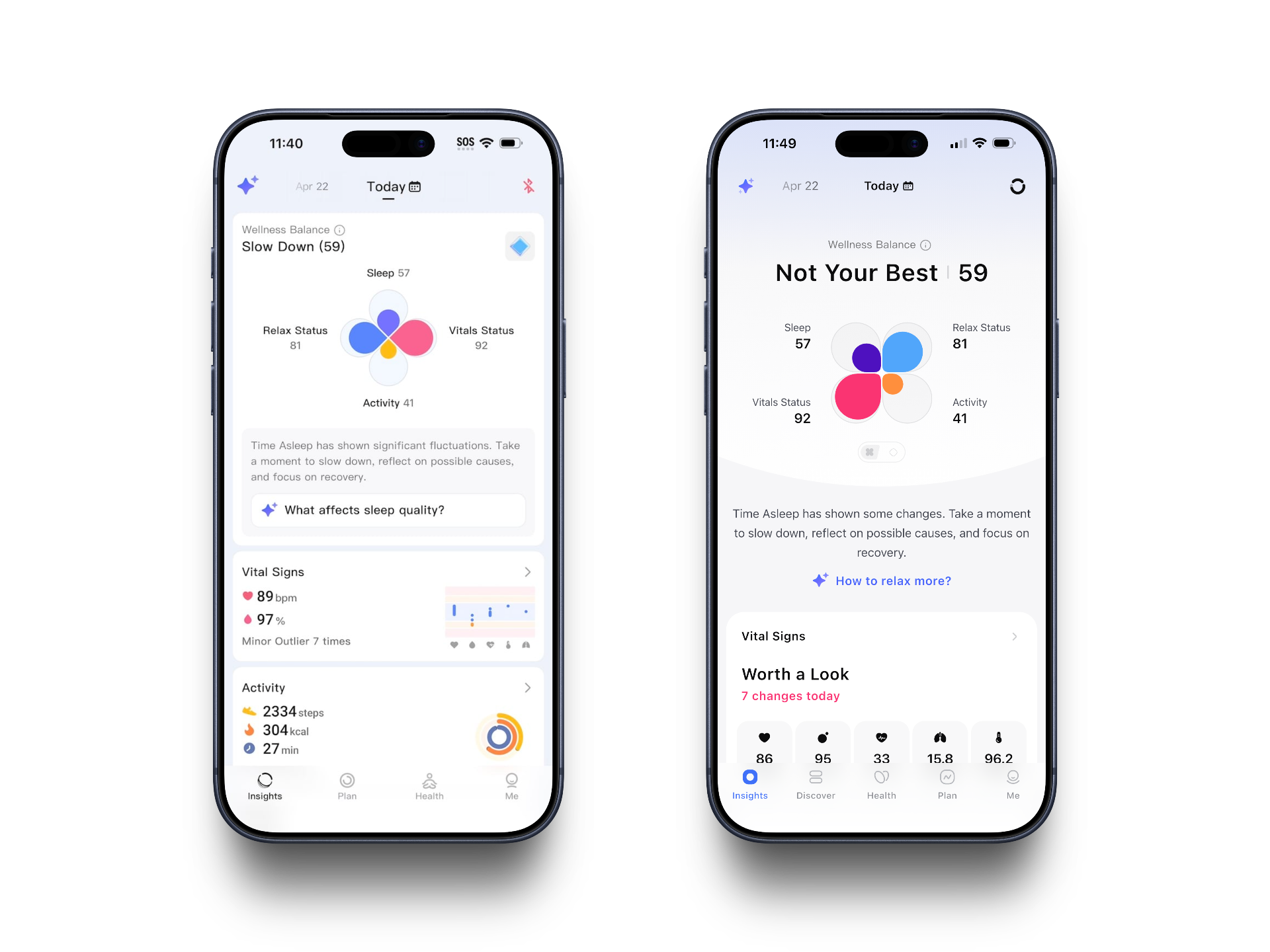
The navigation has also been restructured. V3 used four tabs. V4 adds a fifth: Insights, Discover, Health, Plan, and Me, with a cleaner separation between your daily summary view and your deeper health data. The Plan tab is new and gets its own section below.
Vital Signs: Interpretation Built In
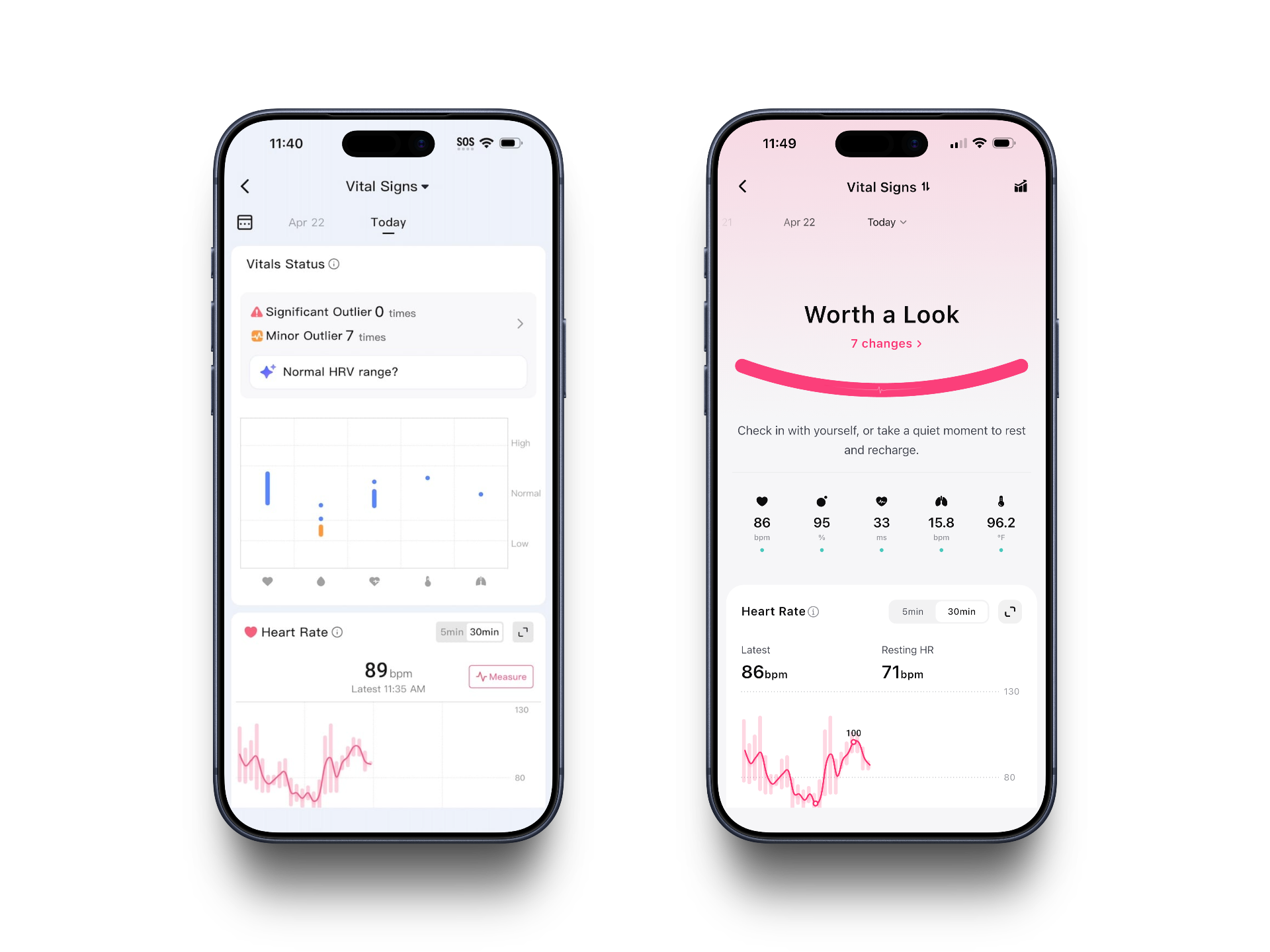
V3 showed your vital signs as a series of individual charts you scrolled through: SpO2 on one card, HRV on the next, with a Measure button if you wanted an on-demand reading.
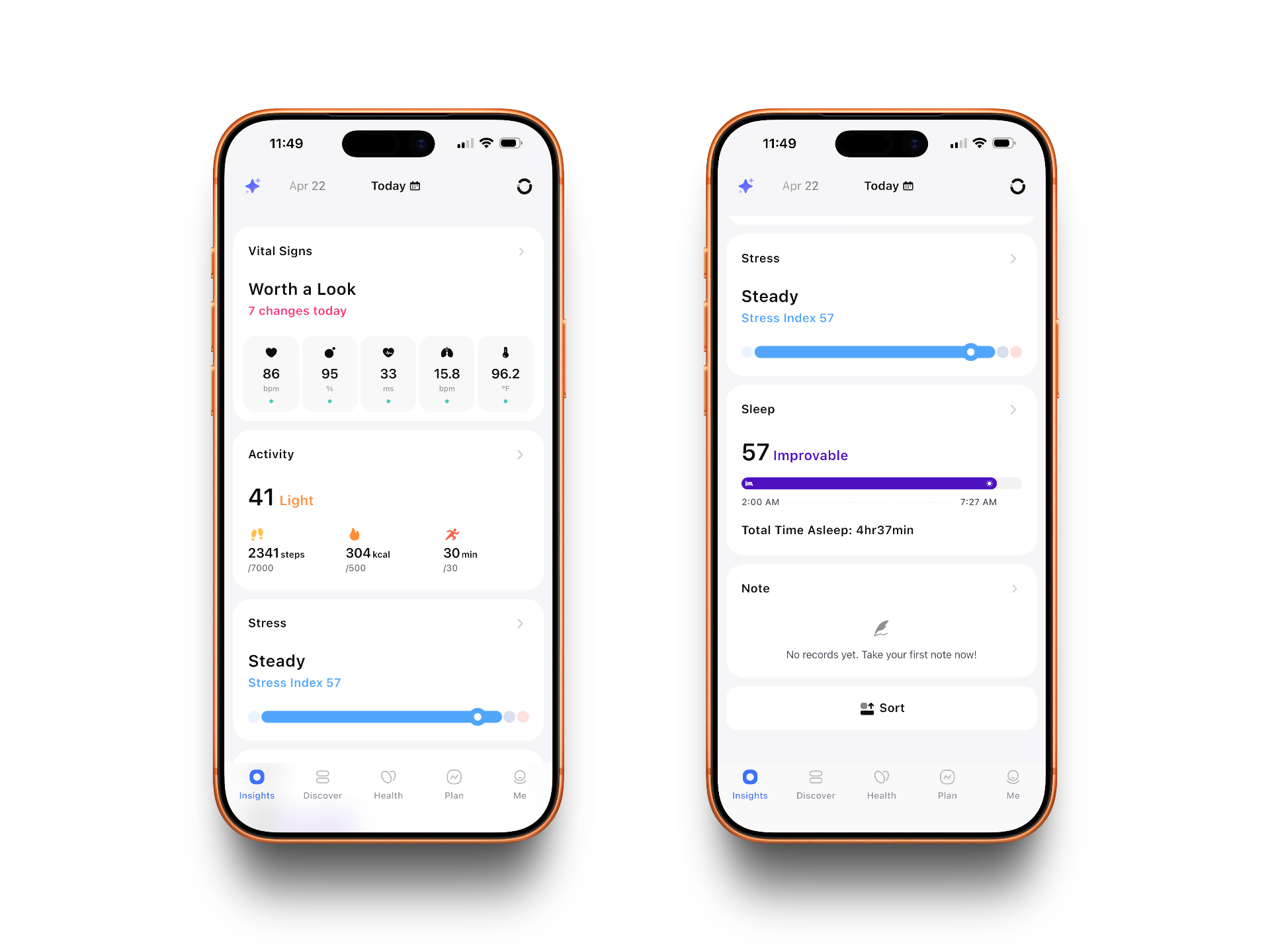
V4 consolidates the same data into a single view with a status headline ("Worth a Look" when something has shifted) and a five-metric quick-read row: heart rate, SpO2, HRV, respiratory rate, and skin temperature. Tap into any metric and you get the expanded chart with resting baselines shown alongside current values.
Sleep: Goals-Based Coaching
The sleep data in V3 was solid but flat. You got your score, a time-in-bed bar, and a grid of four metrics. Whether a 57 was bad or just okay for you depended on context the app didn't provide.
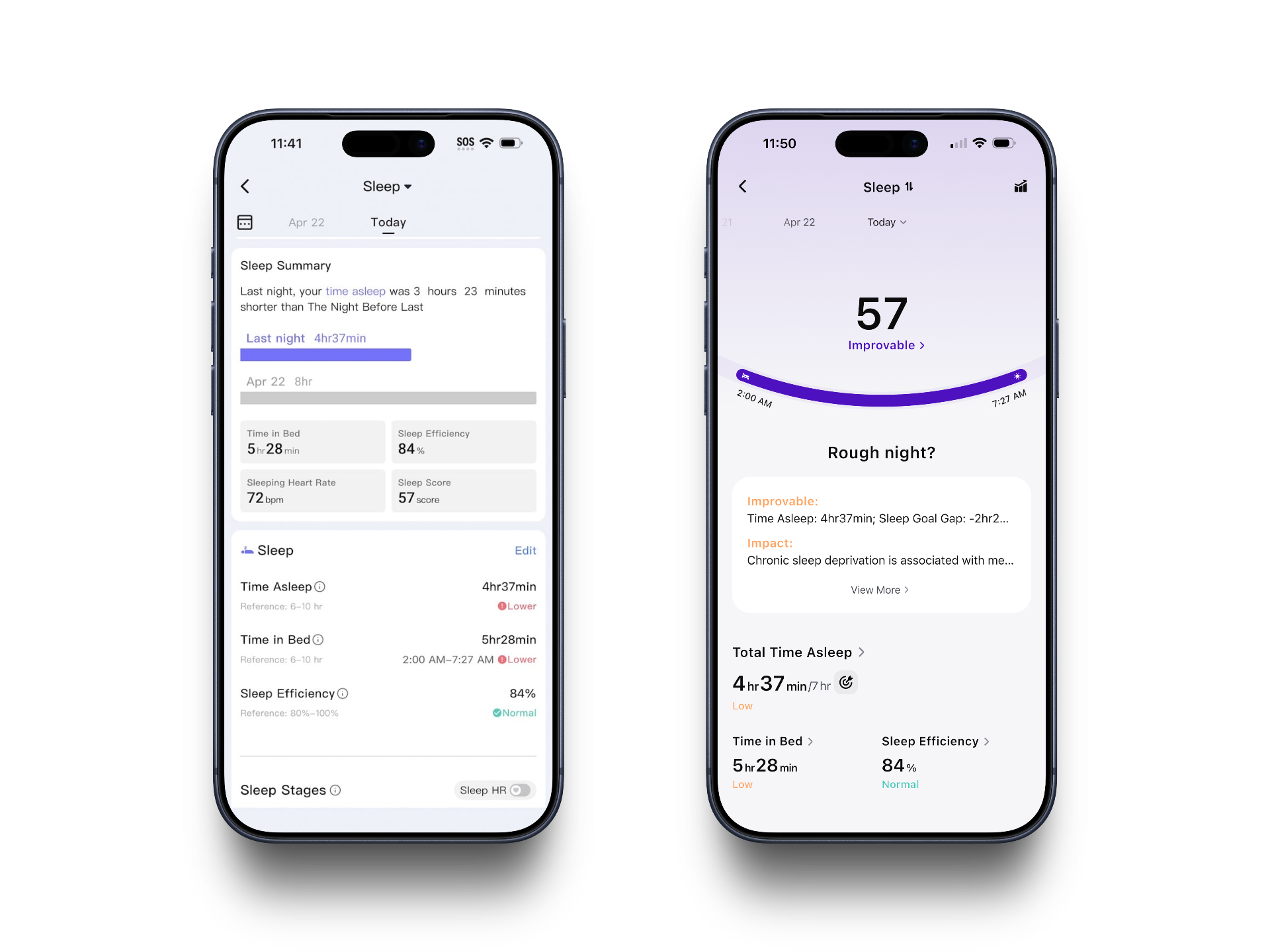
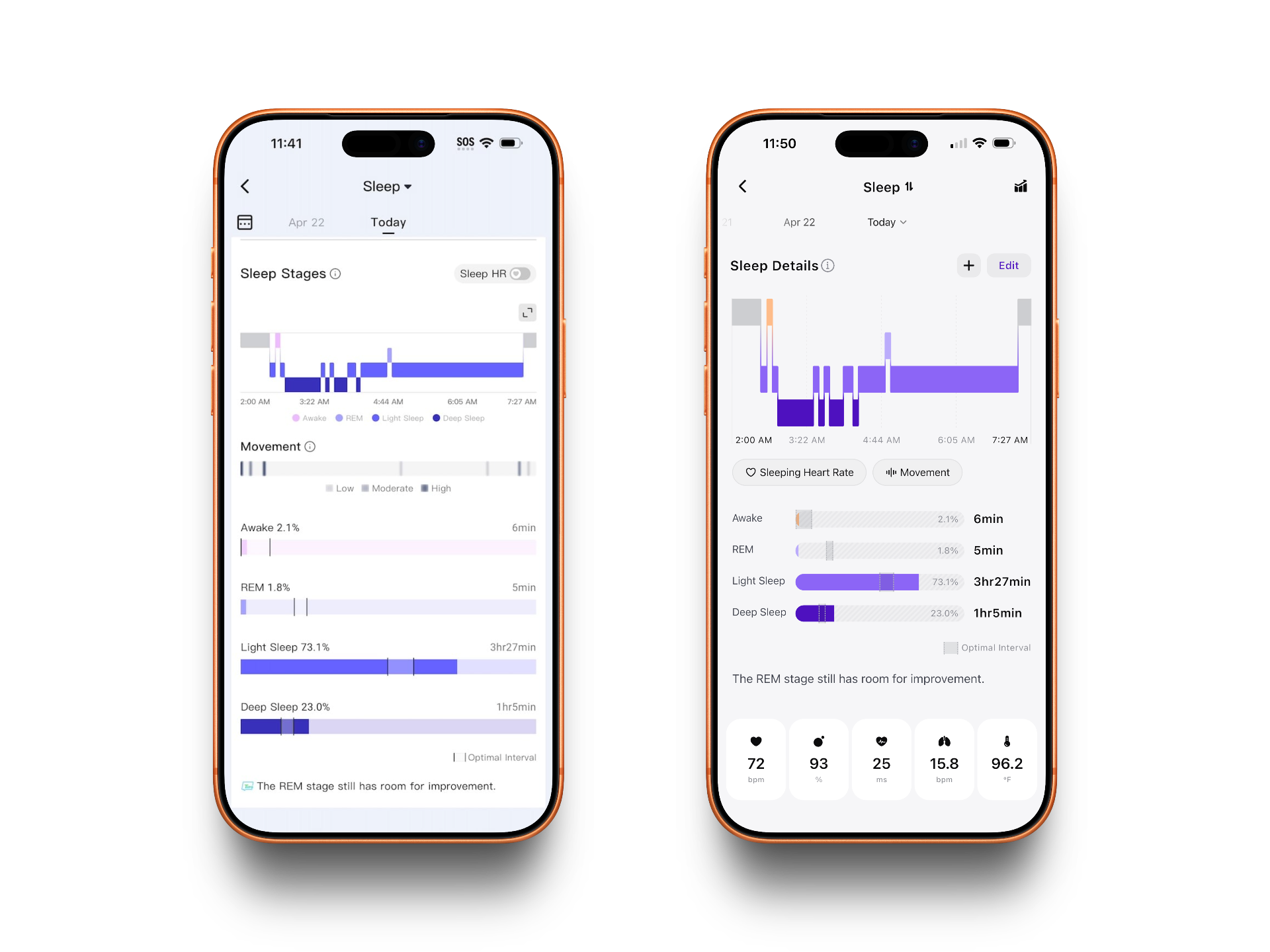
V4 anchors sleep analysis to a target you set in the Plan tab. Hit the gap and the app surfaces coaching language ("Rough night?") with an explanation of what the shortfall means and an Improvable card calling out the specific factor dragging the score down. The sleep arc visualization also now shows your actual bed-to-wake window at a glance.
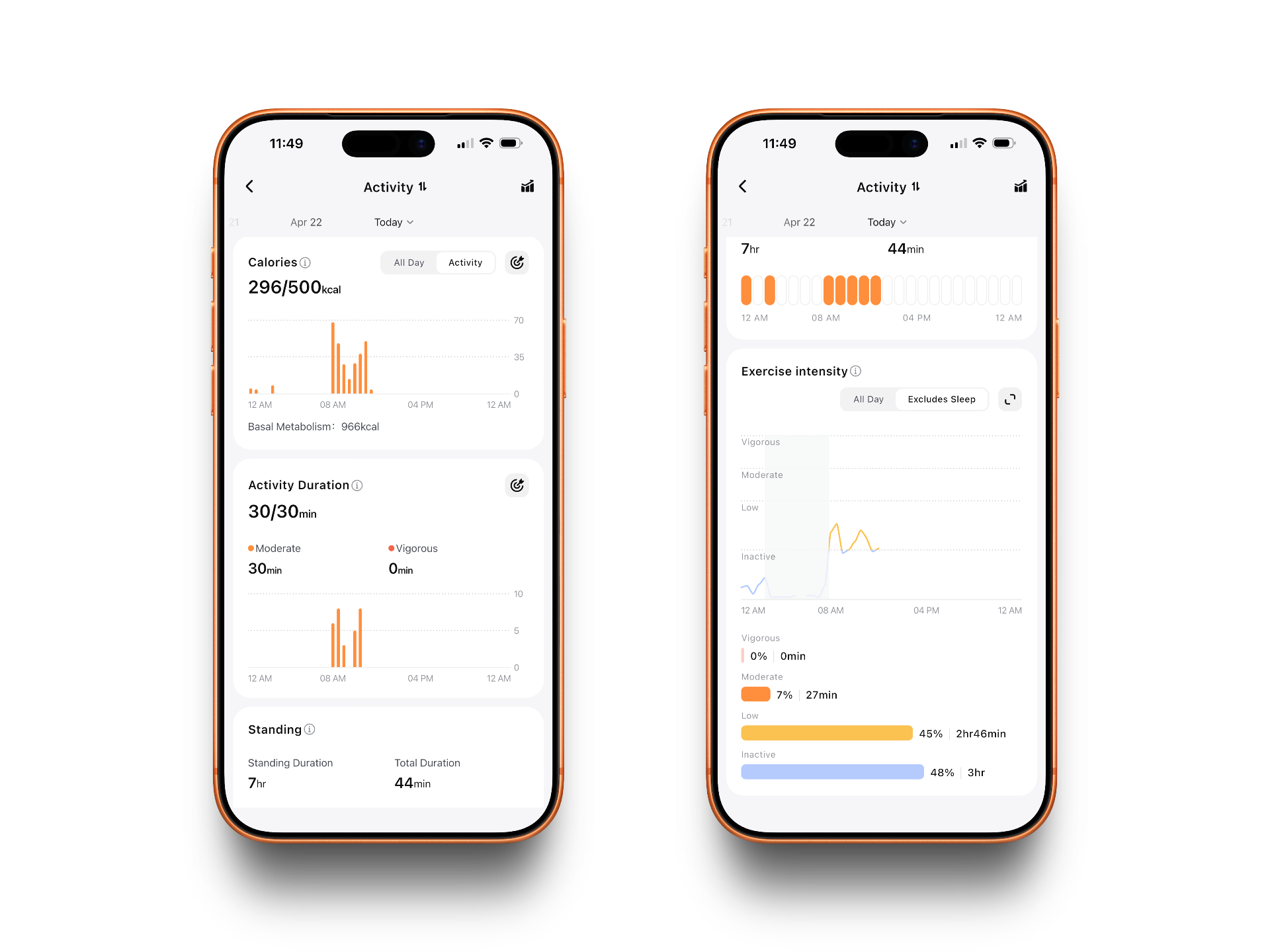
Activity: Score First, Stats Second
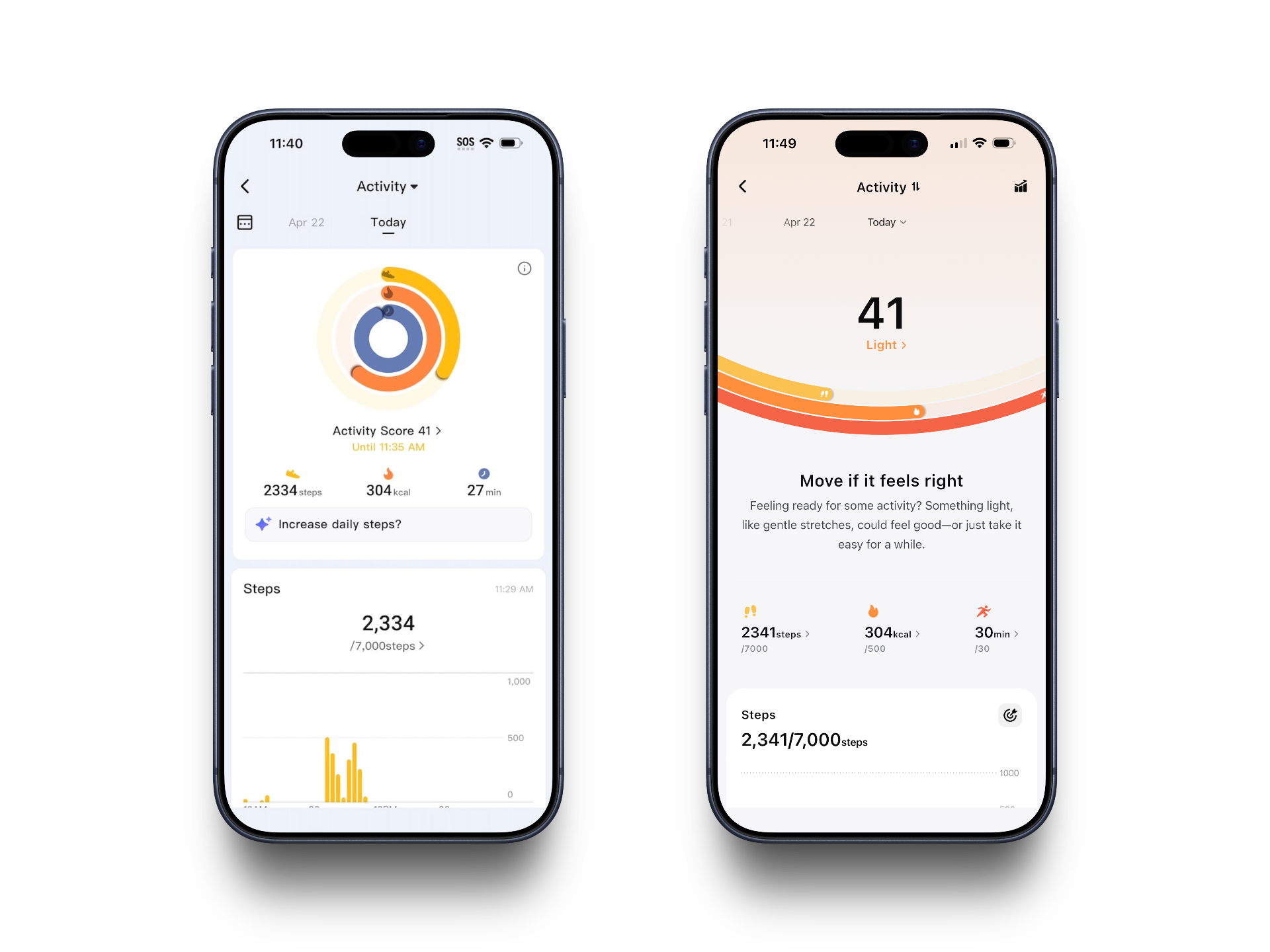
V3 led with a step count comparison chart against last week's average, then a four-cell data grid below. Functional, but the hierarchy put comparative context above your actual current status.
V4 flips it. Your activity score dominates the top of the screen with a label (Light, Moderate, Active) and a multi-arc meter showing progress toward your step, calorie, and active minute goals simultaneously. The coaching copy below the score adjusts to where you are: "Move if it feels right" on a light day, more encouraging language when you're close to your targets.
Stress: Named States and Time Accounting
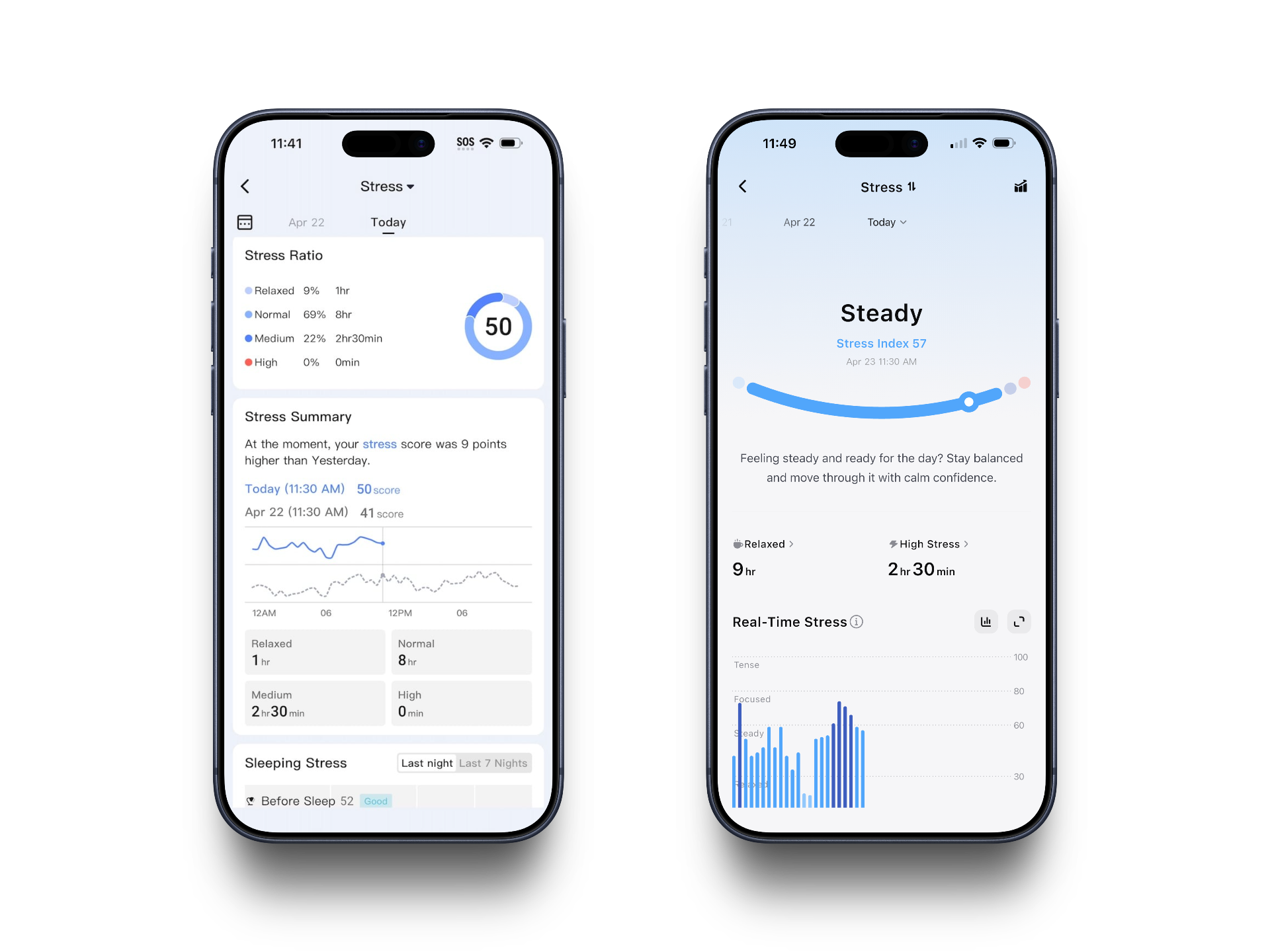
The V3 stress view centered on a smiley-face slider, your current stress index, and an HRV data table. It told you your number. It didn't tell you much about your day.
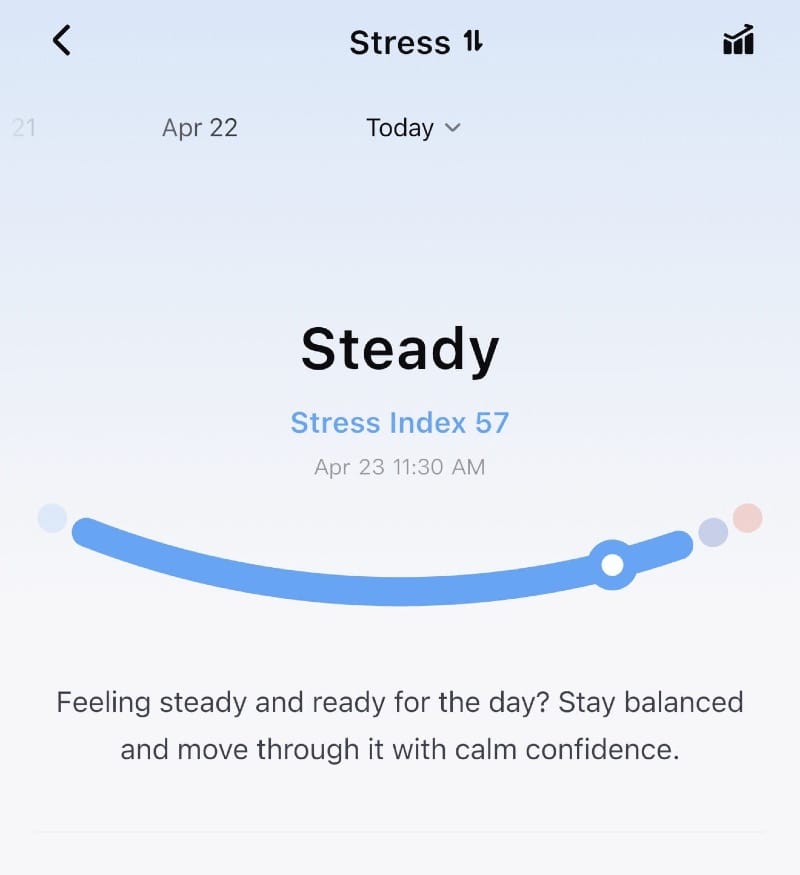
V4 replaces the smiley with a cleaner arc visualization and adds two things V3 lacked entirely: a breakdown of total time spent Relaxed versus in High Stress across the day, and a Real-Time Stress chart that plots your trajectory against named zones (Relaxed, Steady, Focused, Tense) so you can see patterns rather than just a snapshot.
Blood Pressure Monitoring: New Territory
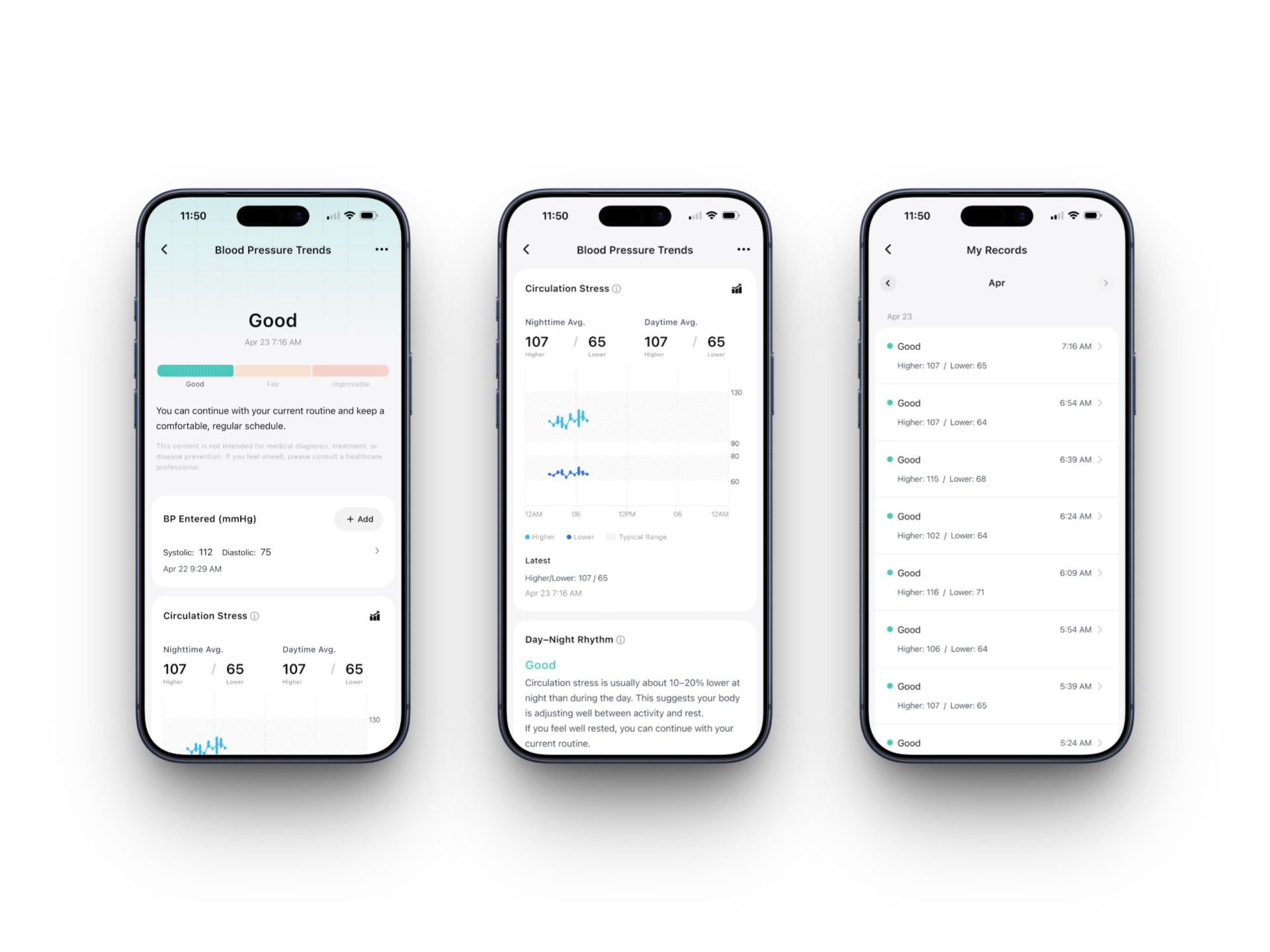
This is the headline feature, and it has no V3 equivalent. Blood pressure monitoring is currently in beta on compatible hardware including the Gen 2 ring, enabled through a firmware update.
The feature is built around what RingConn calls "Circulation Stress," a continuous passive measure of blood pressure patterns throughout the day and night. It is not a replacement for a clinical cuff. Setup requires entering an actual blood pressure reading as a calibration anchor, and the app recommends recalibrating every 28 days to maintain accuracy.
With calibration in place, the ring passively checks circulation stress during rest periods automatically. The overnight picture this builds is something a traditional cuff cannot provide: timestamped readings every 15 minutes or so across the whole night, each logged in My Records with a Good, Fair, or Improvable status. The Blood Pressure Trends view then breaks that data down further: Day-Night Rhythm (whether your circulation stress drops 10-20% overnight as it should), Sleep Breathing quality based on overnight SpO2 stability, Post-Exercise Recovery patterns, and Stress Response. Each gets a status and a plain-language explanation.
The Plan Tab and Auto 24/7 Monitoring
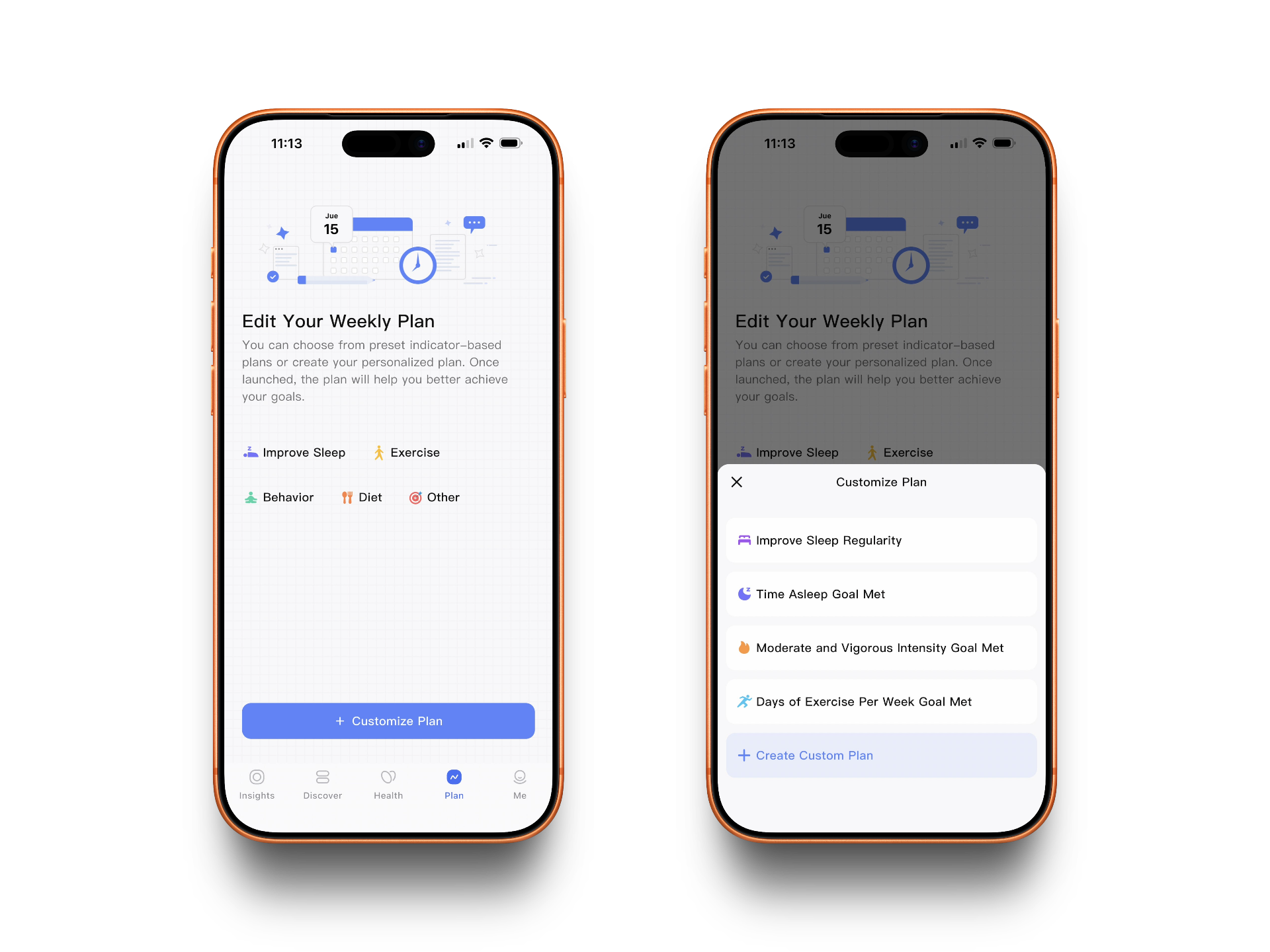
The Plan tab carries over from V3, but V4 expands what you can do with it. You can now configure a personal sleep schedule and duration target, and V4 calibrates its coaching thresholds to your specific goal rather than a generic reference range. Set a 7-hour target and a 4-hour-37-minute night gets flagged with meaningful context. Set a 6-hour target and the same night reads differently.
Auto 24/7 monitoring is new. It enables continuous passive tracking across all health metrics: heart rate, HRV, SpO2, skin temperature, respiratory rate, and circulation stress. In V3, measurement intervals were fixed with limited user control. In V4, you configure it explicitly and the ring runs accordingly. The blood pressure day-night rhythm analysis only becomes meaningful with enough overnight auto-check readings to work from, so the two features are designed to reinforce each other.
A few caveats before you dive in. The blood pressure feature is hardware-gated to compatible devices. Auto Check does increase battery drain, running about 10-11% per day in testing. Sleep apnea detection is also absent from the beta for now, though RingConn has indicated it will return later this month or early next. Rough edges are expected. But the direction is clear. RingConn has spent two years building capable hardware. V4 is the first version of the software that actually matches it.