


What's New in iOS 27: Beta 3
iOS 27 beta 3 is here across the full lineup. Here's everything new across iOS, iPadOS, macOS, and more.
iOS 27 beta 3 is here across the full lineup. Here's everything new across iOS, iPadOS, macOS, and more.

Apple released the third developer beta of iOS 27 today, along with matching beta 3 updates for iPadOS 27, macOS Golden Gate, tvOS 27, visionOS 27, and watchOS 27.
Beta 3 arrives two weeks after beta 2 on June 22, keeping Apple on its usual cadence heading toward a public beta expected sometime in the next week or two.
This is a living article that we'll keep updating as Apple ships new betas throughout the summer. Here's everything confirmed so far.
iOS 27 Beta 3 (Build 24A5380h)
Siri AI's Voice Customization Sliders Finally Work
The Pace and Expressivity sliders for Siri's voice customization, which have been visible but labeled "coming soon" since beta 1, are now functional for anyone with access to the updated Siri experience. You can actually adjust how fast Siri talks and how much personality comes through in its tone.
There's a catch. Getting the working sliders means having access to the new Siri in the first place, and beta 3 resets that access for some testers. Apple Intelligence assets are being redownloaded between beta 2 and beta 3, which temporarily knocks some people back to old Siri until the new model finishes downloading again. If your Siri suddenly feels like a downgrade after updating, this is likely why. Give it time to redownload before assuming something's broken.
Siri Mode in Camera Now Requires the Updated Siri
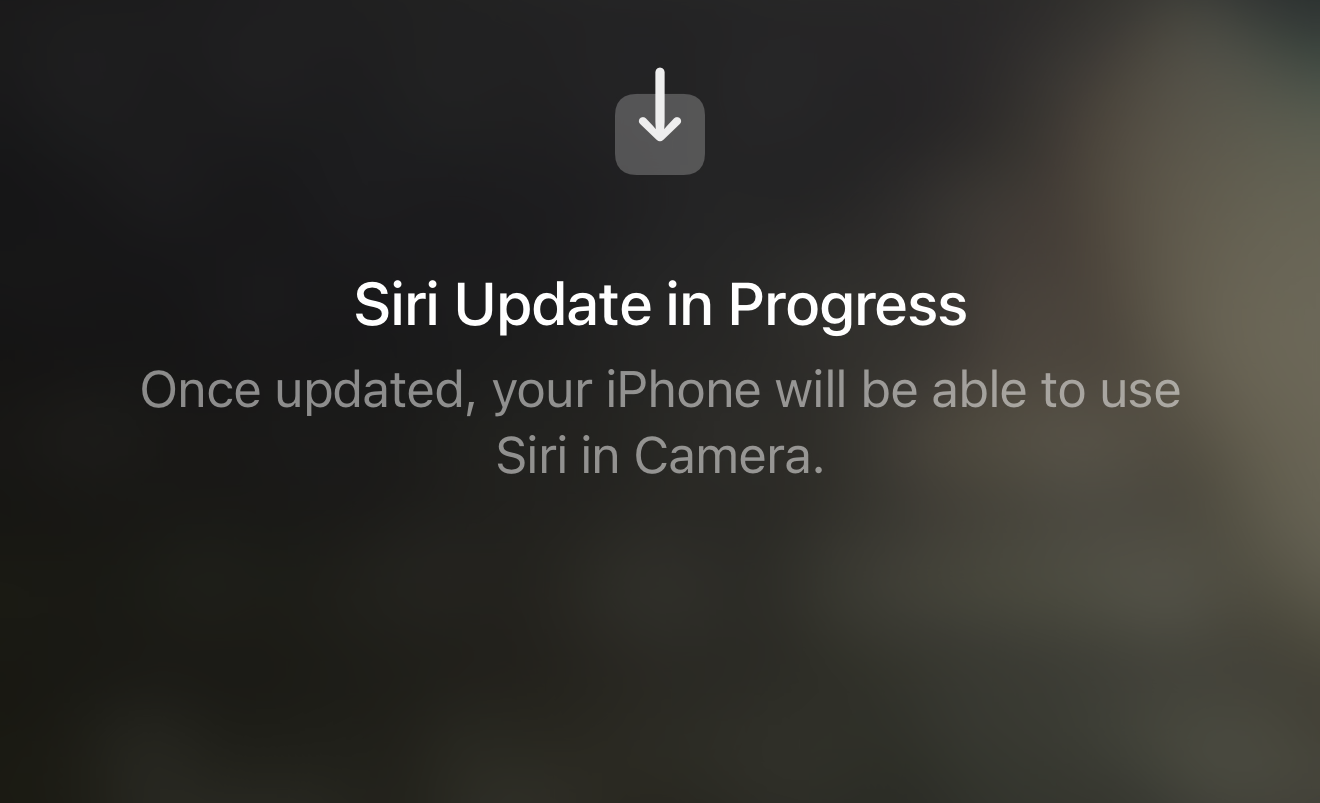
The Camera app's Siri mode, which uses Visual Intelligence to identify objects in the frame, now explicitly requires the updated Siri experience to function, based on new UI Apple added in the Camera app. If you're still waiting on the new Siri to finish setting up, expect this mode to be unavailable in the meantime.
Settings Now Says "Optimizing Search and Siri"
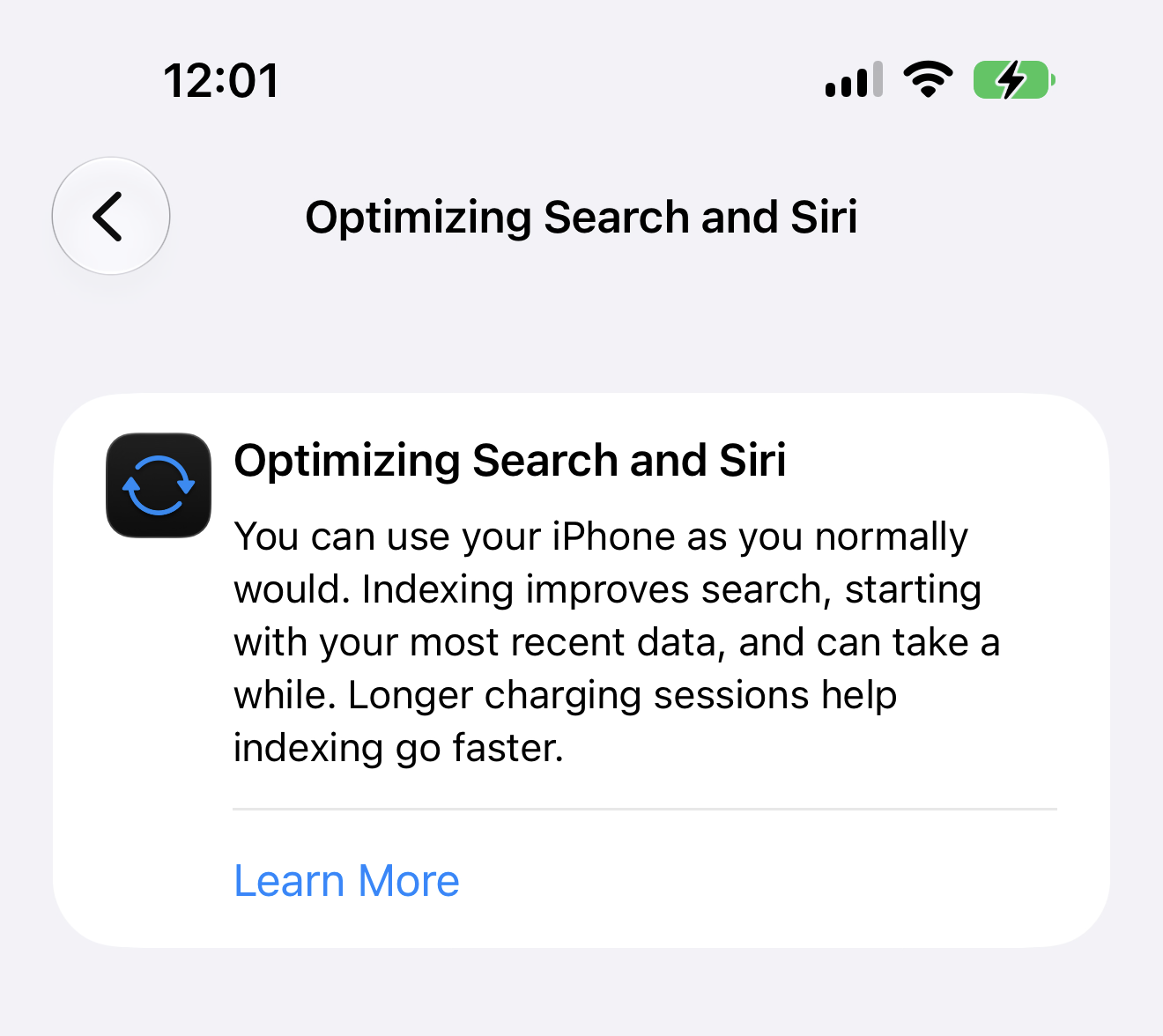
The indexing message in Settings, previously just a generic progress indicator while the system built out Siri's search capabilities, now reads "Optimizing Search and Siri." It's a small wording change, but it's a more accurate description of what's actually happening in the background during that wait.
Reminders Gets a Redesigned App Icon
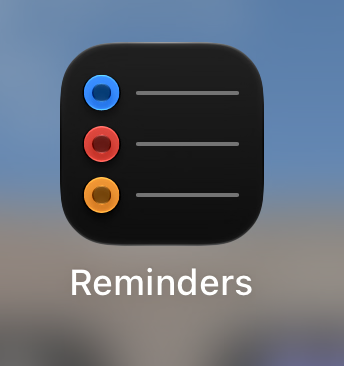
The Reminders app icon has swapped its solid colored bullet points for hollow, outlined ones. It's a subtle visual refresh rather than a functional change, but it's a noticeable one if you've had the app on your Home Screen for years.
Control Center Status Bar Groups Wi-Fi with Cellular
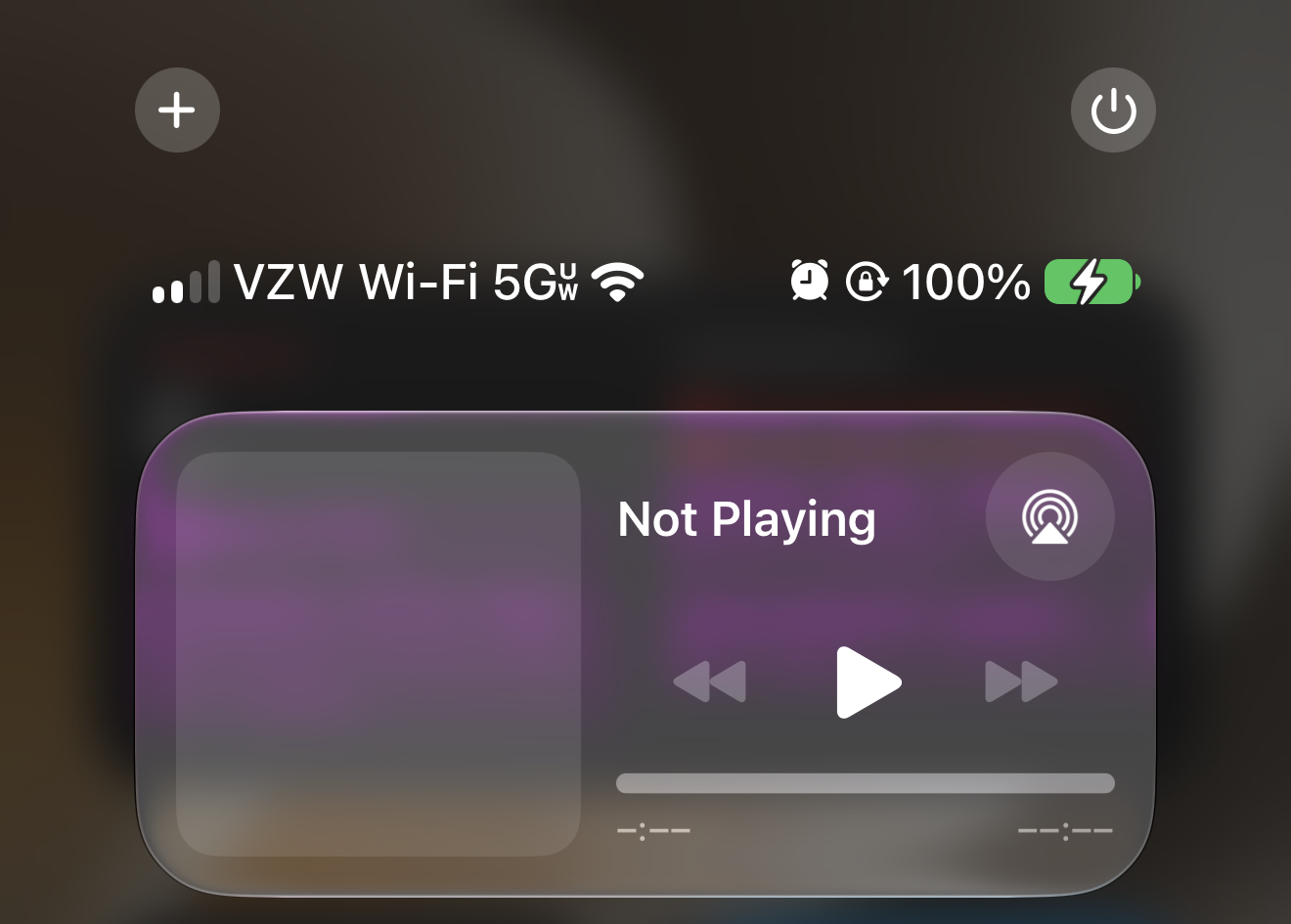
Beta 3 changes the layout of the status bar at the top of Control Center. Wi-Fi now sits on the same side as your cellular carrier and signal strength, grouped together on the left, rather than being split apart the way it's been in past versions. It's a small layout tweak, but it makes the connection info easier to scan at a glance.
iPadOS 27 Beta 3 (Build 24A5380h)
No iPad-specific changes have surfaced yet beyond what's shared systemwide with iOS 27, like the Siri voice customization fix and the Settings indexing text update.
macOS Golden Gate Beta 3 (Build 26A5378j)
New Golden Gate Bridge Wallpaper


Beta 3 adds a new default wallpaper featuring the Golden Gate Bridge, matching the macOS 27 Golden Gate codename. It's the most visible addition so far in this beta for Mac.
Safari Highlights Four New Features on Launch
Opening Safari in beta 3 now shows a first-launch highlight screen calling out four features:
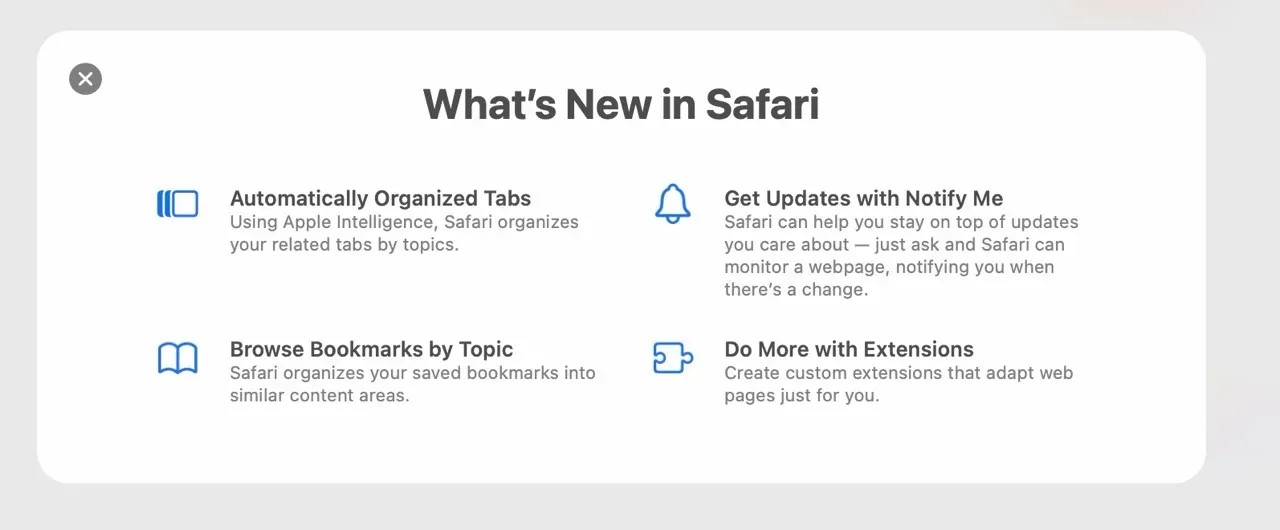
Automatically organize tabs, which groups open tabs for you without manual sorting. Browse bookmarks by topic, letting you navigate saved bookmarks grouped by subject rather than one long list. Get updates with Notify Me, which tracks a page for changes and alerts you when something updates. And do more with extensions, pointing to the ability to create custom extensions rather than relying only on ones built by developers.
We're continuing to dig through this beta for additional Mac-specific changes and will update this section as we find them.
tvOS 27 and visionOS 27 Beta 3
tvOS 27 (Build 24J5315i) and visionOS 27 (Build 24M5316k) both moved to beta 3 alongside the rest of the lineup. No beta-3-specific changes have surfaced yet.
watchOS 27 Beta 3 (Build 24R5315i)
watchOS 27 beta 2 arrived a few days behind the rest of the lineup last cycle, rather than on the same day. With beta 3, Apple Watch is back in step with the other platforms, including the Apple Watch Ultra 3, all landing the same day.
Siri AI Finally Arrives on Apple Watch
The first two watchOS 27 betas shipped without Siri AI, Apple's headline feature for the update, working on Apple Watch at all. Beta 3 changes that. Siri AI and the standalone Siri app are both live now, bringing a genuinely conversational assistant to the wrist for the first time.
The new Siri app takes the center position in the Dynamic app grid, with the apps around it chosen intelligently based on what you use. Conversations sync across devices too, so you can start asking Siri something on your Apple Watch and pick the conversation back up on iPhone, iPad, Mac, or Vision Pro with full context carried over.
If Siri AI doesn't show up right away after updating, give it time. The new experience needs to finish loading in the background before it's usable, similar to what iPhone testers have seen with the Apple Intelligence asset redownload happening on that platform this beta.
Apple also confirmed watchOS 27's final compatibility list with this beta: Apple Watch Series 9, Series 10, Series 11, Ultra 2, Ultra 3, and SE 3. The Series 8, first-generation Ultra, and SE 2 are all left behind, the steepest cutoff Apple has drawn in a single Apple Watch cycle.
We're still digging through this beta for what else has changed.
iOS 27, iPadOS 27, macOS Golden Gate, tvOS 27, visionOS 27, and watchOS 27 betas are available now to registered Apple developers. You can install any of them by going to Settings (or System Settings on Mac) → General → Software Update, then selecting the relevant Developer Beta under Beta Updates.
Apple plans to open public betas for every platform except visionOS in July, with the official public release expected this fall alongside the new iPhone lineup. As always, we don't recommend installing developer betas on your primary device. Stick to a secondary iPhone, iPad, or Mac until Apple gets closer to the stable release.
Read us first
See more TBTL when you search Google
Add Tech Between the Lines as a preferred source and our Apple coverage shows up more often in your Top Stories. It takes one tap, and you can change it anytime.
Prefer TBTL on Google