




Apple opened its Worldwide Developers Conference on June 8, 2026 with a keynote built around three stated priorities: platform improvements, trust and safety, and what Craig Federighi called "a big leap forward for Apple Intelligence." The result was one of the most comprehensive software showcases Apple has delivered in years, touching every platform in its lineup and finally delivering the rebuilt Siri it first promised at WWDC 2024.
It was Tim Cook's final WWDC keynote as CEO before he steps down on September 1, handing the role to John Ternus, currently Apple's SVP of Hardware Engineering.
Developer betas for all platforms are available as of June 8. Public betas follow in July, with final releases targeted for fall 2026.
Apple Intelligence and Siri AI
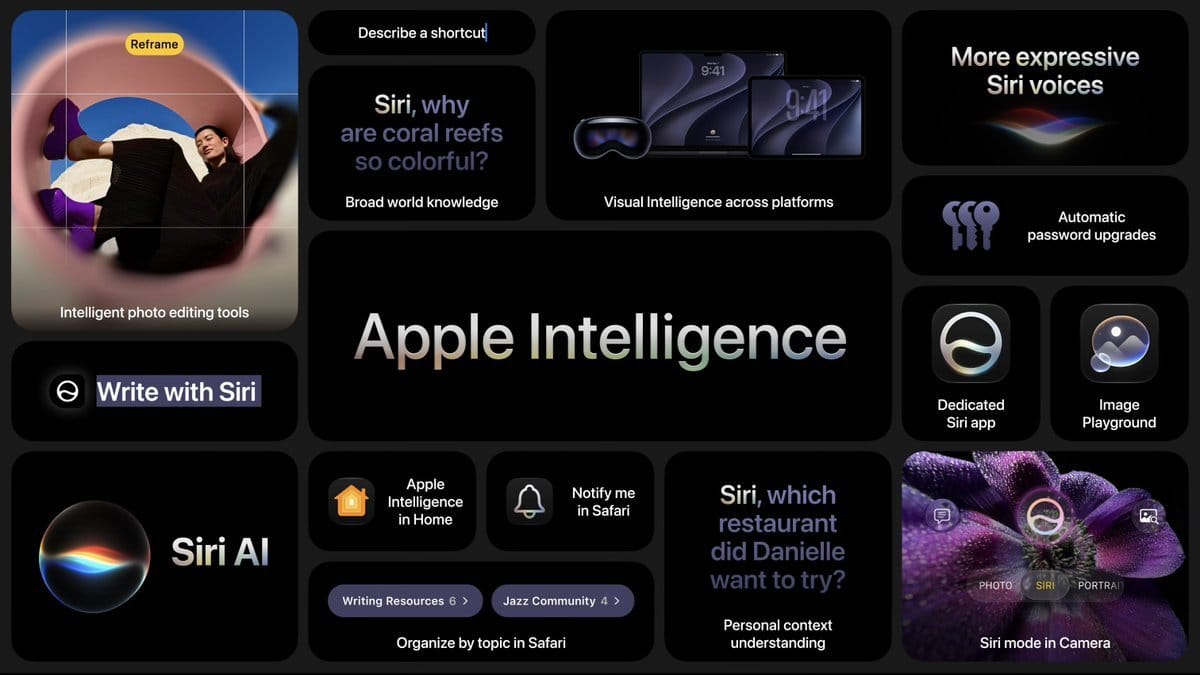
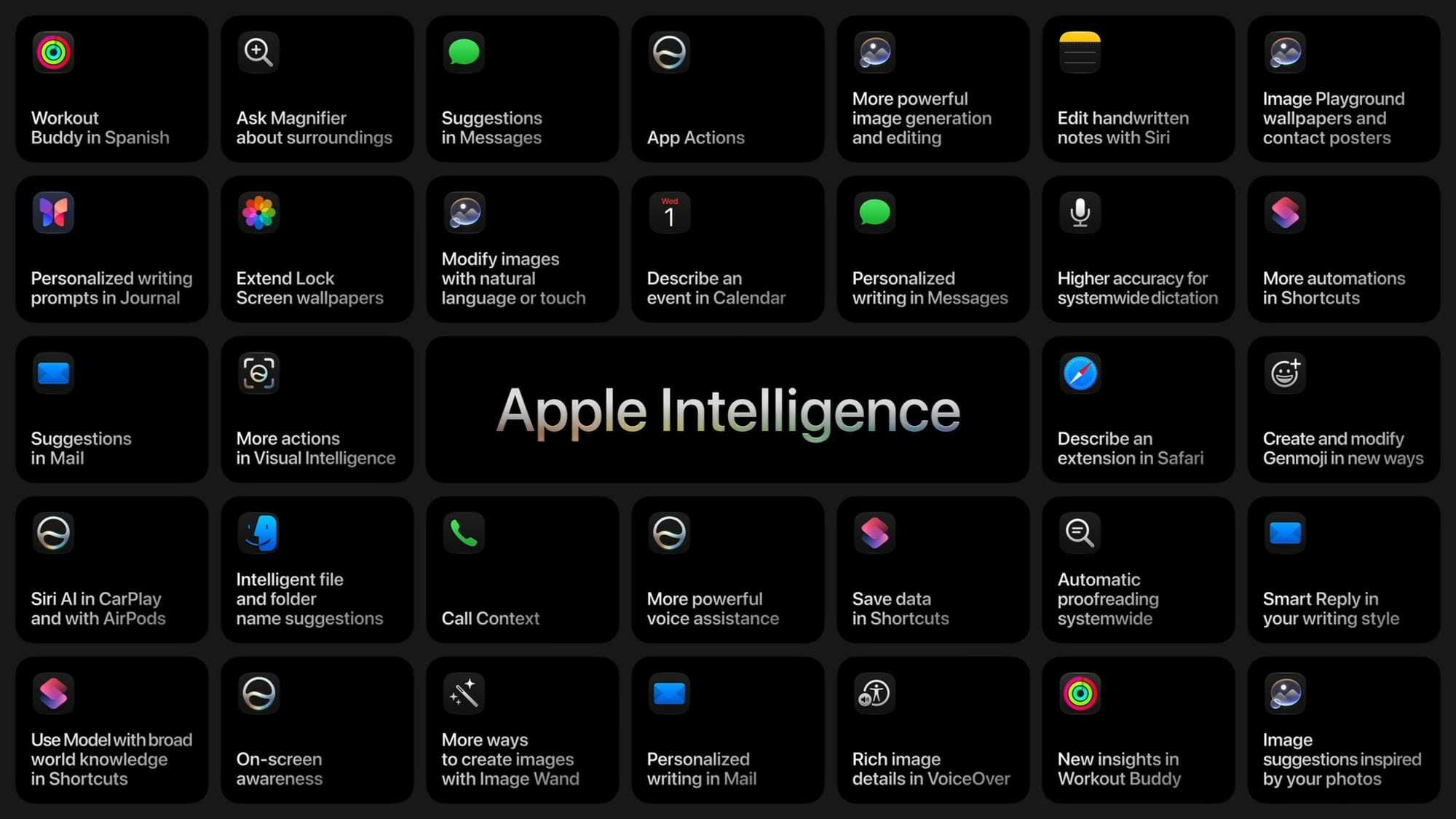
Apple Intelligence is the connective tissue running through every platform announcement at WWDC 2026. The expanded feature set this cycle goes well beyond prior releases, and it is anchored by a fully rebuilt assistant that Apple is officially calling Siri AI.
Siri AI
Siri AI
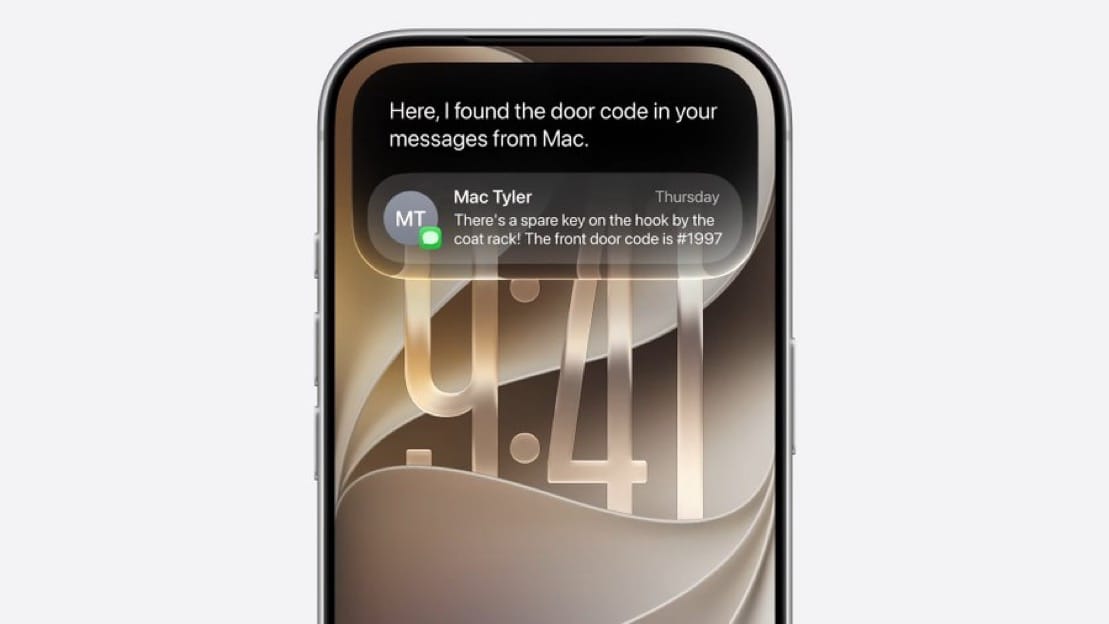
After two years of delays following its initial preview at WWDC 2024, Apple is delivering a conversational, context-aware Siri built on a new architecture powered by Google's Gemini model. The official branding is Siri AI, and it is launching in a beta state alongside the fall OS releases.
Siri AI handles multi-step, chained requests in a single prompt and maintains context across a back-and-forth conversation. Apple demonstrated Siri looking up the FIFA 2026 World Cup schedule, helping plan a viewing party around a specific match, and recommending dishes from the competing countries. A dedicated Siri app stores conversation history and syncs it across devices via iCloud, so a thread started on iPhone continues on iPad, Mac, Apple Vision Pro, or Apple Watch without losing context.
Siri AI is free with a daily usage allowance. Additional usage beyond that allowance is available through iCloud+.
The assistant launches in English only, with additional language support planned. Siri AI is coming to iOS 27, iPadOS 27, macOS Golden Gate, visionOS 27, CarPlay, and AirPods. On watchOS 27, it is planned for a future beta rather than the initial release.
Siri AI: Device Requirements
Siri AI is limited to devices that support Apple Intelligence. On iPhone that means iPhone 15 Pro, iPhone 15 Pro Max, and all iPhone 16 and iPhone 17 models. On iPad it requires an iPad mini with A17 Pro, or any iPad with an M1 chip or later. On Mac, all Apple silicon models are supported. Apple Watch Series 10 and later are compatible when paired with a qualifying iPhone. Devices that run iOS 27 but fall outside these requirements will still receive all the core OS improvements, the Liquid Glass opacity slider, performance gains, and app updates: they simply will not have access to Siri AI or Apple Intelligence features.
Siri AI and the EU
Siri AI will not be available in the European Union on iOS 27 or iPadOS 27 at launch this fall. Apple cited the Digital Markets Act as the reason for the exclusion. It will be available in the EU on macOS Golden Gate, watchOS 27, and visionOS 27 from day one.
Apple Intelligence: Photos Editing Tools
The Photos app is gaining a dedicated Apple Intelligence Tools section within its editing interface. Three new tools are coming: Extend, which generates additional image content at the edges of a frame allowing users to drag the photo's borders outward and synthesize surrounding scenery; Enhance, which applies AI-driven automatic adjustments to color, lighting, and image quality tailored to each individual photo; and Reframe, which applies a post-capture perspective shift to spatial photos. Clean Up, the existing AI removal tool, is also receiving improvements to output quality and realism. These features require an Apple Intelligence-compatible device, iPhone 15 Pro or newer, or an iPad or Mac with an M-series chip. Apple has acknowledged internally that Extend and Reframe were still producing inconsistent results during testing, so some of those tools may arrive in a later iOS 27 update rather than at launch.
Automatic Proofreading
Apple Intelligence now automatically proofreads text across nearly every app on the system, including third-party apps. It can flag errors and offer suggestions without requiring user-initiated action.
Write with Siri
A new Write with Siri feature can learn how you communicate with specific contacts and adapt its writing suggestions accordingly, personalizing the tone and style of Smart Reply and other writing assistance features.
Safari
Apple Intelligence brings several new features to Safari. Tab organization groups open tabs into topics automatically and can update those groupings as browsing continues. Notify Me monitors specific web pages for changes based on natural language input, flagging things like price drops or restocks. A new Describe an Extension feature lets users create custom Safari toolbar extensions by describing what they want in plain language.
Apple Intelligence: Passwords
The Passwords app gains a genuinely new capability in iOS 27: it can now fix weak and compromised credentials automatically, without the user needing to visit each site individually. Apple describes the system as agentic: Apple Intelligence and Safari work together in the background, navigating to the relevant website, signing in, and upgrading the account to a strong password on the user's behalf. The process displays as a Live Activity while it runs. The feature builds on the existing security alerts Passwords has shown for years; the difference is that acting on those alerts is now a one-tap operation rather than a manual site-by-site process.
Messages
Apple Intelligence adds contextual suggestions inside Messages conversations, surfacing actions like creating a calendar event, adding a reminder, or finding a related photo based on the content of incoming texts.
Mail surfaces suggested actions based on the contents of messages, similar to the contextual intelligence added to Messages.
Apple Intelligence: Calendar
Calendar gains natural language event creation in iOS 27. Tapping the + button lets users type something like "Movies with Sarah at 8pm on Thursday" and the app parses the date, time, and details automatically without requiring navigation to a specific day first. Recurring events are also smarter: updating the frequency of a repeating event, such as changing a weekly meeting to biweekly, adjusts all future instances intelligently. Visual Intelligence integrates with Calendar as well, a screenshot of an event listing or a photo of a physical flyer can have its details extracted and added to the calendar automatically.
Phone App: Call Context
A new Call Context feature in the Phone app surfaces relevant information during a call based on what is being discussed. Apple demonstrated it pulling up a flight number automatically when a user was on the phone with an airline.
Home App
The Home app receives smarter notifications, with Apple Intelligence improving how it processes and surfaces alerts from security cameras and other connected devices.
Image Playground
Image Playground has been significantly expanded. It can now generate photorealistic images entirely on-device, with no data sent to external servers. It also gains the ability to create custom AI wallpapers and supports a broader range of image sizes. The ChatGPT integration added with iOS 26 remains and has been broadened. Genmoji has also been updated with more refined output.
Accessibility
Apple Intelligence is powering several new accessibility improvements. VoiceOver now provides richer descriptions of images. Pressing the Action Button on compatible iPhones activates a camera-based mode where users can ask questions about their surroundings and receive detailed spoken responses. Voice Control gains the ability to describe interface buttons and controls using natural language rather than requiring users to remember specific names.
Shortcuts
Shortcuts can now call directly into Apple Intelligence models and feed the results into a workflow. A single natural-language prompt can build and execute a complete shortcut automatically.
iOS 27
Performance and Stability
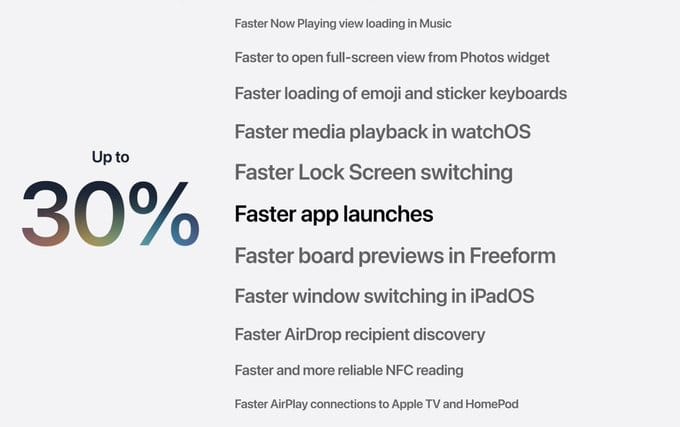
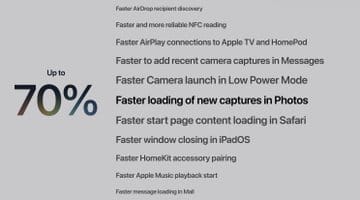
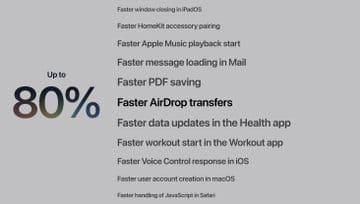
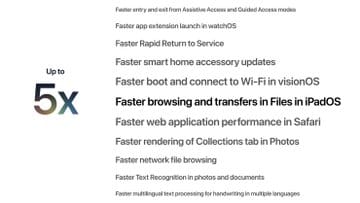
The headline story for iOS 27 is platform-wide speed. Apple modified the CPU scheduler to improve responsiveness across a broad range of devices, with particular attention to older hardware. Apps launch up to 30 percent faster. New photos appear in the camera roll up to 70 percent faster. AirDrop transfers are up to 80 percent quicker. File browsing is up to five times faster. Cellular handoff when moving out of Wi-Fi range is also improved. iOS 27 supports every iPhone currently running iOS 26, going back to the iPhone 11 from 2019. No new device requirements have been added.
Liquid Glass Customization
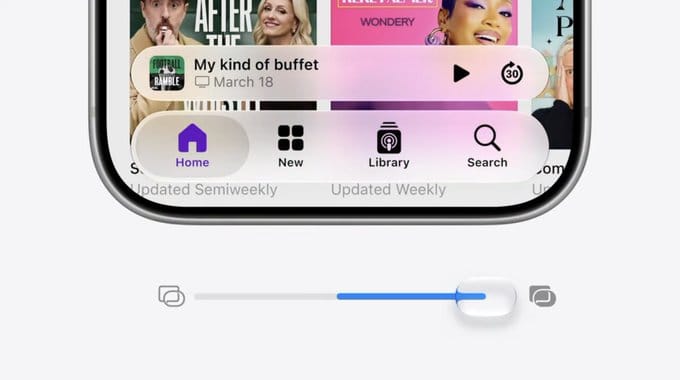
Apple is adding an opacity slider to the Liquid Glass design language across all platforms. Users can set how transparent or opaque the interface elements appear, addressing feedback that the translucent aesthetic introduced with iOS 26 could be harder to read in certain conditions.
Rebuilt Search
Apple rebuilt the infrastructure underlying Spotlight, Mail, and Photos search from the ground up. New files and data begin indexing almost immediately after arriving on the device rather than requiring a background indexing delay.
iCloud Shared Albums
iCloud shared albums now support full-resolution photos. The upgrade also extends compatibility to Android and Windows, making shared albums a more practical option for mixed-device households.
Notifications
The notification display is changing in iOS 27. Incoming alerts now slide in from the left side of the screen rather than dropping from the top. Notification Center is accessed by swiping down from the top-left corner of the display. The change frees the center swipe gesture for the new Siri "Search or Ask" interface.
Siri AI on iPhone
On iPhones with a Dynamic Island, the Siri AI animation appears in the Dynamic Island rather than at the bottom of the screen. Swiping down from the middle of the screen brings up the dedicated Siri interface. The "Hey Siri" wake word and power button activation remain available. Pressing the Action Button in the Camera app activates on-screen visual awareness, letting users ask Siri AI contextual questions about what the camera is seeing.
Swiping down from the center of the screen opens the new Siri interface, labeled "Search or Ask." As a result, Notification Center has moved: notifications now slide in from the left side of the screen, and accessing Notification Center requires swiping down from the top-left corner.
Communication: iMessage Status Slider
iOS 27 adds a status slider for iMessages, giving users more direct control over their availability visibility within conversations.
Communication: Call Screening
The call screening tools introduced with iOS 26, which automatically answer unknown callers and ask for a name and reason before ringing through, are being extended and refined in iOS 27.
Independent Volume Controls
iOS 27 splits sound into separate, independently adjustable volume levels for the first time. Users can now set a distinct volume for alarms and timers, and a separate volume for alerts and system sounds, rather than having all of these tied to a single slider. It is a long-requested quality-of-life change that addresses a persistent complaint about iPhone audio management, particularly for users who want a loud alarm but quieter notification sounds throughout the day.
Apple Music
Apple Music picks up two notable changes in iOS 27. Artist pages have been redesigned with a more prominent shuffle play button, an updated artist name display, and other layout refinements. Album pages have also been flagged as updated, though visible changes were not apparent in beta 1. AutoMix, the AI-powered feature that creates seamless transitions between songs by matching key and tempo, is also receiving an update in this release.
AirPods: Custom EQ and Heart Rate Sync
AirPods are getting two new capabilities with iOS 27. Custom EQ arrives for the first time since AirPods launched, giving users direct control over low, mid, and high frequencies through a graph-style interface accessible from AirPods settings. A Recommended option preserves Apple's default tuning, while a Custom option lets users adjust the frequency curve with a live waveform playing in real time to preview changes as they are made. Separately, AirPods Pro 3 users gain heart rate data sync via expanded GymKit support, routing heart rate readings through iPhone during workouts.
Wallet: Create a Pass
A new Create a Pass feature lets users generate digital Wallet passes from physical items by scanning them with the camera. Gym membership cards, loyalty cards, and similar credentials can be converted to digital passes stored in Apple Wallet.
Apple Cash Bill Splitting
iOS 27 adds receipt-based bill splitting to Apple Cash. A user who paid a bill in full can photograph the receipt, assign individual line items to specific people, and automatically generate Apple Cash payment requests for reimbursement. The feature works across Wallet and Messages and is available in the US only.
macOS Golden Gate
End of Intel Mac Support
macOS 27, named Golden Gate, requires Apple silicon. macOS Tahoe 26 is the final major release for Intel-based Macs. Users will need a Mac with an M-series chip, or a MacBook Neo with an A18 Pro chip, to run macOS Golden Gate.
Design Refinements
All windows now share a uniform corner radius, creating a more consistent visual experience across applications. Sidebars extend to the screen edges to reduce visual distraction. The menu bar is now more transparent. App icons have been refreshed with Liquid Glass effects. The opacity slider available on iOS is present on macOS as well.
Performance
The same underlying performance work in iOS 27 carries over to macOS Golden Gate. App launch times, file browsing, and AirDrop speeds reflect the same improvements, with the CPU scheduler tuned to deliver better responsiveness across supported hardware.
Rebuilt Search and Spotlight
Spotlight on macOS Golden Gate is rebuilt on the same new search infrastructure as iOS 27, with faster indexing of new files and data. Siri AI is integrated directly into Spotlight, allowing natural language queries and multi-step actions to be initiated from the search bar.
Siri AI on Mac
Siri AI on macOS can be invoked via a right-click context menu on any file, window, text, or image anywhere in the system. It is also available through the Siri app, which runs in its own window, and through the standard keyboard shortcut and menu bar. Apple demonstrated selecting multiple presentations and asking Siri AI to compare them and help choose the best option. Conversation history syncs with iPhone, iPad, and other devices via iCloud.
iPadOS 27
Performance
iPadOS 27 carries the same underlying performance improvements as iOS 27, with faster app launch times, quicker AirDrop transfers, and improved responsiveness across supported iPad hardware.
Windowing and Multitasking
iPadOS 27 builds on the windowing system introduced with iPadOS 26. Window tiling now supports splitting the screen into thirds and quarters in addition to halves. iPhone apps can now be resized within iPadOS, allowing them to scale up in a window rather than running only at fixed iPhone dimensions. The Menu Bar can be set to remain always visible on screen, a quality-of-life improvement for users who work in landscape with a keyboard. The active app name now displays in the status bar, making it easier to track which app is in focus when multiple windows are open.
Liquid Glass Refinements
The opacity slider available across all platforms in iOS 27 is present on iPadOS 27 as well, giving users control over how transparent or opaque the Liquid Glass interface elements appear.
Search
iPadOS 27 shares the rebuilt search infrastructure from iOS 27. Spotlight indexes new files and data almost immediately after they arrive on the device. Safari gains tab organization by topic, grouping open tabs automatically and updating those groups as browsing continues.
Screen Time
Screen Time has been revamped in iPadOS 27 with an updated interface for managing a child's device use, including improved parental controls and oversight tools.
Siri AI on iPad
Siri AI on iPadOS 27 mirrors the iPhone implementation, with a dedicated Siri app, conversation history synced via iCloud, and the swipe-down-from-center gesture to open the interface. As with iOS 27, Siri AI will not be available in the EU on iPadOS 27 at launch due to the Digital Markets Act.
Photos
iPadOS 27 gains slideshow customization in Photos, and iCloud Shared Albums now support full-resolution photos with cross-platform compatibility extending to Android and Windows.
watchOS 27
Compatibility: Major Device Cuts
watchOS 27 makes the most significant compatibility reduction in Apple Watch history. The update drops support for the Apple Watch Series 6, 7, 8, and 9, the original Apple Watch Ultra, and the Apple Watch SE (second generation). The only compatible models are the Apple Watch Series 10, Series 11, Apple Watch Ultra 2, Apple Watch Ultra 3, and Apple Watch SE 3. watchOS 27 requires an iPhone 11 or later running iOS 27.
Performance and Efficiency
Apple has improved battery efficiency and step tracking accuracy in watchOS 27. Wi-Fi connectivity is also improved. App extensions launch faster, and media playback starts more quickly. Water detection has been made more efficient, and the dynamic app grid introduced this cycle loads and responds more fluidly.
New and Updated Features
The Smart Stack gains new contextual suggestions and now surfaces transit cards and IDs directly within it. Wallet gains the ability to display card balances on the watch face. A consolidated Find My app replaces the previous fragmented approach to locating devices and people. Settings in the Apple Watch companion app on iPhone have been redesigned for easier navigation.
GymKit, previously limited to Apple Watch-only gym equipment pairing, expands to iPhone in watchOS 27, allowing heart rate and workout data to sync through iPhone as well. A new tap gesture adds another input method for navigating the watch without raising the wrist or pressing physical buttons. Guest key support arrives in Wallet on watchOS, letting users share access to home locks and hotel rooms from their watch.
Siri AI on Apple Watch
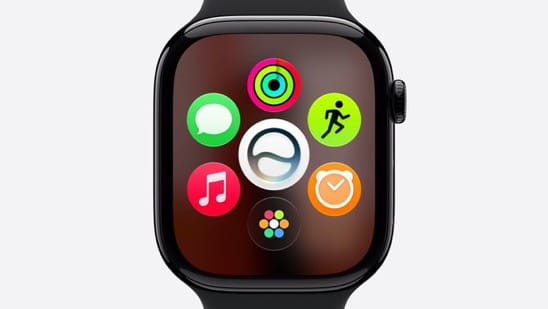
Siri AI is planned for Apple Watch via a future watchOS 27 beta release rather than the initial launch. The dedicated Siri app is also coming to watchOS, with conversation history syncing across devices via iCloud.
Spanish Support for Workout Buddy
Workout Buddy, the AI-powered audio coaching feature that generates personalized encouragement using fitness history, gains Spanish language support in watchOS 27.
visionOS 27
Siri AI on Apple Vision Pro
Siri AI arrives on visionOS 27 with a purpose-built spatial interface: a 3D visualization that users can position anywhere in their environment. The Siri app is also available on visionOS, with conversation history syncing across the full device ecosystem via iCloud.
Apple Intelligence on visionOS
The full Apple Intelligence feature set expands to visionOS 27, bringing it into alignment with the capabilities available on iPhone, iPad, and Mac.
tvOS 27
tvOS 27 was not detailed extensively in the keynote. Apple confirmed the release is coming this fall alongside the other platform updates. Additional feature details are expected through engineering sessions running through June 12.
Trust and Safety
Apple devoted a dedicated section of the keynote to trust and safety, covering both child account protections and communication management.
Parental Controls
Craig Federighi described new tools for parents as "giving powerful tools to parents." Child accounts are receiving an expanded set of controls and parental oversight capabilities across the ecosystem. Specific feature details were not fully enumerated at the keynote level.
Communication Safety
Call screening, iMessage status controls, and related communication management tools form part of the trust and safety package in iOS 27, giving users more control over who can reach them and how.
Availability
Developer betas for iOS 27, iPadOS 27, macOS Golden Gate, watchOS 27, tvOS 27, and visionOS 27 are available starting June 8, 2026. Public betas are expected in July. Final releases are targeted for fall 2026, alongside the expected iPhone 18 lineup. WWDC continues through June 12 with engineering sessions, labs, and developer meetings at Apple Park and online.







Comments