


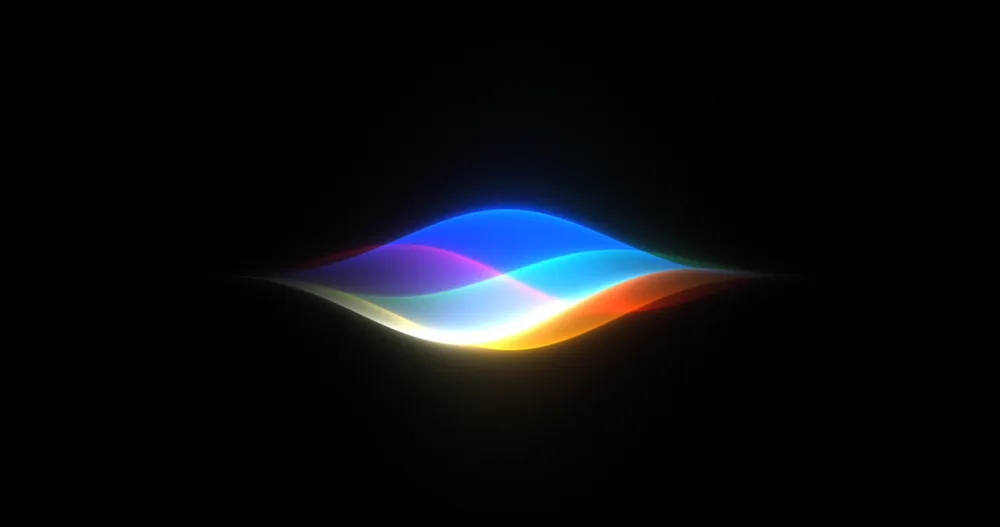


There's a specific kind of institutional memory that Apple users carry around with them. They remember the 2024 keynote where the company put on-screen awareness, cross-app actions, and deep personal context up on the screen at Steve Jobs Theater and said, essentially, this is Siri now. They watched the demo. They believed it. Then they waited. And waited. And got a glowing border around their lock screen instead.
So when Craig Federighi took the stage this morning at WWDC 2026 and said Apple has rebuilt Siri with powerful AI at the core, you could forgive a collective exhale of cautious optimism mixed with plain old skepticism. Two years is a long time to sit on a promise. The product being shown today, now called Siri AI, either closes the gap or reopens the wound.

Having watched the whole keynote: the gap got a lot smaller. Whether it's fully closed is something that only shipping software will tell us.
The New Interface: Dynamic Island Does Real Work Now
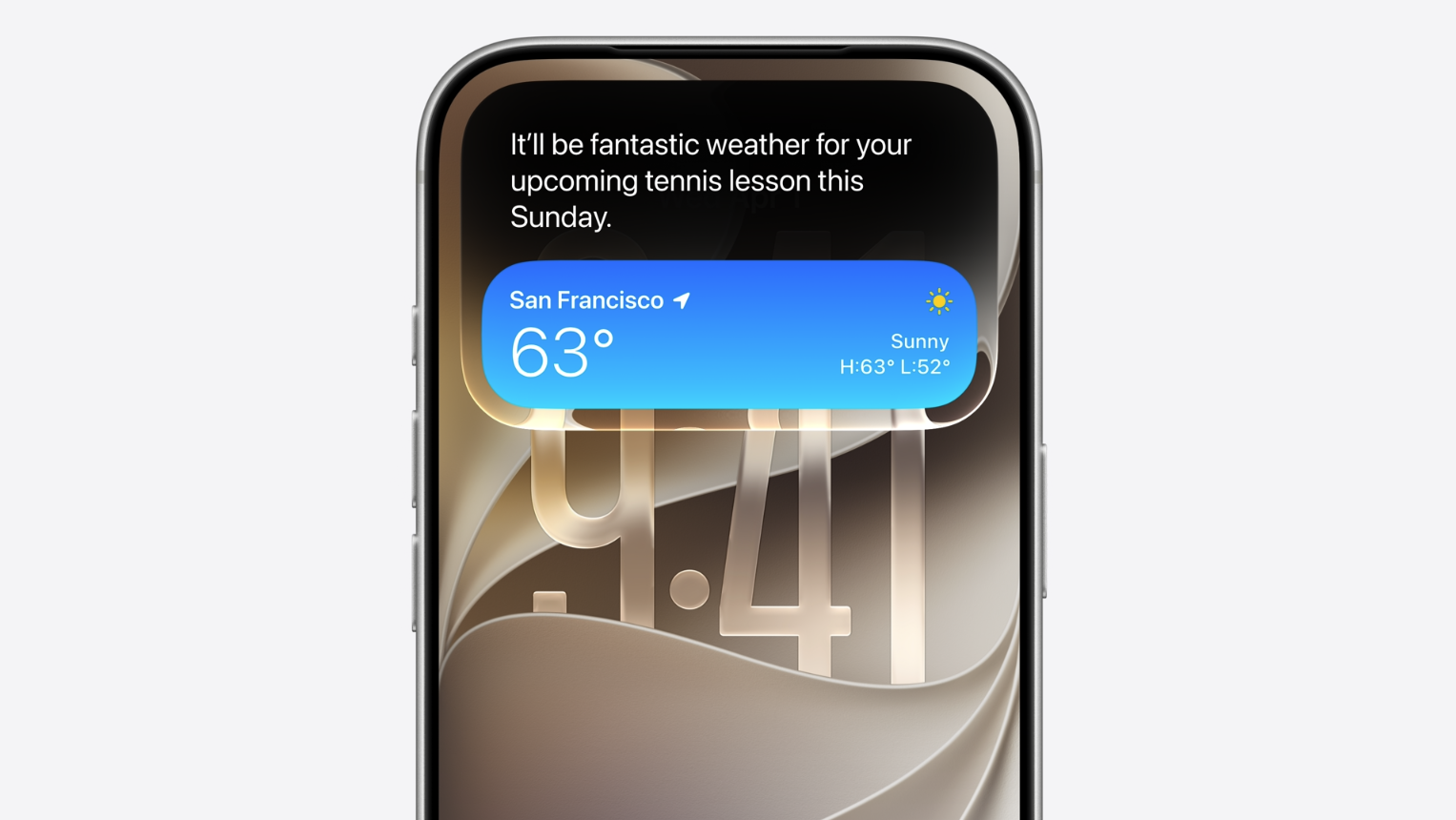
The first thing anyone will notice is that Siri no longer wraps a glowing ribbon around the edge of your screen. That visual language is gone. In its place, Siri AI lives inside the Dynamic Island, expanding and contracting from the pill-shaped cutout at the top of the display.
This is a better decision than it might first appear. The glowing border was theatrical. It looked good in a keynote, but it was contextually empty. It told you that Siri was happening, not what Siri was doing or thinking. The Dynamic Island approach anchors the assistant to a specific area of the screen, one users already associate with live activity and transient system states. It creates a spatial relationship that the old ambient glow never had.
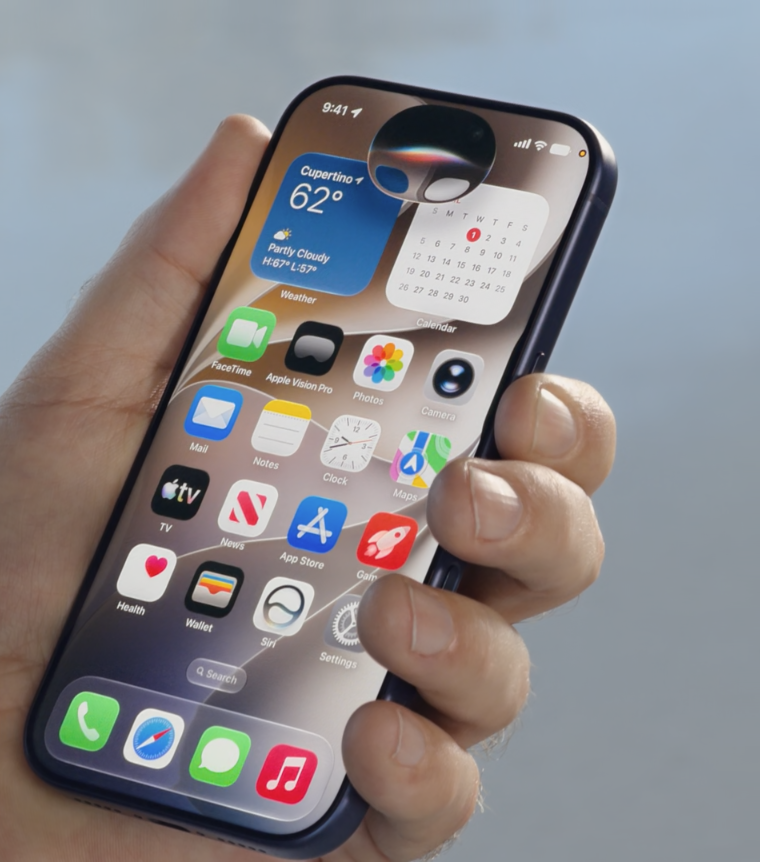
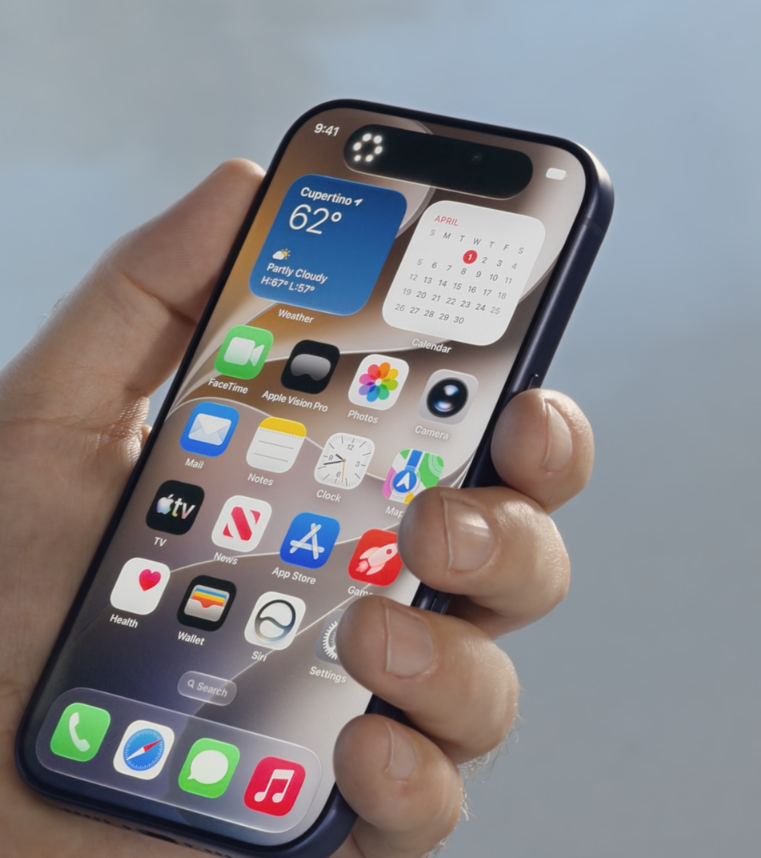
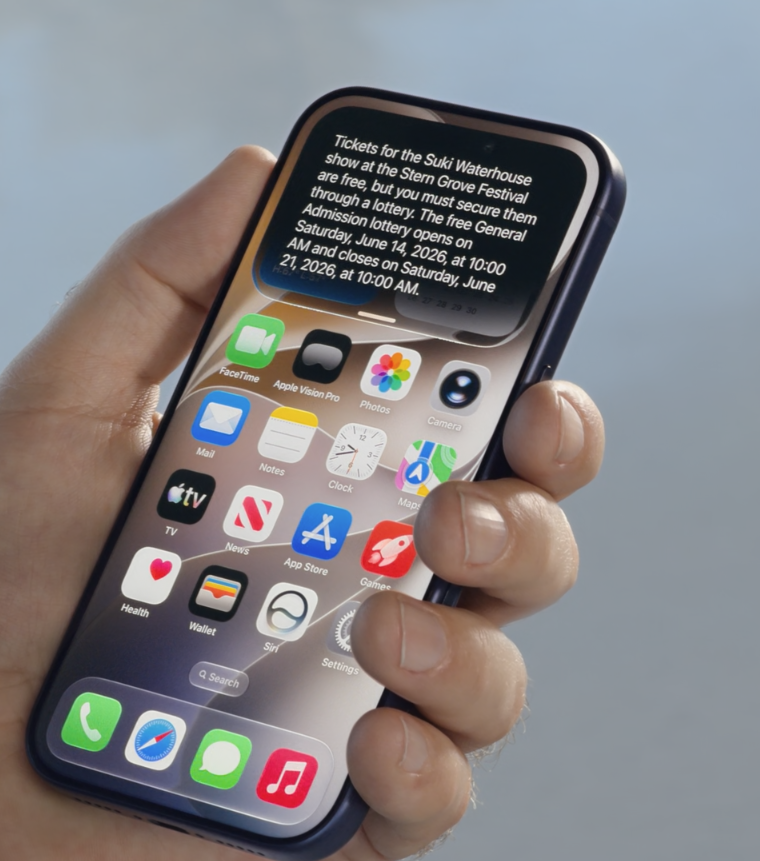
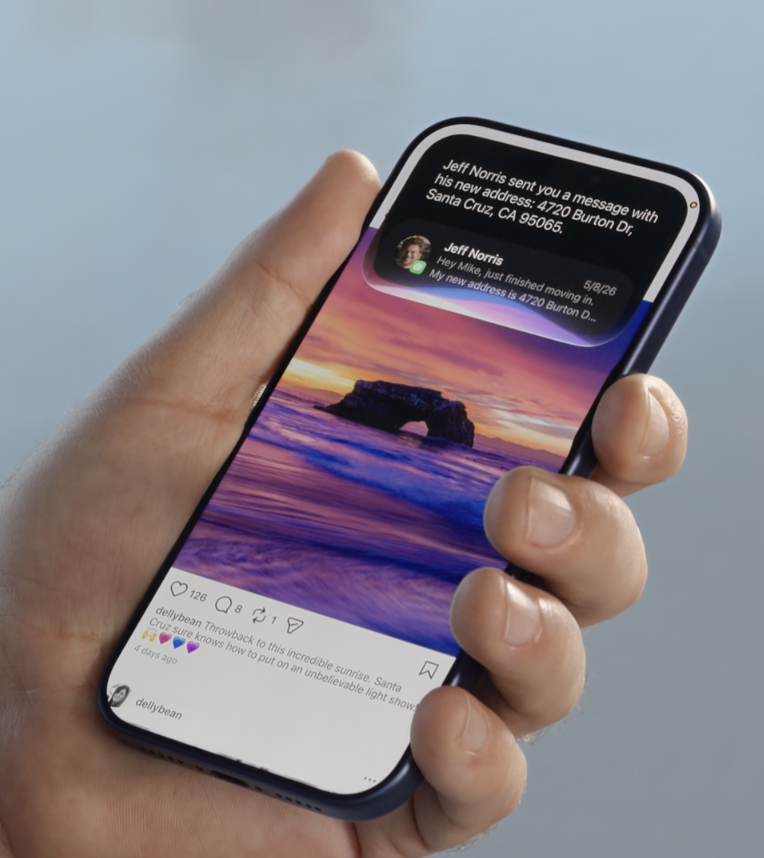
Siri moves to the Dynamic Island in iOS27
Activating Siri works three ways now. You can still say "Hey Siri" or hold the side button. But the third method is the genuinely new one: swipe down from the top center of your iPhone display and a "Search or Ask" panel drops into view. This single gesture could prove more significant than Apple let on during the demo. Pulling Siri out of a dedicated button and into a common swipe pattern brings it into the same vocabulary as Notification Center and Control Center, gestures people have been doing without thinking for years. That kind of muscle memory matters. A lot.
When a response comes back, Siri displays an interactive card that expands from the Dynamic Island. Swipe down on that card and the full conversation window opens. From there you can keep asking, add context, or attach a photo. It reads more like a chat interface than an assistant interface, and that framing shift is intentional.
A Dedicated Siri App, With Conversation History
Apple shipped a standalone Siri app alongside these system changes, modeled closely on what ChatGPT and Claude already do on mobile: past conversations in a scrollable history, the ability to upload files and photos for context, and a prominent input field for starting something new. Apple is not pretending this is a different paradigm. It's the paradigm, now running under the Siri name.
The conversation history syncs via iCloud across all your Apple devices, which means you can start asking about a travel itinerary on your iPhone and pick up the same thread on your Mac. That continuity has been available in competing tools for a couple of years now, and its absence in Siri has always felt like an own goal. Fixed here.
On that note: the new Siri app deletes chat history automatically after a preset period of time. Users can configure how long conversations persist, mirroring the approach Messages already takes. Given the deeply personal nature of what this assistant will now be able to access and discuss, that auto-delete behavior is a small but meaningful privacy gesture.
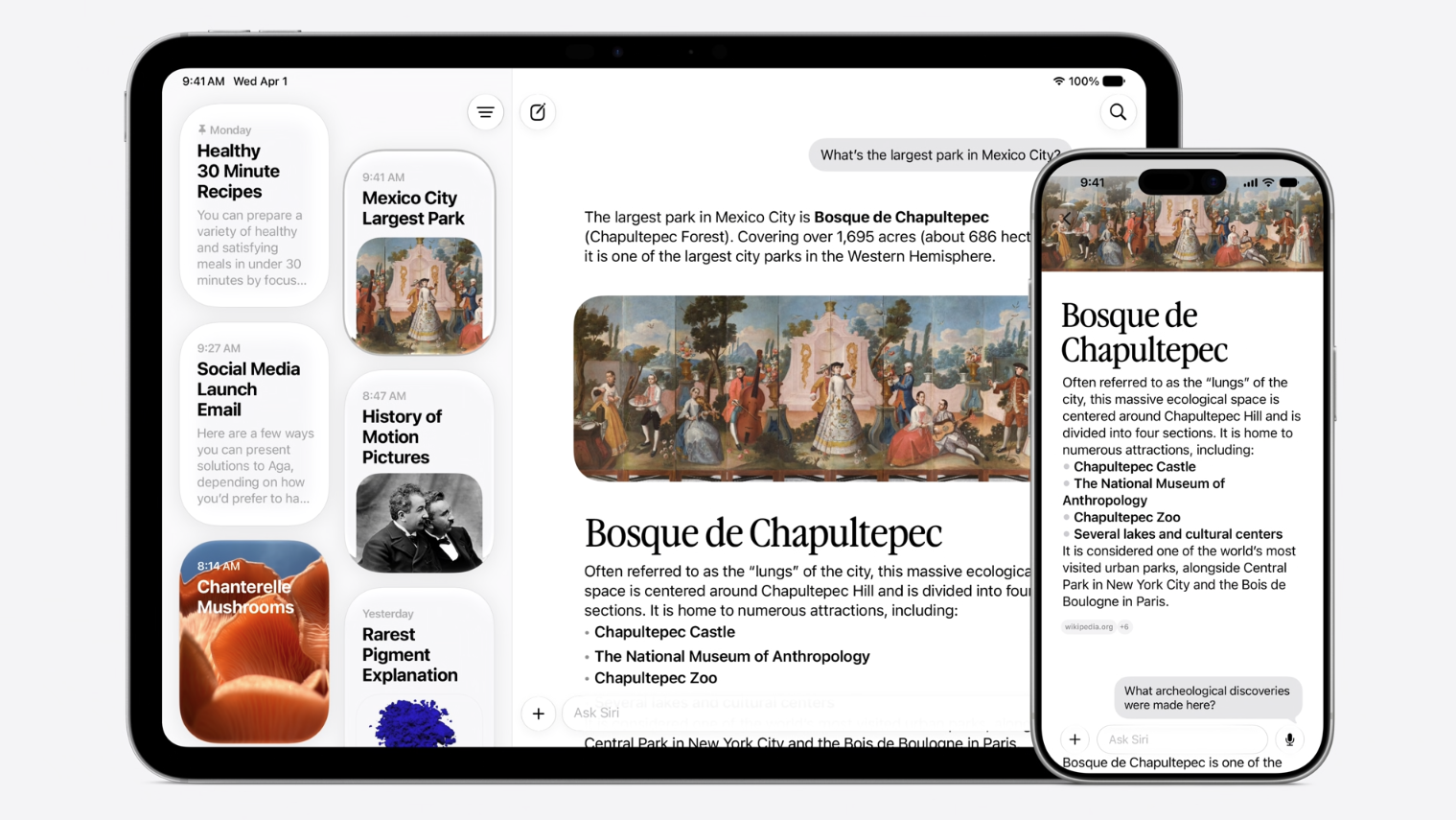
On-Screen Awareness: Two Years Late, But Here
The most-delayed feature of the Apple Intelligence rollout finally shipped today. On-screen awareness lets Siri understand what you're currently looking at on your display and take action based on it. Point your camera at a restaurant bill and Siri can immediately offer to split it via Apple Cash. Look at an event poster and it can read the date, add every show to your calendar at once. Highlight a paragraph in a document and Siri can offer writing feedback without you having to copy and paste anything anywhere.
The ability to highlight text anywhere in iOS and invoke Siri's writing assistance, including in third-party apps, is the kind of system-level integration that's genuinely hard to ship. It requires OS-level hooks that can't be faked with a wrapper. The fact that it works across third-party applications means developers don't have to build anything for it. It just appears wherever text exists.
Federighi demoed this during the keynote and it worked cleanly. The obvious caveat: it worked on a controlled demo machine at Apple Park, not on a phone with 87 apps, two years of photos, and a contact list that hasn't been cleaned since 2019. Beta testing will be clarifying.
The Visual Intelligence Camera Mode
A dedicated Siri mode built directly into the Camera app is one of the more quietly interesting changes announced today. Rather than requiring users to navigate out of the Camera app and into a separate Visual Intelligence interface, Siri mode sits inside Camera as a first-class option.
The demos ranged from practical to genuinely novel. Point at a poster on a wall and Siri can extract multiple calendar events from it simultaneously. Aim at a bill on a restaurant table and it handles the math and sends the split via Apple Cash. Point at a physical object and ask questions. The example shown on stage was a maker space query while looking at a shed, but the implications for product identification, plant recognition, shopping, and accessibility are real.
For a company that spent years treating Visual Intelligence as an obscure secondary feature activated by holding a button most users never found, making it a camera mode is the right call. The camera is where iPhone users already spend time. That repositioning alone will drive discovery.
Writing, Mail, and Messages
Write with Siri is a new system-level writing feature that generates full drafts from a prompt, suggests improvements when you highlight text, and tailors suggestions in Mail based on how you typically communicate with a specific person. That final piece, the personalized writing style per contact, is a UX detail worth noting. Most writing AI treats every output destination as identical. Mail doing something different because it knows you write formally to your boss and casually to your sister is the kind of contextual nuance that makes a tool feel genuinely personal rather than generically capable.
Messages also gets smarter. New intelligence shortcuts let you add something to your calendar directly from a text thread, save content to Notes, or surface related photos, all from within the conversation. Mail surfaces suggested actions based on message content. These are small, targeted interventions. They don't redesign anything. They just reduce the number of steps between reading something and doing something about it, which is most of what good UX actually is.
Multimodal and Multi-Step: Siri Finally Chains Commands
You can now give Siri multi-step instructions in a single prompt. Check the weather, look at my calendar for today, and send a text to my wife saying I'll be late, all in one sentence, all executed in sequence. This capability has existed in competing voice assistants and LLM-based tools for some time, so Apple isn't breaking new ground. What it is doing is closing the single most embarrassing functional gap the old Siri had relative to the market.
The World Cup demo was the most polished illustration of the multi-step model: look up the FIFA 2026 schedule, plan a watch party around a specific match, suggest dishes from both competing countries. The chaining felt natural rather than mechanical, and the way Siri passed context between each step without losing the thread showed a meaningfully improved coherence model.
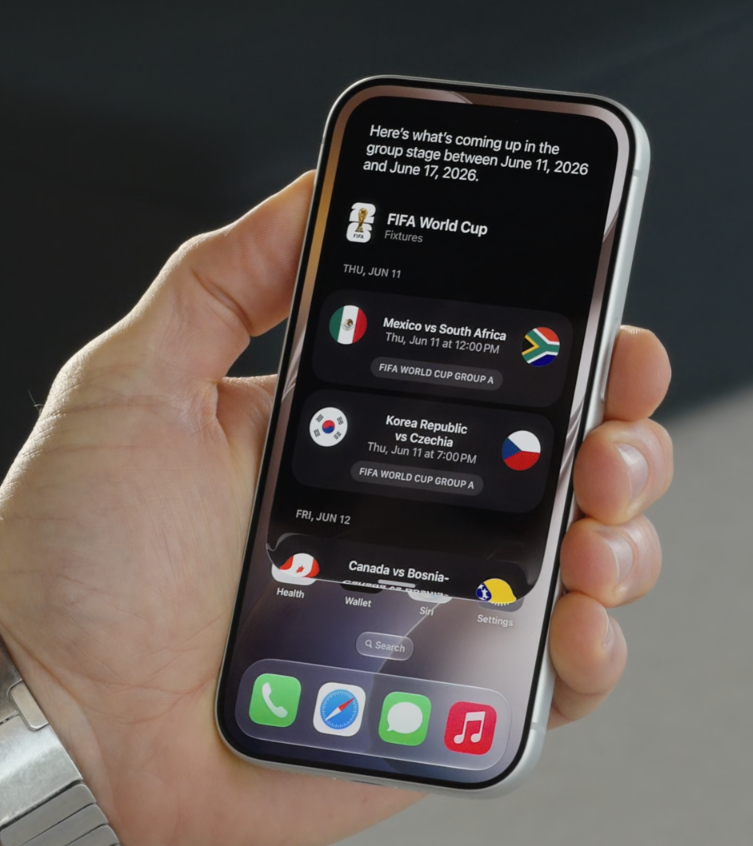
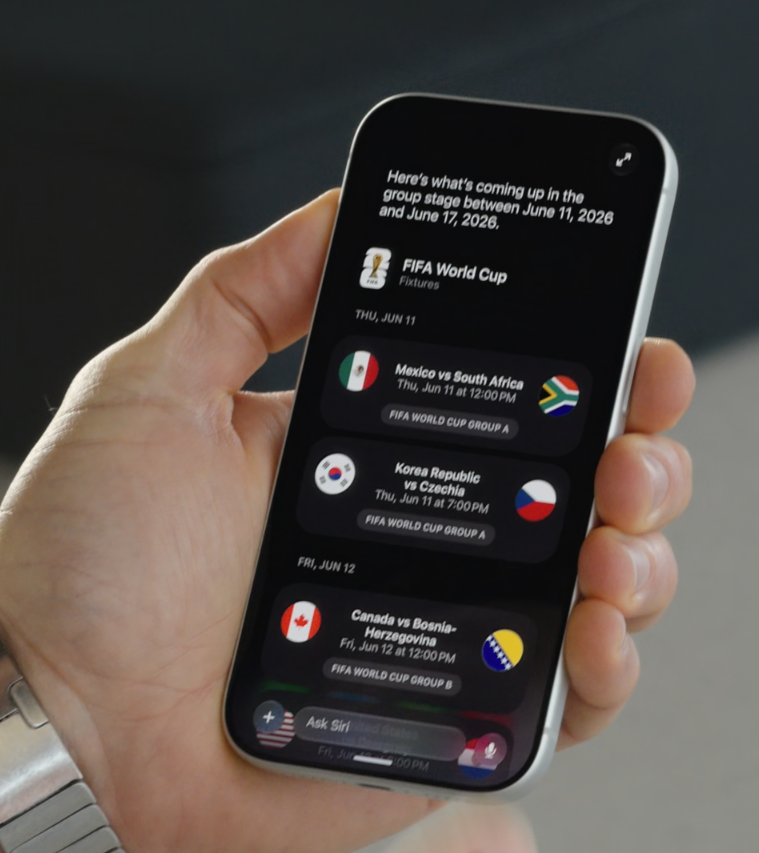
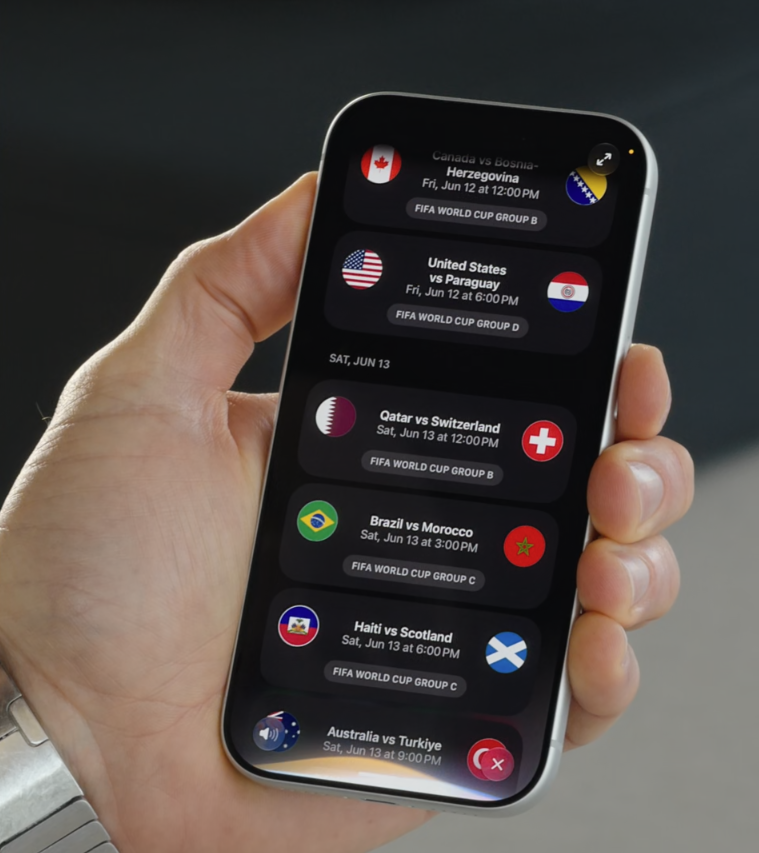
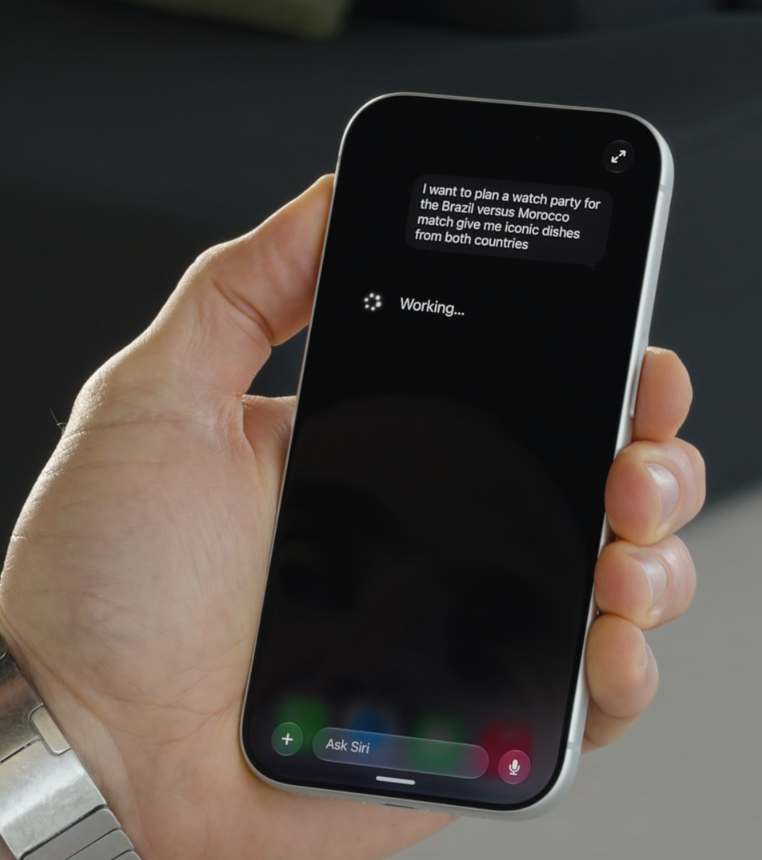
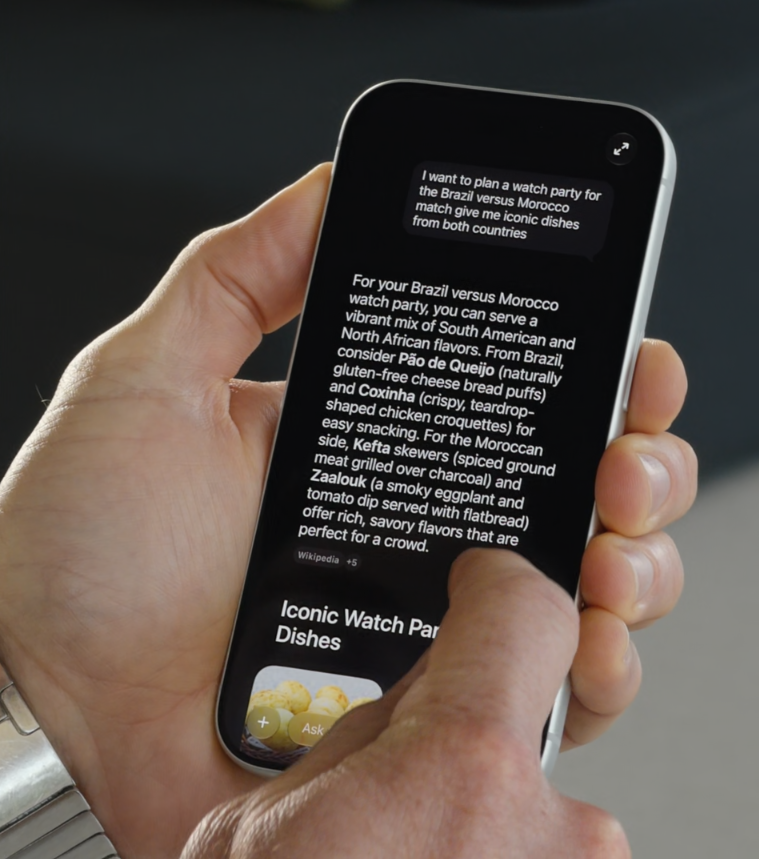
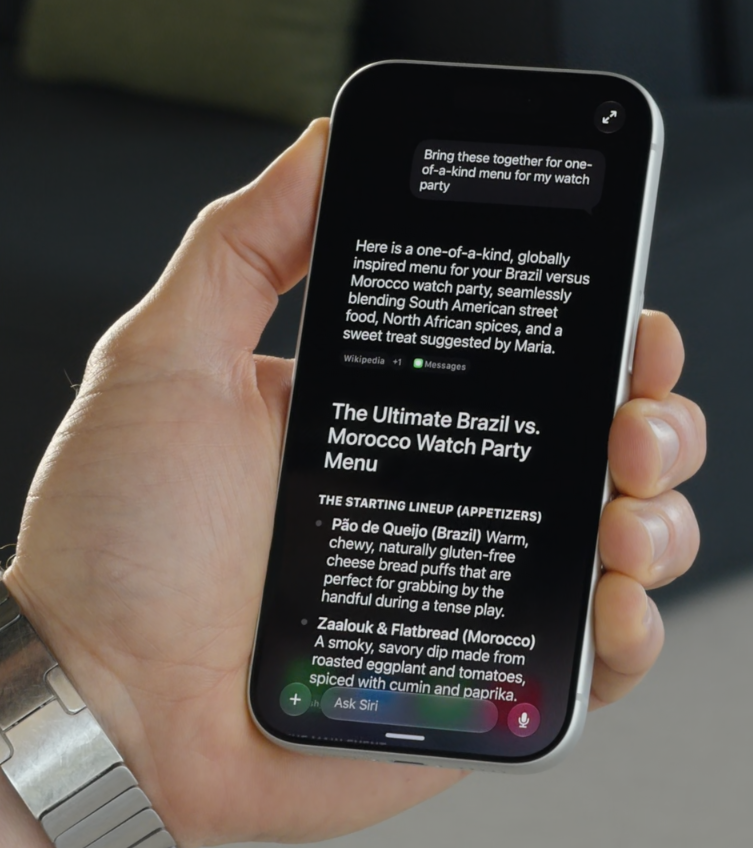
Siri results can be expanded from the card to a full page, and chain requests together to form a conversation.
Siri AI can now also take actions in third-party apps via an expanded App Intents framework, not just Apple's own. That was promised in 2024 and represents one of the most valuable things Apple could do for users who live in non-Apple software.
The Voice Gets a Redesign Too
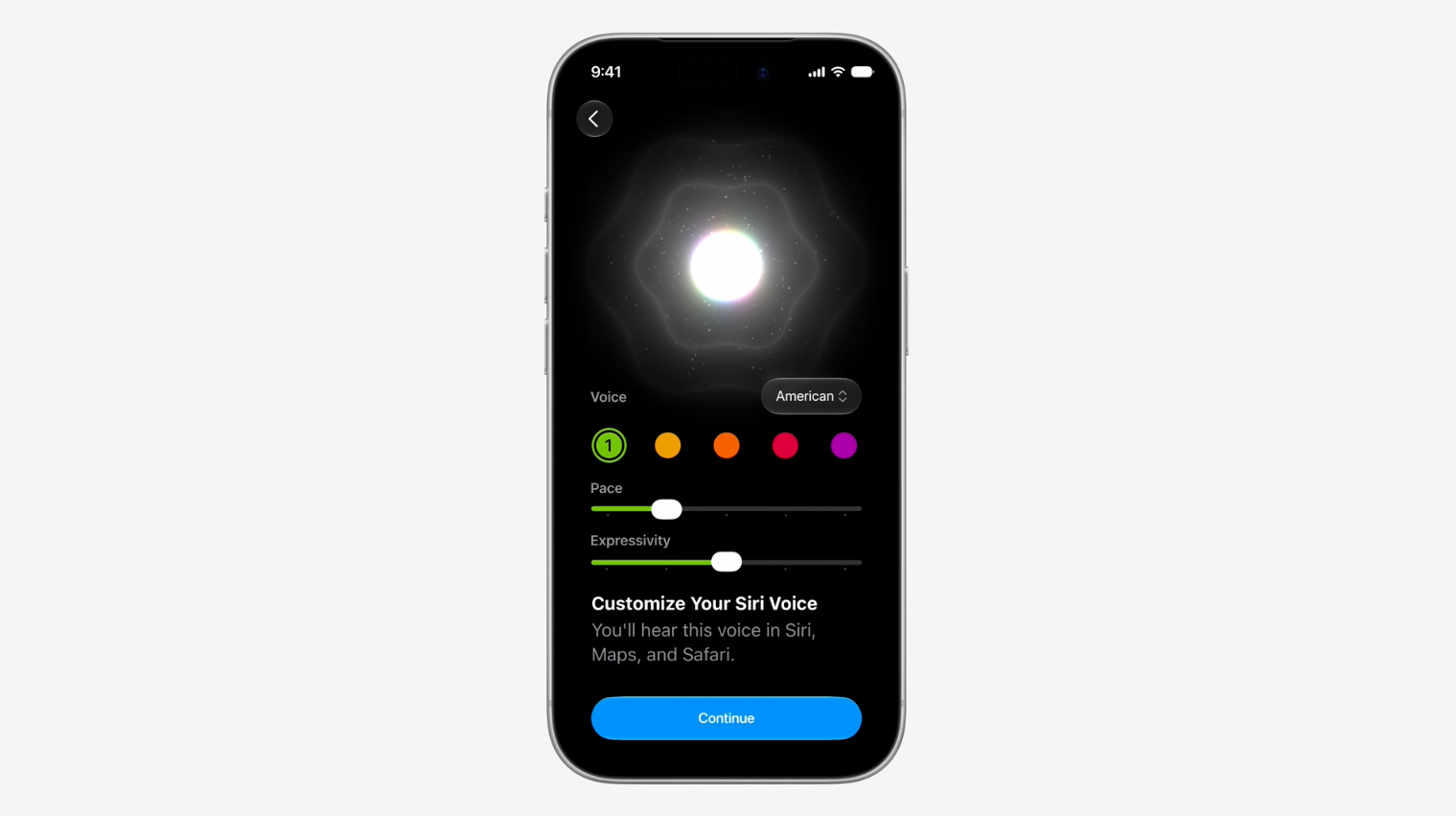
The new Siri voice is notably more human-sounding. Apple added individual sliders for pace and expressivity, letting users tune how Siri speaks to match their preference. This might seem like a minor detail, but it signals something important about how Apple is thinking about this product now. A voice assistant you can adjust isn't a utility you tolerate. It's something you personalize, and personalization creates attachment. Every competitor with a deeply-used voice interface already knows this.
Everywhere, Not Just iPhone
The Siri AI rollout spans the entire platform lineup in ways the previous version never quite did.
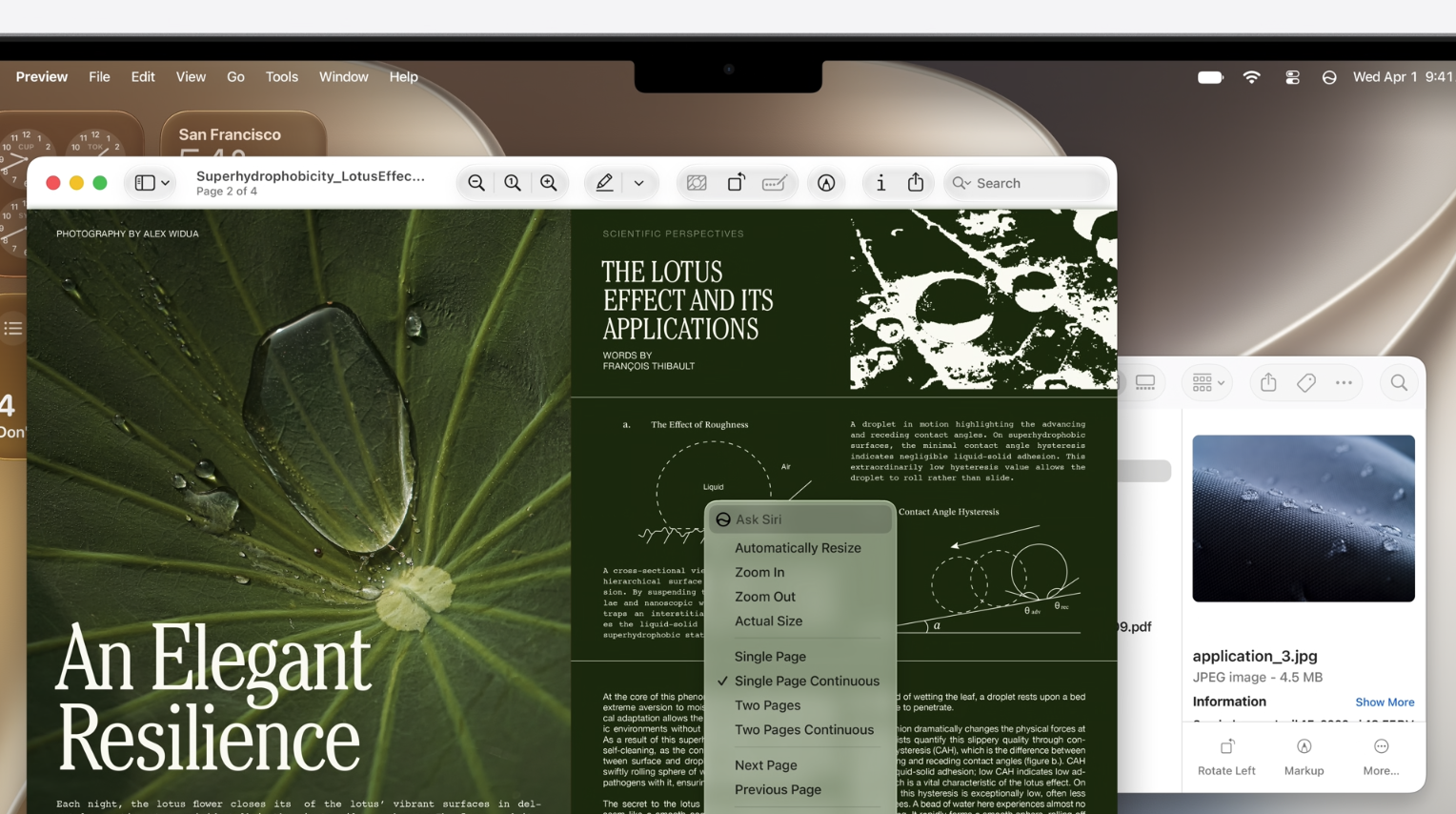
On macOS Golden Gate, Siri integrates directly into Spotlight. The search field is now smart enough to route your input to Siri when you're asking a question rather than just searching a filename, without you having to toggle anything. The result appears in a Spotlight card and continues as a full conversation from there. On the Mac, you can also Ctrl-click images, text, and video to invoke Siri's contextual capabilities directly. A new dedicated Mac Siri app mirrors the iOS version for longer-form conversation sessions, and the menu bar icon has been quietly updated to monochrome, finally matching the design language everything around it has had for years.
On watchOS, Siri AI arrives with the same intelligence model, surfacing the assistant's reasoning capabilities on your wrist. CarPlay and AirPods get the enhanced Siri as well.
On visionOS, Apple built a 3D spatial visualization of Siri that users can place anywhere in their environment. You don't say "Hey Siri." You look at the visualization and start talking. The eye-tracking invocation model fits the platform perfectly, and the 3D object approach takes full advantage of the spatial canvas instead of borrowing a 2D widget pattern from iPhone.
One notable absence: Siri AI will launch in English only when iOS 27 ships this fall, with additional language support to follow. And due to Digital Markets Act requirements, Siri AI will not be available in the EU on iOS 27 and iPadOS 27 at launch, though Apple says it will be available in the EU on macOS 27, visionOS 27, and watchOS 27.
Liquid Glass Gets a Much-Needed Correction
Separate from Siri specifically, Apple addressed one of the loudest criticisms of last year's iOS 26 design refresh. The Liquid Glass aesthetic was divisive at launch, with real usability concerns around contrast and readability in certain contexts. Apple's response in iOS 27 and macOS Golden Gate: an opacity slider that lets users control exactly how transparent the glass effect appears, up to and including turning it off entirely.
This is the right call, and it says something positive about Apple's current sensitivity to user feedback. From a design systems standpoint, adding a user-facing variable to a design token is a more considered solution than either defending the original decision or wholesale reverting it. It puts control where it belongs.
The Bigger Picture: Promises, Now Products
The version of Siri that shipped with iOS 18 in 2024 was, relative to what was announced at WWDC that year, embarrassingly incomplete. Robby Walker, Apple's senior director of Siri and Information Intelligence, called the gap between promise and product "ugly and embarrassing" during an internal all-hands meeting in early 2025, and he wasn't wrong. The delays that followed cost Apple credibility at exactly the moment when AI was reshaping how people used every other device in their lives.
What Apple showed today is what Siri and Apple Intelligence should have been all along. Conversational, contextual, capable of chaining actions across apps, aware of what's on your screen, and built around your actual data in a privacy-preserving way. Present across every platform in a form that respects what each platform actually is.
Apple rebuilt Apple Intelligence on Google's Gemini models, with a second-generation on-device model running beneath it for tasks that don't need the cloud. The combination addresses both the intelligence gap (Gemini is a genuinely capable foundation) and the privacy gap (on-device processing for sensitive operations). That pairing is architecturally sound.
None of this is real yet. Developers get the beta today. Public beta follows in July. The full release arrives in the fall alongside new iPhone hardware. Between now and then, the software will be tested at scale, by people with complicated lives, inconsistent data, and zero patience for a broken promise delivered a second time.
Apple knows what's at stake. The company said so on stage, in plain language, without much of the usual showmanship. That directness felt earned today. Whether the product earns it in September is the only question that matters now.
Developer beta for iOS 27, iPadOS 27, macOS Golden Gate, watchOS 27, and visionOS 27 is available today. Apple Intelligence features require iPhone 15 Pro or later, or any iPhone 16 model and above, and devices with M-series chips on iPad and Mac.












Comments