

Apple Wants to Be Your Entire Creative Department
Creator Studio bundles six professional apps into the most aggressive software value Apple has ever offered.


Apple announced Creator Studio on January 13, 2026, bundling Final Cut Pro, Logic Pro, Pixelmator Pro, Motion, Compressor, and MainStage into a single subscription, alongside premium AI-powered features for Keynote, Pages, Numbers, and Freeform. The service launched January 28, available across Mac, iPad, and iPhone.
At $12.99 a month, the price comparison to Adobe Creative Cloud writes itself. What takes longer to assess is whether Apple built something worth living in every day, whether the apps hold together as a suite or simply happen to share a subscription page.
After spending time with the bundle, the answer is mostly yes, with a few friction points that matter depending on how you work.
What You Get
Creator Studio includes Final Cut Pro, Logic Pro, Pixelmator Pro, Motion, Compressor, and MainStage, plus premium content and AI features unlocked in Keynote, Pages, Numbers, and Freeform.
The bundle costs $12.99 a month or $129 a year after a one-month free trial. Educators and college students pay $2.99 per month or $29.99 per year. That education tier is genuinely rare in the creative software world and deserves more attention than it has gotten. A standard subscription can be shared with up to five other family members via Family Sharing, and buyers of a new Mac or qualifying iPad can get three months free.
One structural point matters before going deeper. The Mac versions of all six apps remain available as one-time purchases, but there is no one-time purchase option for the iPad versions. If you want Final Cut Pro or Logic Pro on iPad, a Creator Studio subscription is your only path. For some users, that will be the deciding factor before anything else.
Final Cut Pro: The Editing Suite Gets Smarter
Final Cut Pro has been the subject of a familiar frustration for years: infrequent meaningful updates, a loyal user base left wondering whether Apple was still paying attention. Creator Studio looks like the answer, and the new features are substantive.
Transcript Search lets editors locate spoken words or phrases by typing text. Visual Search enables clips to be found by describing objects or actions within footage. Both require Apple silicon hardware. Beat Detection analyzes any music track to reveal its bars and beats, displaying them directly in the timeline so editors can align cuts to the rhythm. The iPad version adds Montage Maker, which automatically identifies visual highlights from selected footage and cuts them to a chosen song.
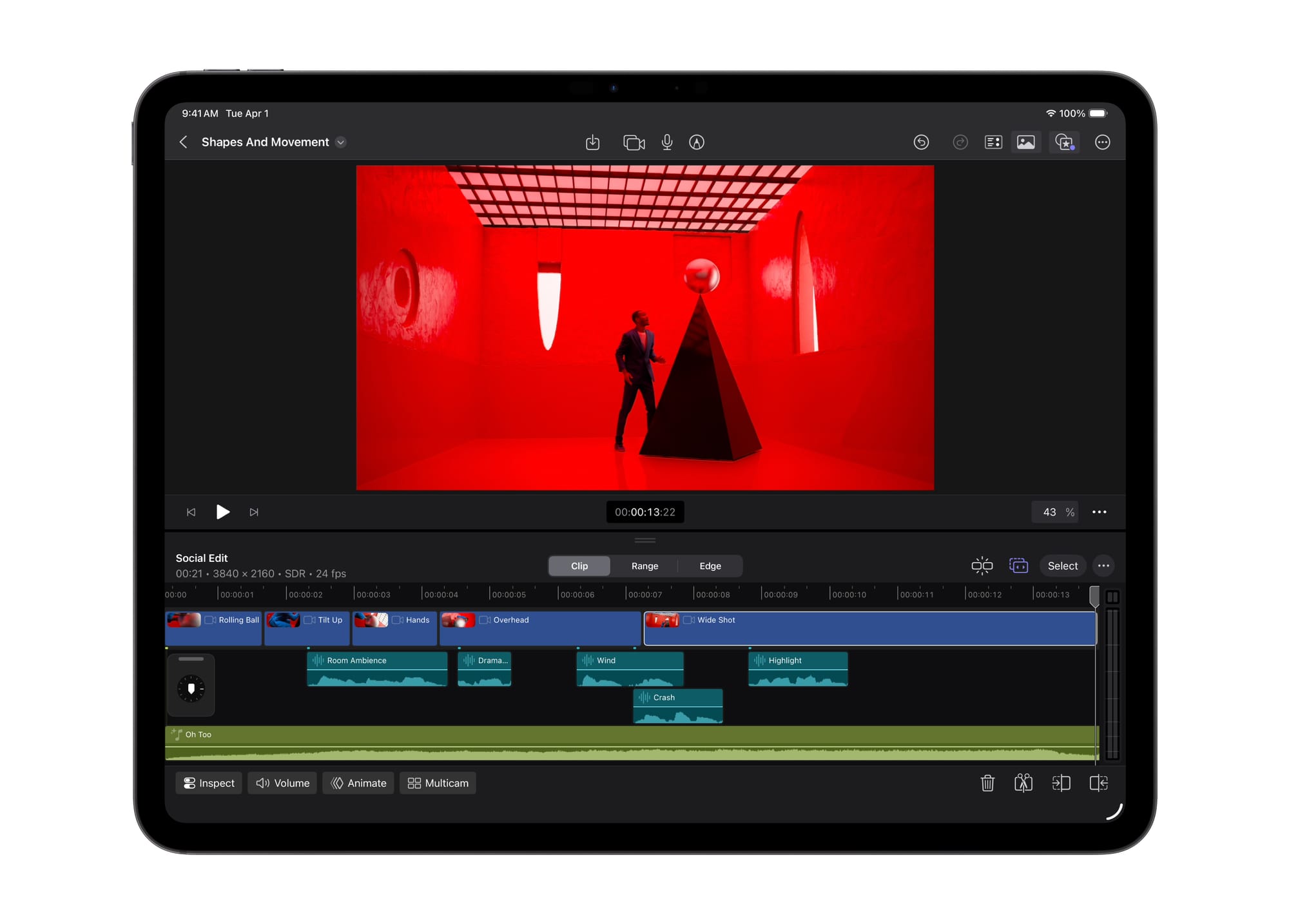
Transcript Search and Visual Search are capabilities that Adobe Premiere Pro has layered in through cloud-based AI for some time. Apple's on-device approach keeps client footage and sensitive material off external servers, a real consideration for anyone working under NDAs or handling unreleased content. Privacy here is a workflow feature, not a marketing footnote.
Final Cut Pro already outperformed Adobe Premiere Pro with faster rendering and its magnetic timeline. Creator Studio doesn't change the underlying architecture; it adds workflow intelligence on top of an already fast engine.
The gap that remains: full round-trip support is available for Logic and Pixelmator, but not Final Cut Pro. A video editor who wants to rough cut on iPad and continue on Mac without friction will still hit that wall. Apple hasn't committed to a timeline for fixing it.
Logic Pro: Still the Smartest Room
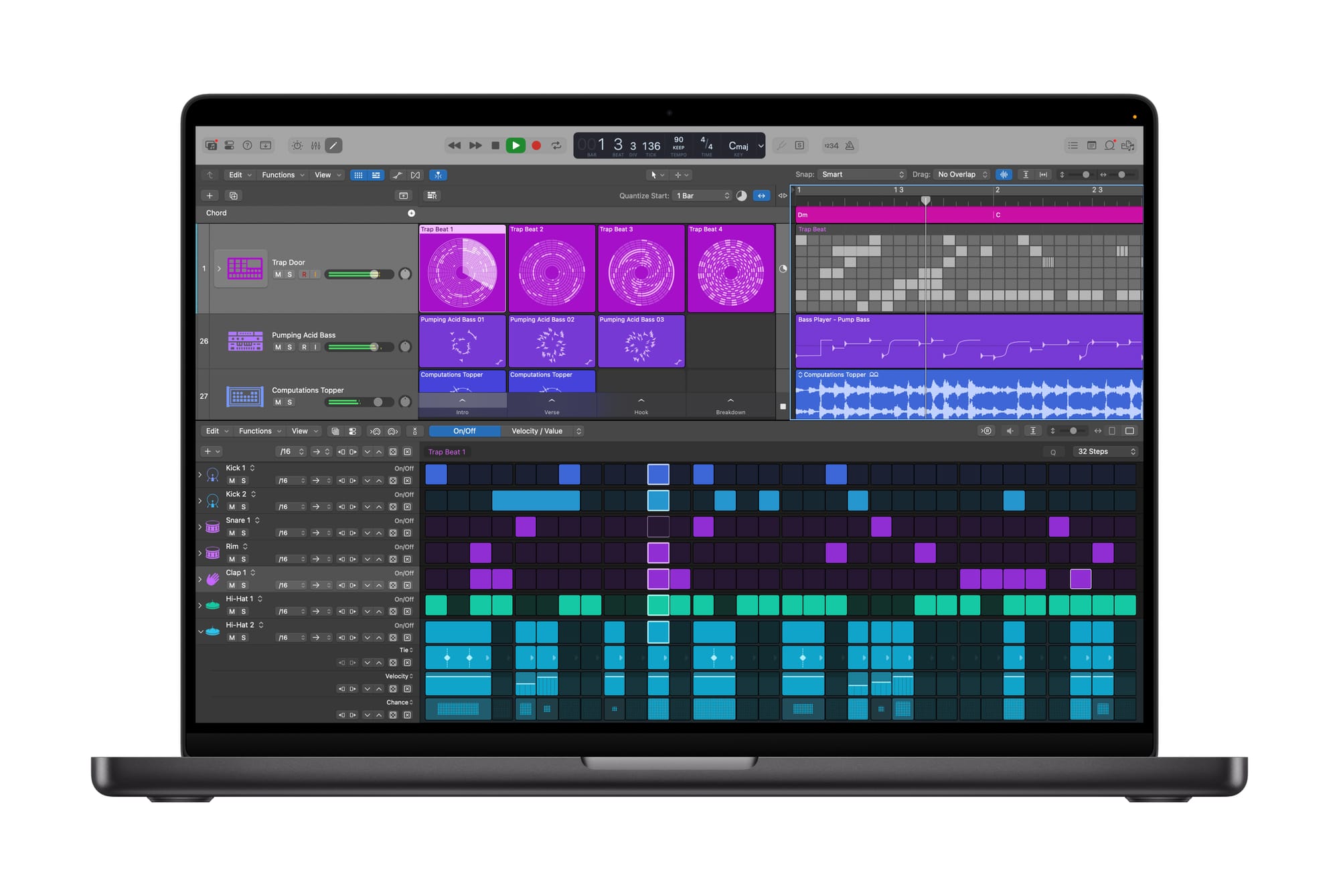
Synth Player joins Logic Pro's AI Session Player lineup, delivering electronic music performances with a range of chordal and synth bass parts. Developed by Apple's own sound design team, it offers intuitive controls for complexity and intensity, and can access third-party AU plug-ins or drive an external hardware synthesizer. Chord ID transcribes chord progressions from audio or MIDI recordings and populates Logic's chord track automatically. The iPad version also gains the Mac version's Quick Swipe Comping and natural language search for finding loops.
A lot of AI-powered music tools market themselves as shortcuts to a finished song. Logic's approach is different. Synth Player follows your structure and responds to what you've already recorded. It fills space without taking over the arrangement, which is harder to build than it sounds.
Logic Pro 12 and MainStage 4.0 shipped as free updates for existing users. Power users who already own Logic on a perpetual license get Synth Player and Chord ID without subscribing. Apple made the right call there. Logic has the most fiercely loyal base in the bundle, and forcing a subscription to access new features would have been a significant mistake.
Pixelmator Pro: The Wildcard
Apple announced its Pixelmator acquisition in November 2024, with the deal closing in early 2025. Since then, Pixelmator Pro received only minor updates, leaving some users wondering whether it would continue as a standalone app. Creator Studio answered that directly. Not only does the bundle include a new update to the Mac app, Pixelmator Pro launches on iPad for the very first time.
Both Mac and iPad versions get a new Warp tool for twisting and shaping layers, available exclusively to Creator Studio subscribers. One-time purchasers will not receive it. That's the sharpest example of Apple drawing a feature line between the subscription and perpetual license tracks, and worth knowing before you decide which path to take.
Pixelmator Pro won Apple's Mac App of the Year in 2018 and 2023. It won't replace Photoshop for complex retouching, content-aware selections, or advanced masking workflows. For creators producing content for social, web, YouTube thumbnails, and marketing materials, it handles the territory without Photoshop's overhead or its price.
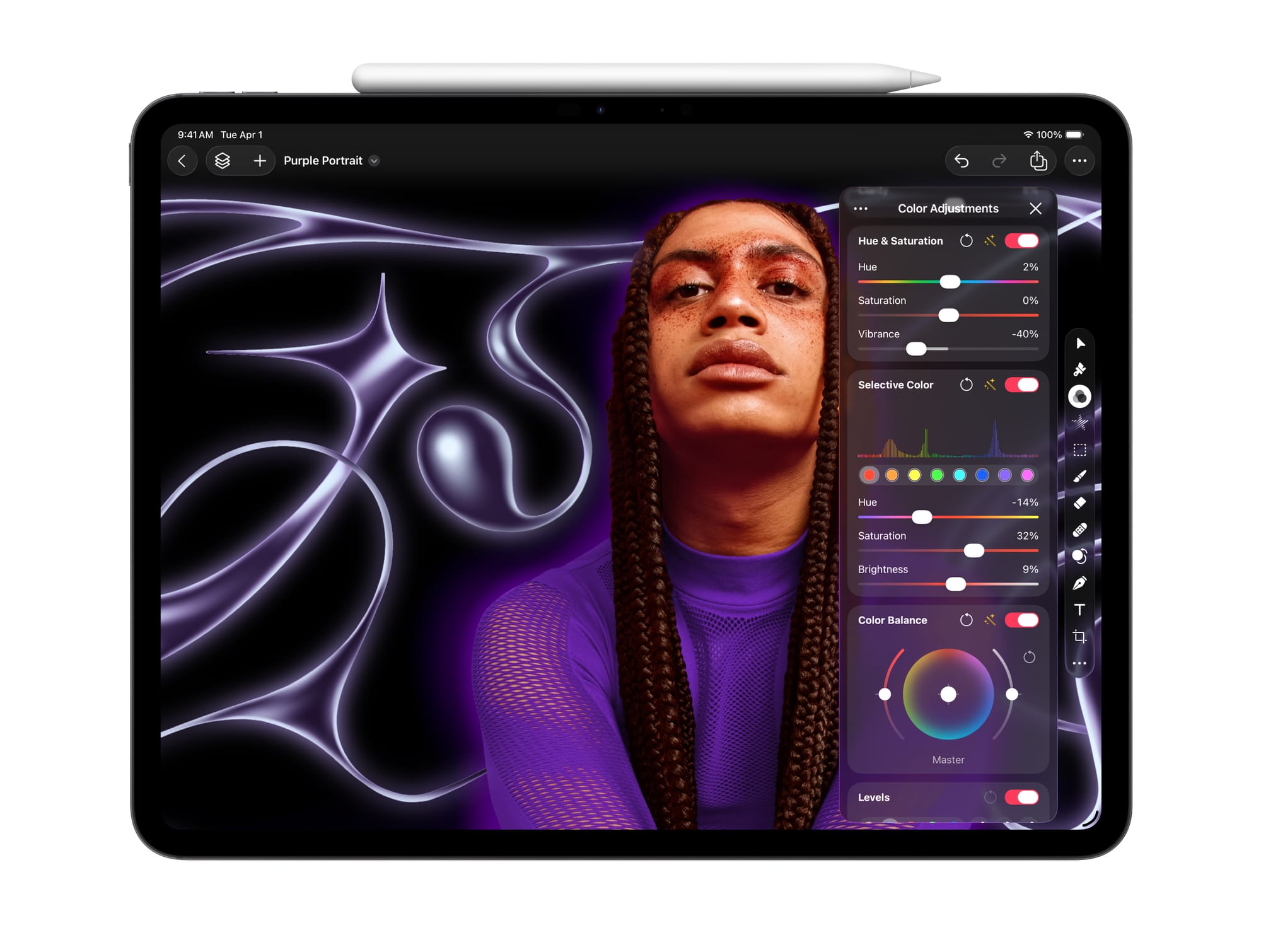
The iPad debut changes the tactile experience of image editing in a way that's hard to convey in a spec list. The app was built from scratch with touch-optimized interactions and full Apple Pencil support, not retrofitted from a desktop codebase. Editing with Apple Pencil at this level of precision is a different activity than editing with a mouse.
The Productivity Tier: Keynote, Pages, Numbers, and Freeform
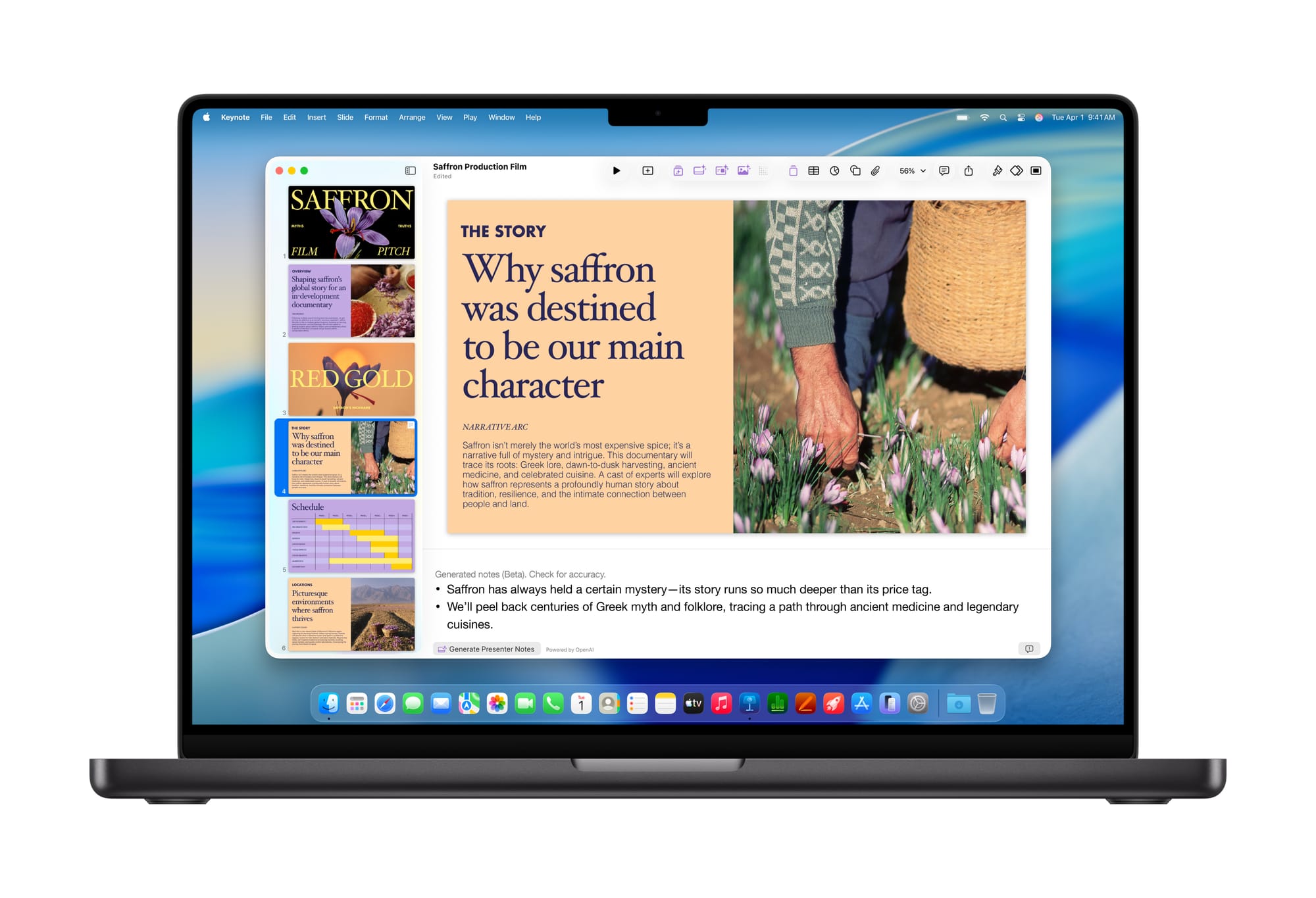
Keynote, Pages, Numbers, and Freeform remain free for every iPhone, Mac, and iPad user. A Creator Studio subscription unlocks premium content and intelligent features on top of that, including a Content Hub stocked with photos, graphics, and illustrations, plus premium templates across all four apps. New AI features in Keynote include the ability to draft a presentation from a text outline or generate presenter notes from existing slides.
Auto-generating presenter notes feels like a baseline expectation for a presentation app in 2026, not a premium addition. Gating it behind a paywall is a defensible business decision, but it creates friction for users who may feel the iWork AI features are subsidizing the cost of the pro apps rather than standing on their own value. The Content Hub is a cleaner proposition — a royalty-free stock library baked directly into the apps eliminates real friction for anyone who has assembled a presentation while hunting across multiple stock sites for consistent imagery.
How It Compares
Adobe Creative Cloud All Apps runs $59.99 a month. At $12.99, you could subscribe to Creator Studio for over four years before reaching the cost of a single year of Adobe's full suite.
The gap exists for a reason. Adobe Creative Cloud is a broader platform: Photoshop's toolset runs deeper than Pixelmator Pro's, Illustrator has no equivalent in Creator Studio, and Premiere Pro's collaborative features for team-based post-production go beyond what Final Cut Pro currently supports. Adobe also runs on both macOS and Windows. Creator Studio requires Apple hardware.
For a solo creator on Mac and iPad producing video, podcasts, photography, and social assets, Creator Studio covers most of the workflow at a fraction of the cost. For a print design studio, a brand identity agency, or a video team collaborating across mixed hardware, Adobe's breadth still wins on depth and compatibility. Apple keeps its intelligent processing on the M-series chip, while Adobe sends data to the cloud for many Firefly features. For those handling sensitive client work, that distinction is material.
Who It's For
Creator Studio is built for the modern solo creator; someone who edits video, produces music, designs graphics, builds pitch decks, and works across Apple devices. The individual apps are professional-grade. Final Cut Pro runs post-production houses, Logic Pro ships platinum records, Pixelmator Pro won Apple's App of the Year twice. The subscription doesn't dilute them; it lowers the cost of entry.
Power users who already own the Mac apps as one-time purchases have less urgency to subscribe. The compelling cases are working heavily on iPad, wanting Warp tool access in Pixelmator Pro, or making regular use of the Content Hub. Outside those scenarios, perpetual licenses remain rational.
New users and creators migrating from Adobe face a much cleaner calculation. Pixelmator Pro's inclusion could be the deciding factor for many of them, pulling Creator Studio over the line as their suite of choice.
The UX of the Bundle Itself
On Mac, Apple uses different icons to distinguish the subscription and one-time purchase versions of the same apps. Two installations of the same software with different icons for different licensing tiers adds cognitive overhead that feels unnecessary; a small but telling sign that the dual-track model hasn't been fully thought through at the experience level.
The iPad experience is actually cleaner. No dual-track confusion, no licensing ambiguity. Subscribe, get the apps, receive updates. The cross-device workflow between Mac and iPad has improved across the board, with Final Cut Pro's missing round-trip support remaining the most significant gap in an otherwise coherent system.
The Verdict
At $12.99 a month, Apple Creator Studio delivers professional video editing, a best-in-class DAW, a fast image editor, motion graphics tools, and a live performance platform. For anyone building a creative workflow on Apple hardware, that's a hard offer to walk away from.
The limitations are real and worth naming plainly. iPad access is subscription-only. Pixelmator Pro won't replace Photoshop for heavy retouching work. Final Cut Pro can't round-trip between Mac and iPad. Some iWork AI features feel priced above their actual utility.
None of those are dealbreakers. They're the honest shape of a first version with clear ambition. Apple is repositioning these apps toward a broader cross-section of creatives; Final Cut Pro and Logic Pro are no longer positioned exclusively for Hollywood and music studios. Creator Studio is the vehicle for that. For $129 a year, a lot of people are about to find out what they've been missing.