


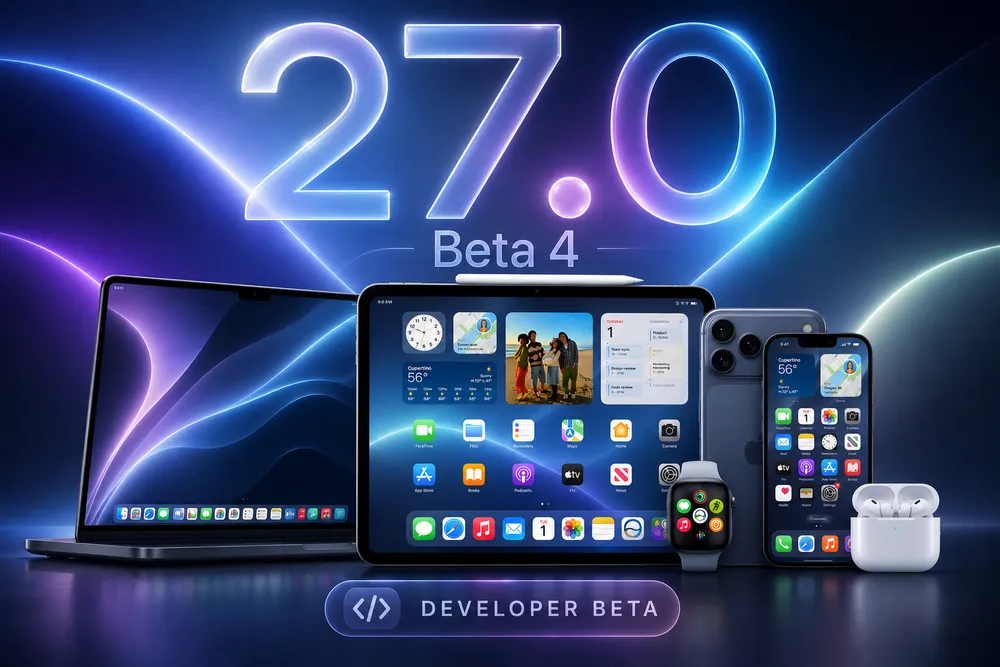


Apple released iOS 27 beta 4 today, along with matching beta 4 updates for iPadOS 27, macOS Golden Gate, tvOS 27, visionOS 27, and watchOS 27. Beta 4 arrives two weeks after beta 3 on July 6, and it's the first developer beta to follow the first iOS 27 public beta on July 13.
This is a living article that we'll keep updating as Apple ships new betas throughout the summer. Here's everything confirmed so far.
How to Download and Install iOS 27 Beta 4
iOS 27 beta 4 is available now to registered Apple developers, and public betas for iOS, iPadOS, macOS Golden Gate, tvOS, and watchOS are also open to anyone enrolled in Apple's free Beta Software Program. visionOS remains developer-only for now.
To install, go to Settings (or System Settings on Mac) → General → Software Update, then choose the relevant Beta under Beta Updates. If you haven't enrolled yet, sign up at beta.apple.com first.
As always, we don't recommend installing developer betas on a primary device. If you want to try iOS 27 with less risk, the public beta is the safer route, and both eventually converge on the same build number as the cycle progresses.
iOS 27 Beta 4 Build Number and Release Date
iOS 27 beta 4 was released on July 20, 2026, with build number 24A5390f. Expect today's build to become the second iOS 27 public beta sometime in the next several days, continuing Apple's usual pattern of developer betas leading public ones.
iOS 27 Beta 4: What's New
Siri Gets a Redesigned Splash Screen
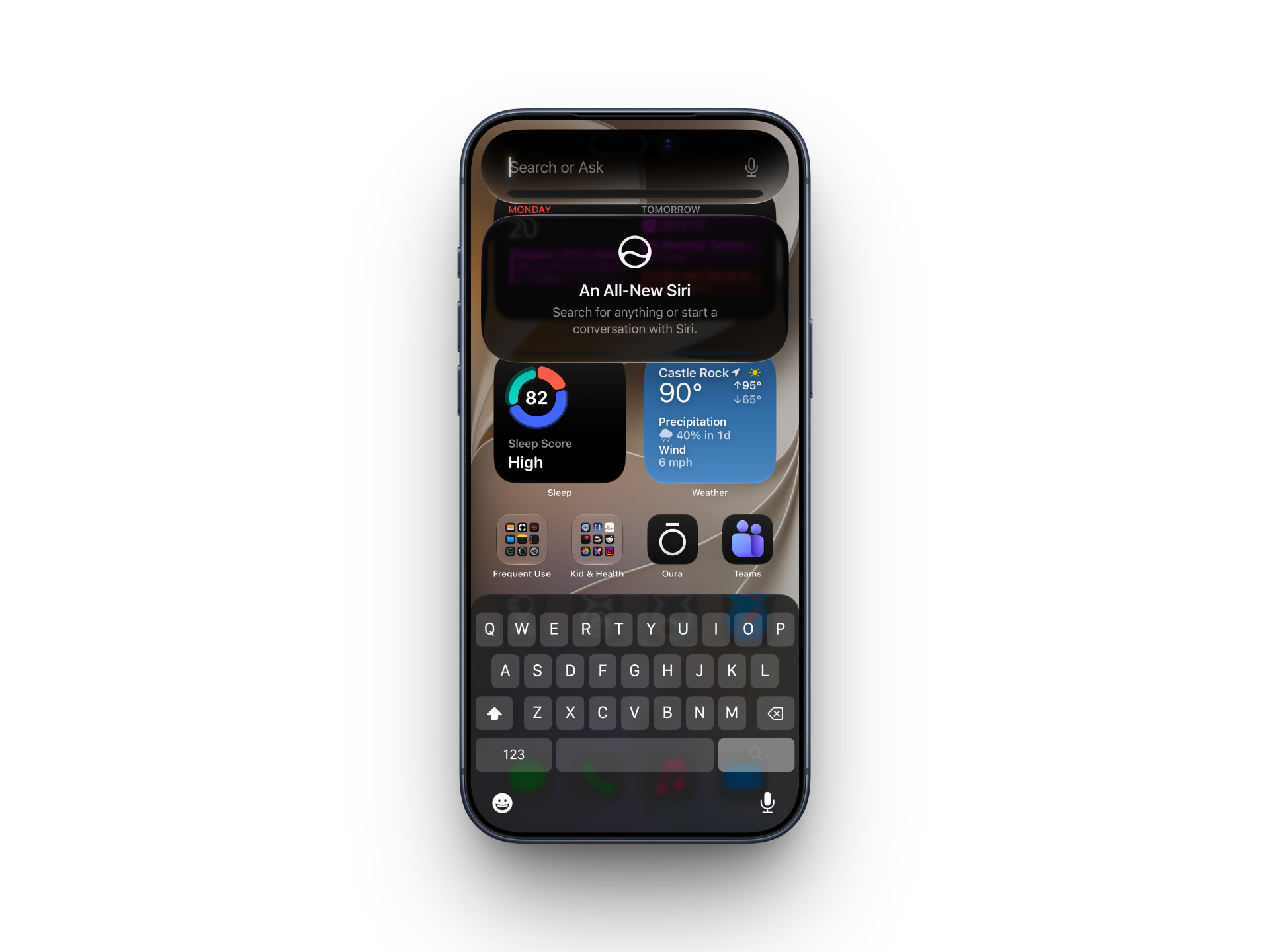
Invoking Siri from the Dynamic Island or by swiping down on the Home Screen now shows a redesigned splash screen. It's a visual refresh rather than a functional change, but it's noticeable if you've been living in the beta for a few weeks already.
Siri Voice Customization Is Limited to Three iPhone Models
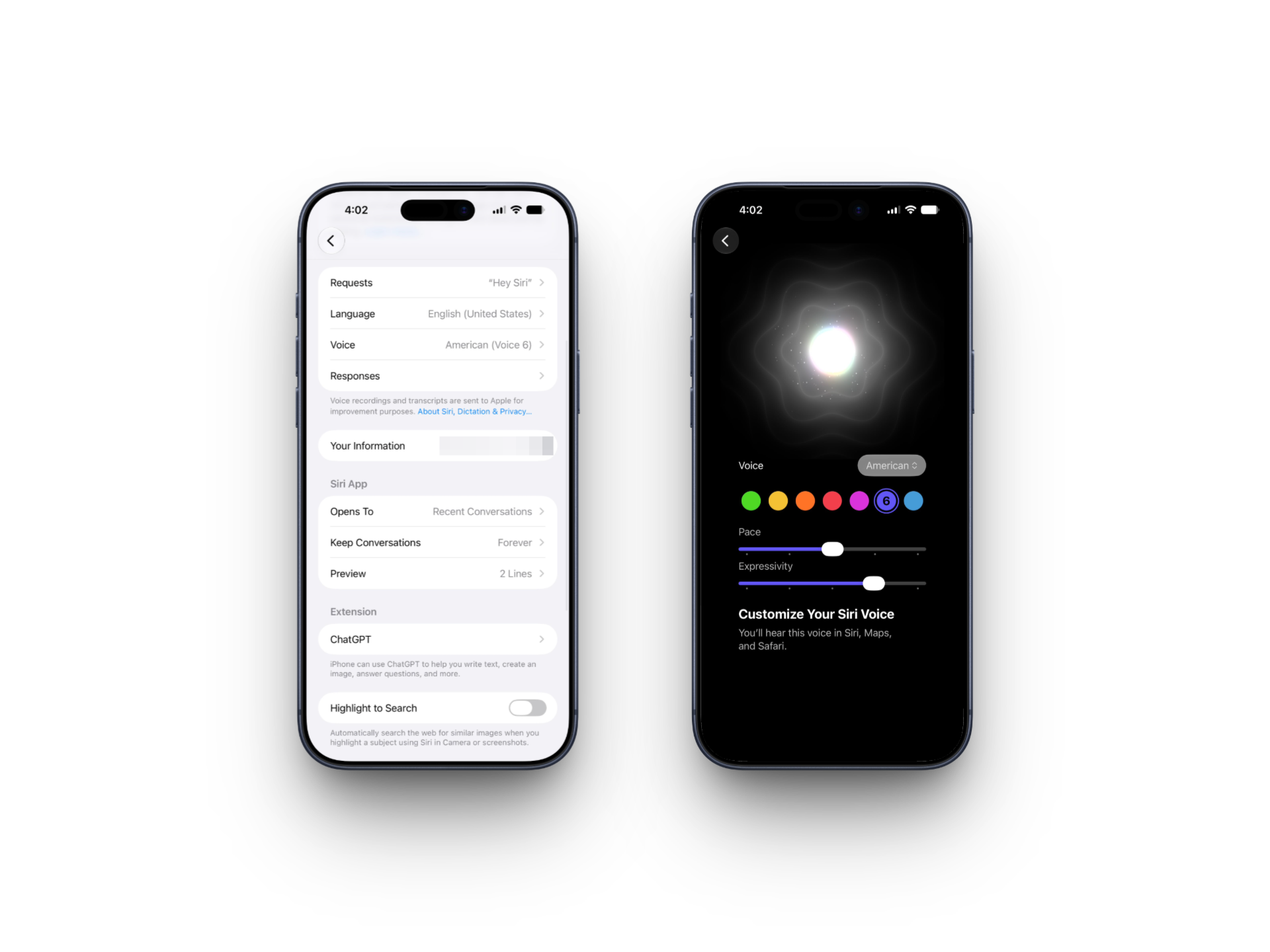
The Siri voice selection interface has changed in beta 4, and it clarifies an important limitation: full custom voice selection with working Pace and Expressivity sliders is currently limited to the iPhone 17 Pro, iPhone 17 Pro Max, and iPhone Air. On every other supported iPhone, the voice picker still shows the standard set of voices and accents, with additional customizable options marked "coming soon."
If you're testing on anything other than those three models, don't be surprised if the sliders you've read about aren't fully available to you yet.
New Siri Settings for Conversation Previews and Transcription
The Siri section of Settings now includes an option to adjust how many lines of preview text show up in the Siri app, with choices ranging from none up to five lines. Over in Accessibility, a new "Always Show Request" toggle displays an onscreen transcription of what you say to Siri as you're saying it.
There's also a new Highlight to Search toggle in Siri settings, off by default, which automatically searches the web for similar images whenever you highlight a subject using Siri in Camera or in screenshots.
The Siri Search or Ask interface, accessed by swiping down on the Home Screen, now shows its own explanatory splash screen the first time you use it too.
Beta 3's Depth Effect Bug Is Fixed
Beta 3 introduced a bug affecting the depth effect visual treatment. Beta 4 fixes it, restoring the effect to its intended behavior.
Notification Center Wallpaper Cutout Removed
Beta 3 added an animation where swiping down on Notification Center revealed a cutout of your wallpaper's main subject over the Home Screen. Beta 4 removes it entirely. It's unclear whether this is a temporary pause or a permanent cut, but for now, the effect is gone.
TV App Adds Automatic Downloads
The Apple TV app's Settings section has a new Automatic Downloads toggle. Turning it on will automatically download the next two episodes of whatever show you're watching in Continue Watching, then delete each one once you finish it.
Photos Adds Zoom to Fill
A new "Zoom to Fill" toggle in the Photos section of Settings slightly zooms in on photos that nearly match your screen's aspect ratio, so they fill more of the display instead of leaving thin bars on the edges. It's turned on by default.
ProRes Log Format Option in Camera
If you have Apple ProRes turned on in Camera settings, there's now a ProRes Log Video Encoding option letting you choose between Log and Log 2. Log 2 is the newer of the two formats and preserves more information in the file, giving you more flexibility for color grading and adjustments after you've shot the video.
Per-Network Wi-Fi Assist Control
You can now toggle Connectivity Assist on or off for individual Wi-Fi networks, regardless of how the master Connectivity Assist switch is set. Useful if you want cellular fallback active on some networks but not others.
AirPods Control Center Redesign
The AirPods controls in Control Center have a new look, along with additional options for Adaptive audio mode.
Code References Hint at a Dual-Battery iPhone
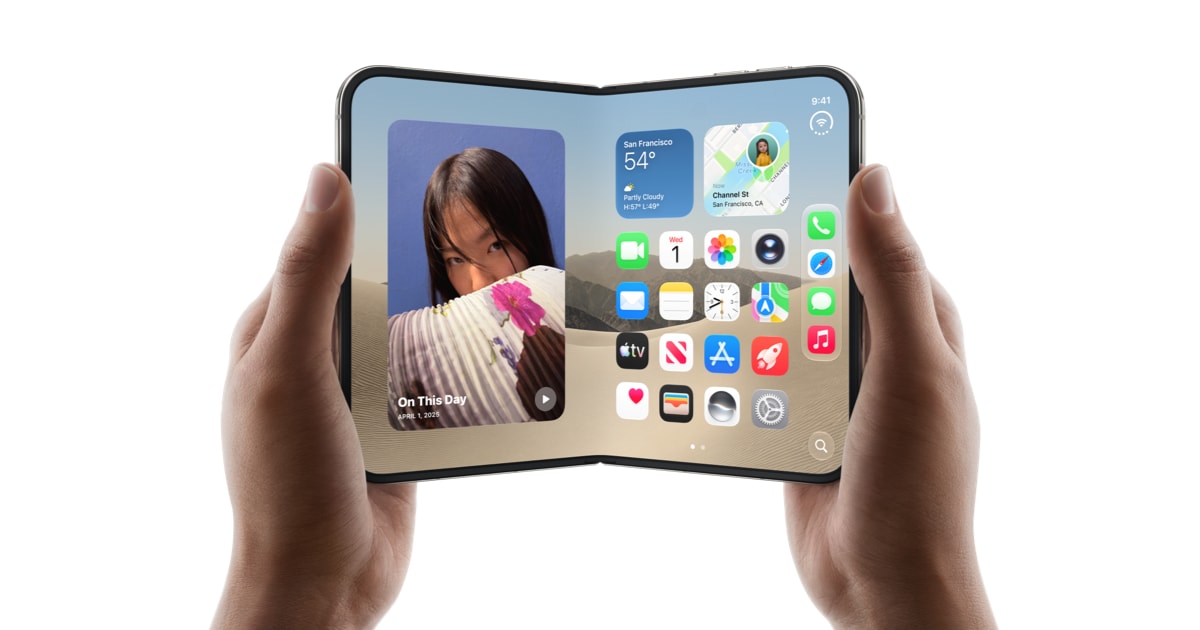
Beta 4 contains new internal strings referencing an iPhone with two batteries, including status text like "The batteries in this iPhone are performing as expected." Nothing is confirmed here, but it lines up with existing rumors that the foldable iPhone Ultra could use a dual-battery design to fit power cells around its hinge.
Possible New Health Data Sharing Reminder
Beta 4 appears to include a new reminder related to Health data sharing, functioning similarly to the alerts you get when an app has been using your location in the background. This one hasn't been fully confirmed as new, so we're flagging it cautiously and will nail down specifics as more testers report back.
General Bug Fixes Across Siri, CarPlay, Messages, Photos, and Safari
Beyond the items above, beta 4 includes a broader round of bug fixes touching Siri, CarPlay, Messages, Photos, and Safari, along with stability improvements aimed at devices that were prone to freezing or crashing while sitting idle.
iPadOS 27 Beta 4 (Build 24A5390f)
No iPad-specific changes have surfaced yet beyond what's shared systemwide with iOS 27.
macOS Golden Gate Beta 4 (Build 26A5388g)
We're still digging through this beta for user-facing changes specific to beta 4. We'll update this section as testers and primary sources report back.
tvOS 27 and visionOS 27 Beta 4
tvOS 27 (paired with HomePod Software 27, both build 24J5325d) and visionOS 27 both moved to beta 4 alongside the rest of the lineup. No beta-4-specific changes have surfaced yet.
watchOS 27 Beta 4
watchOS 27 shipped beta 4 the same day as the rest of the lineup, continuing the on-schedule cadence it settled into with beta 3. No beta-4-specific changes have surfaced yet.
The official release is expected this fall alongside the new iPhone lineup.




Comments