


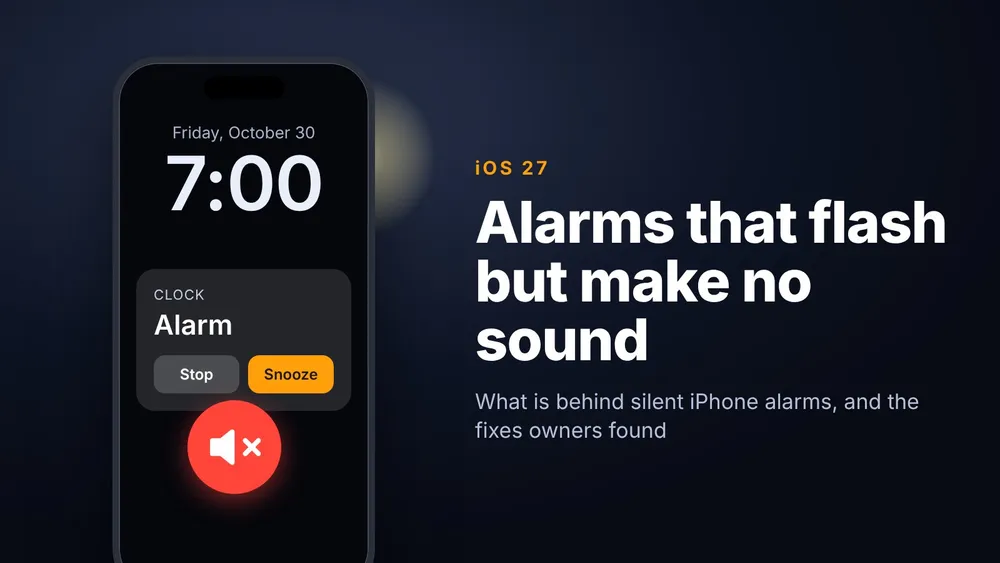


For six weeks, iPhone owners have been describing the same morning. The alarm goes off on time, the screen lights up, the flashlight on the back starts blinking, and the phone makes no sound and doesn't vibrate. People are sleeping through it. The main Apple Support Community thread, started September 16, had 106 "me too" reports when we checked on October 29, and owners say it kept happening after iOS 27.0.1 and after iOS 27.2.
Apple hasn't commented. We filed it with Apple through Feedback Assistant on October 27 (FB25339941), and it's on our iOS 27 problems tracker. Owners have worked out what's behind a good share of these cases, though, and the two most common causes take a minute to check.
What owners are seeing
The person who started the Apple thread has an iPhone 16 Pro Max. After updating to iOS 27, their alarms fired with the screen and flashlight but no sound or vibration, and when sound did come, it arrived about 30 seconds late. Before posting, they had already raised the alarm volume, switched off Match Ringtone Volume, tried a different tone, deleted and recreated their alarms, checked Silent mode and Focus, and restarted. Nothing helped.
Later posts come from owners on iOS 27.0, 27.0.1, 27.1 and 27.2. A TBTL reader with an older iPhone told us on October 26 that alarms stopped sounding with the phone on silent. Japanese Apple sites started covering the problem this week, while most English results still point to last year's iOS 26 version, which had a different cause.
Start with your Apple Watch
The clearest fix in the thread involves the Apple Watch. The person who started it updated their paired watch to watchOS 27, and the alarms on their locked iPhone started sounding and vibrating again. Another owner had an older watch that can't run watchOS 27, and unpairing it fixed the iPhone's alarms.
Apple hasn't explained it, but the likely reason is that an iPhone and a watch on mismatched software disagree about which device should ring, so neither does. That fits another problem we track: some older Apple Watches can't install their update after the paired iPhone moves to iOS 27, which leaves exactly the kind of out of date watch owners describe.
There's one situation where a silent iPhone is on purpose. If you use a Sleep schedule and wear your watch to bed, the iPhone stays quiet and the watch taps your wrist instead. Apple added an Always Play on iPhone option in iOS 26.4 for people who want both. You'll find it in the Health app under Sleep, Your Schedule, Edit, Alarm Options, or in Clock by tapping Change on the Sleep and Wake Up alarm, then Alarm Options.
Check the new alarm volume slider
iOS 27 fixed last year's biggest alarm complaint by giving alarms their own volume. Settings, Sounds & Haptics now has separate sliders for ringtones, for alarms and timers, and for alerts and system sounds, so turning your ringer all the way down no longer has to silence your alarm.
Some owners found their alarm slider set low after updating, apparently carried over from their old settings. If your alarm is quiet or silent, open Settings, Sounds & Haptics, look at Alarms and Timers, and raise it. If you'd rather have the old behavior, turn Match Ringtone Volume back on so the alarm follows your ringer.
If you use another alarm app
Alarm apps from other developers have a separate problem. In early September, the developer of one such app reported on Apple's developer forums that iOS 27 doesn't tell alarm apps built on Apple's AlarmKit when an alarm fires until the app is next opened, sometimes hours later. They also saw the system show alarms hours late and a timer alert with no sound. Their report, FB23754550, was still open when they posted. Until Apple fixes it, set a backup alarm in Clock for anything you can't miss.
How to make sure tomorrow's alarm goes off
- Set a test alarm two minutes out in Clock, lock the iPhone and put it down. If you hear it and feel it, you're fine.
- If it only flashes and you have an Apple Watch, open the Watch app on your iPhone, tap General, then Software Update, and install watchOS 27 if your watch can run it. Test again.
- Open Settings, Sounds & Haptics and check that the Alarms and Timers slider isn't turned down, or turn Match Ringtone Volume back on.
- If you wear your watch to bed with a Sleep schedule, turn on Always Play on iPhone in Alarm Options.
- If you rely on an alarm app from another developer, add a backup alarm in Clock.
- If your watch can't update and nothing else works, unpairing it has fixed this for at least one owner. The watch backs itself up to your iPhone when you unpair it, but you'll need to set it up again to use it.
- Still silent? Restart the iPhone and report it to Apple Support so it's logged. If you file your own report in Feedback Assistant, mention FB25339941.
Owners with no watch who have checked the volume still report silent alarms, including one on iOS 27.2 on October 20, so the watch and the slider don't account for every case. If that's you, tap "I have this too" or send a report on our problems tracker, because device and version details are what help narrow it down. We'll update this story and the tracker card as soon as Apple's release notes mention alarms.







Comments