


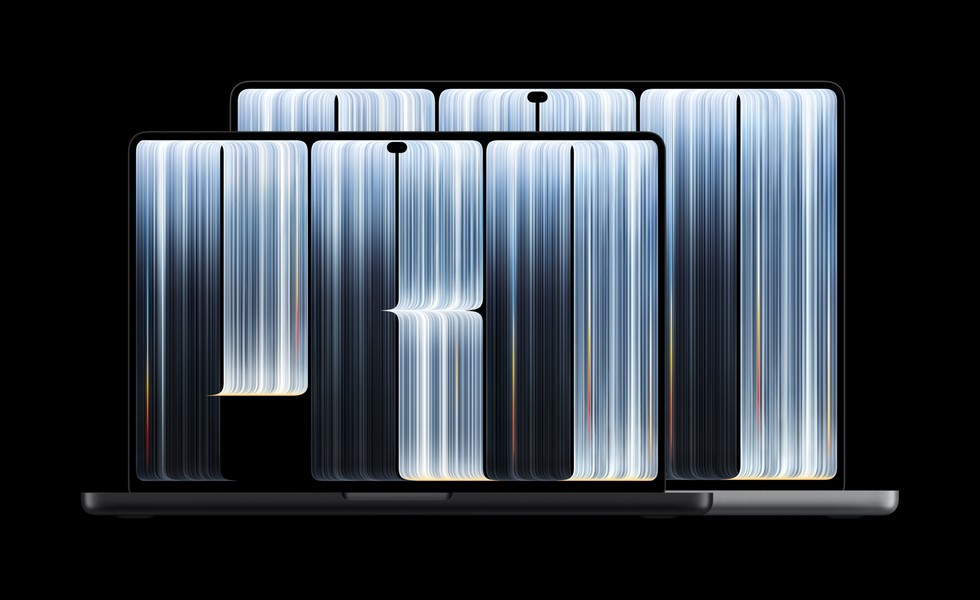


Apple now sells three kinds of MacBook Pro, and only one of them has the touchscreen everyone is talking about. The new 14-inch model with M6 starts at $1,999. The MacBook Pro with M5 Pro and the older mini-LED display is still on sale from $2,499. And the new MacBook Pro with PROLED XDR Display, Apple's first Mac with a touchscreen, starts at $2,899 for the 14-inch and $3,399 for the 16-inch.
That's a $900 spread for laptops that share a name, and the differences between them aren't where the marketing points. We went through Apple's spec sheets, its store prices and its announcements for both new models. Pre-orders are open, and the M6 and PROLED models arrive Friday, November 6.
The Short Answer
Most people should buy the 14-inch MacBook Pro with M6 for $1,999. It has the newest chip, the best battery life of any 14-inch model (Apple rates it at up to 24 hours of video), 16GB of memory and 1TB of storage to start, and the same bright mini-LED display the MacBook Pro has used for years. For students, writers, developers and anyone who edits photos rather than feature films, it's the one.
If your work needs M5 Pro, buy the PROLED model. The 14-inch costs $400 more than the same chip in the mini-LED design, and that $400 gets you the better display, touch, the Dynamic Island and a laptop that's half a pound lighter. The 16-inch M5 Pro model drops 0.7 pounds, which you'll notice in a bag every day.
Buy the mini-LED M5 Pro only if it lives on a desk next to an external monitor, or if a retailer discounts it enough to make the gap to PROLED real money.
The Three MacBook Pros, Side by Side
The starting 14-inch configurations line up like this, using Apple's spec pages and store prices.
| 14-inch MacBook Pro (M6) | 14-inch MacBook Pro (M5 Pro) | 14-inch MacBook Pro with PROLED XDR | |
|---|---|---|---|
| Starts at | $1,999 | $2,499 | $2,899 |
| Chip | M6, 12-core CPU, 12-core GPU | M5 Pro, 15-core CPU, 16-core GPU | M5 Pro, 15-core CPU, 16-core GPU |
| Memory and storage | 16GB, 1TB (up to 32GB) | 24GB, 1TB | 24GB, 1TB |
| Display | Liquid Retina XDR (mini-LED), 1,600 nits peak HDR, 120Hz | Liquid Retina XDR (mini-LED), 1,600 nits peak HDR, 120Hz | PROLED XDR (tandem OLED), 2,000 nits peak HDR and SDR, 120Hz |
| Contrast | 1,000,000:1 | 1,000,000:1 | 10,000,000:1 |
| Touch and Dynamic Island | No | No | Yes |
| Weight | 3.4 lb | 3.5 lb | 3.0 lb |
| Battery (video) | Up to 24 hours | Up to 22 hours | Up to 22 hours |
| Ports | 3 Thunderbolt 4, HDMI, SDXC, MagSafe 3 | 3 Thunderbolt 5, HDMI, SDXC, MagSafe 3 | 3 Thunderbolt 5, HDMI, SDXC, MagSafe 3 |
| External displays | Up to 2 | Up to 3 | Up to 3 |
| Available | November 6 | Now | November 6 |
The M6 model uses Thunderbolt 4 and drives two external displays, while both M5 Pro models move to Thunderbolt 5 and three displays. If you use one or two monitors and a dock, none of that changes your desk. If you want a third display, or the extra bandwidth of Thunderbolt 5 for fast external SSDs, it does.
Battery life also favors the cheapest model. Among the 14-inch laptops, Apple rates the M6 at up to 24 hours of video and 16 hours of web browsing, while both 14-inch M5 Pro models are rated at 22 and 14. The bigger chip costs you a couple of hours on paper.
Do You Need M5 Pro at All?
Before you think about the touchscreen, decide whether you need M5 Pro. M6 is the newer chip, with a 12-core CPU and a 12-core GPU, and Apple says it brings up to 30 percent faster graphics than M5. M5 Pro is the bigger chip from the March lineup: 15 CPU cores and 16 GPU cores in the 14-inch, with more memory options and the faster ports and extra display support that come with it.
The M6 model tops out at 32GB of memory. If you run large local AI models, edit multicam 4K or 8K video, compile big projects all day or keep a dozen pro apps open at once, you'll want the 24GB starting point of M5 Pro and the room to go much higher. If your heaviest work is Lightroom, Xcode on normal sized projects, a browser full of tabs and Zoom, M6 handles it, and the money you save buys a lot of storage or an external display.
From the IT side, the M6 model is also the easy one to standardize on. It's the cheapest MacBook Pro, it has the best battery life of the 14-inch models, and it doesn't add a touchscreen the help desk has to support. If you're buying a dozen laptops for a team, most of them should be this one.
Is the PROLED Display Worth $400?
If you need M5 Pro, you're choosing between two laptops with the same chip, the same memory and storage, and the same rated battery life. The price difference is $400 at every size and chip tier. That buys a better display, a lighter laptop and touch, plus a few smaller upgrades.
PROLED XDR is a tandem OLED panel with a 10,000,000:1 contrast ratio against 1,000,000:1 on the mini-LED models, so blacks are actually black, and Apple says bright objects don't bloom or halo the way they can on a backlit display. It reaches up to 2,000 nits for HDR and for regular content, and it covers both the P3 and Adobe RGB color spaces. Both displays sustain up to 1,000 nits of full screen HDR, so in everyday use the brightness gap is smaller than the peak numbers suggest. Contrast and color are where the OLED panel pulls ahead.
You'll also feel the difference in weight. The 14-inch PROLED model weighs 3 pounds against 3.5 pounds for the mini-LED M5 Pro, and the 16-inch weighs 4 pounds against 4.7. Apple also gave it deeper bass from redesigned speakers, slimmer screen borders that push the 16-inch display to 16.3 inches, and the Dynamic Island, which shows Live Activities and Siri AI, plus Spotlight when Siri AI is turned on.
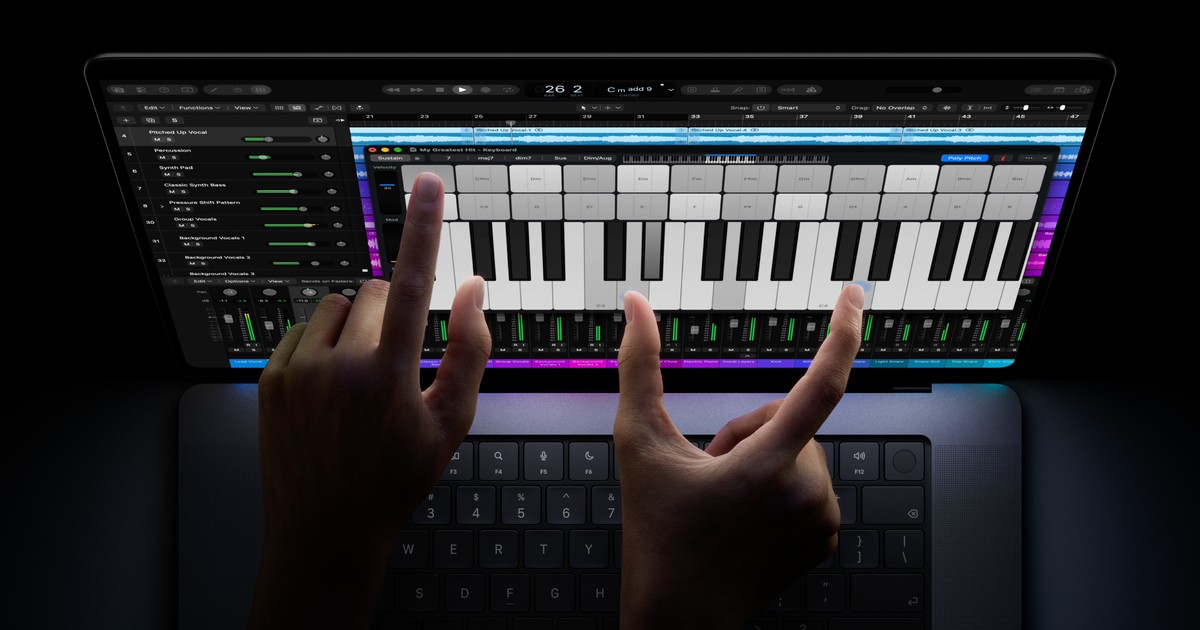
Then there's touch. You can scroll, pinch to zoom and drag things around the screen, and Apple is adding touch controls to Logic Pro, Final Cut Pro and Pixelmator Pro in Creator Studio updates due in November. Many existing apps work right away because macOS turns taps into clicks. If you never want to touch your screen, MacStories' Federico Viticci found an accessibility setting that turns touch off entirely, so it isn't something you're forced to live with.
We think that's worth $400. On a laptop that goes in a bag every day, the lighter body and the better display are what you'll notice most.
Should You Buy the Mini-LED M5 Pro Now?
Only in two cases. The first is a laptop that spends most of its life closed, plugged into an external monitor, where the built-in display barely matters and $400 is better spent on memory. The second is a discount. If a retailer drops the 14-inch M5 Pro a few hundred dollars below Apple's $2,499 price, the case for it gets much stronger.
You give up the OLED display, touch and the Dynamic Island (the mini-LED models keep the camera notch), and you carry an extra half pound. It's still a fast laptop, but at full price we'd spend the extra $400.
What About the 16-Inch?
There's no 16-inch MacBook Pro with M6, so if you want the big screen you're choosing between M5 Pro models. We'd pick the PROLED 16-inch at $3,399. The display grows to 16.3 inches, and the M5 Pro version is 0.7 pounds lighter, which changes what a 16-inch laptop is like to carry. The mini-LED 16-inch starts at $2,999 and makes sense on a desk for the same reasons as its 14-inch sibling.
M5 Max is for a narrower group, such as 3D artists and people running very large local AI models. It comes in both designs: the mini-LED M5 Max starts at $4,099 for the 14-inch and $4,399 for the 16-inch, and the PROLED versions at $4,499 and $4,799. Both drive four external displays, but only the PROLED M5 Max goes past 8TB of storage, up to 16TB.
Who Should Wait
If you already own a MacBook Pro with M5 Pro or M5 Max, there's little reason to upgrade. The chip is the same, and unless the OLED display and the lighter body are worth $2,899 or more to you, you'd be paying a lot for a better screen. Owners of M1 and M2 MacBook Pros have the strongest case to buy now, especially the 14-inch M6, which Apple says brings up to 11 times faster graphics and up to four more hours of battery life for people coming from M1.
If you're curious about touch but unsure, try it in an Apple Store after November 6 before you pay the PROLED premium. Touch on a Mac is a first version, so it's worth trying before you pay $400 for it. You can find both new models, and where to buy them, in the Apple lineup on our Gear page. For the full announcements, see our coverage of the 14-inch MacBook Pro with M6 and the MacBook Pro with PROLED XDR Display.








Comments