


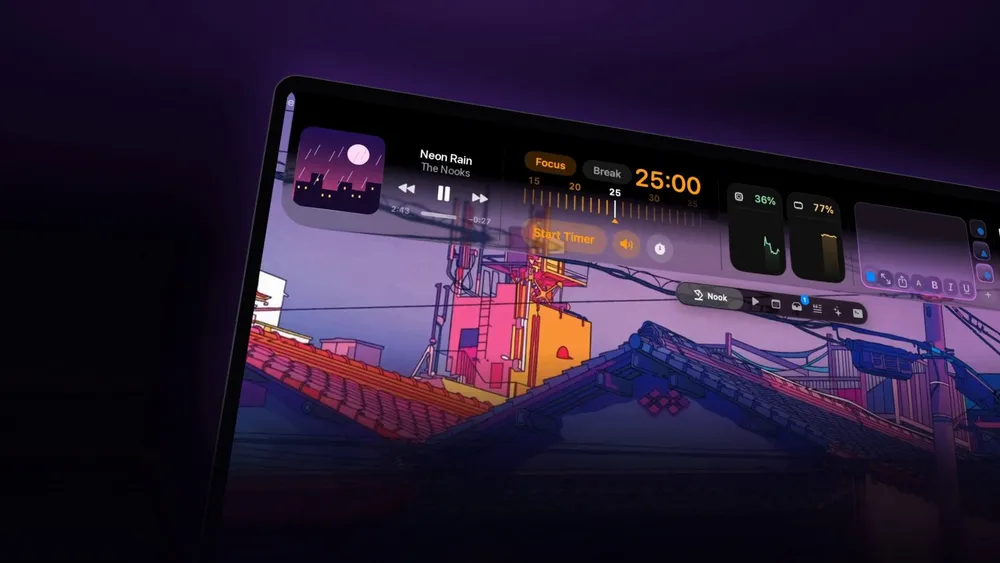


Remember the first app that made the MacBook notch feel useful? In the summer of 2024, NotchNook took the black cutout at the top of the screen, the thing most of us had learned to ignore, and turned it into something closer to the iPhone's Dynamic Island. Hover over it and a little drawer dropped down with your music, a file shelf and a few quick controls. It ranked fourth on Product Hunt the day it launched and went viral once The Verge wrote it up a few weeks later.
Then things went quiet for a while. NotchNook Pro is the comeback, and it's a much bigger app than the one people fell for. The team at lo.cafe calls it "the original notch app, rebuilt," and after spending time with it, that undersells how much now lives up there.
What NotchNook Pro actually is
The idea hasn't changed. Move your pointer to the notch and the Nook opens, a panel that hangs down from the top of the screen with whatever you've put there. What's changed is how much you can put there. lo.cafe lists 37 features in Pro, and the Nook itself holds up to 13 widgets at once, from Pomodoro and to-dos to weather.
The notch also got a fresh coat of paint. Pro ships with a Liquid Glass look that matches Apple's current design, though you can switch back to the classic solid black notch if you'd rather it disappear into the bezel. If your Mac doesn't have a notch at all, Pro puts a slim handle at the top of the screen that opens the same Nook, and if you run more than one display, each one gets its own.
When I asked the team what changed most between the original and Pro, they pointed to range: "Pro greatly expands what can live in that space: music, calendar, files, a teleprompter and AI agents, among other features. Our aim is to bring useful tasks together without making people step away from what they're doing."
How it works day to day
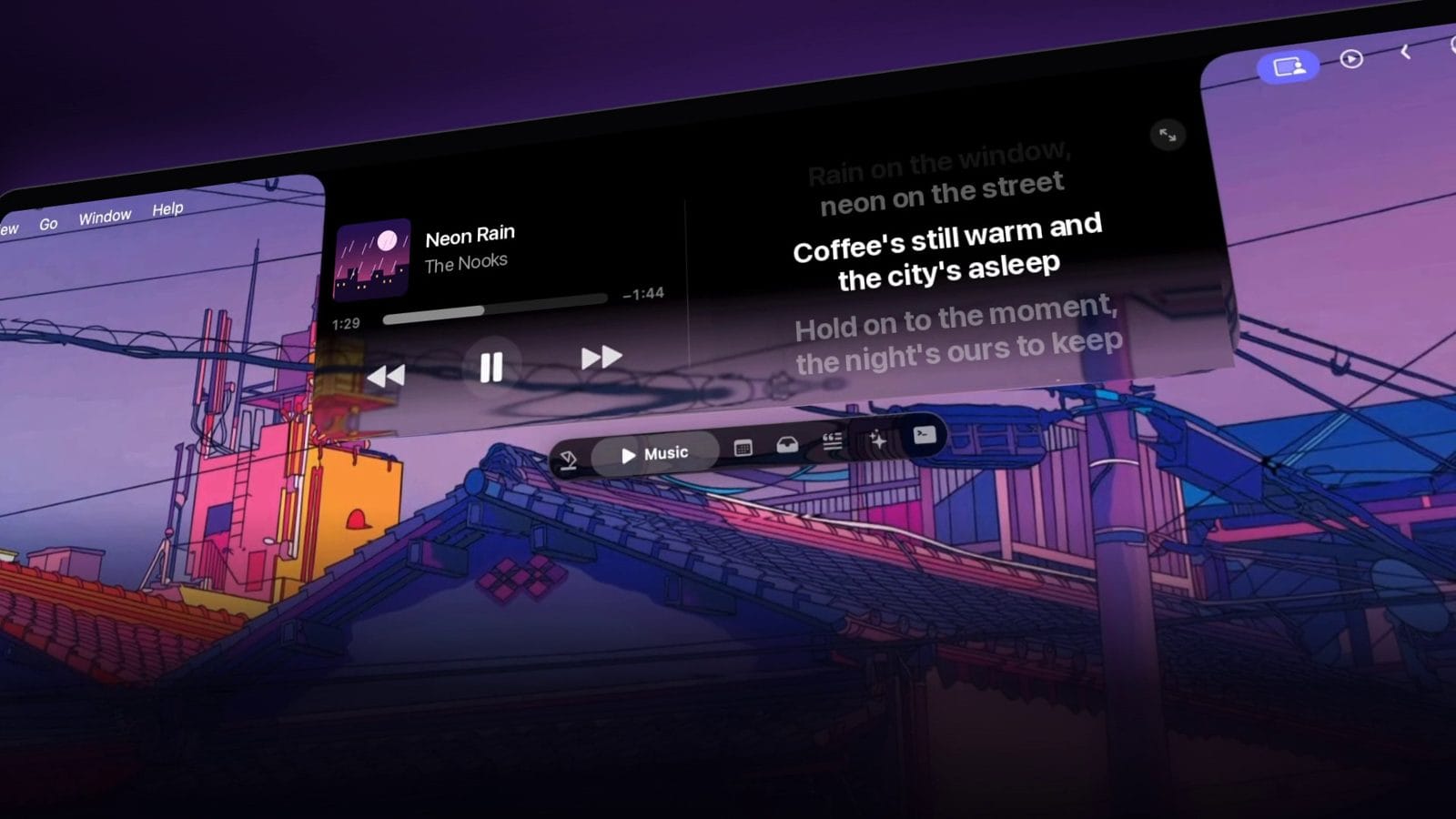
Music and lyrics. The music player works with Spotify, Apple Music and anything else macOS sees as Now Playing. If two apps are playing at once, you choose which one the Nook follows. Pro adds synced lyrics that sit right next to the player, so you can follow along without opening the music app at all.
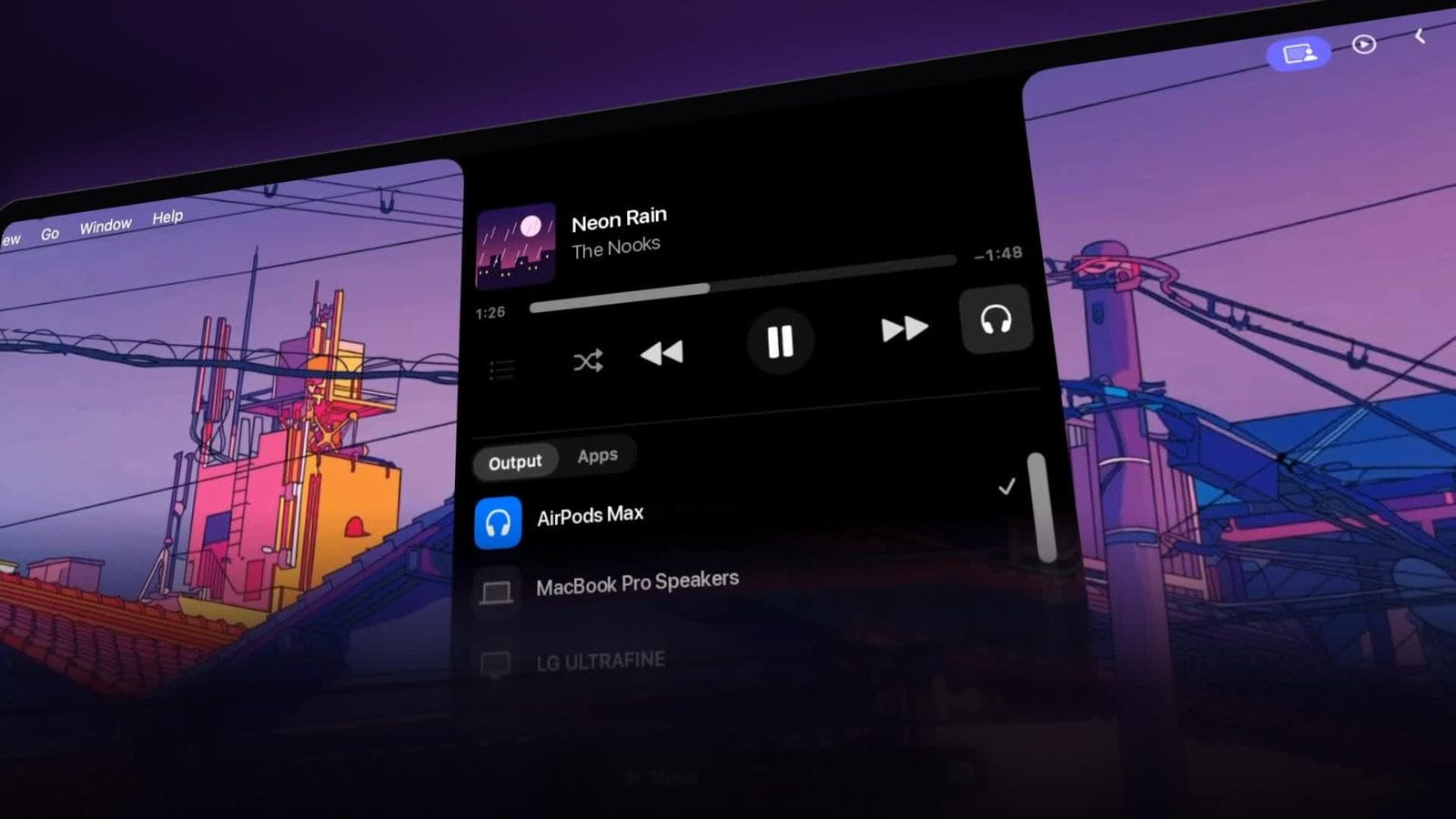
The player also has a built in output switcher, so moving the sound from AirPods to the MacBook speakers or a monitor's speakers takes one click from the notch instead of a trip to Control Center.
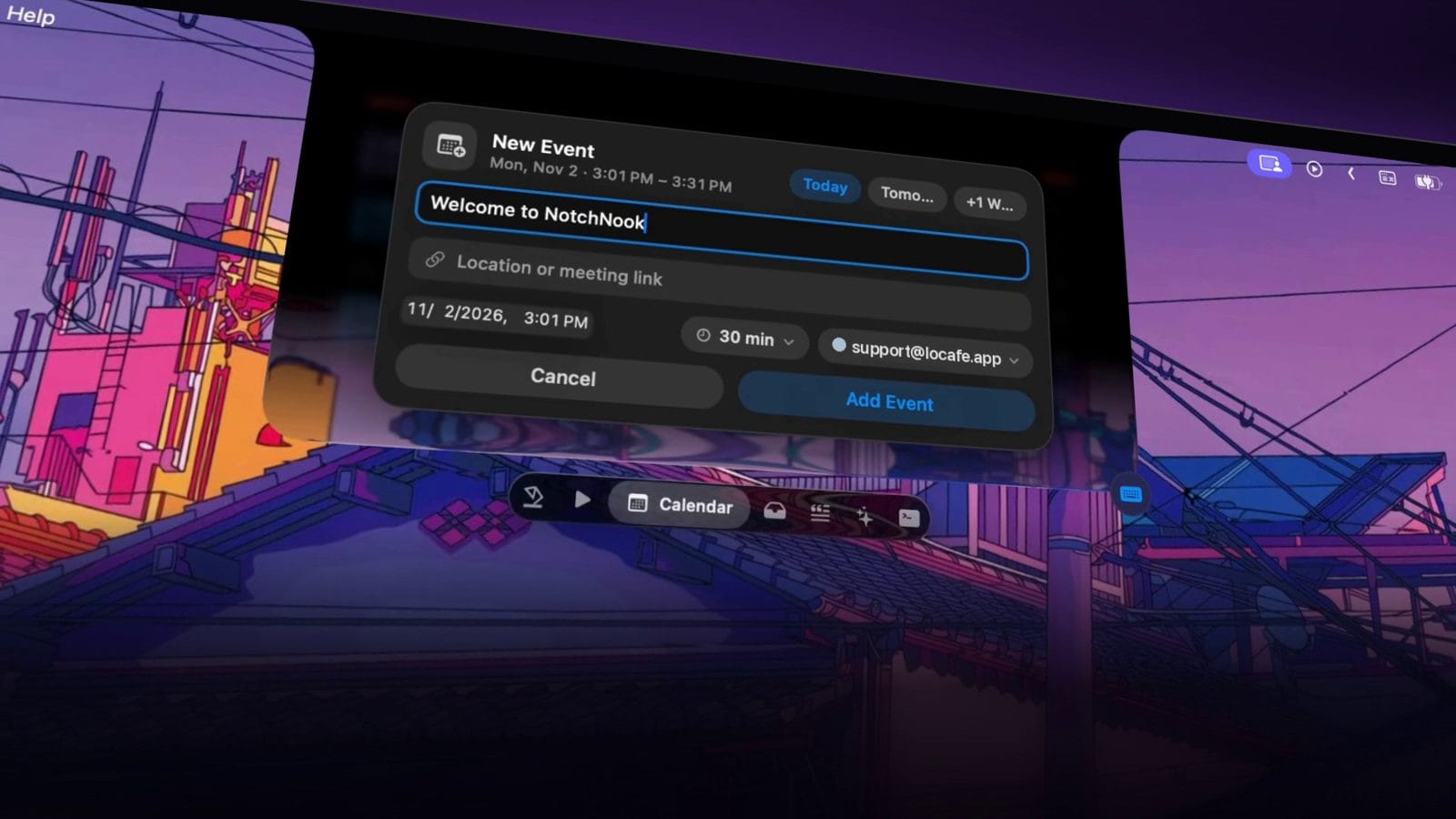
Calendar. Your events come from the Mac's own Calendar app, so anything you've already synced there (Google Calendar included, once the account is added in Calendar) shows up. You can also create a new event right from the Nook, pick a time and a duration, and add it without leaving what you're working on.
The Tray, AirDrop and file conversion. The Tray is still the feature most people remember, and Pro makes it smarter. Drag a file toward the notch and three drop zones appear: Files Tray, AirDrop and Convert. Drop it in the tray and it waits there until you need it, ready to drag into an email or another folder. Drop it on AirDrop and it goes straight to a nearby device.
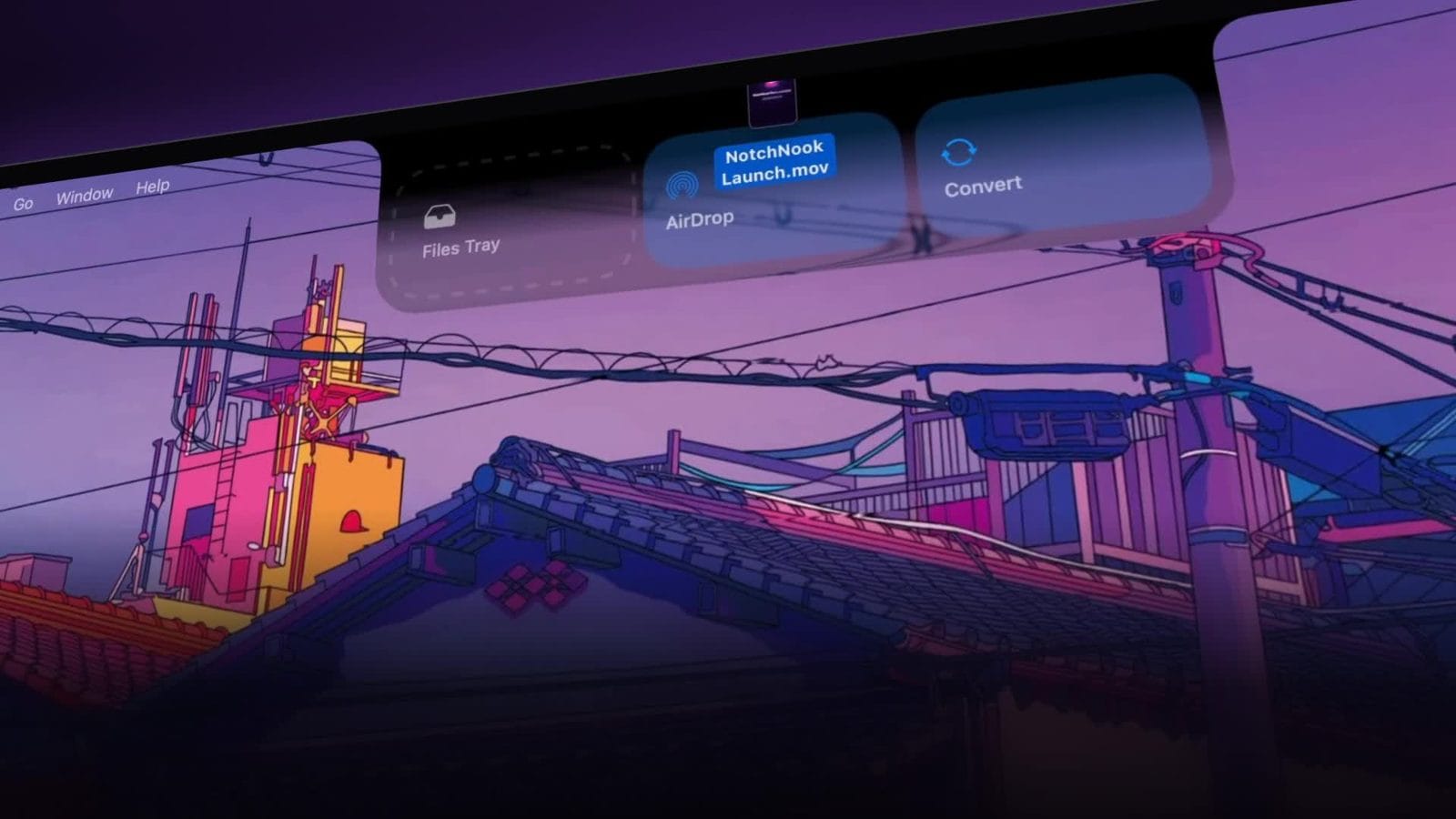
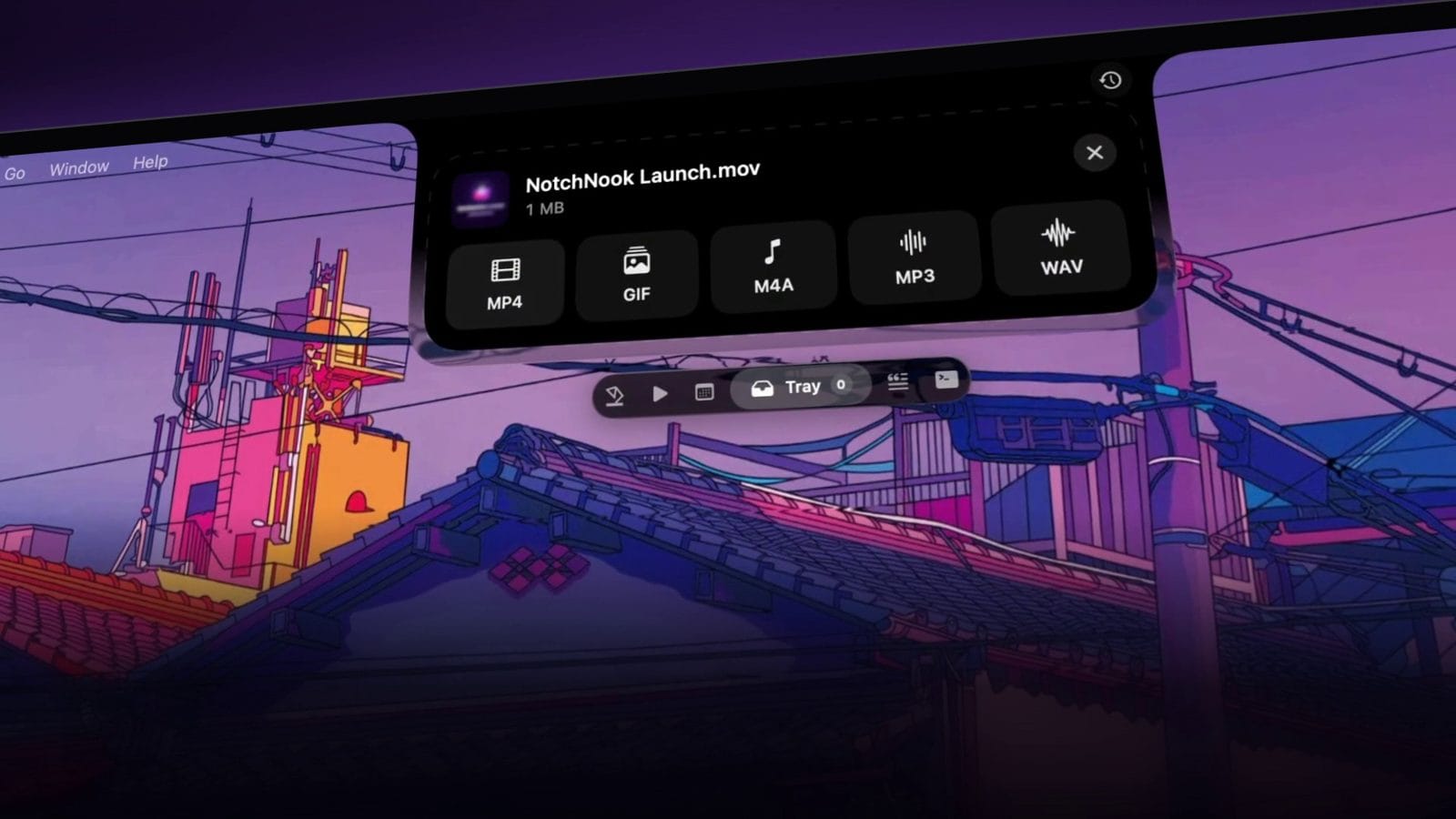
Convert is the one that saves real time. Drop a screen recording on it and NotchNook offers to turn it into an MP4, a GIF, or just the audio as M4A, MP3 or WAV. That's the kind of job that usually means opening another app or hunting down a website, and here it happens before you've moved your mouse back down.
Pocket and clipboard history. Pocket is a separate holding spot for things you'll need again soon, and clipboard history means a link you copied an hour ago is still a click away. lo.cafe says notes, files and camera content stay on your Mac.
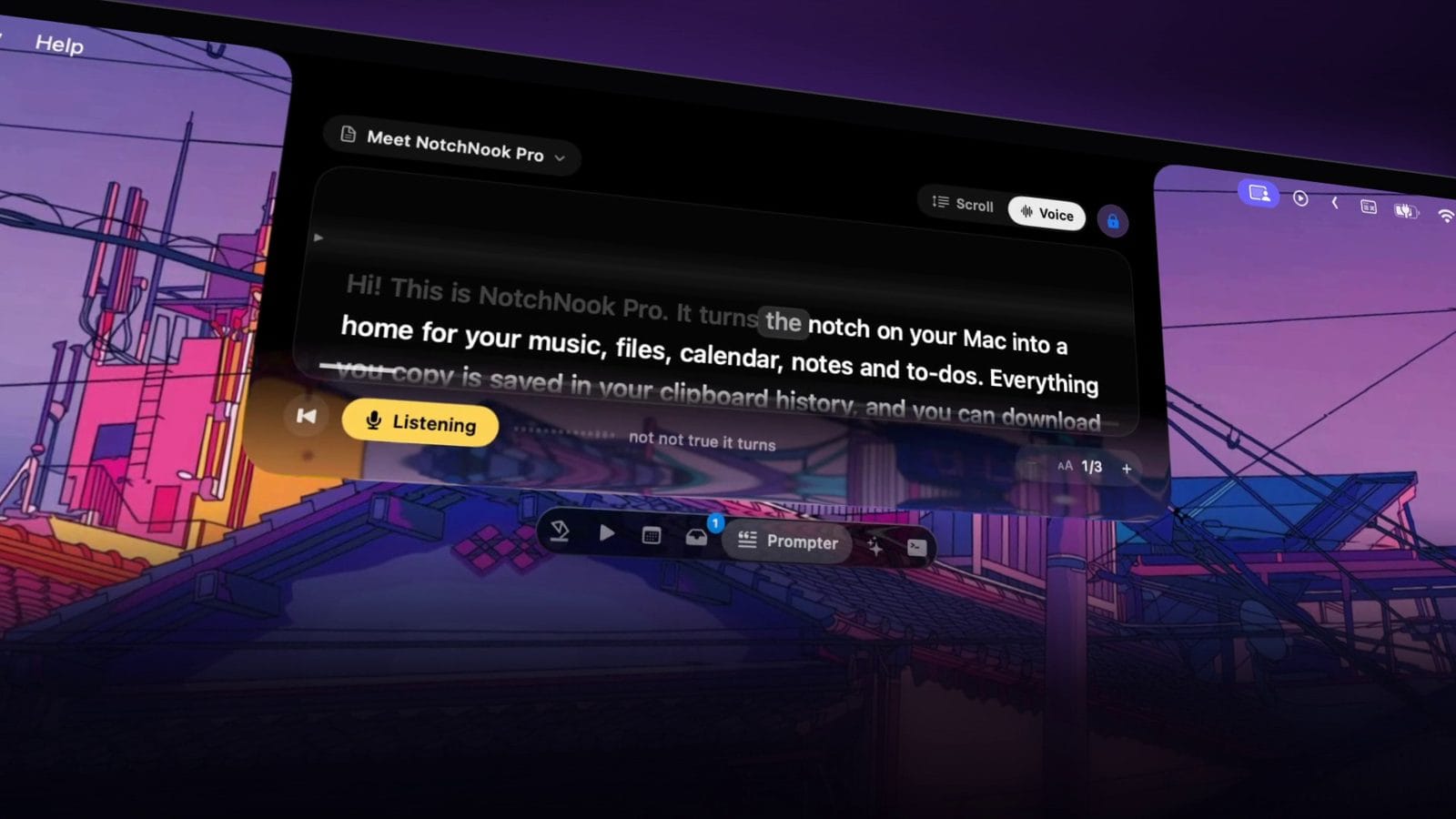
A teleprompter that listens. Paste a script into Prompter and it scrolls just under the camera, which is exactly where your eyes should be on a video call or a recording. It can scroll on its own, or switch to Voice mode and follow along as you speak, highlighting where you are in the script so you never lose your place.
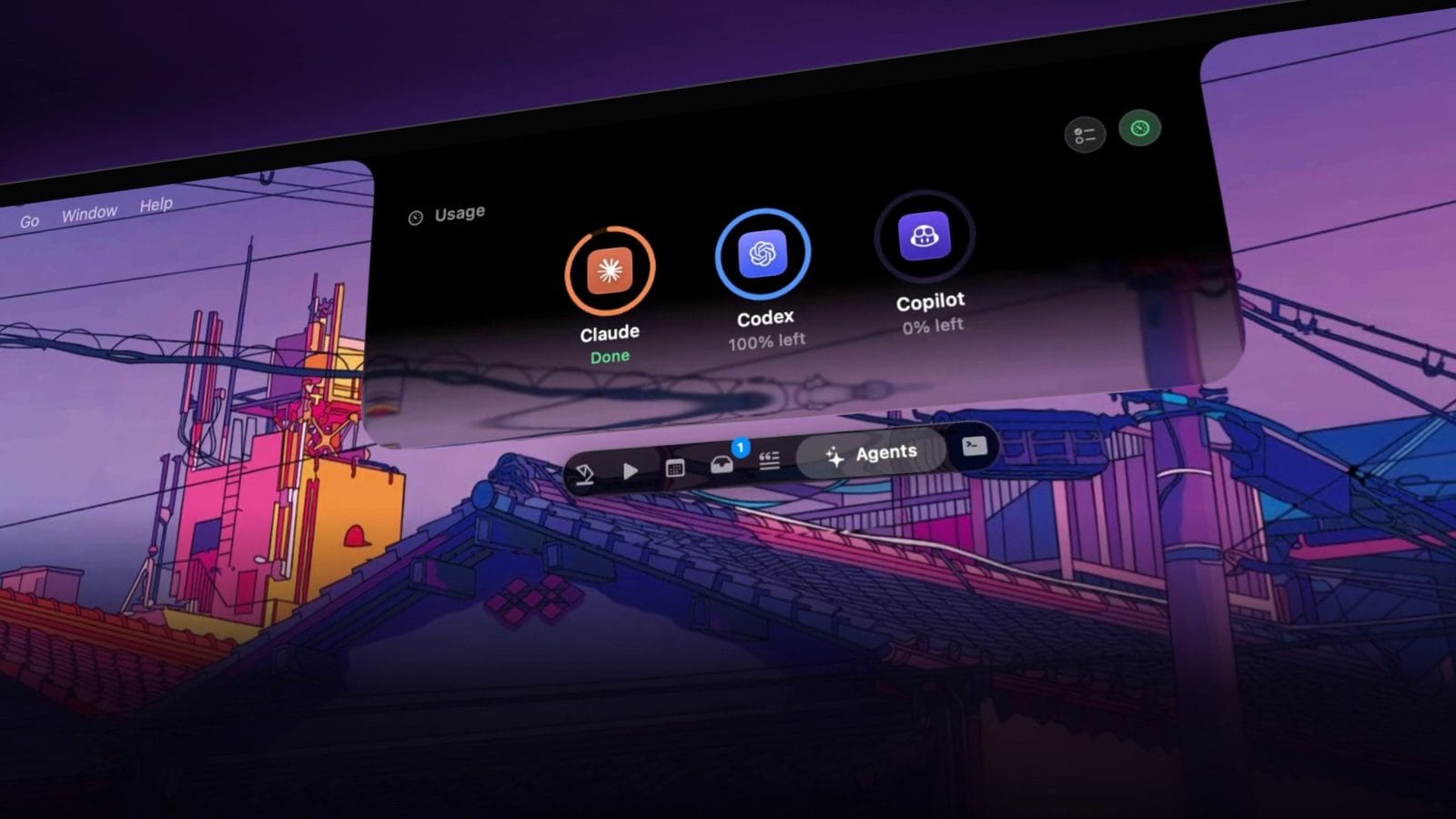
AI agents. If you use coding agents like Claude Code or Codex, Pro can keep an eye on them from the notch. lo.cafe says you can approve agent requests from there, and the Agents view shows each tool's usage at a glance, so you don't have to dig back into a terminal window to see whether a task finished or needs you. Pro also lists a built in terminal among its features.
Widgets and Live Activities. The default Nook packs a lot into one glance: the music player, a Pomodoro focus timer with Focus and Break modes, and battery levels for your Mac and accessories. Like the Dynamic Island on iPhone, the notch also shows short Live Activities for things like AirPods connecting, battery, Bluetooth devices and downloads, then gets out of the way. There's even a camera mirror for a quick look at yourself before a call.
The team says much of this came from the people using the app, and that's the part they're proudest of: "AI, the teleprompter and agent integrations are examples of things people actually asked us for."
Price, requirements and the trial
NotchNook Pro costs $19 for a lifetime license or $3 a month, and one license covers two Macs. Lifetime licenses get updates for good, and subscriptions get them while they're active. It needs an Apple silicon Mac running macOS 14.6 or later, and it's translated into 32 languages. There's a free 48 hour trial with every feature unlocked and no card required, and new purchases made directly through the site can be refunded within seven days by emailing support.
TBTL readers save $4 on NotchNook Pro. Use our link and the lifetime license is $15 instead of $19. It still covers two Macs, and the 48 hour free trial comes first. We earn a commission if you buy through it, at no extra cost to you.
On privacy, NotchNook only asks for a permission when a feature needs it, like Calendar or the camera. Skip one and that feature simply stays off.
The original app is still sold as NotchNook Classic with its own license, and it's the option for Intel Macs. If you bought a Classic lifetime license years ago, lo.cafe told us it remains valid, and anyone who needs help getting back in can reach support@getnotchnook.com. Pro is a separate edition, so it needs its own license.
Why it came back
The obvious question with a comeback is why bother, when the notch app category is now crowded with alternatives. The team's answer was simple: "We still saw enormous potential in turning an underused part of the Mac into something useful." They say the response since Pro launched has brought another wave of enthusiasm, and that it's been "hugely motivating for the team."
For what it's worth, I've been a fan since the original came out, and Pro has already become one of those apps I'd miss right away. It's helpful in a dozen small ways all day long, which is exactly what the notch should have been doing from the start.
The notch has been on MacBooks for five years now, and Apple still hasn't done much with it. NotchNook keeps proving that the space is worth something. Pro is the most complete version of that idea so far, and the 48 hour trial is long enough to find out whether it earns a permanent spot at the top of your screen. You can grab it at getnotchnook.com, and we'll keep this piece updated as the team ships major updates.



Comments