





Apple HomeView arrives Friday, November 13, and the first thing it will ask you for is an update. MacRumors, citing AppleDB's firmware listings, reports that HomeView leaves the factory on HomeView software 26.5, a build from the spring, and prompts you to install version 27.2 during setup. That is more than a routine day one patch. Version 27.2 is the one Apple names for Siri AI on HomeView, so the headline feature isn't there until the update finishes.
So setup will take a little longer than plugging it in and talking to it. Most of the general prep we covered before the October launch still applies, from updating your HomePods to checking which device runs your home, and that checklist is here. This one is specific to HomeView: what to sort out before Friday, what to expect in the first hour, and the fine print that is easy to miss.
Before Friday
Update your iPhone or iPad to 27.2. Apple's spec sheet lists an iPhone on iOS 27.2 or later, or an iPad on iPadOS 27.2 or later, as a requirement, and Apple says setup and multiuser support need a compatible iPhone or iPad on the latest software. iOS 27.2 came out on October 26, so this is a five minute job in Settings, General, Software Update. Our iOS 27.2 guide covers everything else that changed.
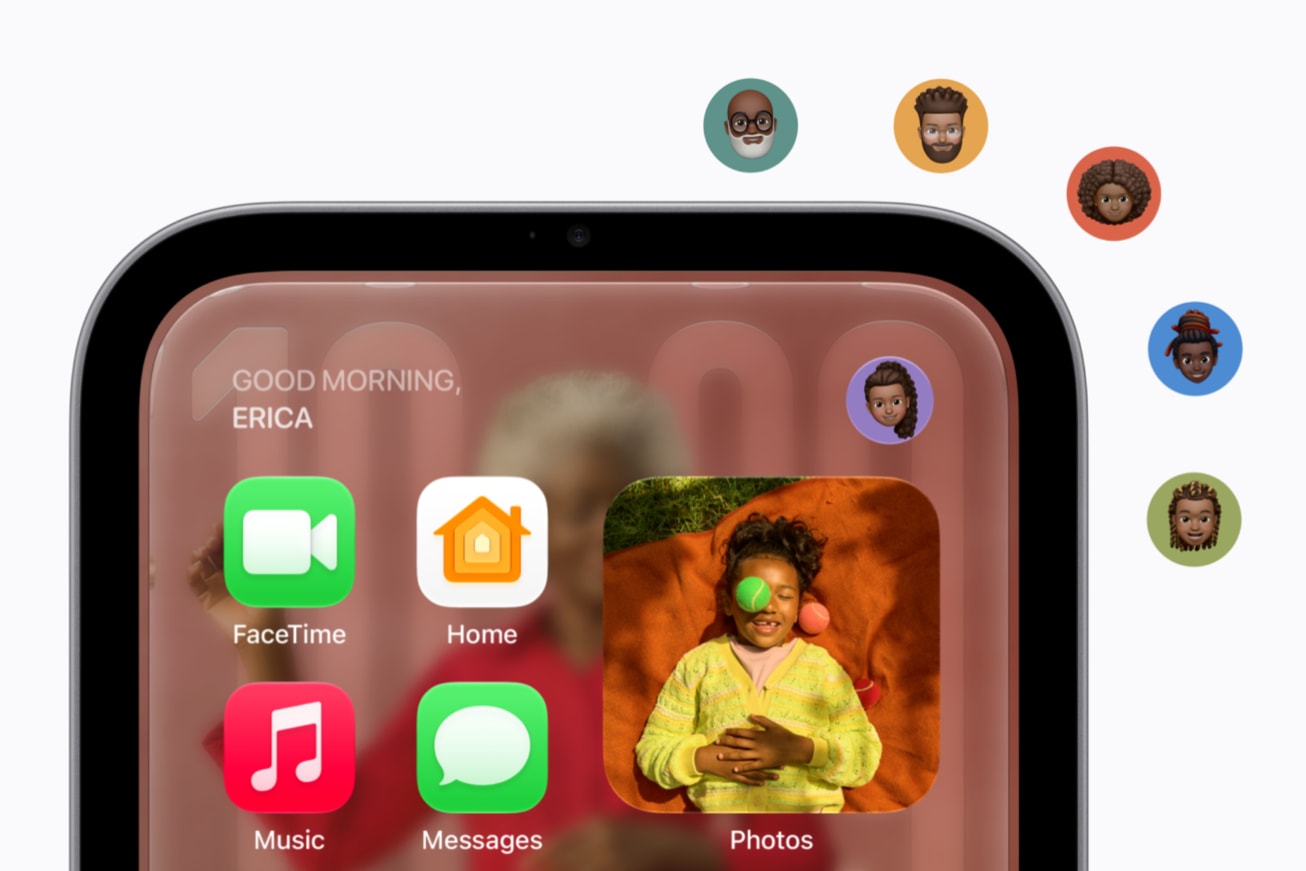
Work out who gets a personal screen. HomeView recognizes up to six people by face, and each one gets a Home Screen with their own apps and widgets. Personal content in Messages, FaceTime, Calendar, Reminders and Find My only shows up when HomeView recognizes that person and their paired iPhone or iPad is nearby and was recently unlocked. For Siri requests that draw on your personal context, Apple adds that the paired device has to support Apple Intelligence and have Siri AI turned on. Everyone else still gets the shared side: household photo albums, music and Siri AI's general knowledge. If someone in your house has an older iPhone, or no phone at all, that is the version of HomeView they will see, and it is easier to know that before the box is open.
Pick the spot with the outlet in mind. The countertop HomeView comes with a 1.5 meter USB-C cable and a 30W power adapter, and it runs on wired power only, so it needs to live within reach of an outlet. It connects over Wi-Fi 6E with no Ethernet port, which makes a spot with a strong signal worth more than a perfect spot with a weak one. Apple rates it for 0 to 35 degrees Celsius (32 to 95 degrees Fahrenheit), which is worth remembering in a kitchen. The same 12MP Center Stage camera handles FaceTime and face recognition, so somewhere people naturally walk up to and look at will serve it better than a corner they pass sideways.
The wall mounted model is a different project. Its box holds only the screen and documentation, and it needs a mount, a cable and power bought separately. Our breakdown of what the wall model really costs walks through all three mounts.
Look at your home hubs. HomeView can act as a home hub, and it supports Thread for HomeKit and Matter accessories. If you already run HomePods or an Apple TV, the Home app picks one active hub and keeps the rest on standby. If you have a favorite, like an Apple TV on Ethernet, you can set it as the preferred hub in Home Settings, under Home Hubs & Bridges. Our home prep guide has the steps.
On setup day
Let the update finish. Plan on the move from 26.5 to 27.2 happening during setup. Neither Apple nor the early reports say how big the download is, so keep HomeView plugged in and on Wi-Fi and give it time before judging anything, Siri included.
Use the power adapter in the box. If HomeView shows a lightning bolt with a yellow warning triangle and a Power Adapter Not Supported message, the power source isn't enough. Apple's support document says the countertop model needs a USB-C adapter of at least 30W that supplies 15V at 2A or more. The included adapter meets that. An older phone charger from a drawer may not.
Know where Siri AI stands. Siri AI is a beta in HomeView software 27.2, in English, in the U.S., Australia, Canada, India, New Zealand, Singapore, South Africa and the UK, with Canadian French promised in a later free update. Hands free "Siri" and "Hey Siri" are listed for English in Australia, Canada, the UK and the U.S., which is four of those eight markets. Some server based features have daily usage limits, and Apple says expanded access will cost money later.

The fine print after setup
Give the room sensor a while. HomeView has a temperature and humidity sensor, and Apple says it needs time to calibrate after startup and works best indoors between about 15 and 30 degrees Celsius and 30 to 70 percent humidity. If the first reading looks off, check again later before you build an automation around it.
Don't treat it as a smoke alarm. HomeView can recognize the sound of smoke and carbon monoxide alarms and alert your other devices, but Apple's own spec page says not to rely on it in an emergency. It is a backup that tells your phone, not a replacement for the alarms on your ceiling.
Cameras need iCloud+ for the smart part. The Home Camera face can show up to nine live feeds. Recognizing people, familiar faces, pets, packages and vehicles requires an iCloud+ plan and compatible cameras. Apple's Home Collection accessories, built with LG Electronics and Schneider Electric, start arriving in December, with some following in early 2027. Our Home Collection guide has prices and dates.
HomeView is also a product that will keep changing after Friday. It ships on old software, Siri AI is labeled a beta, more languages are promised, and a paid tier is coming at some point. The update during setup is the first of several. We will add the actual setup screens to this guide once HomeView ships and Apple publishes its own setup instructions.



Comments