

HomeView’s Wall Model Ships With Nothing to Power It. Here Is the Real Cost
The wall mounted HomeView box holds the screen and documentation, nothing else. Here is every part you need to buy, what it really costs, and what both HomeView models require before they work.

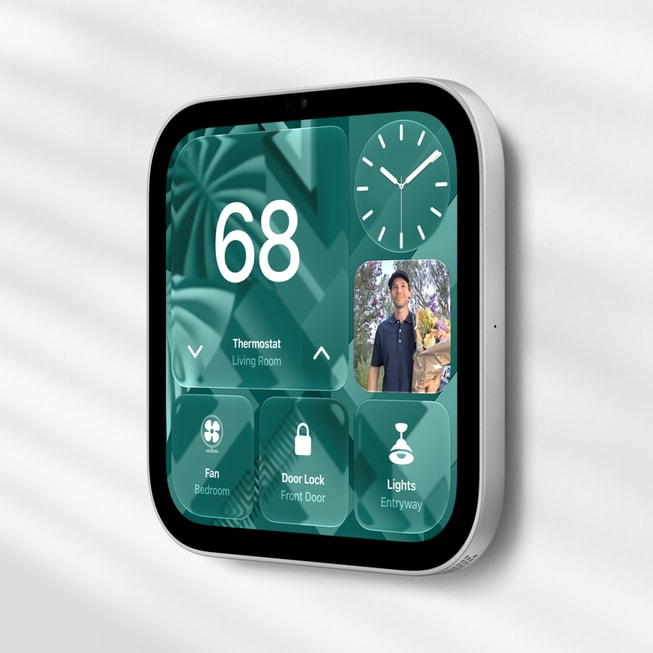
On November 13, two HomeView boxes will land on doorsteps with the same $299 price on the receipt. Open the countertop model and you will find the display, a 1.5 meter USB-C cable and a 30W power adapter. Plug it in and you are setting it up. Open the wall mounted model and you will find the display and some documentation. No cable. No power adapter. No mount. Nothing that lets it turn on.
That is not a hidden footnote. Apple's own spec sheet says the wall model needs a compatible wall mount, a USB-C cable and a power adapter of at least 20W, each sold separately. But the matching $299 price tags invite people to treat the two as the same product in different shapes, and they are not. One is a finished device. The other is the screen half of an installation project.
So what does it actually take to get from the box to a working HomeView, on the wall or on the counter? We went through Apple's spec pages, support documents and repair pricing, plus the mount maker's own listings, to add it all up.
What is in each box
| In the box | HomeView | HomeView (Wall Mounted) |
|---|---|---|
| The display | Yes | Yes |
| USB-C cable | Yes, 1.5 m | Not included |
| Power adapter | Yes, 30W | Not included (20W minimum) |
| Mount | Built in speaker base | Not included (from $59.95) |
| Speakers | 2 full range drivers, woofer, 2 passive radiators | 2 full range drivers |
| Colors | Silver, starlight, rose pink, space gray | Silver, space gray |
| Price | $299 | $299 |
The wall model is also lighter and simpler for a reason. It weighs 286 grams against the countertop model's 952, it comes in silver and space gray only, and it keeps the two custom full range drivers but drops the woofer and passive radiators. Apple designed it to disappear into a wall, which means the wall is where the rest of the product lives.
The three ways to power a wall HomeView
Apple sells the wall model alongside three purpose built mounts from Schneider Home, and the one you pick decides your real price.
Power Mount USB-C Wall Connector (from $59.95). This is the do it yourself option and the one most people will buy. Schneider's listing says it comes with a 2 meter cable and supports 20W to 60W of power, but it still needs a USB-C power adapter that you supply. That cable has to reach an outlet, so the spot you pick on the wall is limited by where your outlets already are.
Power Mount AC Wired (from $79.95). This one draws power from your household wiring, up to 30W, so there is no cable running to an outlet. Schneider recommends an electrician for the installation, which means the mount price is only the start of what this option costs.
Power Mount PoE Wired ($129.95). Power and a wired network connection over a single Ethernet cable, which is the cleanest setup for anyone wiring a new build or a remodel. It does not arrive until early 2027, and it needs a network switch or injector that supplies Power over Ethernet.
| Setup | What you add | Total before tax |
|---|---|---|
| Countertop HomeView | Nothing | $299.00 |
| Wall, USB-C Wall Connector | from $59.95 mount + $19 Apple 20W adapter | $377.95 |
| Wall, AC Wired | from $79.95 mount + electrician | $378.95 + labor |
| Wall, PoE Wired (early 2027) | $129.95 mount + PoE switch or injector | $428.95 + network gear |
| AppleCare+ (optional) | $24.99 a year or $2.49 a month | $39 per repair |
Put another way, the most common wall setup costs about 26 percent more than the price on the box, before tax and before you have hung anything. The countertop HomeView costs $299 and is done.
The adapter trap

The USB-C route has a detail that will catch people. Apple's support document for the wall model says the adapter must be at least 20W and support 9V at 2.22A or higher. Plenty of households have a drawer full of USB-C chargers that technically fit the port and will not run a HomeView properly. If the power falls short, the screen shows a lightning bolt with a yellow exclamation triangle and a Not Enough Power message.
Apple's own 20W USB-C Power Adapter costs $19, and its label lists 9V at 2.22A, so it meets the requirement. If you reuse a charger you already own, check the fine print on its label for a 9V rating at 2.22A or more before you mount anything. And if a professionally installed unit shows the warning, Apple says to call the installer first. Its troubleshooting step is to take the HomeView off the mount and plug it straight into a compatible adapter, which tells you whether the problem is the mount or the device.
Meets the 9V at 2.22A spec
Anker 20W Nano Pro USB-C charger
A non-Apple option for the USB-C mount. Anker's listing rates its output at 9V and 2.22A, which clears Apple's requirement. Cable not included.
We earn a commission if you buy through these links, at no extra cost to you. It never changes our verdict. As an Amazon Associate, TBTL earns from qualifying purchases.
What both models need before they work
Power is only the first gap. Both HomeView models have requirements that live outside the box entirely, and some of them matter more than a $19 adapter.
An iPhone or iPad on 27.2 software. Apple lists an iPhone with iOS 27.2 or later, or an iPad with iPadOS 27.2 or later, as a system requirement. As of today, iOS 27.2 is still in beta, with the fourth beta released October 13, and Apple has not announced a release date. HomeView ships November 13, so watch for the update before your HomeView arrives. We explained why iOS 27.1 skipped the iPhone and 27.2 is the next release.
The right person doing the setup. Apple's setup instructions say you must be the owner of the home in the Home app to set up HomeView, with Bluetooth on and Wi-Fi connected. If someone else created your Apple home years ago, they are the one who needs to do this.
An Apple Intelligence iPhone for the personal stuff. Everyone in the house gets Siri AI's general knowledge on HomeView. Requests that reach into your Calendar, Messages and other apps need a paired Apple Intelligence enabled iPhone or iPad running the latest software with Siri AI turned on. Our full HomeView breakdown covers the device list.
An iCloud+ plan for the smart camera features. HomeView can stream up to nine camera feeds, but recognition of people, packages, pets and vehicles requires a supported iCloud+ plan and compatible cameras. iCloud+ starts at $0.99 a month in the U.S., but that 50GB plan covers one HomeKit Secure Video camera. The 200GB plan covers five, and 2TB or more covers unlimited cameras.
A home outside the European Union. HomeView is not sold in the EU, because Siri AI is not currently available in iOS there.
What you cannot buy your way into yet
Some gaps no accessory fixes. HomeView has no App Store. Apple's spec page lists Audiobooks, Classical Music, News and TV among the apps available from iPhone and promises supported third party audio and video apps, but it does not name a single third party video app. Developers can bring their CarPlay apps over instead, and iPhone in Canada, citing Wired's hands on, reports that YouTube, Netflix and Disney+ are not there at launch, with Safari as the fallback for video. If you pictured catching up on a show while you cook, plan around that.
Siri AI itself is labeled beta on HomeView, and Apple's footnotes say features that rely on server side models have daily usage limits, with expanded access available for a fee in the future. Apple has not said what that fee is or when it starts.
And one safety note matters more than any price. HomeView listens for smoke and carbon monoxide alarms and alerts your devices, but Apple says Sound Recognition "should not be relied upon in circumstances where you may be harmed or injured." It is a helpful extra, not a replacement for working, interconnected alarms.
Protect it, or pay $279
Apple lists one out of warranty repair category for HomeView, other damage, at $279, according to Apple's service pricing as reported by 9to5Mac and AppleInsider. That is $20 less than a new unit. AppleCare+ for HomeView costs $24.99 a year or $2.49 a month, and Apple’s service page says AppleCare covers unlimited repairs for drops and spills, at $39 each according to 9to5Mac.
The math favors AppleCare+ for the countertop model in a busy kitchen. Three years of coverage plus one repair comes to $113.97, well under a single $279 repair. A wall mounted unit that never moves is a better bet to skip it, but that is a judgment about your house, not the device.
Which one to buy
For most people, the countertop HomeView is the better buy, and not only because it is cheaper once everything is counted. It has the bigger sound system, two more colors and every part it needs in the box. You can move it from the kitchen to the bedroom without calling anyone.
The wall model earns its place in a specific home: one with a planned spot near an outlet, a remodel already bringing in an electrician, or a wired network ready for the PoE mount in 2027. If that is you, order the mount and the adapter at the same time as the HomeView, so November 13 does not become the day you own a very nice screen that will not turn on.
- Wall model, USB-C setup: HomeView (Wall Mounted) $299, Power Mount USB-C Wall Connector $59.95, a 20W or higher USB-C adapter that supports 9V at 2.22A ($19 from Apple).
- Wall model, wired setup: Power Mount AC Wired $79.95 plus an electrician, or wait for the $129.95 PoE mount in early 2027.
- Either model: an iPhone or iPad on iOS or iPadOS 27.2, the home owner's account for setup, and AppleCare+ if it is going anywhere near a sink.
Apple matched the prices to make the choice look simple. It is a smart move for the countertop model, which really is a $299 product. For the wall model, the honest price is closer to $380, and the real decision is about your walls, your outlets and how much of the new Siri your household can actually use on day one. The next things to watch are the iOS 27.2 release date, the first third party video apps, and what Apple decides to charge for Siri AI once the beta label comes off.
Related: Everything Apple announced at its Welcome Home event and how to get your Apple home ready.