





Apple Intelligence has been on iPhones in the US for more than two years, and in mainland China it has been missing the whole time. iOS 27.3 beta 1 is where that starts to change. Apple released the first developer beta on Tuesday, November 3, a week after iOS 27.2 shipped, and it's the first build where Apple Intelligence can be tested in China, with Alibaba's Qwen models behind parts of Siri, Writing Tools and Visual Intelligence.
That's only part of a big first beta. The redesigned Health app is back after Apple pulled it from iOS 27.2. Siri AI can do more inside apps and picks up four more languages. Safari gets vertical tabs and a dark mode for bright websites, StandBy gets a redesign, iPhone Duo finally gets Reachability, Fitness+ adds Gym Strength, and watchOS 27.3 turns on Live Rewind and Siri Recap. Here's everything we've found so far.
iOS 27.3 Beta 1 (Build 24C5037i)
The Redesigned Health App Is Back
Apple's rebuilt Health app returns in iOS 27.3 beta 1. Apple tested it in the first iOS 27.2 betas, pulled it in beta 4 and shipped 27.2 without it. Apple has said the new app arrives later this year, which now points to iOS 27.3 in December. We haven't found any changes since the 27.2 betas.
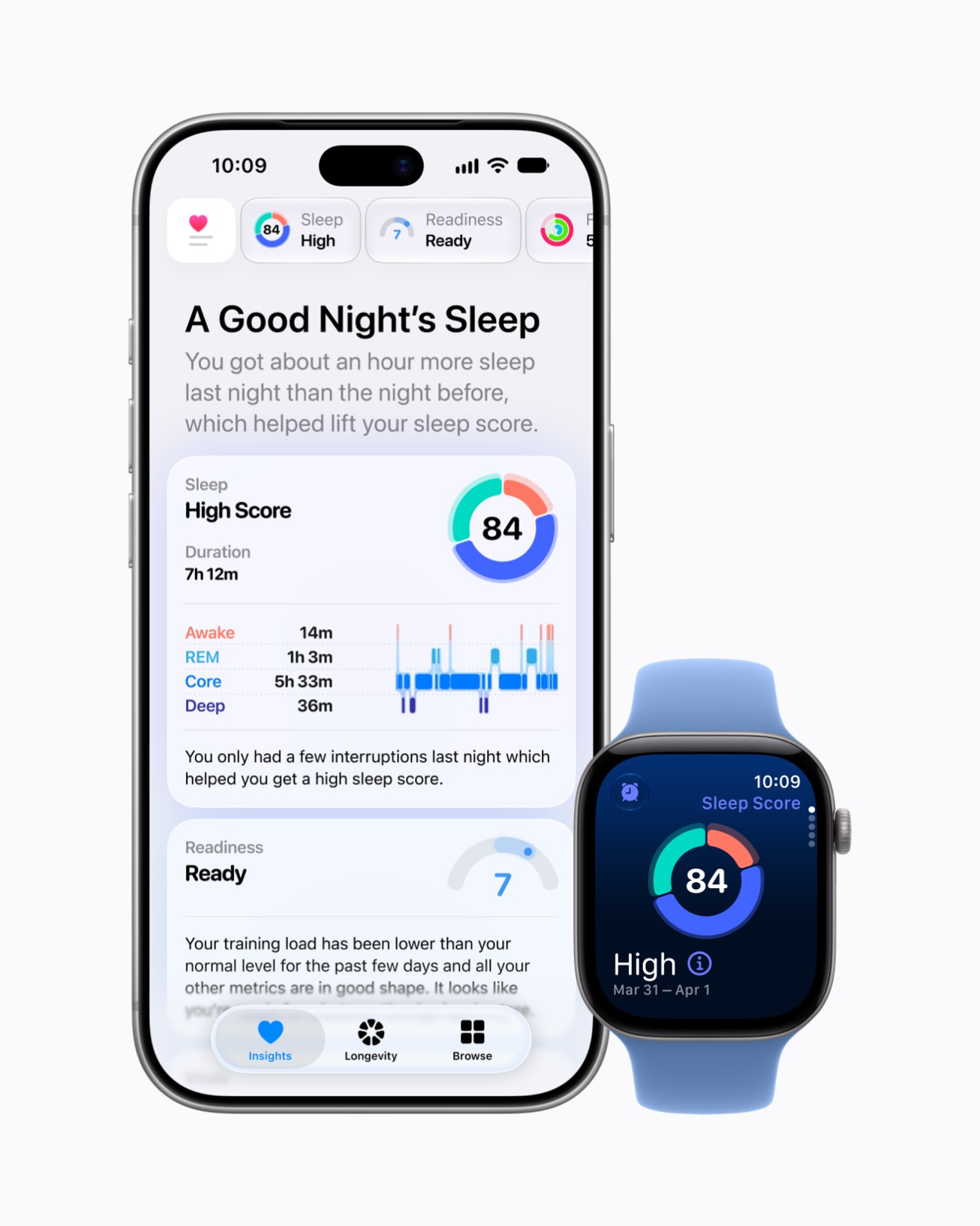
The biggest change is two new tabs. Insights is a summary that updates through the day across heart, sleep, readiness, fitness, vitals and cycle tracking, with suggestions based on your own data. Apple Watch Series 12 and Ultra 4 owners also get a daily readiness score. Longevity looks at long term trends across seven areas and is home to Health Age, which compares your Apple Watch data with your actual age and needs a watch to work. There are also at home Movement Evaluations that use your iPhone camera, and you can import lab results, with a $119 Quest Diagnostics panel coming for US users.
The new app needs an iPhone that supports Apple Intelligence and launches in US English first. For a walk through every tab, see our hands-on with the redesigned Health app.
Siri AI Can Do More Inside Apps
Siri AI can now take actions across 15 of Apple's apps, from scheduling iMessages and unsubscribing from mailing lists to building playlists and managing files, and Apple has opened Siri AI to every developer. We walk through everything Siri AI can do in your apps, app by app.
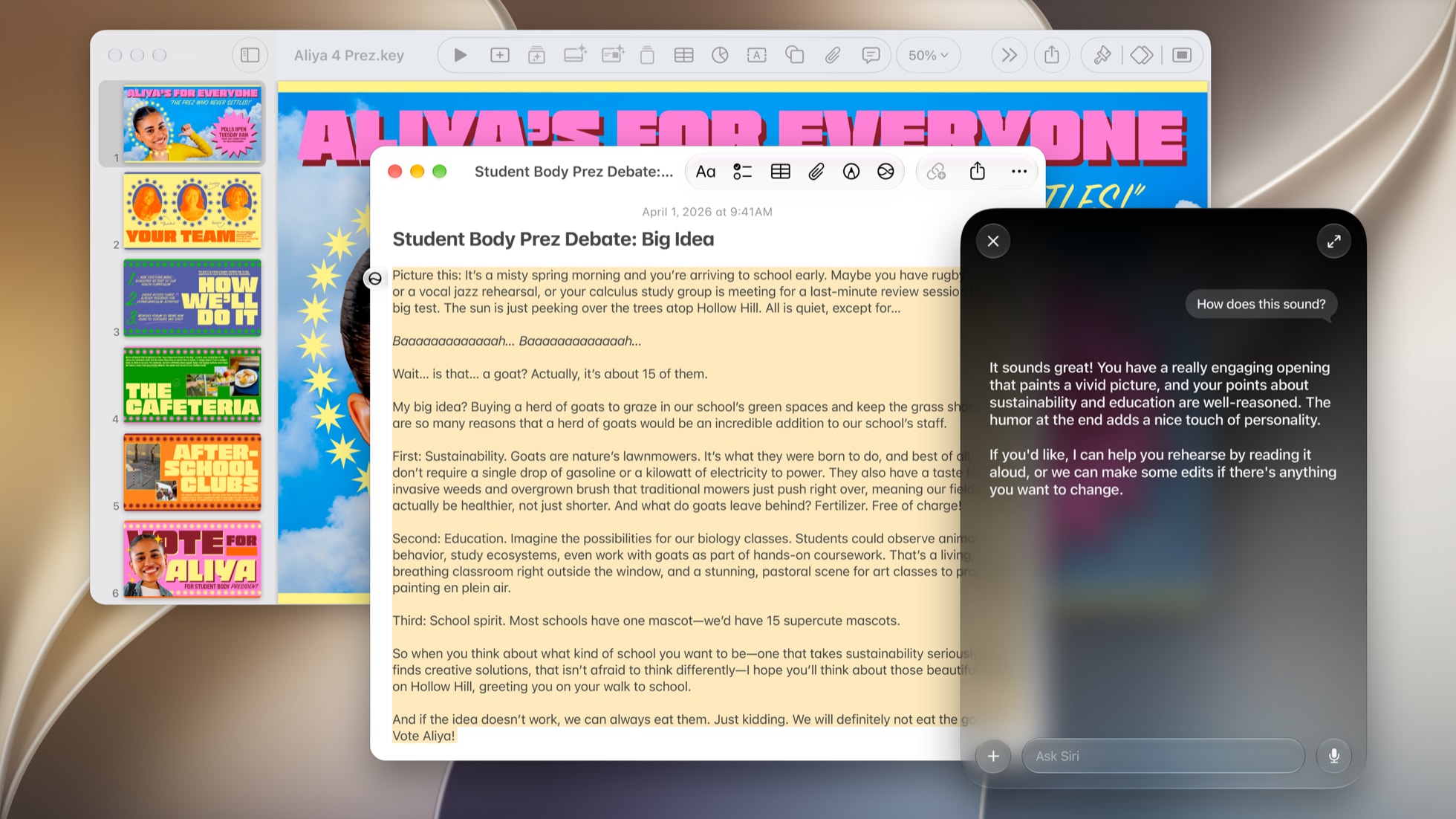
Siri AI Adds Four Languages
Siri AI now supports Traditional Chinese, Vietnamese, Turkish and Norwegian, on top of the five languages it picked up in iOS 27.2. That covers the expansion Apple promised by the end of the year. Mainland China still isn't included, which we cover below.
Safari Gets Vertical Tabs
Safari can now put your tabs in a sidebar down the left edge instead of the row across the top, on iPhone, iPad and Mac, according to MacRumors. The sidebar shows site icons by default to save room, and you can widen it to see page titles. It works with Tab Groups and with the Topics Apple Intelligence creates when automatic tab sorting is on, and you can still pin tabs by dragging them. It makes the most sense on iPhone Duo's wide inner screen, where a sidebar costs very little space.
Turn it on in Settings under Safari. On iPad and Mac it's also in the View menu.
Adaptive Dark Mode for Bright Websites
If you use Dark Mode, sites that only come in white have always been the glaring exception. When you open one now, Safari offers to try Adaptive Dark Mode, which darkens the page and adjusts text, logos, graphics and shadows so it stays readable. It only changes what each site needs. After trying it you can keep it on for that site or turn it on everywhere. Sites that already have a dark design are left alone, and web developers can opt their site out.
Siri Can Manage Your Tabs and History
Siri AI can now sort, move, close and arrange Safari tabs and windows, including into Tab Groups. It can also clear your browsing history for one site or for a stretch of time, like the last 10 days. Apple has also announced that Siri will be able to understand the full contents of web pages, including tabs you aren't looking at, so you could ask it to compare prices across several shopping tabs. That part isn't in beta 1.

A New StandBy on Every iPhone
StandBy, the full screen view your iPhone shows when it's charging on its side, now works more like it does on iPhone Duo. Clock faces, digital and analog, are much more customizable. You can set up several versions of the same face with different colors and complications, a lot like Apple Watch faces, and swipe between them. To try it, charge your iPhone on its side with the screen locked, then touch and hold the clock to edit it.
Reachability Comes to iPhone Duo
Reachability has always pulled the top of the screen down toward your thumb on tall iPhones. On iPhone Duo it now works sideways, shifting content from the left or right edge across the wide inner display so you can reach it one handed. Apple announced it for Duo earlier this year, and it's in beta 1. It lives with the other Reachability settings under Accessibility, then Touch.
Fitness+ Gym Strength
iOS 27.3 and iPadOS 27.3 add Gym Strength, a Fitness+ program that builds a four week lifting plan around your equipment and adjusts each week to the reps and weight you log, with optional logging from Apple Watch. It's included with Fitness+. We explain how Gym Strength works in its own article.

Apple Intelligence Comes to China
Apple confirmed the China rollout on October 30, and it covers most of the Apple Intelligence features the rest of the world already has: Live Translation in Messages, FaceTime and Phone, Writing Tools, Visual Intelligence, Clean Up in Photos, Genmoji, natural language photo search, notification summaries, priority notifications and Smart Reply. Siri gets the improved version with Type to Siri. According to The Next Web, these features run on Apple's own models, including one trained for China with Alibaba's help, and China's internet regulator cleared the arrangement in July.
Qwen plays roughly the role ChatGPT plays elsewhere. Siri can hand it certain requests, Writing Tools can use it to write from scratch, and Visual Intelligence can use it to answer questions about a photo or a document, including PDFs and presentations. You sign in with a Qwen account or with Sign in with Apple.
It's iPhone only for now, on iPhone 15 Pro and newer, and both the iPhone and Siri need to be set to English or Simplified Chinese. Apple says iPad, Mac and other devices will follow after regulators approve them. The rebuilt Siri AI from WWDC 2026 isn't part of the China rollout yet. Everyone in China gets these features with the public release of iOS 27.3 in December.
Still Missing: The Password Fixer
One announced iOS 27 feature still hasn't arrived: the Apple Intelligence tool in Safari and Passwords that fixes weak or compromised passwords for you. Apple hasn't given it a new date.
iPadOS 27.3 Beta 1 (Build 24C5037i)
iPadOS 27.3 gets the same Health app, Safari and Siri AI changes as iOS, plus two iPad additions: Siri Mode in the Camera app, and Visual Intelligence that works with Apple Pencil. We'll add details on both once we've spent more time with them.

watchOS 27.3 Beta 1 (Build 24S5284h)
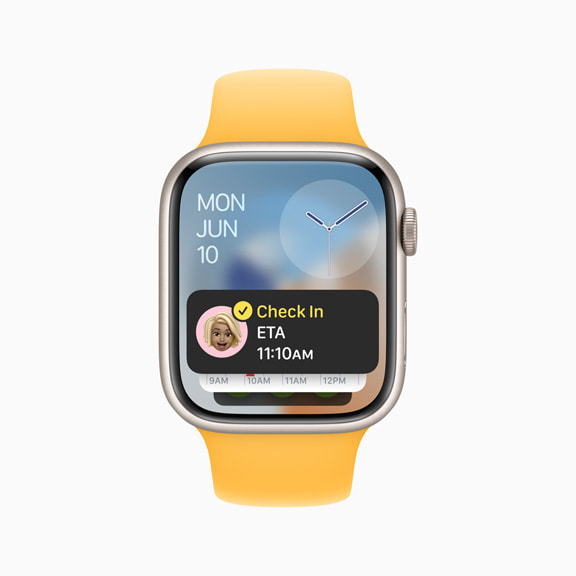
Apple Watch gets the two Audio Intelligence features Apple announced with Apple Watch Series 12 and Ultra 4 in September. Live Rewind and Siri Recap are turned on in the watchOS 27.3 beta, according to Engadget. Both need a Series 12 or Ultra 4 paired with an iPhone 16 or newer with Apple Intelligence and Siri AI turned on. They work in English first and aren't available to anyone under 13.
Live Rewind
Live Rewind shows you a text snippet of the last 15 seconds of speech around you, for the moment you missed what someone just said. Double press the Digital Crown to bring it up. Speech recognition happens on the watch, nothing is transcribed in the background, and the snippet disappears about 30 seconds after the screen dims unless you save it or tap Ask Siri. It isn't secret either. The watch plays a chime, even in silent mode, and shows an animation and the microphone indicator.
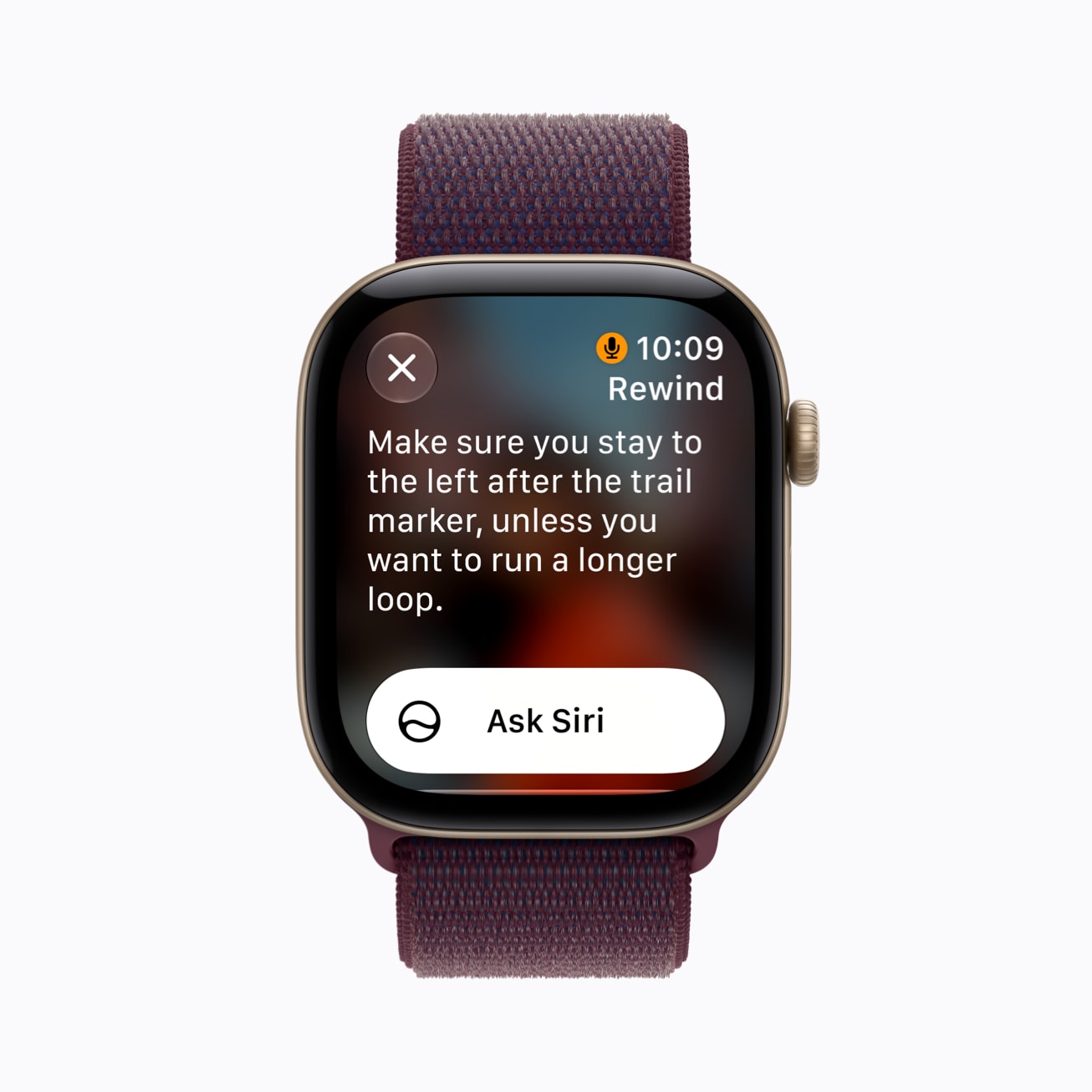
To turn it on, open the Watch app on your iPhone, tap Siri, tap Live Rewind and turn on Double Click Digital Crown.
Siri Recap
Siri Recap takes quiet notes on your conversations and turns them into short summaries, not transcripts. It only runs when you choose: switch it on and off from Control Center on the watch, or schedule it by time or place, such as only at the office and never at night. Summaries land in a Recaps tab in the Siri app, where you can edit, delete or export them to Notes or Journal, and anything you don't save is deleted after seven days.
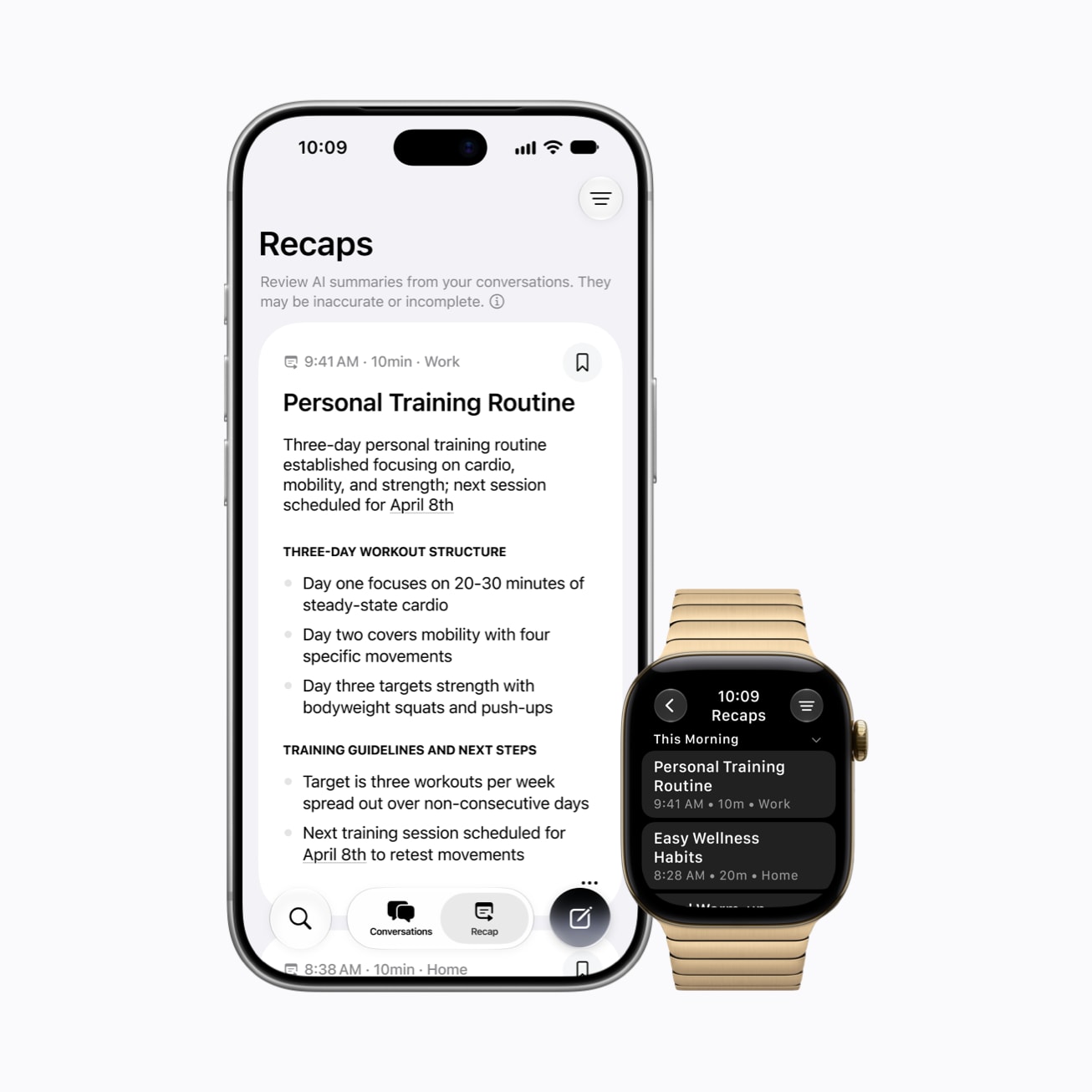
Apple says no audio recordings are created or stored. The watch encrypts what it hears and sends it to your iPhone, which transcribes and condenses it before Private Cloud Compute writes the summary. Apple also warns that summaries can be incomplete or wrong, and they leave out things like financial details and ID numbers. Turn it on in the Watch app on your iPhone.
Every Build in This Round
Apple released first betas for its other platforms at the same time, plus release candidates for two older versions of macOS:
- iOS 27.3 beta 1 (24C5037i)
- iPadOS 27.3 beta 1 (24C5037i)
- macOS Golden Gate 27.3 beta 1 (26C5035r)
- watchOS 27.3 beta 1 (24S5284h)
- tvOS 27.3 beta 1 (24K5286g)
- HomePod Software 27.3 beta 1 (24K5286g)
- visionOS 27.3 beta 1 (24N5286r)
- macOS 26.7.3 RC 1 (25G416)
- macOS 15.8.2 RC 1 (24H314)
macOS Golden Gate 27.3 picks up the same Safari changes as iOS. The two older macOS release candidates usually mean security fixes are coming for Macs that haven't moved to Golden Gate.
iOS 27.3 beta 1 is available now to registered developers, and a public beta usually follows within a week or two. Apple has said iOS 27.3 will be released to everyone in December. To install the developer beta, go to Settings, General, Software Update, Beta Updates, choose iOS 27 Developer Beta, then go back and download it. Install betas on a spare device rather than the iPhone you rely on, and back up first.
Between the Health app, StandBy and Siri doing more in your apps, this is a bigger first beta than most. Which change are you trying first? Tell us in the comments.





Comments