


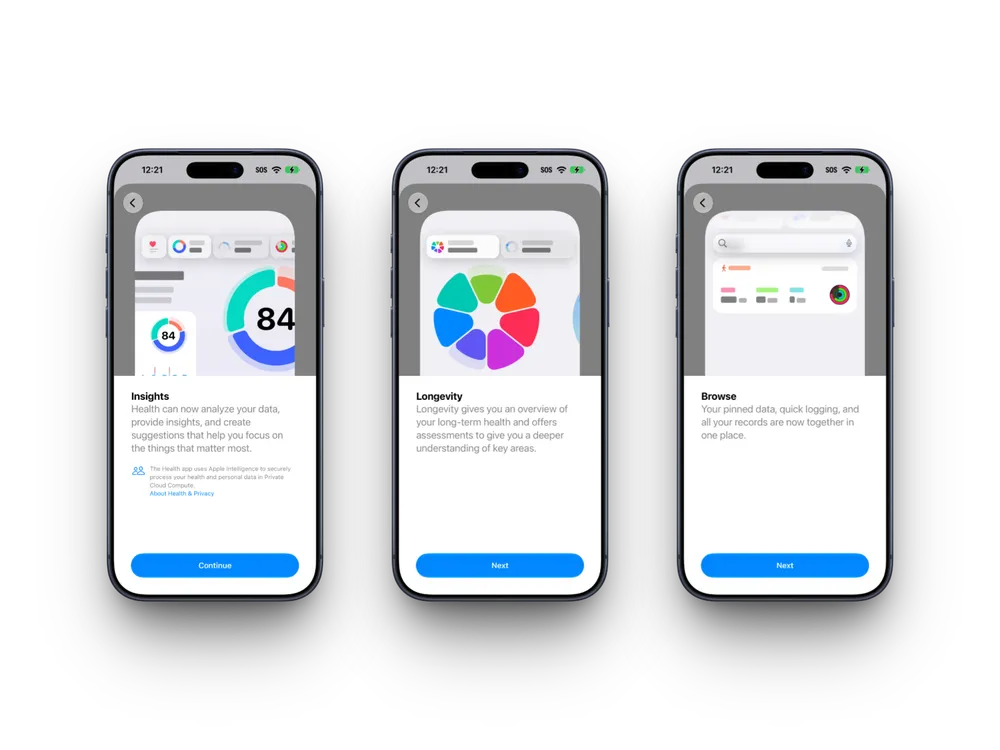


Apple's Health app has looked and worked roughly the same way since it launched in 2014: a repository. It collected whatever your iPhone and Apple Watch measured, stacked it into trend lines and charts, and left you to make sense of it. That changes with the redesign Apple previewed at last week's iPhone event, and I installed iOS 27.2 beta 1 the afternoon it dropped to see it firsthand.
One thing worth knowing up front. Apple's own developer notes say this feature is being tested in the beta but won't actually ship in the finished iOS 27.2 release, it's coming later in the year. So what's below is a preview, not the finished product, and it's currently U.S. English only even on a supported device. Several pieces, personalized guidance in Insights, personalized recommendations, and ordering labs directly through Quest, aren't live yet either. Here's everything I found after going through every corner of it.
Insights
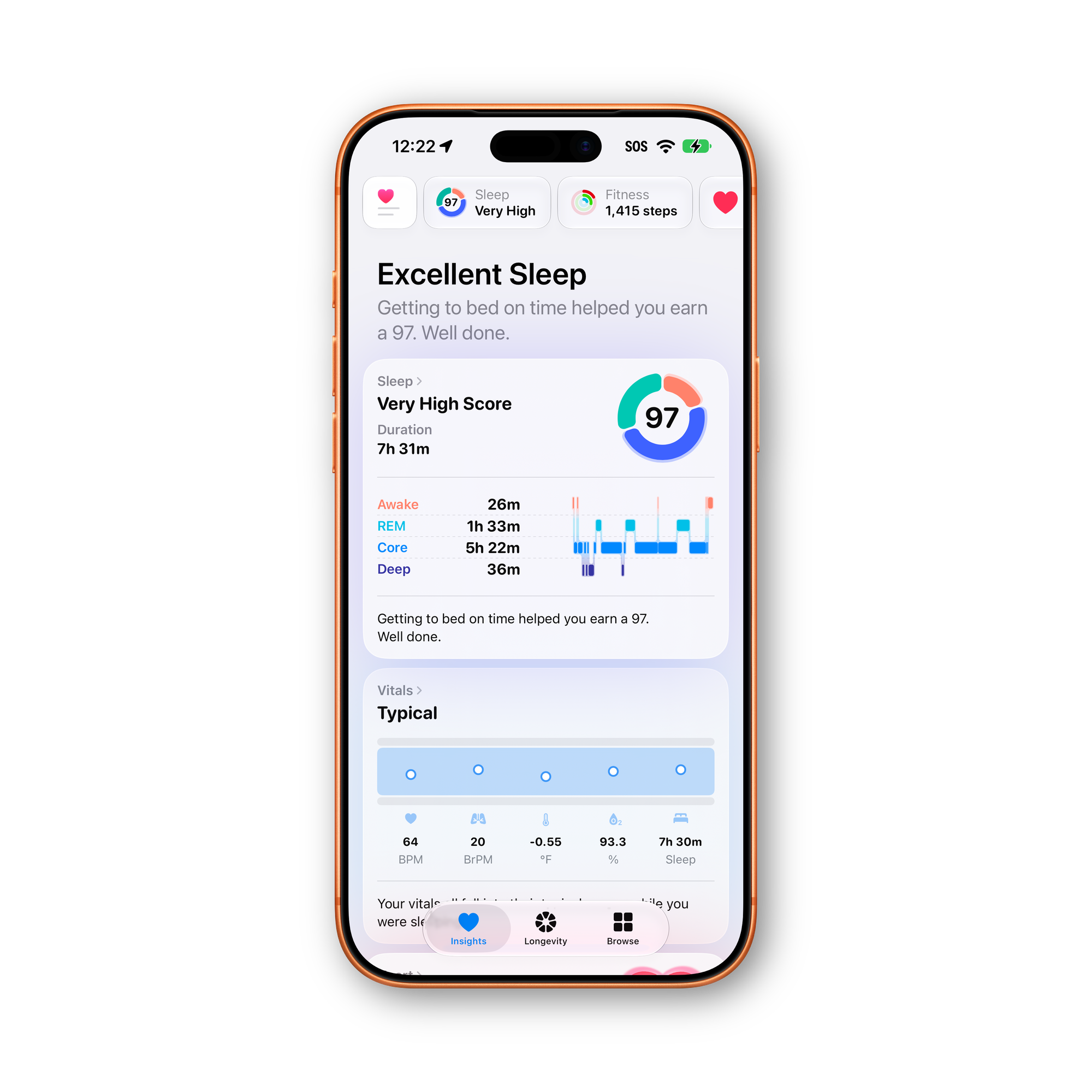
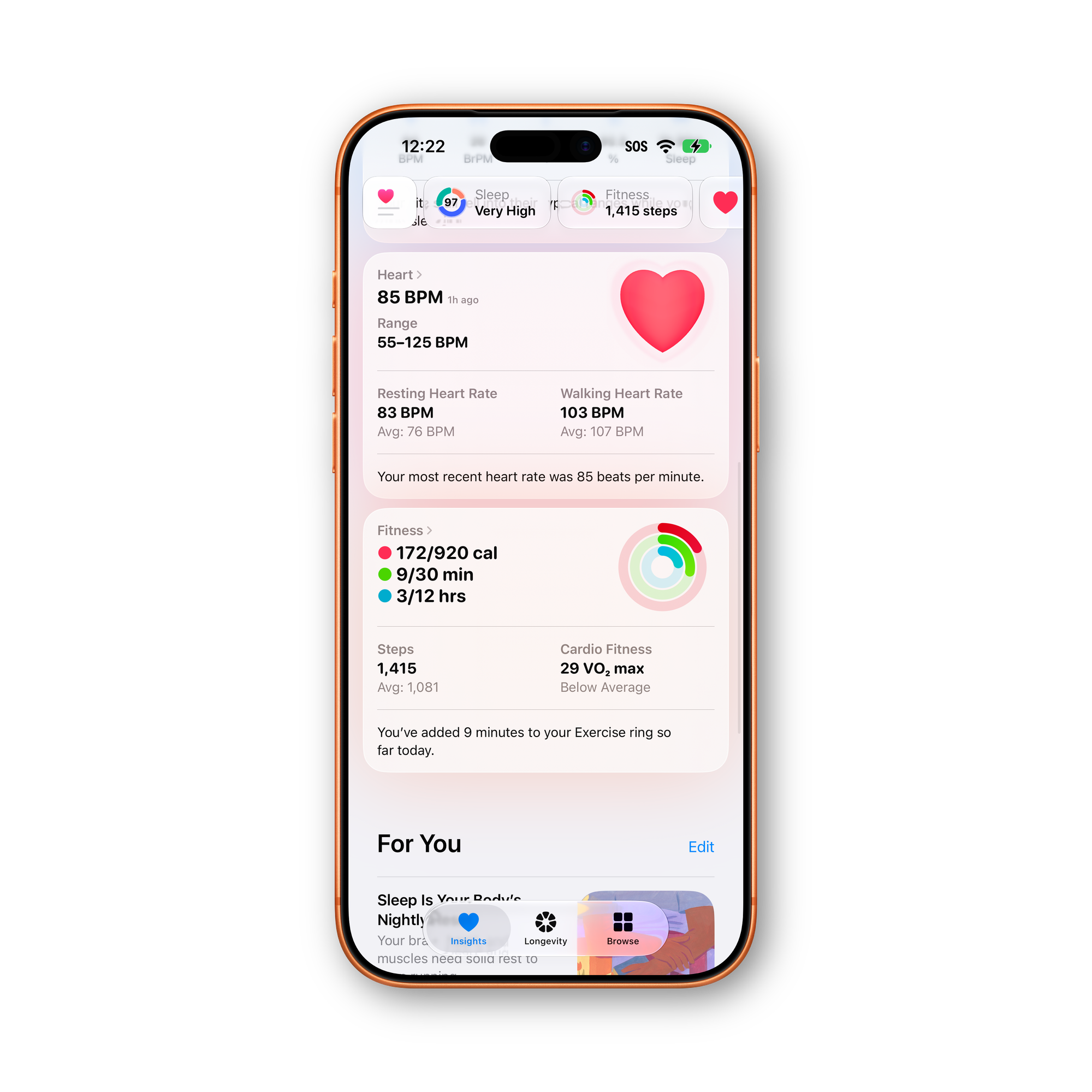
Insights is the new home screen for your day-to-day data, and it's built to summarize rather than just display. It pulls together an AI-generated overview of what's timely, your latest sleep metrics, a new peak in VO2 max, that kind of thing, alongside a For You section meant to eventually carry custom advice on readiness, fitness, and heart health.
Readiness is part of Insights too, though it's exclusive to this year's Apple Watch Series 12 and Ultra 4. Those models calculate a readiness score from recent activity, vitals, and sleep, expressed as a 0 to 10 rating with a plain-language readout: Recover, Pace Yourself, Ready, or Go For It. It already shows up on the watch face and in the Fitness app, and now it's in Health's Insights tab too. I'm testing this on an Apple Watch Ultra 3 right now, which doesn't support Readiness, so I haven't seen it firsthand yet. An Ultra 4 arrives Friday on release day, and I'll update this piece once I can actually put the feature through its paces.
Vitals also gets new overnight and daytime views, with heart rate variability broken into overall HRV and recovery HRV for a clearer read on how well you're bouncing back from stress. And Apple says written and video commentary from health experts will start appearing dynamically in Insights, responding to whatever your data is doing that day rather than sitting as static reference material. That's not hypothetical: at least one assessment in this beta already features a named physician, Dr. Mike Natter, walking through how to take a measurement on video rather than leaving you to figure it out from a diagram.
Longevity
Longevity is where the redesign gets ambitious. It scores your health across seven categories, heart health, sleep, mental wellbeing, movement health, metabolic health, hearing, and nutrition, each measured against current clinical guidance and given a plain-language status: Needs Attention, Fair, or Good, with a short explanation attached.
Health Age
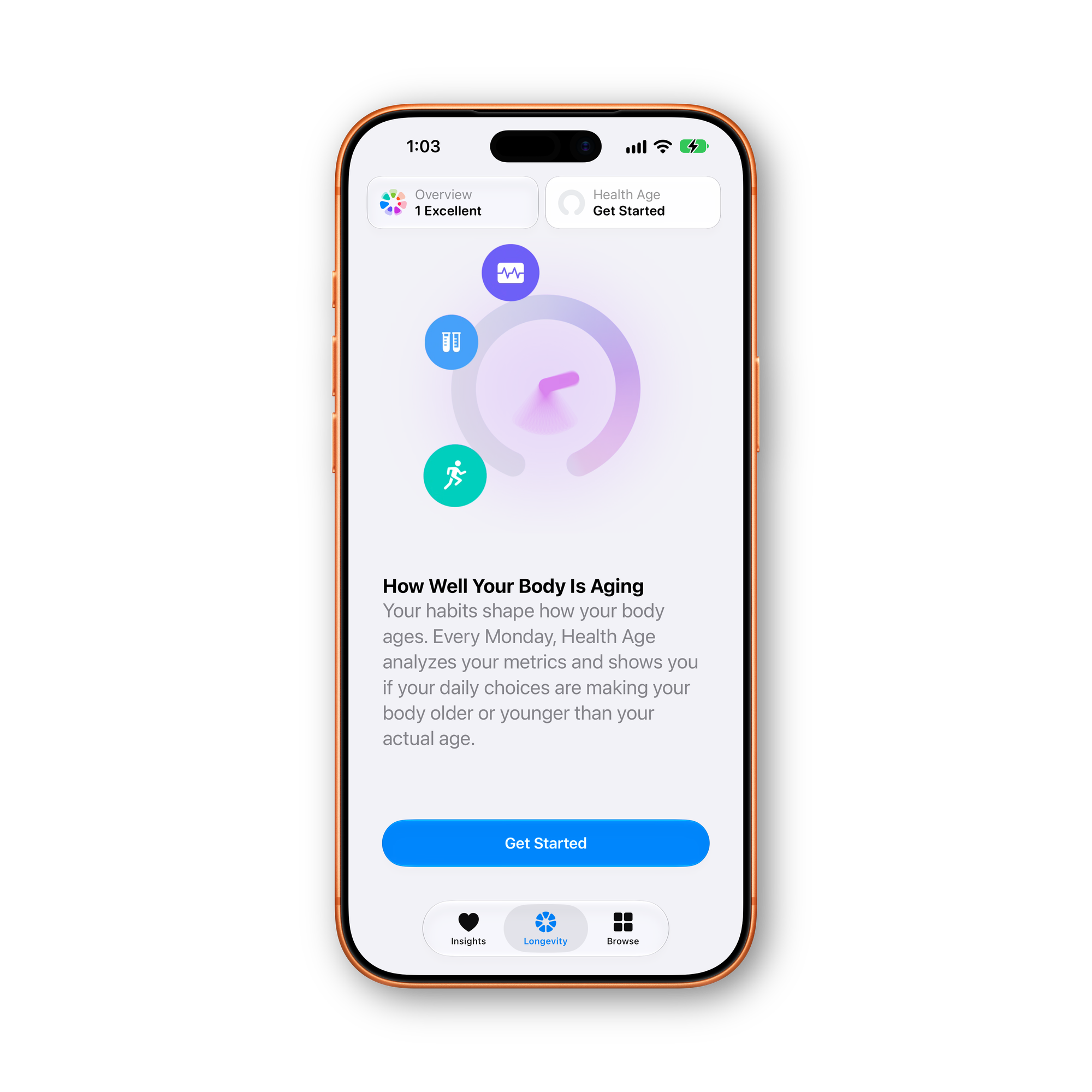
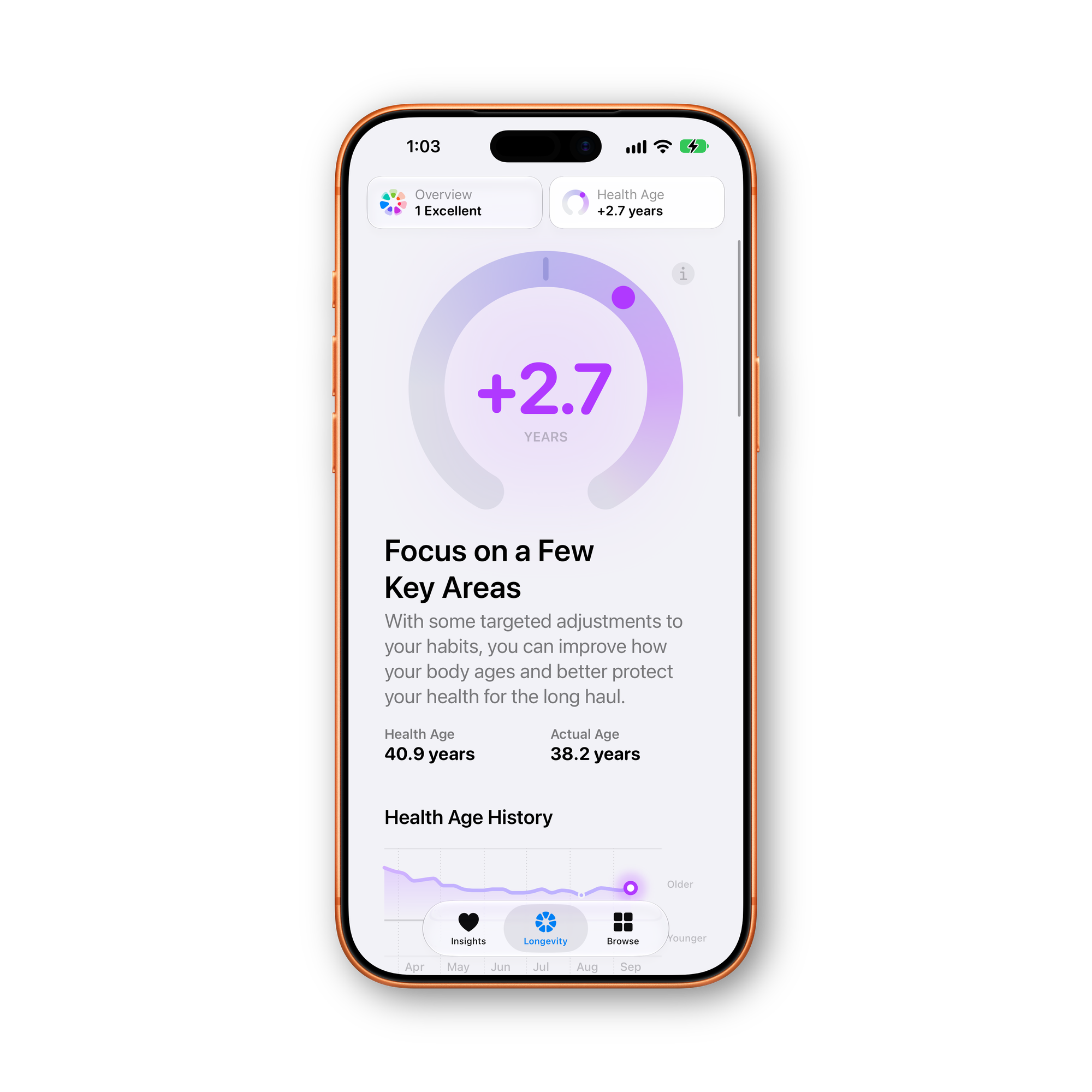
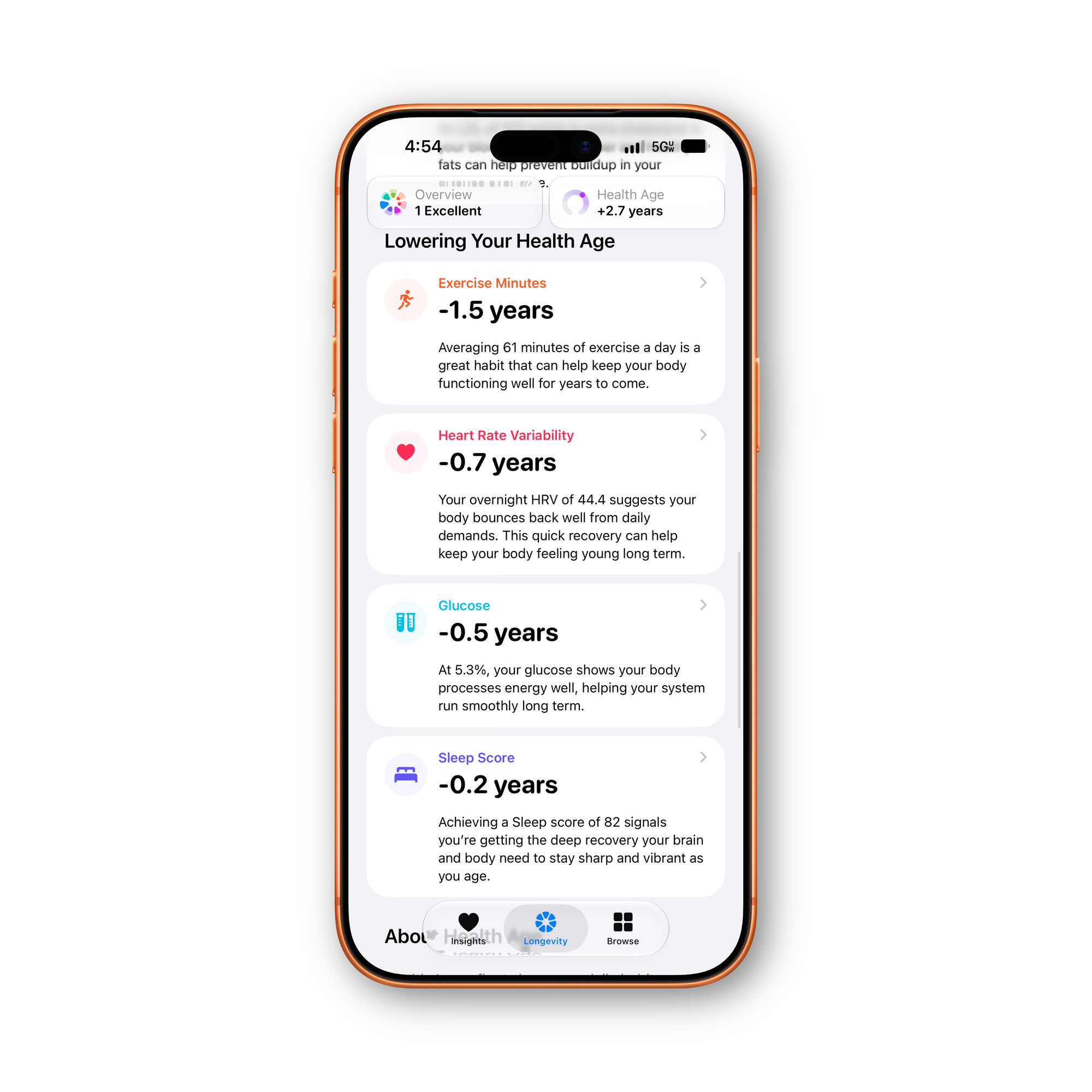
Apple Health: Health Age
The centerpiece is Health Age, a single estimate of how your body's actual performance compares to your chronological age, built from metrics like VO2 max, resting heart rate, HRV, sleep, and bloodwork. It recalculates weekly, every Monday, rather than updating continuously.
What's genuinely new here, and something no one else has reported yet, is that Health Age isn't just a number sitting on its own. It breaks down into the specific factors pushing it up or down, split into two lists: things lowering your Health Age and things raising it. Each factor gets its own plus or minus years and a plain-language line explaining why it matters. Metrics like exercise minutes, HRV, glucose, sleep score, cardio fitness, resting heart rate, steps, and LDL cholesterol all show up as individual line items instead of folding invisibly into one score. You can export the whole Longevity picture as a PDF if you want a copy outside the app.
The 17 Assessments
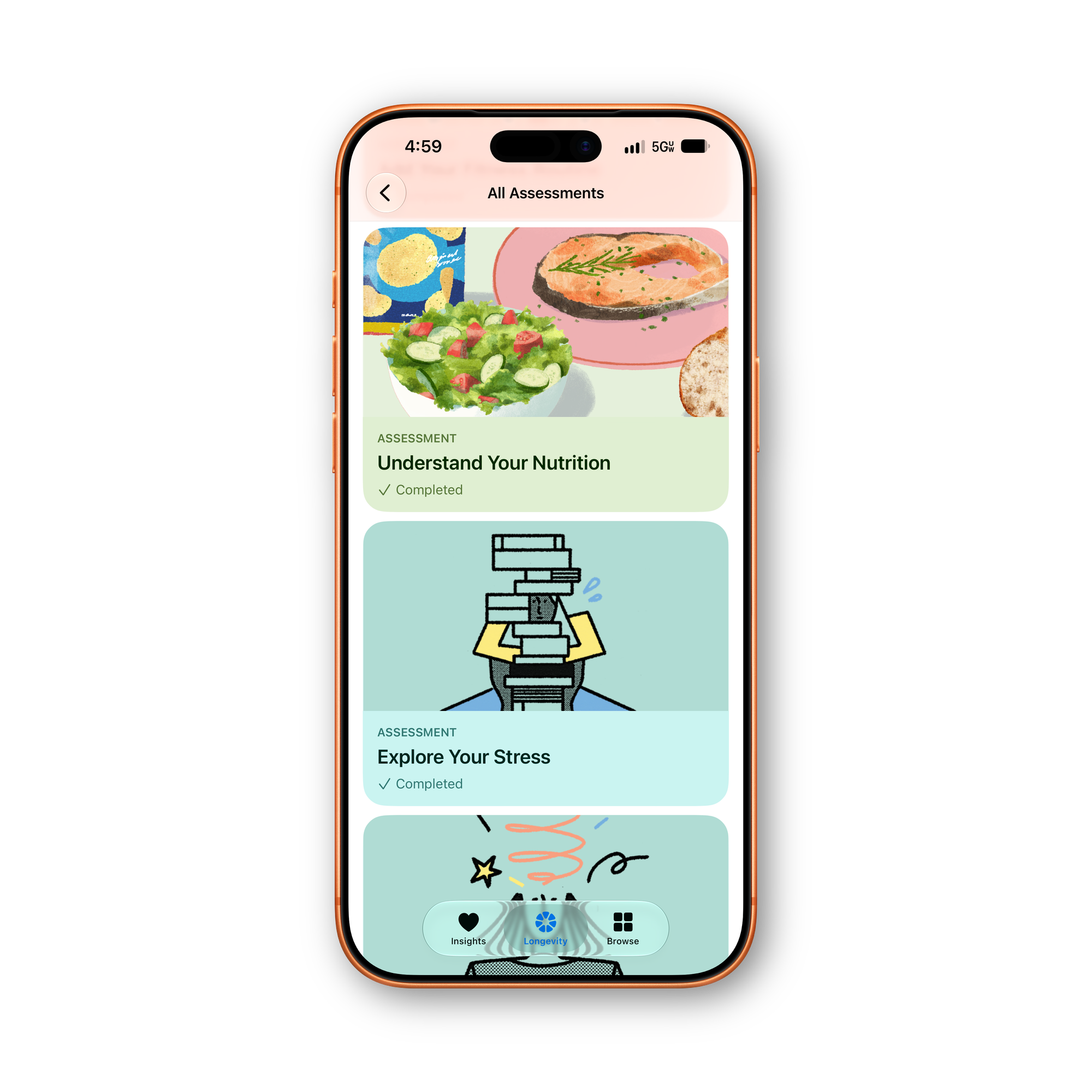
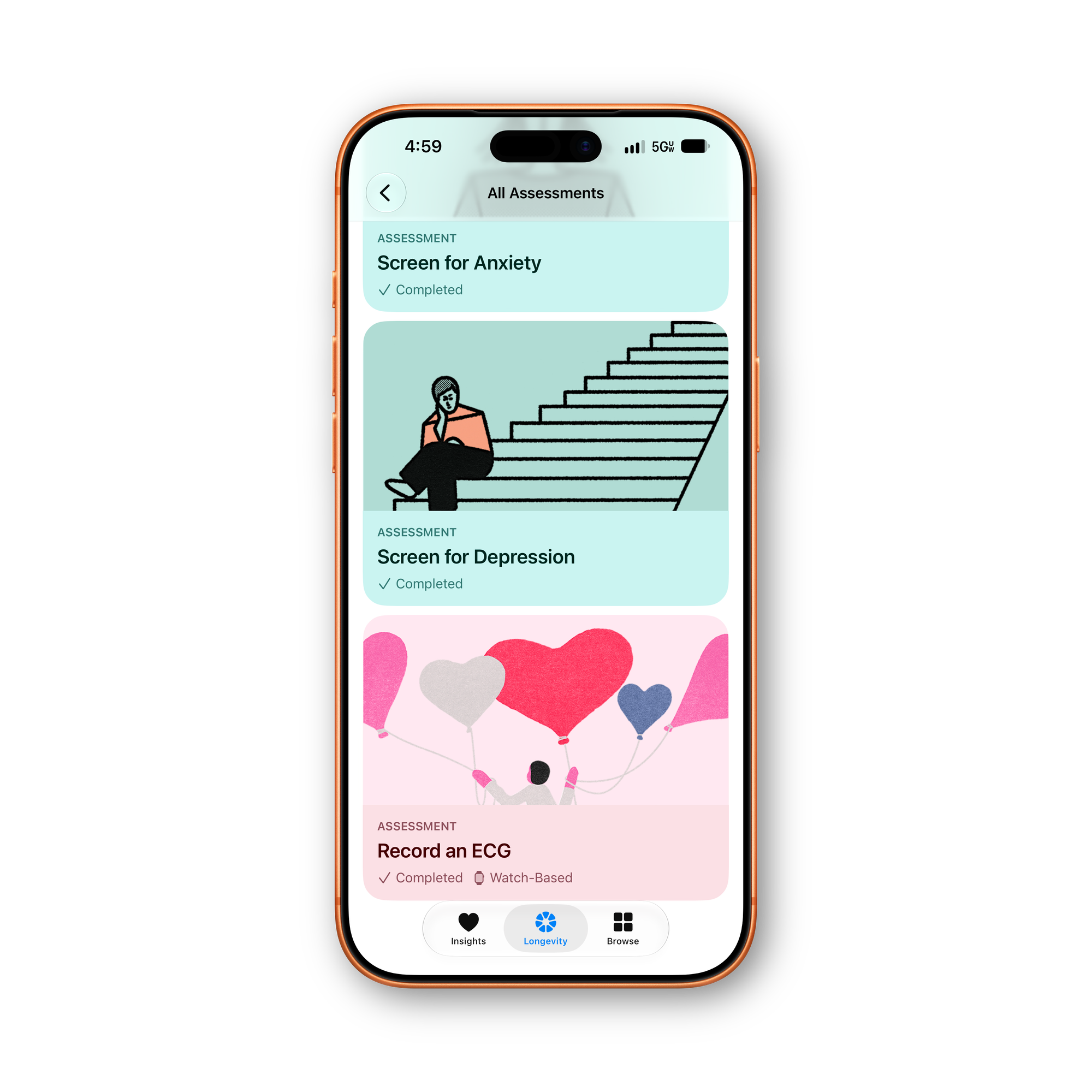
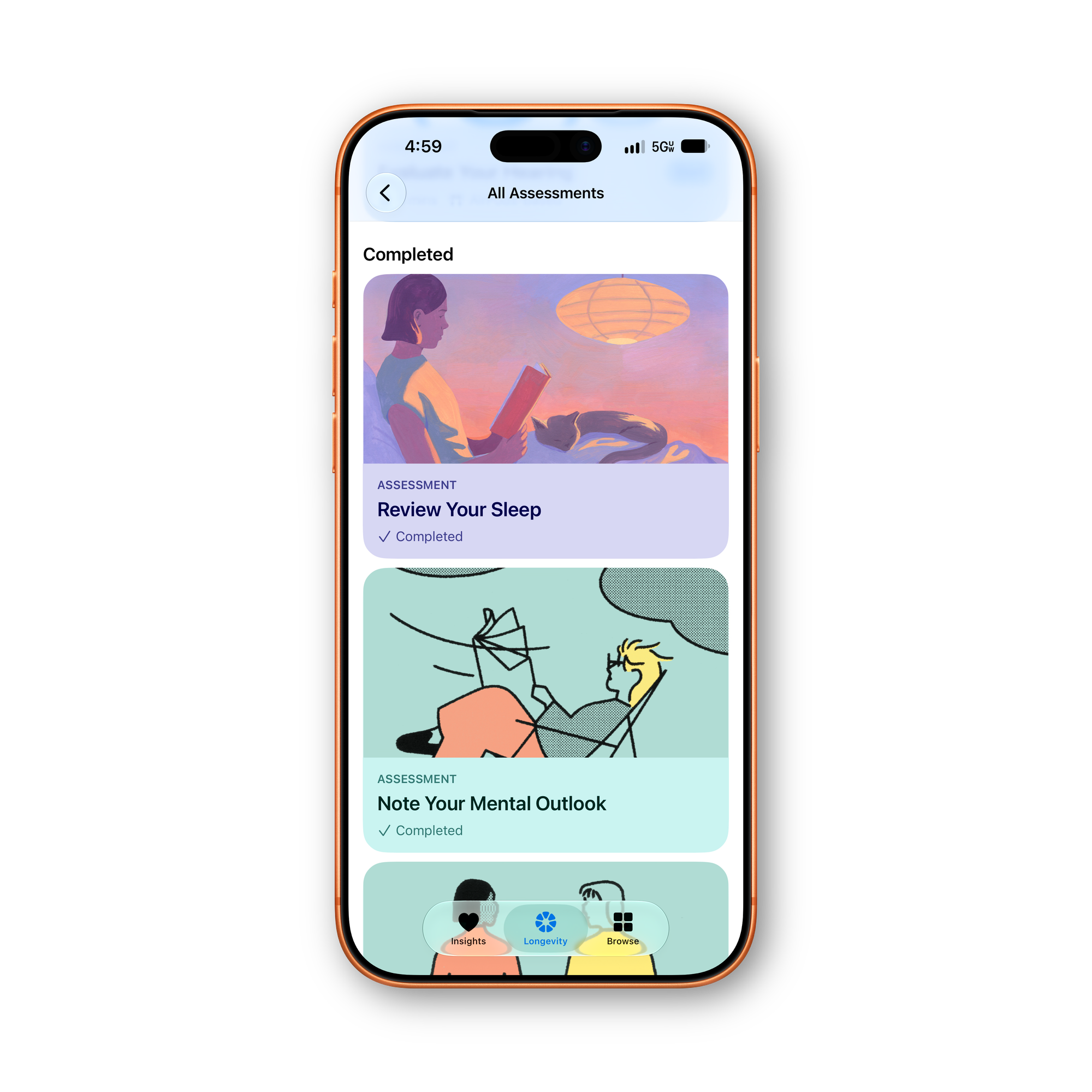
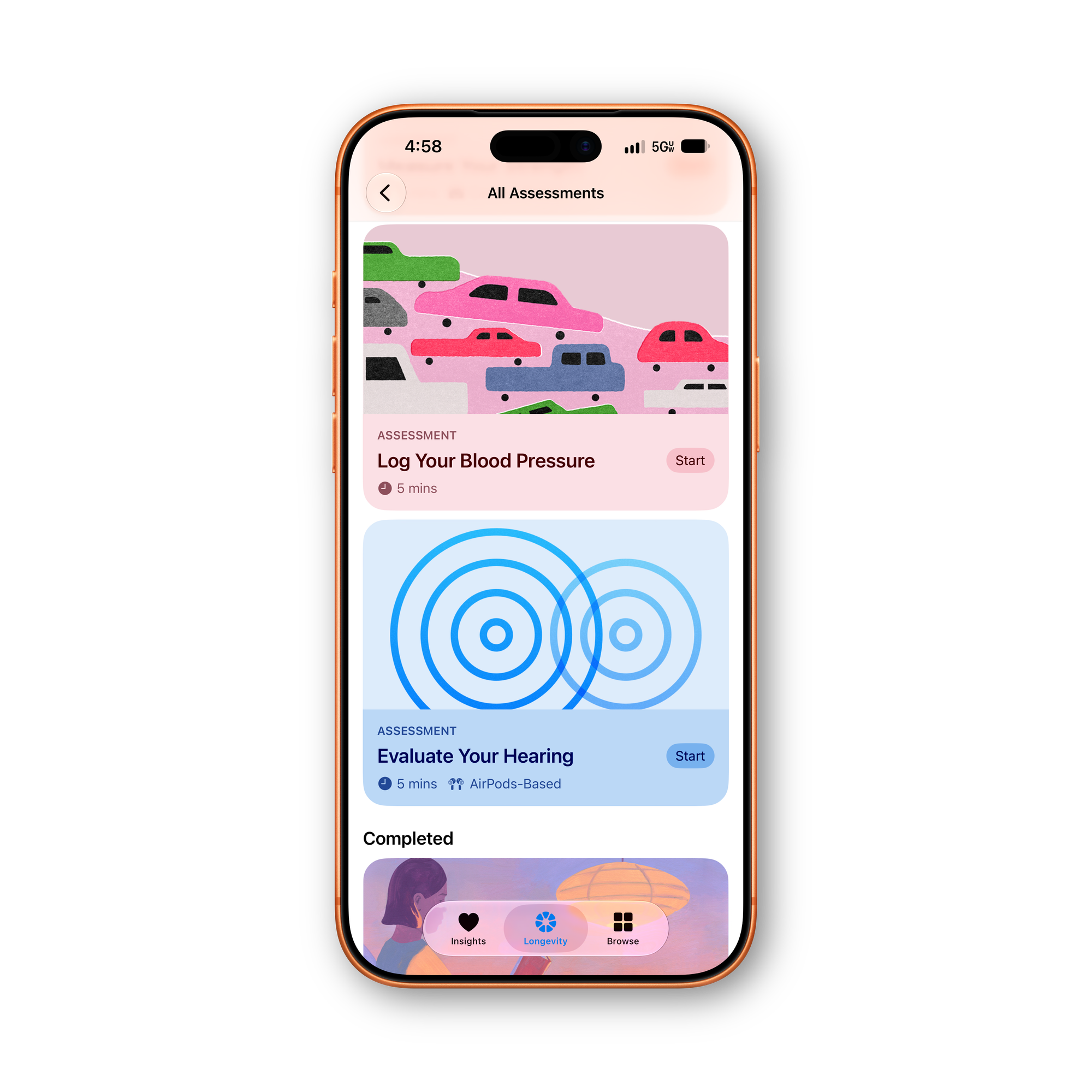
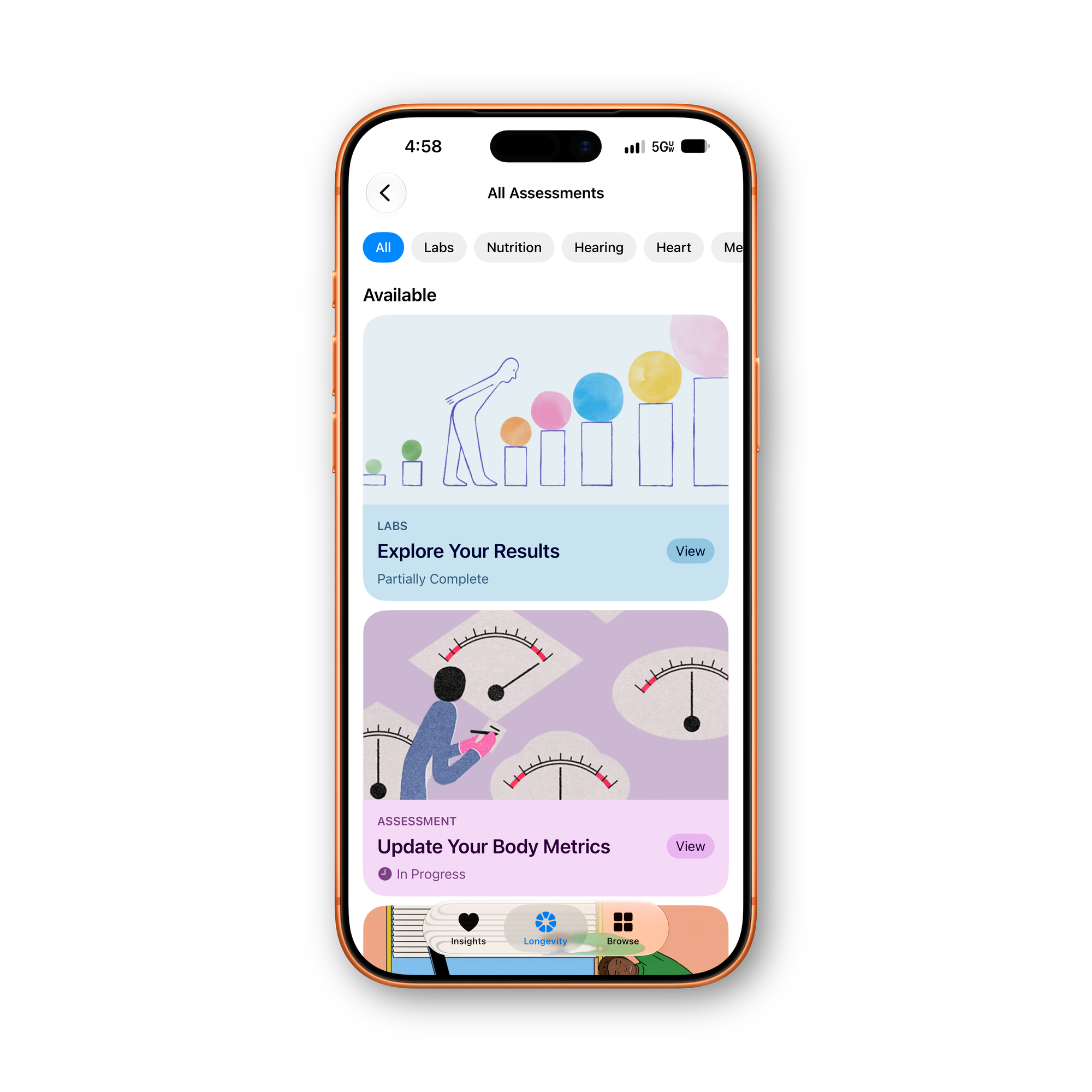
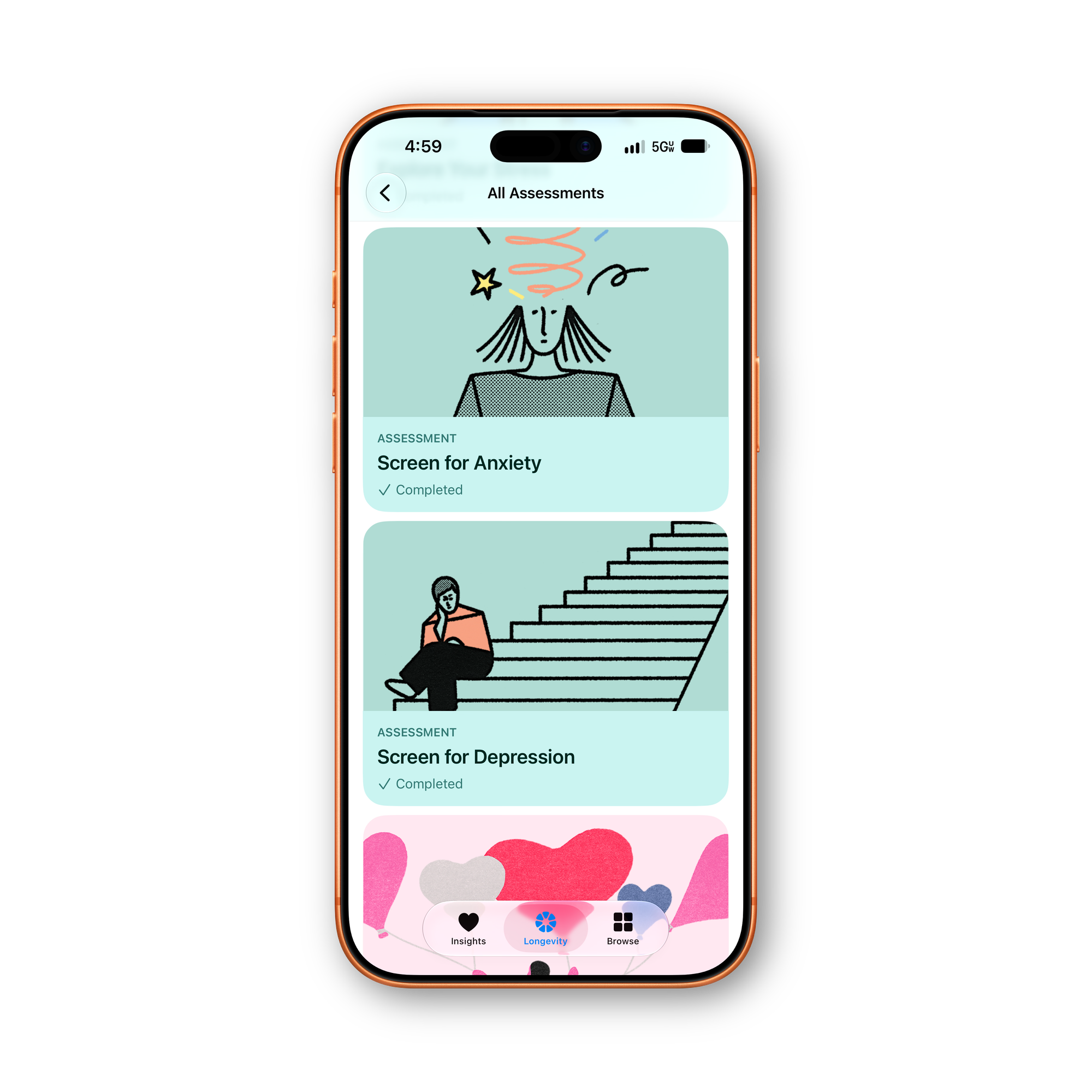
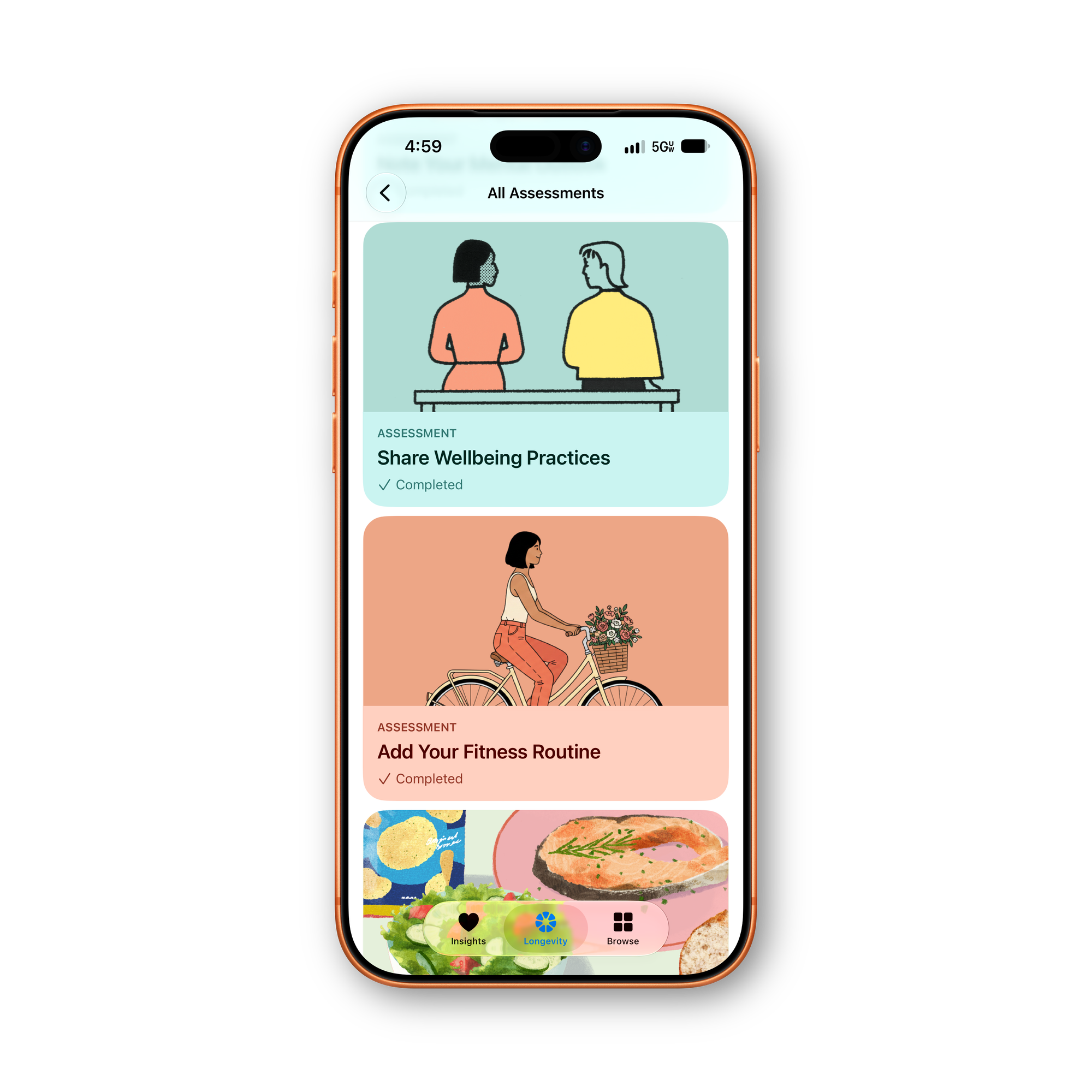
All of the new assesments
Longevity is built around a set of assessments, 17 of them total, tracked with a completion bar so you can see how much of the full picture you've filled in. They break down into a few categories:
Four use the iPhone's camera to track your movement in real time: flexibility, balance, cardio fitness and recovery (a VO2 max test), and strength and mechanics. Each takes about five minutes. Hearing gets its own assessment too, run through a connected pair of AirPods, and Apple frames it as something worth repeating every 12 months since hearing ability typically declines gradually enough that you won't notice on your own. If you have an Apple Watch, you can record an ECG directly into Longevity as well.
The rest are manual or questionnaire-based: logging your blood pressure, entering body measurements like waist and hip, and completing screens covering sleep quality, nutrition habits, stress, general mental outlook, and dedicated screenings for anxiety and depression.
Camera Evaluations and Privacy
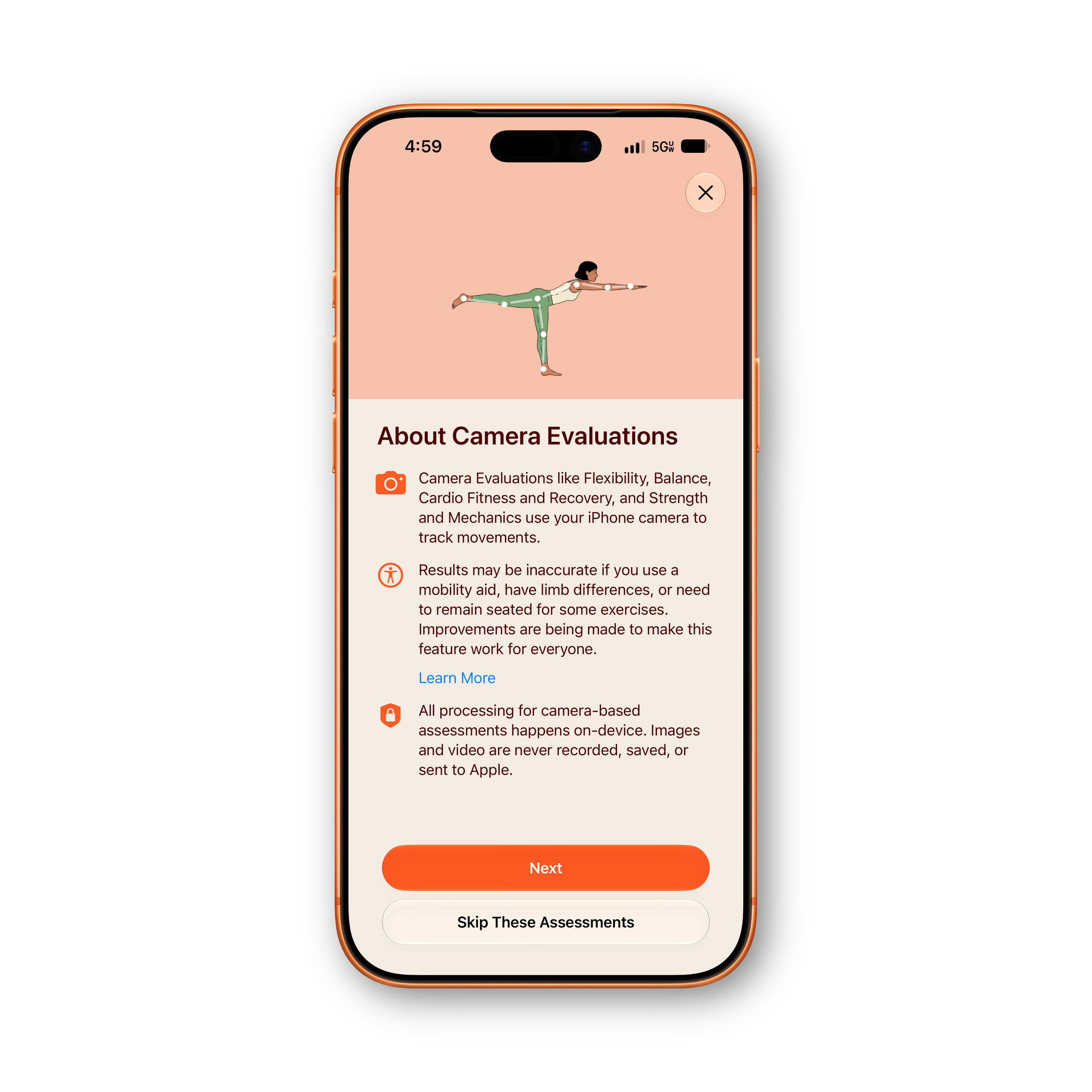
Camera Privacy
For the camera-based assessments specifically, Apple says all processing happens entirely on-device, images and video are never recorded, saved, or sent to Apple. Worth flagging too: Apple's own onboarding for these assessments notes results may be less accurate for anyone using a mobility aid or with limb differences, and describes it as an area the company is actively working to improve rather than something already solved.
Labs and the Path to a Full Health Age
You can already upload existing lab results today to feed into Health Age, no need to wait for anything else to ship. Down the line, U.S. users will also be able to order a $119 Quest Diagnostics bloodwork panel, covering more than 50 biomarkers, directly from the Health app instead of hunting one down elsewhere.
A Third Tab: Browse
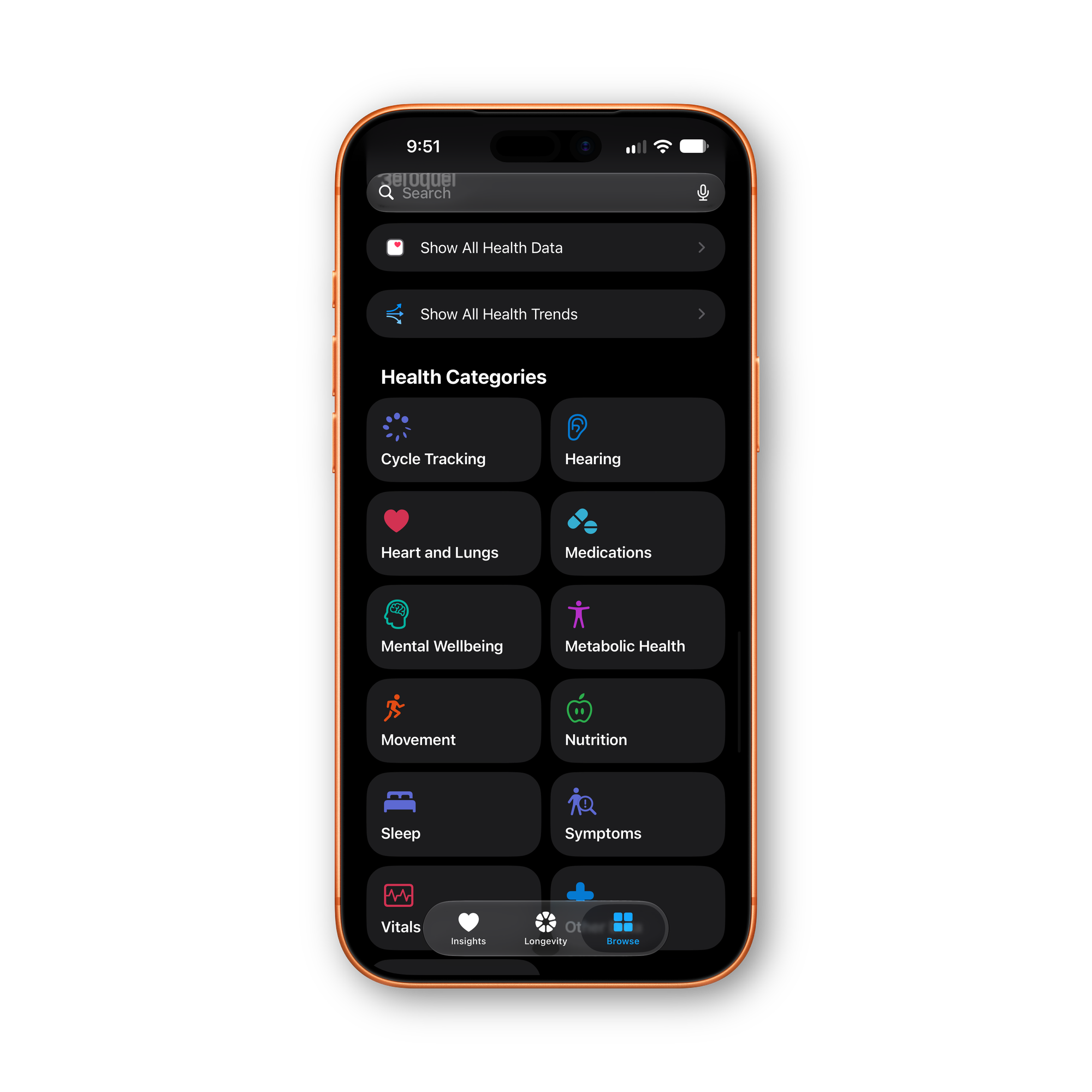
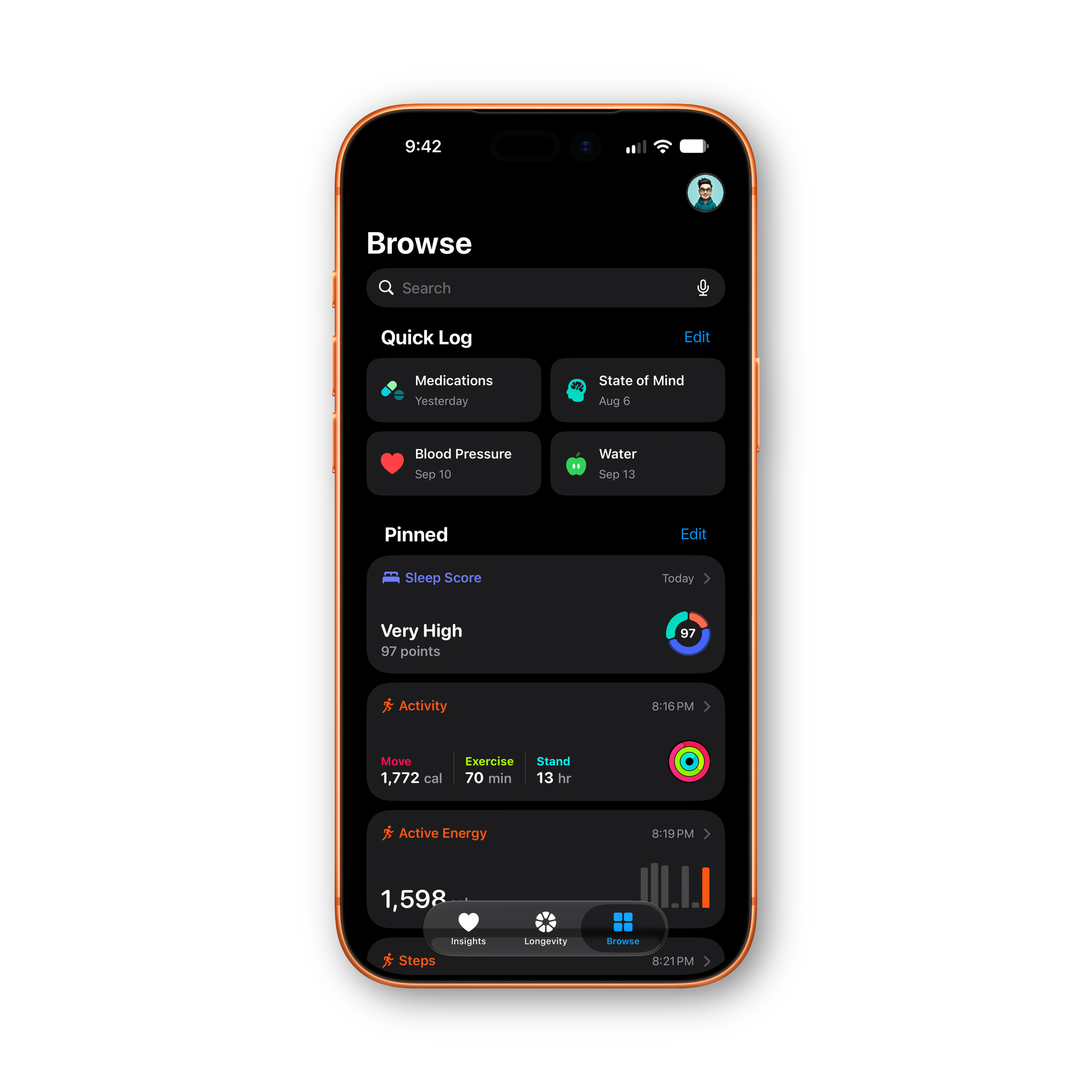
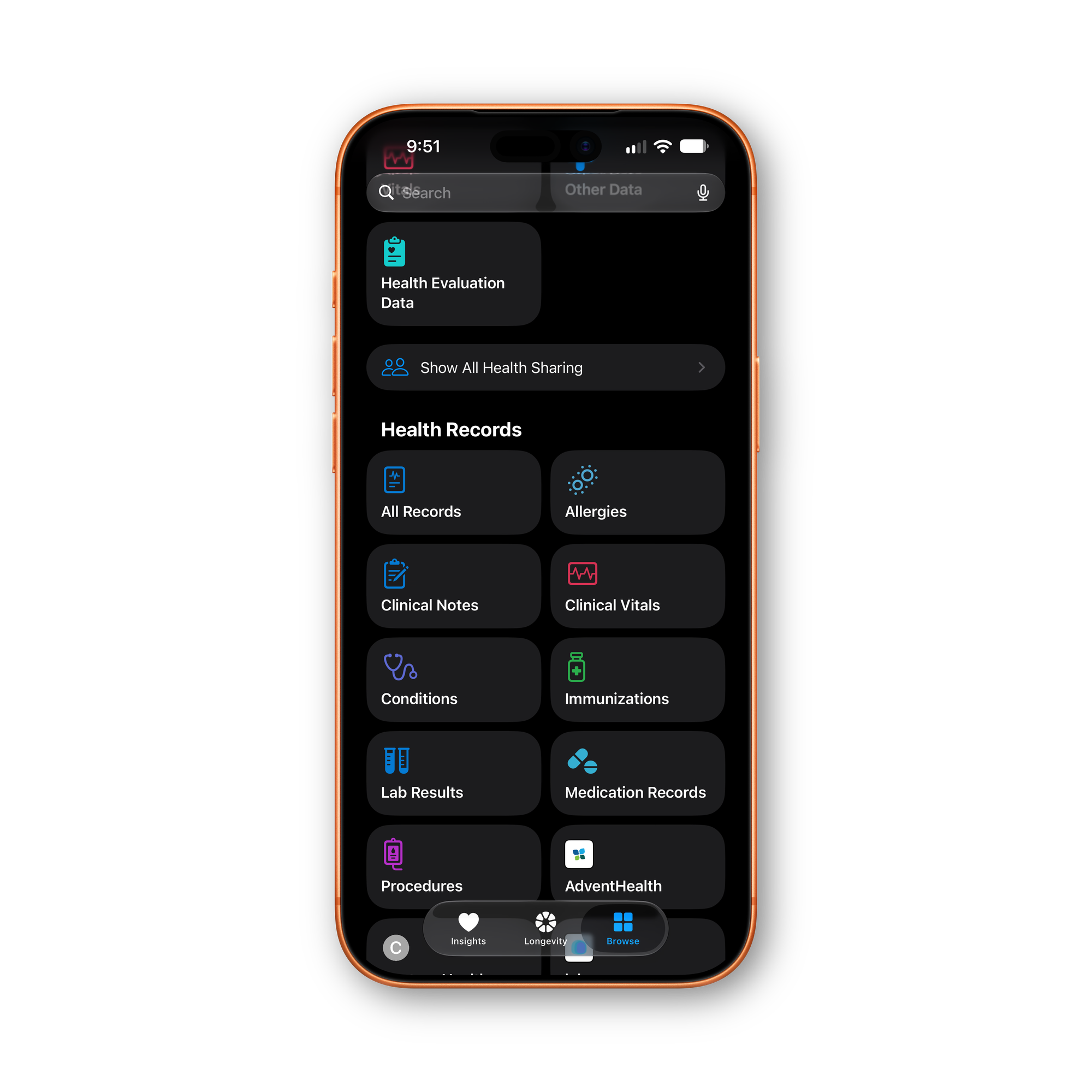
The new Browse Tab
Health's bottom navigation is now three tabs instead of the old single scrolling feed: Insights, Longevity, and a third tab called Browse, which is where your pinned data, quick logging, and full historical records all live now. It's the closest thing to what the old Health app used to be, just no longer the only way in.
Browse opens with a Quick Log section at the top, two shortcuts by default, and you can edit and reorder which metrics live there instead of being stuck with whatever Apple picked. The list you're choosing from is genuinely comprehensive, organized into categories like Heart and Lungs, Mental Wellbeing, Metabolic Health, Movement, Nutrition, Vitals, Symptoms, Cycle Tracking, and a catch-all Other Data bucket, covering everything from cardio fitness and HRV to body fat percentage, dozens of individual nutrients, and specific symptoms like chest tightness or skipped heartbeat. Below Quick Log sits a Pinned section for the data you want visible at a glance, sleep score, activity rings, and similar, also editable and reorderable.
Scroll further and Browse still carries everything the old Health app did. A Health Categories grid lets you dig into any of those same categories directly, and a Health Records section below that handles the clinical side: All Records, Allergies, Clinical Notes, Clinical Vitals, Conditions, Immunizations, Lab Results, Medication Records, and Procedures, plus whatever your connected provider adds on top, mine shows a tile for AdventHealth. Health Sharing and a Health Evaluation Data entry, tying back to the Longevity assessments, round it out. Nothing from the old app got cut, it's just no longer the first thing you see.
What You Need to Actually See Any of This
The whole redesign depends on Apple Intelligence, so you'll need an iPhone 15 Pro or later just to load it. Several individual pieces need more than that: the movement evaluations and readiness score require a paired Apple Watch, and readiness specifically only works with the Apple Watch Series 12 or Ultra 4.
How It Stacks Up Against Whoop and Bevel
When Apple showed this off in September, plenty of coverage framed it as an extinction-level event for Whoop, and by extension for software layers like Bevel that already turn an Apple Watch into something Whoop-shaped. The logic made sense on paper. Readiness scores, recovery tracking, a biological age metric, and AI coaching are exactly what those products charge for, and Apple was putting a version of all of it directly into an app everyone already has.
Having spent real time in the beta, that comparison doesn't hold up yet, and it's worth being specific about why. Readiness, the single feature closest to Whoop's core pitch, only works on the Apple Watch Series 12 and Ultra 4, so most current Apple Watch owners can't use it at all. The parts of Insights meant to actually interpret your data, personalized guidance and personalized recommendations, aren't live in this beta. Ordering a bloodwork panel through Quest isn't live either. None of this is even in the finished iOS 27.2 release to begin with, Apple's own notes say the full redesign ships later in the year.
Whoop and Bevel don't carry that asterisk. Both are complete, working products today. Whoop ships dedicated hardware that works independent of any phone, and Bevel already has a live AI coaching layer, blood test uploads, and support for whichever wearable you already own, Apple Watch included. Measured against what you can actually use right now, not what Apple has said is coming, the redesigned Health app isn't ahead of either one. It may close that gap once personalization, labs, and the finished version actually ship. It hasn't yet.
None of this is final. Apple has said the full Health app redesign will roll out publicly later in 2026, separate from whenever iOS 27.2 itself ships. What's in today's beta is the earliest possible look, missing pieces included, and it'll almost certainly change shape before it reaches everyone.
A few specific things worth watching as later betas land: whether personalized guidance in Insights actually shows up before the year's out, whether the Quest ordering flow works the way Apple's described it, and whether Readiness ever extends to Apple Watch models older than the Series 12 and Ultra 4. On that last point, I'll have a real answer soon rather than a secondhand one, my Ultra 4 arrives Friday, and I'm updating this piece the moment Readiness is actually on my wrist instead of just in Apple's press materials.
Given how much of this leans on an Apple Watch to actually work, is Health's redesign enough on its own, or does it just make the case for buying one even stronger?
Frequently Asked Questions
Do you need an Apple Watch to use the new Health app? No, but you'll get a lot less out of it without one. The redesign works on any supported iPhone, but the movement evaluations and Readiness score both require a paired Apple Watch, and Readiness specifically only works with the Apple Watch Series 12 or Ultra 4.
What is Health Age in iOS 27.2? Health Age is a new metric inside the Longevity tab that estimates how your body's actual performance compares to your chronological age, based on metrics like VO2 max, resting heart rate, HRV, sleep, and bloodwork. It recalculates every Monday and breaks down into the specific factors pushing it up or down rather than showing a single opaque number.
When is Apple's redesigned Health app coming out? It's currently in developer beta only, through iOS 27.2 beta 1, and Apple's own notes say it won't be part of the finished iOS 27.2 release. Apple has said the full redesign is coming later in 2026.
What iPhone do you need for the new Health app? An iPhone 15 Pro or later, since the redesign depends on Apple Intelligence.
Is the new Health app available outside the US? Not yet. It's currently U.S. English only, even on a supported device.




Comments