





MacOS 27 Golden Gate is rolling out today, September 14, as a free update, arriving alongside iOS 27, iPadOS 27, and watchOS 27 as part of Apple's fall software cycle. It's a release built around two very different kinds of milestone. One is Siri AI finally reaching the Mac in a way that's actually built into how you already search your system. The other is quieter but more permanent: this is the first version of macOS that will never run on an Intel Mac.
If Golden Gate has a theme, it's closer to what reviewers have already started comparing it to, Snow Leopard, the 2009 release remembered less for new features and more for making everything that already existed work better. Siri AI is the exception to that pattern, a genuinely new capability rather than a refinement. Everything else in this release, from the redesigned window controls to the rebuilt Spotlight indexing, is Apple polishing a foundation it's spent the last few years pouring.
Siri AI Lives Inside Spotlight
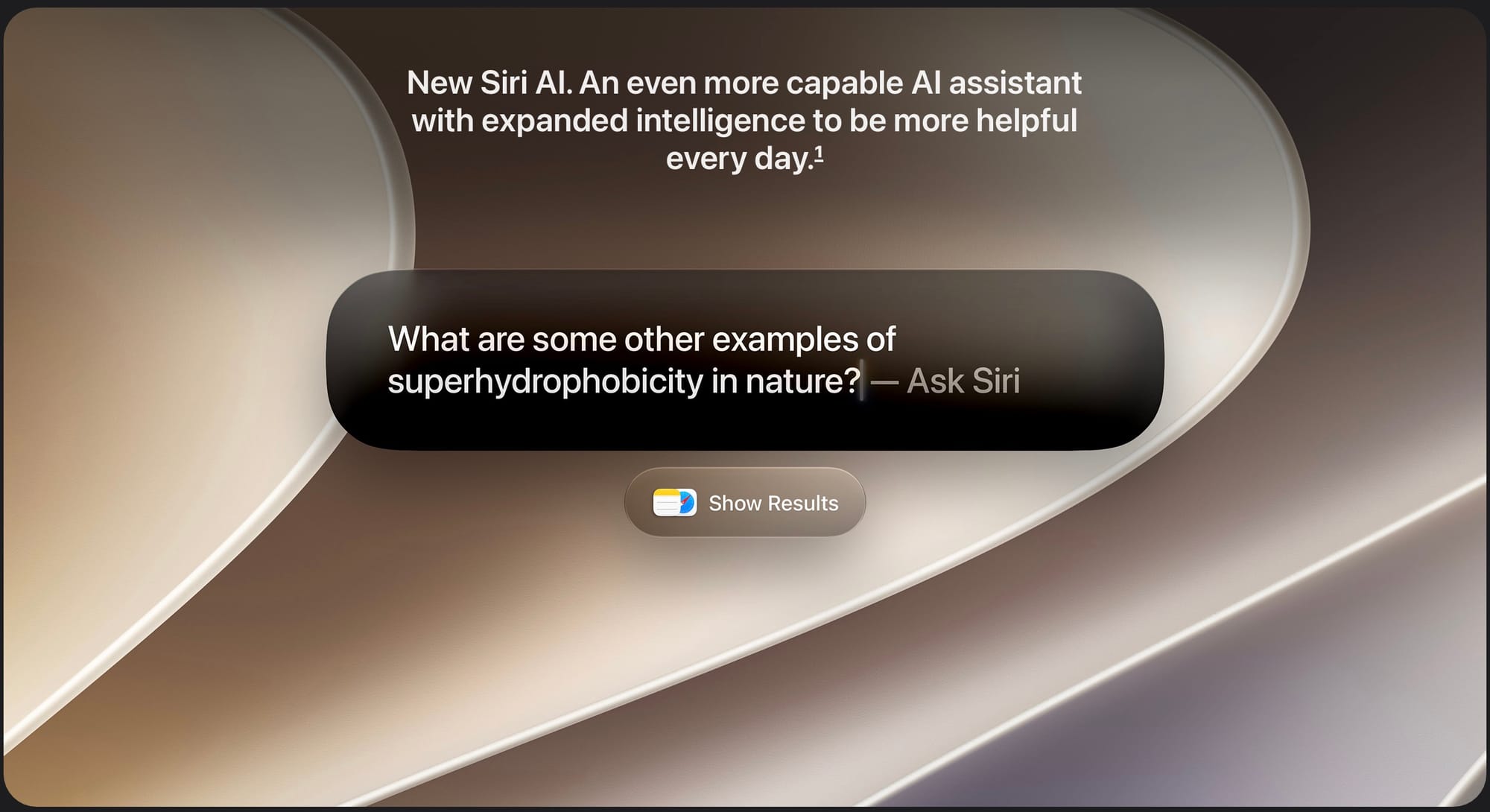
The biggest architectural decision in Golden Gate is where Siri AI actually lives. Rather than building a separate assistant interface, Apple folded it directly into Spotlight, the search tool most Mac users already trigger from muscle memory. Typing a question and invoking Siri AI are now the same action. Ask something Spotlight would normally search for, and you get search results. Ask something that requires reasoning or a conversation, and Siri AI takes over instead, pulling from your Messages, Mail, and Photos to answer questions that reference things you've already told your Mac.
Longer conversations live in a dedicated Siri app, the first time Apple has built one specifically for Mac. It syncs through iCloud, so a conversation you start on your Mac is waiting for you on your iPhone or iPad later, and it includes its own privacy controls for managing exactly what Siri AI is allowed to see.
Visual Intelligence extends this further. Select a portion of your screen using Command-Shift-Space, and Siri AI can answer questions about what's there or take action on it directly, like adding an event to your calendar from a screenshot rather than manually retyping the details.
Siri AI ships as a beta, in English only, with usage limits on some of the server-backed features, including Siri AI itself, the new photo editing tools, Image Playground, and the AFM 3 Cloud models inside Shortcuts. Notably, the Mac's rollout differs from iPhone and iPad in one meaningful way: Siri AI is available in the EU on Mac when set to a supported language, while it remains unavailable on iOS and iPadOS there at launch.
Custom Siri voice selection and the most capable on-device Dictation improvements require a Mac with an M3 chip or later and at least 12GB of unified memory. Every Apple Silicon Mac, including M1 and M2 models and the new MacBook Neo, gets Siri AI itself, just not those specific extras.
Redesigned Window Controls and a More Readable Liquid Glass
Refined Liquid Glass
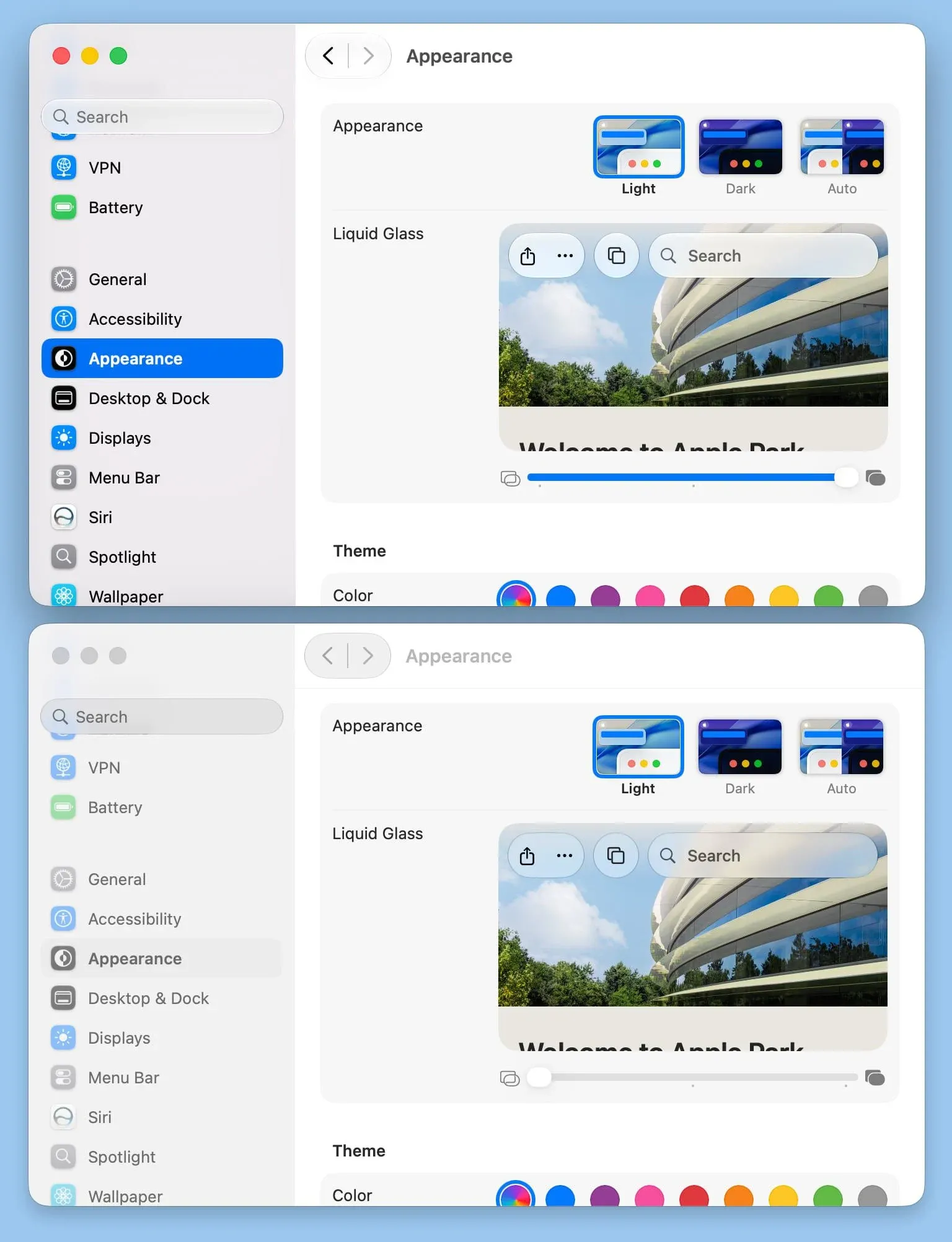
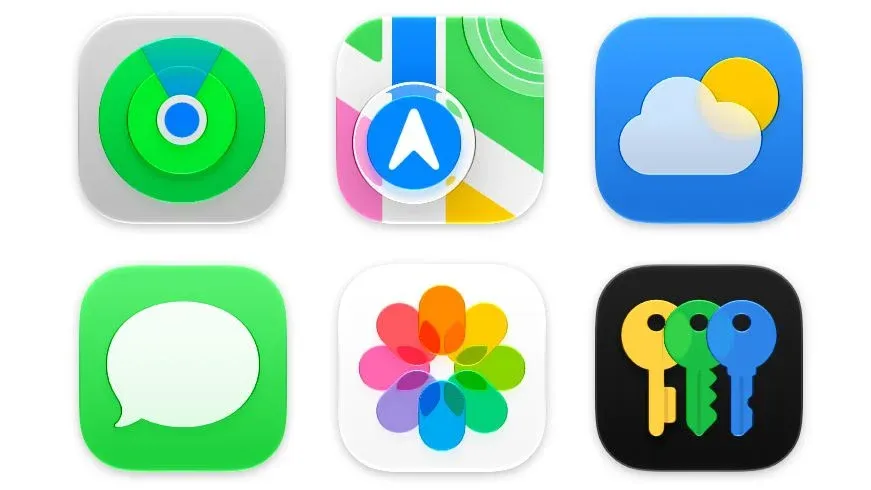
The traffic light window controls, the close, minimize, and maximize buttons in the top left of every window, get a visual refresh that leans further into the Liquid Glass aesthetic than the version macOS 26 Tahoe introduced. Alongside that, the same system-wide transparency slider iOS 27 introduced makes its way to Mac, letting you dial Liquid Glass intensity up or down across toolbars, sidebars, and app icons instead of living with a single fixed level.
Shortcuts Gets Natural Language Automation
Describe a Shortcut lets you explain an automation in plain language, and Apple Intelligence assembles the steps and connects the relevant apps automatically. It's genuinely in beta territory. Apple Intelligence doesn't always get the result exactly right, and you'll still want to drop into the manual editing interface to fine tune more complex shortcuts, but for straightforward automations it removes a real barrier to entry that previously required understanding Shortcuts' action library.
Search, AirDrop, and Everyday Performance
The indexing system powering Spotlight, Mail search, and Photos has been rebuilt from the ground up. Search results are more accurate and more contextually relevant, AirDrop transfers are faster, network file browsing feels noticeably snappier, and Safari's start page loads quicker. None of this is flashy on its own, but it's the connective tissue behind why Golden Gate feels faster in daily use even before you touch Siri AI. We covered the underlying architecture behind this work in detail, including why it's tied directly to Apple ending Intel support, in our piece on the Snow Leopard comparison.
Safari picks up the same toolkit iOS 27 introduced: automatic tab organization, bookmarks browsable by topic, a Notify Me option that watches a page for changes, and the ability to describe a custom extension in plain language rather than relying only on what developers have published.
Parental Controls Come to the Mac in Full
Golden Gate brings the same child safety overhaul iOS 27 and iPadOS 27 shipped with, and on Mac it's a bigger jump than on the other platforms since Mac parental controls hadn't seen a meaningful update in years. Ask to Browse requires a child's Mac to get approval before visiting a new website in Safari. Time Allowances let you manage time by app category rather than a single blunt daily limit, with Apple providing age-based starting suggestions. Schedules control which apps are available at different times of day. Communication Safety's protections widen to cover graphic images and video, not just the categories it previously screened.
As with iOS and iPadOS, every device in a Family Sharing group needs to be running this cycle's software, meaning macOS 27, iOS 27, iPadOS 27, or watchOS 27, for these controls to actually enable. A single family member still on last year's OS will keep the whole group from turning them on. We went deep on the complete rollout across every platform, including the specifics of what changed in Communication Safety, in our dedicated child safety breakdown.
The End of Intel
macOS 27 Golden Gate is the first version of macOS that will never run on an Intel Mac. macOS 26 Tahoe was the last release Apple built for Intel hardware, and Golden Gate completes that transition entirely. If your Mac has an Intel processor, this update simply isn't available to you, regardless of how recent that machine is. Apple has said Intel Macs still on Tahoe will continue getting security updates for three more years, but they're done receiving new macOS versions and new features.
macOS 27 Golden Gate Availability
macOS 27 Golden Gate supports every Apple Silicon Mac, along with the newly introduced MacBook Neo, Apple's $599 laptop built around an A18 Pro chip rather than an M-series chip, making it the first Mac to ship with an A-series processor.
| Mac | Earliest supported model |
|---|---|
| MacBook Neo | 2026 (A18 Pro) |
| MacBook Air | Apple silicon, 2020 and later |
| MacBook Pro | Apple silicon, 2020 and later |
| iMac | Apple silicon, 2021 and later |
| Mac mini | Apple silicon, 2020 and later |
| Mac Studio | 2022 and later |
| Mac Pro | Apple silicon, 2023 |
Apple Intelligence and Siri AI are available on every Mac in that list, including the MacBook Neo and M1 models, though custom Siri voice selection and the most advanced on-device features require an M3 chip or later with at least 12GB of unified memory.
macOS 27 Golden Gate is a free update, available now in System Settings, then General, then Software Update. Your Mac will restart once to finish installing it. As with iOS and iPadOS, Siri AI's staged rollout means what you see on day one may still be filling in over the following weeks depending on your language and region.
Between Siri AI landing inside Spotlight and Intel support ending for good, does Golden Gate feel like the start of a new era for the Mac, or the quiet cleanup release its Snow Leopard comparisons suggest? Let us know in the comments.





Comments