


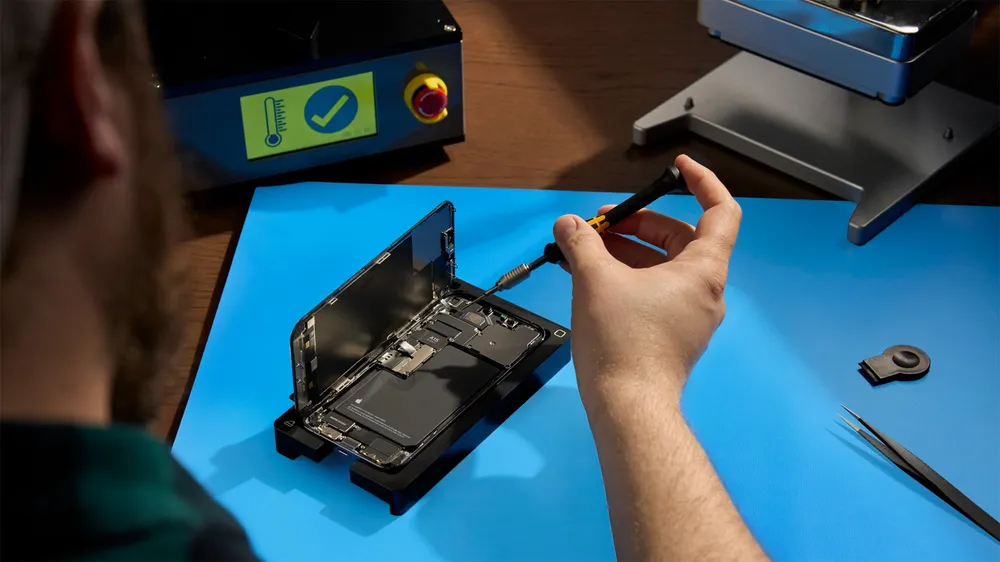


Apple's Self Service Repair Store now sells genuine parts for the iPhone 18 Pro and iPhone 18 Pro Max, plus the newest Mac mini and Mac Studio. The parts went live Tuesday morning, the same day Apple talked up the American suppliers behind those phones.
Before you order a battery, do the math. An iPhone 18 Pro battery costs $129 from the store, the same price Apple charges to replace it for you. Once you send the old battery back and pay for the tool kit rental, doing it yourself saves $12.92.
What's in the store
For the iPhone 18 Pro and Pro Max, Apple stocks the battery, display, back glass, rear and front cameras, enclosure, logic board, Taptic Engine, top and bottom speakers, main microphone and SIM tray, along with the screws, adhesive and protective covers each repair calls for. Parts are sold in the US, Canada and Europe.
On the Mac side, the store now covers the Mac mini with M6 and M5 Pro and the Mac Studio with M5 Max and M5 Ultra. Parts include fans, speakers, logic boards, power supplies and, on Mac Studio, SSD modules and the Thunderbolt and USB-C ports.
The iPhone Duo isn't part of this update, so owners still need Apple or an authorized service provider for any repair. One iPhone 18 Pro Max battery, the eSIM version, is also listed as coming soon.
What a repair actually costs
Every main part has a replaced part credit, which you get after you ship the old part back to Apple. The tool kit is a separate $49 rental, shipping included. Here is how the three most common iPhone 18 Pro repairs compare with Apple's own out of warranty prices, before tax:
| iPhone 18 Pro repair | Part | Credit | DIY with rental | Apple's price |
|---|---|---|---|---|
| Battery | $129.00 | $61.92 | $116.08 | $129 |
| Display | $329.00 | $16.45 | $361.55 | $379 |
| Rear camera | $249.00 | $59.76 | $238.24 | $249 |
The Pro Max display is $379, or $360.05 after its $18.95 credit, and the Pro Max battery matches the Pro at $129. The battery is $10 more than the iPhone 17 Pro's was. The camera stayed at $249 even with the new variable aperture system inside it.
The rental has its own fine print. Apple places a hold on your card for the full value of the tools, and the kit has to be dropped off at UPS by day 7 after it arrives. Late returns cost a fee, and missing or damaged tools get charged. The hold can take 5 to 7 business days to clear after Apple gets the kit back, which matters if you use a debit card.
Who should do it
At under $20 in savings, this is not a way to save money. It makes sense if there's no Apple Store or authorized repair shop near you, if you don't want to go without your phone for a day, or if you already know your way around a phone repair and like doing it yourself.
For a battery or screen on a phone you depend on every day, Apple's in store service costs nearly the same and puts the risk on Apple. If you're unsure, read the manual for your repair before you buy anything. If a step looks like more than you want to take on, book the repair with Apple.
How to order
- Read the repair manual for your model first. Apple publishes one for each device, and it lists every tool the job needs.
- Open the Self Service Repair Store, choose your product, model and repair type, or enter your serial number. For example, here is the iPhone 18 Pro battery page.
- Add the part, then either rent the kit or buy the individual tools listed under it. The tool kit rental page explains the hold and return terms.
- After the repair, send the old part back through Apple's replaced part return process to get your credit.
To compare with having Apple do it, the iPhone repair page shows estimated prices for each model and repair type.










Comments