


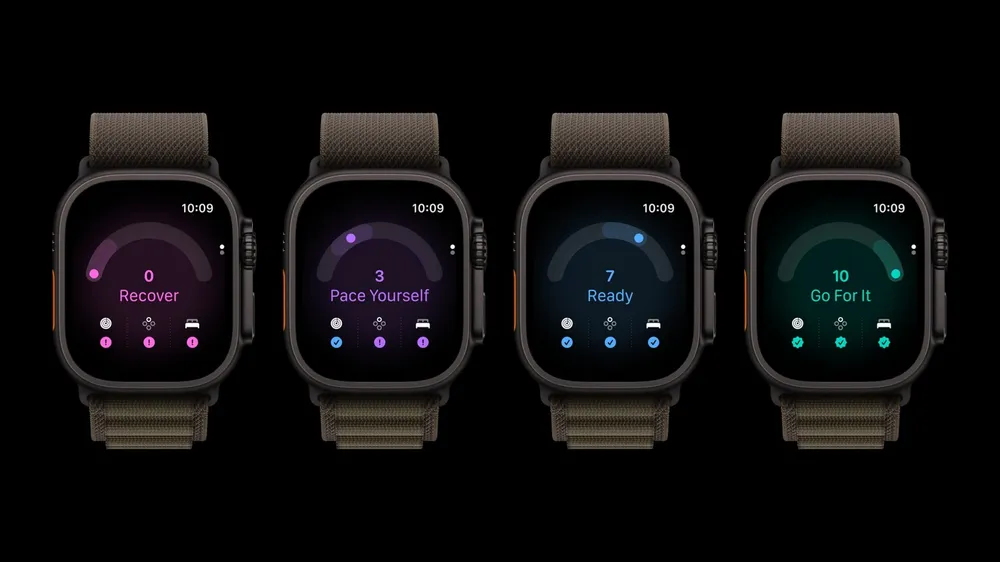


Most mornings now, the first thing I look at on my Ultra 4 is a single number between 0 and 10. That's a lot of trust to hand a score Apple only introduced this fall, and anyone with a new Series 12 gets the same number with very little explanation of what goes into it. So what is Readiness actually measuring, and when should you ignore what it tells you?
The short version is that Readiness is a summary of three things your watch already tracked, rebuilt around a new sensor and reduced to one instruction. Understanding those three inputs is what makes the number useful, because the score alone can't tell you whether you slept badly, trained hard or your vitals are off.
What the score means
Readiness gives you a score from 0 to 10 every day, along with one of four recommendations. Apple developed the scoring with data from the Apple Heart and Movement Study.
| Score | Label | What it means |
|---|---|---|
| 8 to 10 | Go For It | A good day to push hard |
| 5 to 7 | Ready | Train as planned |
| 2 to 4 | Pace Yourself | Keep it lighter today |
| 0 to 1 | Recover | Time to rest |
Score ranges and names from Apple. Readiness requires Apple Watch Series 12 or Ultra 4 and is for ages 13 and older.
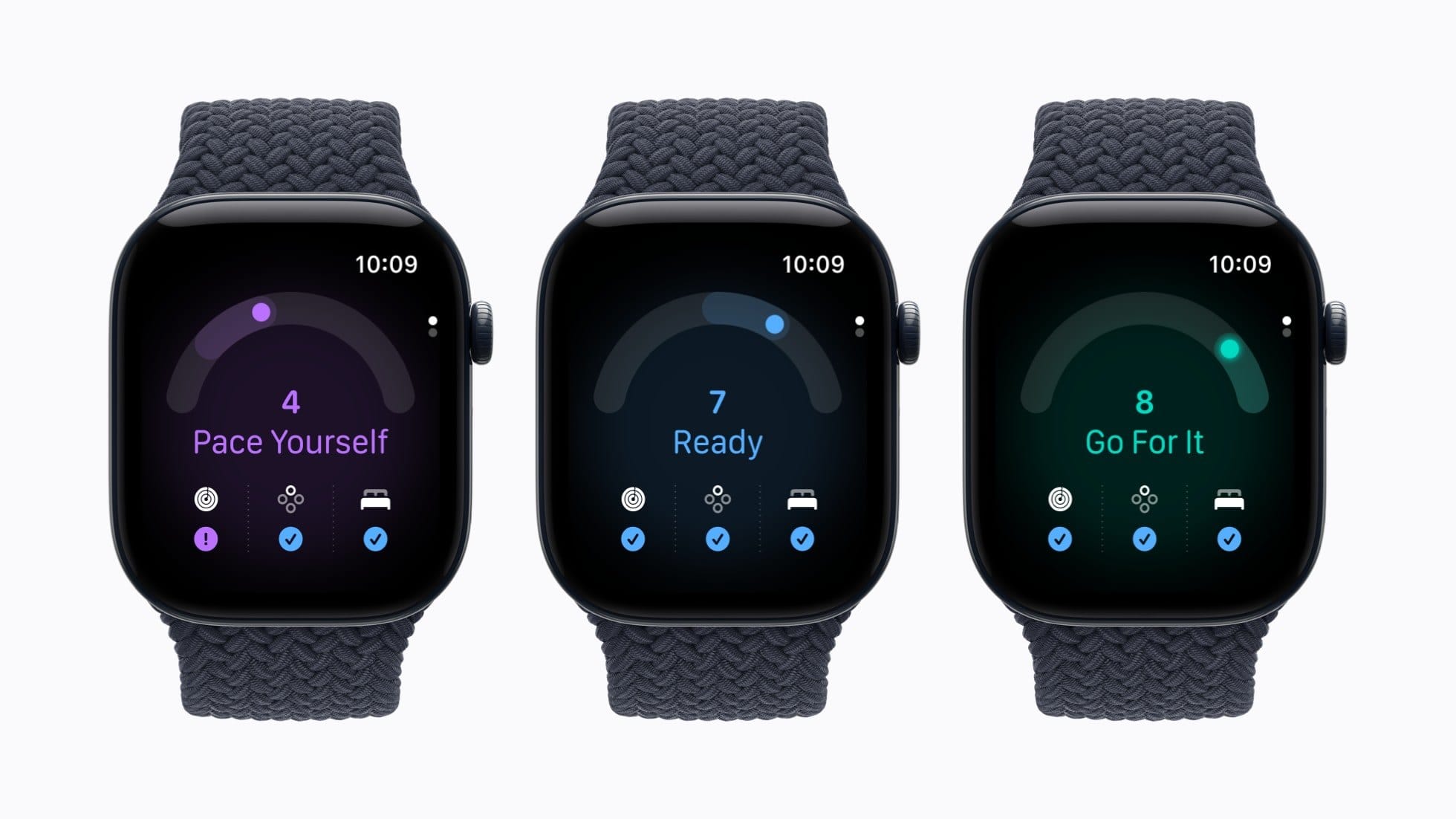
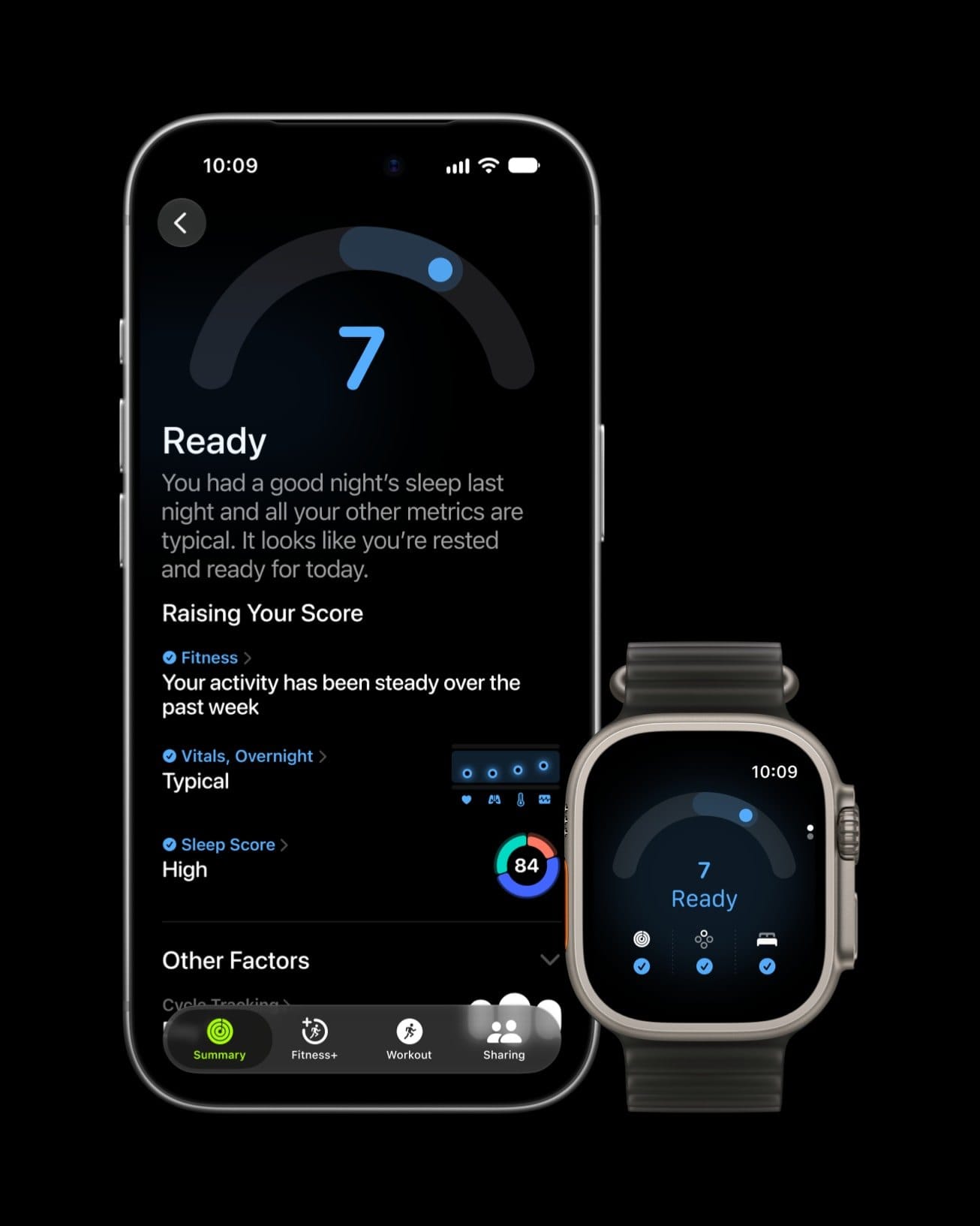
It doesn't stay fixed after you wake up. Apple says the score updates through the day based on calories burned, naps and your daytime heart rate, so a hard morning workout can drop an afternoon score, and a nap can lift it. Open the Readiness app on the watch and tap the Activity, Vitals and Sleep buttons to see which one is moving the number. On iPhone it's in the Fitness app under Readiness, near the bottom.
What goes into it
Activity is your recent training: active calories, the effort ratings you give workouts and Training Load. A heavy few days pushes the score down and a steadier stretch lets it climb, which is why the number can fall right after you finish a workout.
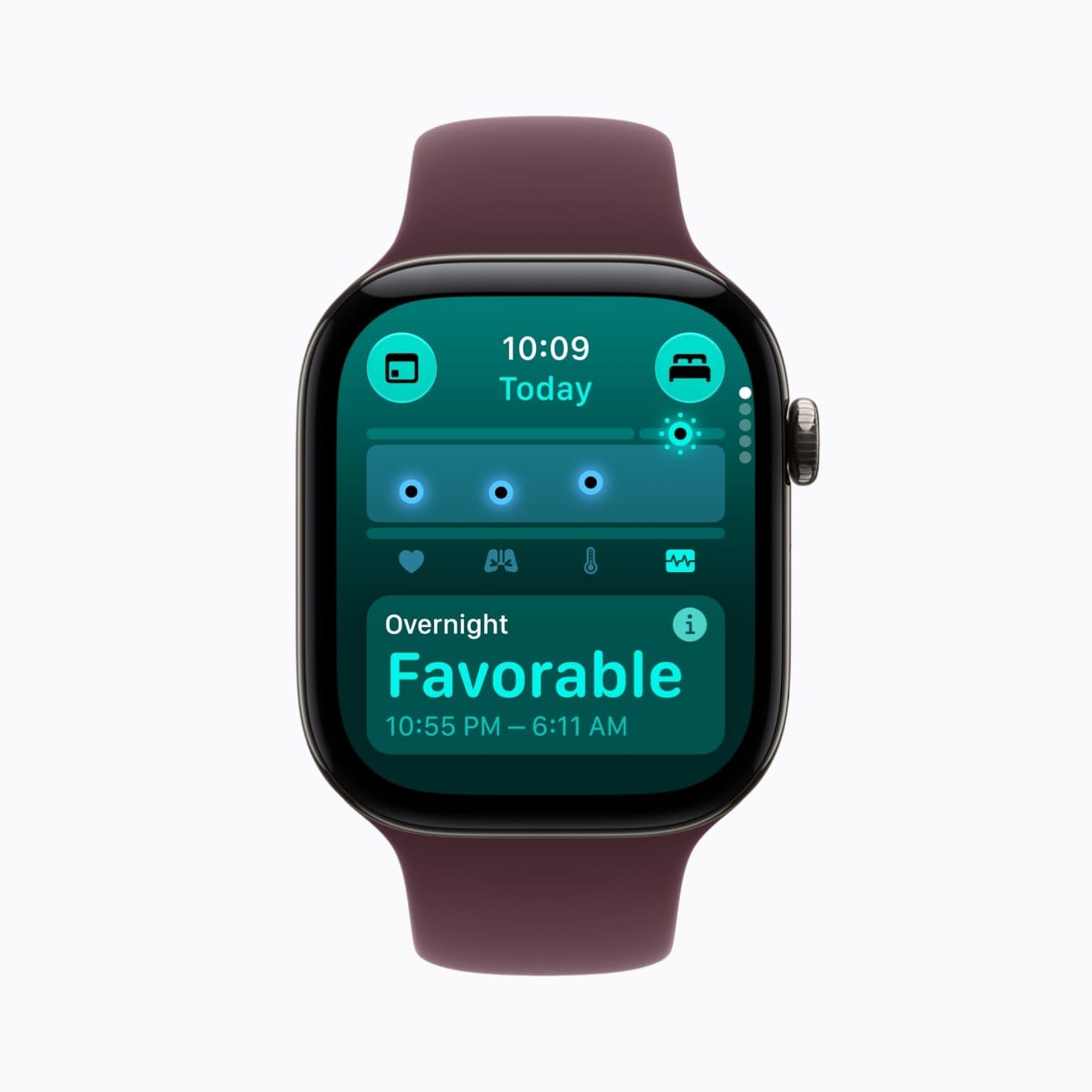
Vitals is the biggest input and the most interesting one. It compares your overnight heart rate, respiratory rate, wrist temperature, heart rate variability and blood oxygen, plus your daytime heart rate, against your own recent baseline. Readings that look typical or favorable raise the score. Readings that are off lower it. Apple's support page notes that on some US models with part numbers ending in LW/A or LS/A, Blood Oxygen isn't available in the Vitals app, so the score leans on everything else.
Sleep is your sleep score from last night and your recent history. A short or broken night drops the score, and a run of good nights pushes it up.
Why older watches don't get it
Readiness requires a Series 12 or Ultra 4. A Series 11, Ultra 3 or SE 3 running watchOS 27 doesn't get it, and that's going to sting for anyone who bought an Ultra 3 a year ago. The reason is the new Health Sensing System. Its larger green LEDs check your heart rate every five seconds all day, it measures heart rate variability up to 24 times more often than before, and it adds recovery HRV to your overnight vitals, measured against your personal baseline. That denser heart data is what Readiness is built on, and the older sensors can't collect it.
It changes the upgrade math we gave in our Series 12 vs Ultra 4 guide. The design and display didn't change between Ultra 3 and Ultra 4, but if Readiness is the feature you want, the new watch is the only way to get it.
How to set it up
Readiness needs to learn what normal looks like for you before it can say whether today is different. Apple's setup list:
- In the Fitness app on iPhone, check that your height, weight and age are set.
- Set up Activity on the watch.
- Set up Sleep and wear the watch to bed for at least seven nights.
- Turn on Overnight Vitals.
The vitals comparison needs you to have slept in the watch on at least 7 of the past 49 nights. That rule matters more than it looks. If your habit is charging overnight, Readiness will keep running on thin data, and you'll get a confident number built on very little. Charging during your morning shower or while you get ready works better, and the fast charging on both watches makes that realistic: Apple rates 15 minutes for up to 12 hours on Series 12 and up to 18 hours on Ultra 4.
How it compares to Oura's Readiness Score
Oura has had a Readiness Score for years, and the two are built differently. Oura scores from 0 to 100 and sorts you into Optimal (85 and up), Good (70 to 84), Fair (60 to 69) and Pay Attention (below 60). Its inputs overlap with Apple's, including resting heart rate, body temperature, sleep and the previous day's activity, and it leans on "balance" contributors that compare a weighted 14 day average against your last two months.
Apple went coarser on purpose. Eleven possible scores and four plain recommendations tell you what to do today and leave the precision in the factor screens. The bigger difference is what each device knows about your training. A ring sees movement and heart rate. The watch knows the workout you logged, how hard you rated it and your Training Load, so Apple's Activity factor is working with richer information. The trade is comfort: plenty of people who'd happily sleep in a ring won't sleep in a watch, and without those nights Apple's score has nothing to stand on.
When to ignore it
Apple is direct about the limits. Readiness "does not account for all health factors such as existing conditions or medications," and Apple says it shouldn't be the only thing you use to decide whether it's safe to exercise. Apple also labels the Vitals app it draws from as a wellness feature only.
In practice, the factor breakdown tells you when to ignore it. A low score driven entirely by one short night after a late flight says something about the flight, and a light workout is probably fine. A low score with vitals flagged as off for several days running is the one to take seriously, especially if you also feel run down. Watch for patterns across a week rather than reacting to any single morning.
Readiness is the first Apple Watch metric that gives you an instruction rather than a reading, and later this year it gets a second home. The redesigned Health app Apple previewed with these watches puts readiness in a new Insights tab next to sleep, heart and fitness. Once that ships, the question shifts from whether the score is accurate to whether people let a 0 to 10 number decide how hard they push. A week of wearing it to bed and reading the factors behind the headline number is the best way to make sure you're the one deciding.







Comments